Ready Player One: Learn to Code Through Games
Want to learn to code or level up your existing skills? These 8 coding games for beginners make learning fun and accessible. This list provides tools to build fundamental programming knowledge through interactive gameplay, removing the often-steep learning curve of traditional methods. Whether you're a complete novice, seasoned developer, artist, educator, or hobbyist, discover the perfect game to ignite your coding journey and start creating.
1. Scratch: A Visual Playground for Coding Games Beginners
Scratch is a fantastic entry point for anyone looking to dip their toes into the world of coding games, especially beginners. Developed by the MIT Media Lab, this visual programming language and online community makes learning to code fun and accessible, eliminating the intimidation factor often associated with text-based languages. Its intuitive drag-and-drop interface allows users to create interactive stories, games, and animations, fostering creativity while teaching fundamental programming concepts without the need to type a single line of code. This makes it particularly appealing to beginners aged 8-16, although its user base extends far beyond this demographic, encompassing educators, artists, and hobbyists alike. For anyone searching for engaging coding games for beginners, Scratch is an excellent starting point.
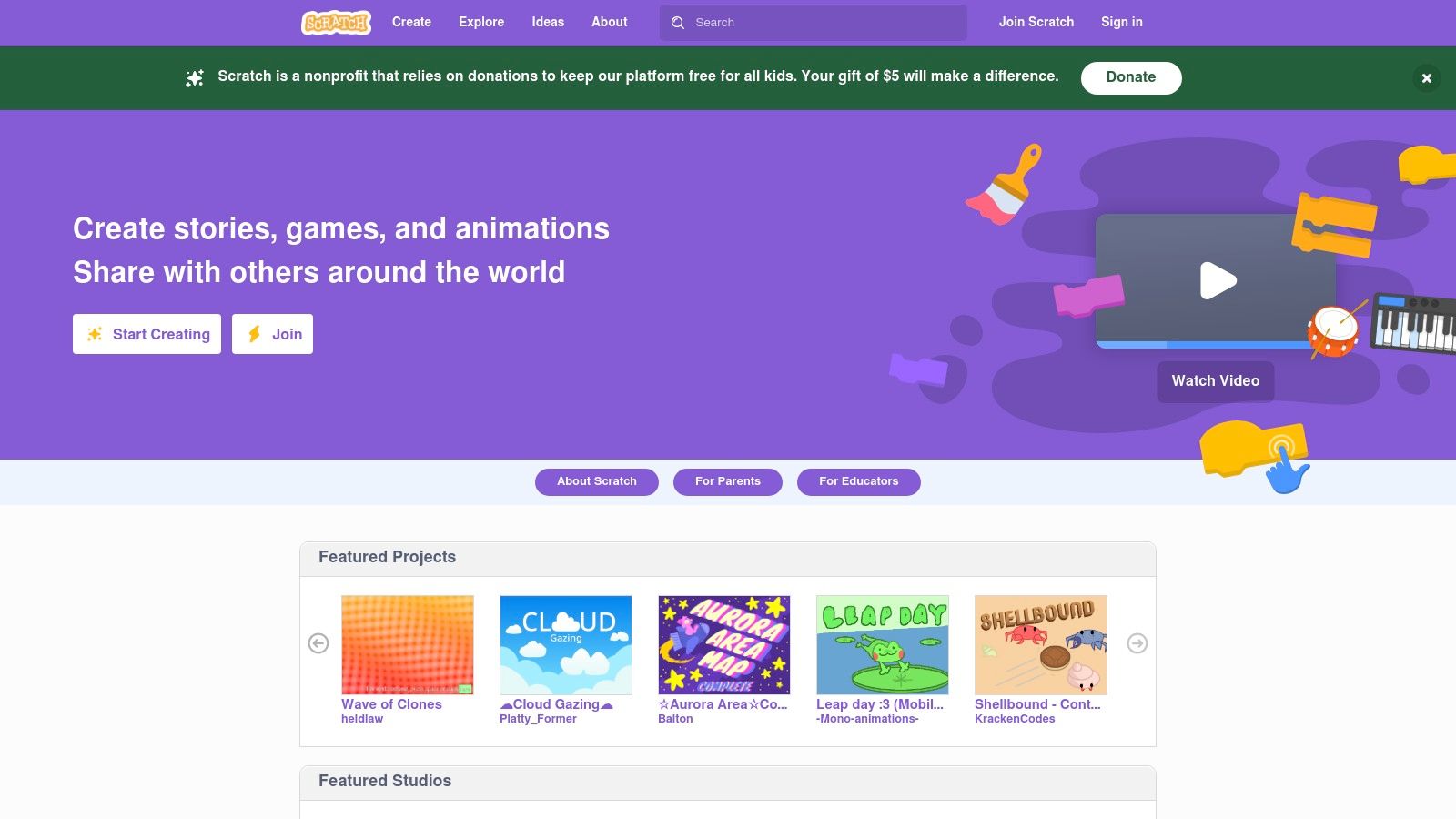
At the heart of Scratch's appeal is its visual block-based programming interface. These colorful blocks represent different coding commands, such as loops, conditional statements, and variables. Users simply drag and drop these blocks together like puzzle pieces, building their programs logically and visually. This eliminates the possibility of syntax errors, a common frustration for beginners learning text-based languages. Scratch also provides built-in libraries of sprites (graphical objects) and sounds, allowing users to quickly populate their projects with engaging visuals and audio. This ease of use makes Scratch a highly effective tool for teaching core programming concepts like logic, sequencing, and problem-solving.
Scratch goes beyond being just a programming tool; it’s a vibrant online community. Users can share their projects, remix others' creations, and collaborate on new endeavors. This social aspect fosters a sense of belonging and encourages learning through exploration and experimentation. The ability to see how others have built their projects provides valuable insight and inspiration. The platform also supports multiple languages (over 50), making it accessible to a global audience. Real-time collaboration tools further enhance the learning experience, allowing users to work together on projects regardless of location.
One of the biggest advantages of Scratch is that it's completely free and open-source. There are no licensing fees or hidden costs, making it accessible to everyone with an internet connection. This, coupled with the vast library of free educational resources and tutorials available online, makes Scratch an incredibly valuable tool for both self-learners and educators. The supportive community is another significant asset. Whether you’re struggling with a specific coding concept or looking for feedback on your project, the Scratch community is always willing to lend a hand.
While Scratch offers numerous benefits, it's important to acknowledge its limitations. Being a visual programming language, it doesn’t directly translate to text-based coding languages like Python or JavaScript. While the fundamental programming concepts learned in Scratch are transferable, users will eventually need to transition to a text-based language if they wish to pursue more advanced programming. For complex projects, the visual block system can also become cumbersome, limiting the level of control and sophistication achievable. Finally, while some basic offline functionality exists, a stable internet connection is required to access the full features of Scratch, including the online community and project sharing capabilities.
For beginners seeking coding games for beginners, Scratch stands as an excellent choice. Compared to other visual programming environments like Blockly, Scratch offers a more robust community and a greater focus on creative expression. Its extensive libraries and easy-to-use interface make it ideal for creating games, animations, and interactive stories. To get started, simply visit the Scratch website (https://scratch.mit.edu) and create a free account. The website offers a wealth of tutorials and resources to guide you through the basics. From there, the possibilities are limited only by your imagination. Explore the vast library of existing projects for inspiration, remix existing projects to learn how they work, and then embark on your own coding adventures. With Scratch, learning to code becomes a playful and rewarding experience, laying a solid foundation for future programming endeavors.
2. CodeCombat
CodeCombat stands out among coding games for beginners due to its immersive RPG-style gameplay and use of real programming languages. Unlike block-based coding platforms, CodeCombat throws you directly into the world of text-based coding, making it a more effective bridge to professional programming environments. This approach is highly beneficial for those aiming to develop real-world coding skills, positioning it as an excellent choice for both beginners stepping beyond block-based coding and experienced developers looking for a fun way to refresh their knowledge. It allows players to learn by doing, reinforcing coding concepts through practical application in an engaging environment. Want to cast a fireball? You’ll need to write the correct JavaScript or Python syntax to make it happen. This gamified approach helps solidify coding principles more effectively than passive learning methods. It's a particularly strong option for anyone seeking coding games for beginners that offer a real-world coding experience.
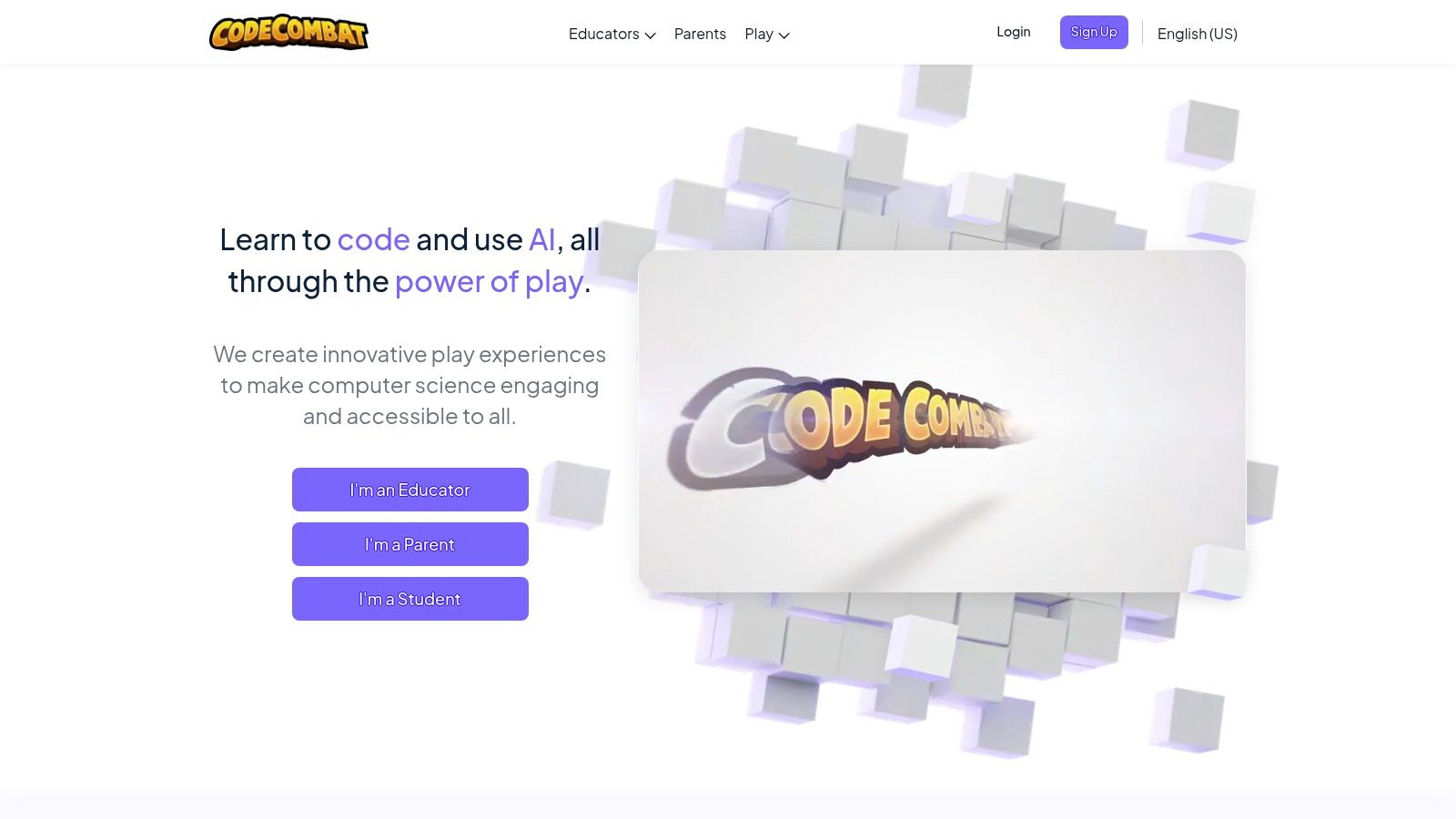
CodeCombat offers a structured curriculum that covers fundamental computer science concepts like variables, functions, loops, and conditional statements. Players progress through levels of increasing difficulty, starting with basic syntax and gradually introducing more complex programming constructs. This progressive learning curve makes it suitable for a broad audience, from absolute beginners to those with some coding experience. You can choose to learn Python, JavaScript, or C++, all within the context of the game's engaging narrative. Learn more about CodeCombat and how its immersive environment fosters learning.
One of CodeCombat’s key strengths is its integration of multiplayer coding challenges. This competitive element can significantly boost motivation and engagement, allowing players to test their skills against others and learn collaboratively. Imagine strategizing with a friend to solve a coding puzzle or competing in a head-to-head coding duel. This interactive aspect adds another dimension to the learning process, promoting teamwork and problem-solving skills. For educators, CodeCombat offers classroom management tools that simplify the integration of the platform into existing curricula. These tools allow teachers to track student progress, assign specific levels, and provide personalized feedback, making it a powerful tool for classroom instruction.
While CodeCombat offers a robust free tier, unlocking the full breadth of content requires a premium subscription, currently priced at $9.99 per month. This subscription unlocks additional levels, heroes, and game features. While this cost can be a barrier for some, the value provided in terms of educational content and engagement makes it a worthwhile investment for serious learners. However, the game-heavy nature of CodeCombat can be a double-edged sword. While the engaging gameplay motivates many learners, some might find the game elements distracting, hindering their focus on the core coding concepts. Complete beginners might also find the initial learning curve steep, especially if they have no prior exposure to text-based coding. Compared to dedicated Integrated Development Environments (IDEs), CodeCombat’s language support is limited, focusing primarily on web development languages. While Python, JavaScript, and C++ are widely used, those interested in languages like Java, C#, or Swift might find the platform lacking.
Despite these drawbacks, CodeCombat’s unique blend of engaging gameplay and real-world coding makes it a valuable resource for aspiring programmers of all levels. Its RPG format provides a stimulating alternative to traditional coding tutorials, making the learning process enjoyable and accessible. For beginners looking to dive into text-based coding, educators seeking interactive classroom tools, or even experienced developers looking for a fun coding challenge, CodeCombat offers a compelling platform to enhance coding skills. The game-like environment fosters a sense of accomplishment, driving learners to conquer new challenges and deepen their understanding of programming logic. Whether you're a seasoned developer or just starting your coding journey, CodeCombat offers a unique and effective path to mastering essential programming skills.
3. LightBot
LightBot is a unique entry in the realm of coding games for beginners. It stands out because it introduces core programming logic and fundamental concepts without requiring players to write a single line of code. This makes it an incredibly accessible entry point, particularly for younger learners or those intimidated by the prospect of traditional text-based coding. Instead of typing commands, players guide a charming robot through a series of increasingly challenging puzzles by using a simple drag-and-drop interface to issue instructions. This approach cleverly abstracts the complexities of coding languages while still reinforcing the underlying principles that power them. For anyone looking to grasp the basics of programming logic in a fun and engaging way, LightBot offers an excellent starting point. It's a powerful tool for building a solid foundation before diving into more complex coding environments. This makes it a valuable resource for aspiring coders, educators, and anyone curious about the inner workings of software.
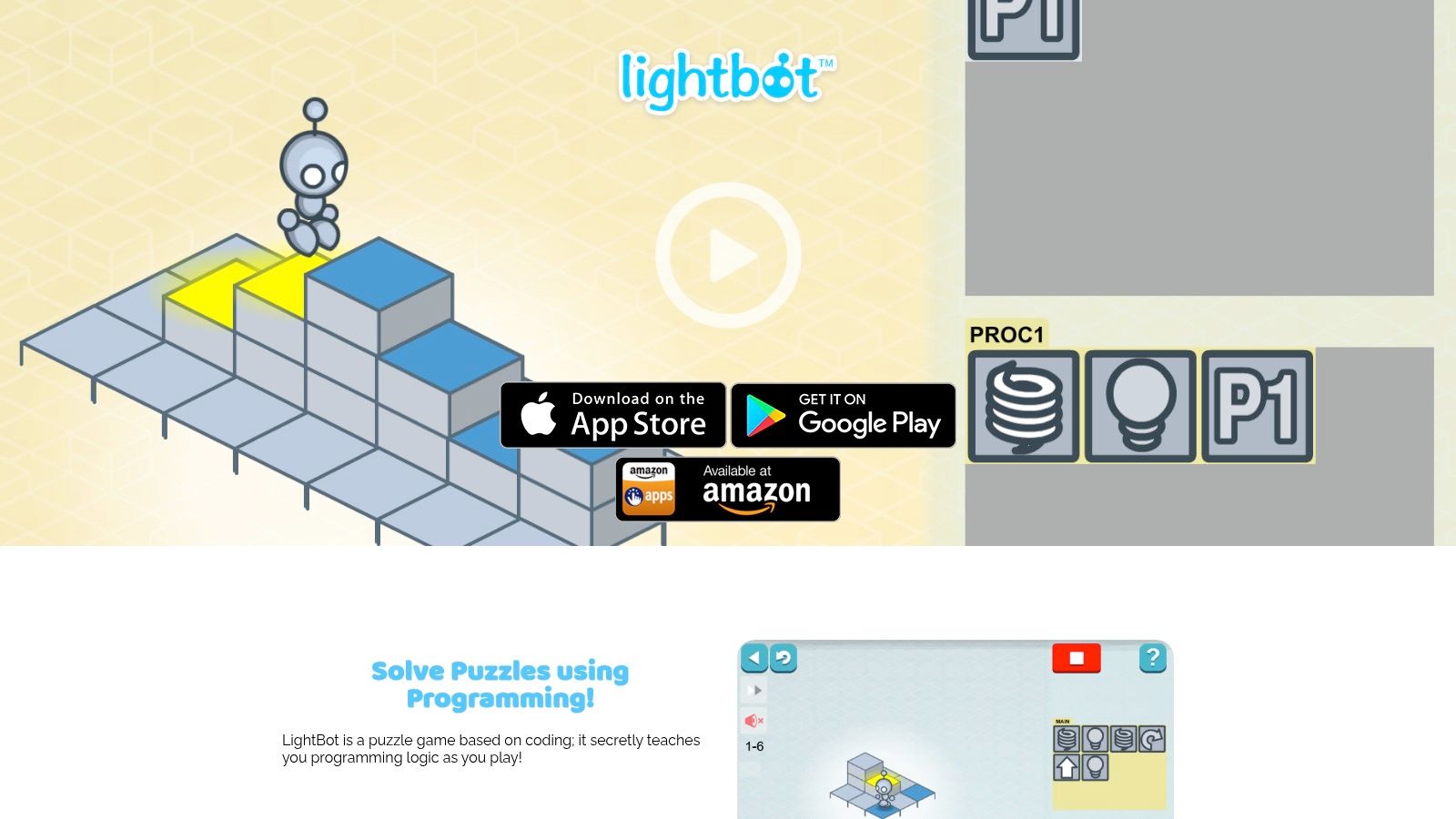
LightBot’s gameplay revolves around instructing the robot to navigate a grid-based environment and light up specific tiles. As the puzzles progress, new mechanics are introduced, mirroring essential programming concepts. Players learn about procedures by creating sequences of instructions that can be reused multiple times. This encourages efficient problem-solving and introduces the idea of modularity in code. The game also incorporates loop logic, allowing players to repeat a set of instructions until a specific condition is met, and conditional logic, where instructions are executed based on certain criteria. These concepts, while presented in a simplified format, are fundamental to all programming languages and are crucial for developing computational thinking skills.
LightBot’s accessibility extends beyond its intuitive interface. The game is available on a wide range of platforms, including web browsers, mobile devices (iOS and Android), and even desktop computers (Mac and Windows). This multi-platform availability makes it easy to integrate into various learning environments and ensures accessibility for a broader audience. Pricing follows a one-time purchase model, which means no recurring subscription fees. This is a significant advantage over subscription-based coding games and educational platforms, making it a cost-effective option for individuals and educational institutions alike. Technical requirements are minimal, requiring only a compatible device and an internet connection for the web version. The mobile and desktop versions can be played offline after the initial download.
Compared to other coding games for beginners like CodeCombat or Tynker, LightBot focuses specifically on foundational programming logic without the use of a specific programming language. While this limits exposure to actual coding syntax, it provides a gentler introduction for younger learners or those who might find text-based coding overwhelming. Tools like CodeCombat and Tynker incorporate game-like elements with actual coding in languages like Python or JavaScript, making them suitable for learners ready to tackle syntax and language-specific concepts. LightBot, however, serves as an excellent precursor to these more advanced tools, providing a solid grounding in logic before transitioning to text-based coding.
For implementing LightBot in an educational setting or for self-learning, start with the earlier levels to familiarize yourself with the basic mechanics. Encourage experimentation and exploration to fully grasp the concepts of procedures, loops, and conditional logic. As you progress, the puzzles become increasingly complex, requiring more strategic thinking and efficient use of the available instructions. The progressive difficulty curve ensures a gradual learning experience, preventing learners from feeling overwhelmed while still offering a stimulating challenge. While LightBot might feel too simplistic for older learners or experienced coders, it remains a valuable tool for reinforcing fundamental principles and understanding the logic behind code execution. For beginners, particularly younger children aged 4 and above, LightBot provides a fun and engaging introduction to the world of programming without the complexities of syntax or code writing. Its website, https://lightbot.com, offers further information and resources for educators and learners.
4. Codecademy
Codecademy stands out as a valuable resource for beginners diving into the world of coding games, even though it isn't strictly a game itself. It adopts a gamified approach to learning, making it a compelling alternative to traditional coding games for beginners who appreciate structured learning and clear progression. By offering interactive lessons, practical projects, and a rewarding system of badges and points, Codecademy transforms the often daunting task of learning to code into an engaging and motivating experience. This platform excels at providing a strong foundational understanding of programming concepts, which are crucial for aspiring game developers, vibe coders, and anyone seeking to harness the power of code for creative expression. Whether you're interested in building interactive websites, crafting data visualizations, or eventually designing your own games, Codecademy offers a robust learning environment to get you started.

One of Codecademy's strengths lies in its extensive curriculum spanning 14+ programming languages, including Python, JavaScript, Java, C++, HTML & CSS, SQL, and more. This breadth allows learners to explore various languages and discover which best suits their interests and goals. For those interested in "coding games for beginners," Python and JavaScript are particularly relevant, as they are commonly used in game development. Codecademy's structured learning paths guide you through the fundamentals of each language, starting with basic syntax and gradually introducing more complex concepts like object-oriented programming and data structures. The interactive coding exercises provide instant feedback, allowing you to learn from your mistakes and solidify your understanding. This hands-on approach differentiates Codecademy from purely theoretical learning resources, empowering beginners to apply their knowledge and build real-world projects. Codecademy also encourages project-based learning, enabling users to apply their newfound skills to create interactive websites, simple games, and other applications.
For individuals pursuing creative coding and digital artistry, Codecademy can be a valuable springboard for learning the fundamental programming skills necessary for projects involving generative art, interactive installations, and web-based creative tools. Educators and students in tech fields can also leverage Codecademy's structured curriculum and accessible learning environment to enhance their coding literacy and explore various programming paradigms. Innovative entrepreneurs and hobbyists can utilize the platform to develop the coding skills necessary for prototyping new ideas, automating tasks, and bringing their creative visions to life. You can Learn more about Codecademy and its diverse applications.
Codecademy offers a free tier providing access to a substantial amount of content, making it an accessible entry point for beginners. However, the Pro subscription, priced at $15.99/month, unlocks the full range of features, including personalized learning plans, real-world projects, and access to a supportive community forum. While Codecademy’s structured approach is a boon for beginners, some learners may find the repetitive nature of certain exercises less engaging than the open-ended exploration provided by some dedicated coding games. Furthermore, the limited creative freedom within the structured exercises might feel restrictive for learners eager to experiment and build unique projects from scratch. Codecademy requires a stable internet connection and a web browser or the Codecademy mobile app for on-the-go learning. There are no specific hardware requirements, making it accessible on a wide range of devices.
Compared to platforms like Khan Academy, which offers free coding courses, Codecademy provides a more immersive and interactive learning experience, though at a cost for its premium features. Platforms like freeCodeCamp are closer in style to Codecademy but maintain a completely free model, potentially making them a stronger choice for budget-conscious learners. When setting up Codecademy, simply create an account on the website or via the mobile app. Choose a learning path based on your interests, and you're ready to begin your coding journey. Codecademy's clear instructions and supportive community forum help smooth the onboarding process, even for those with no prior coding experience.
5. Code.org Hour of Code
Code.org's Hour of Code is a fantastic entry point for absolute beginners in the world of coding games. It's designed to demystify programming and demonstrate that anyone, regardless of age or background, can grasp basic coding concepts. This initiative offers a vast collection of short, interactive coding activities, each designed to be completed in roughly one hour. These activities leverage popular themes like Minecraft, Star Wars, and Frozen to engage users, making the learning process fun and relatable. Whether you're an aspiring coder, an educator looking for engaging classroom activities, or simply curious about the world of programming, Hour of Code offers a compelling and accessible starting point. It's a perfect way to spark an interest in coding, especially for younger audiences and those intimidated by more complex programming tools.
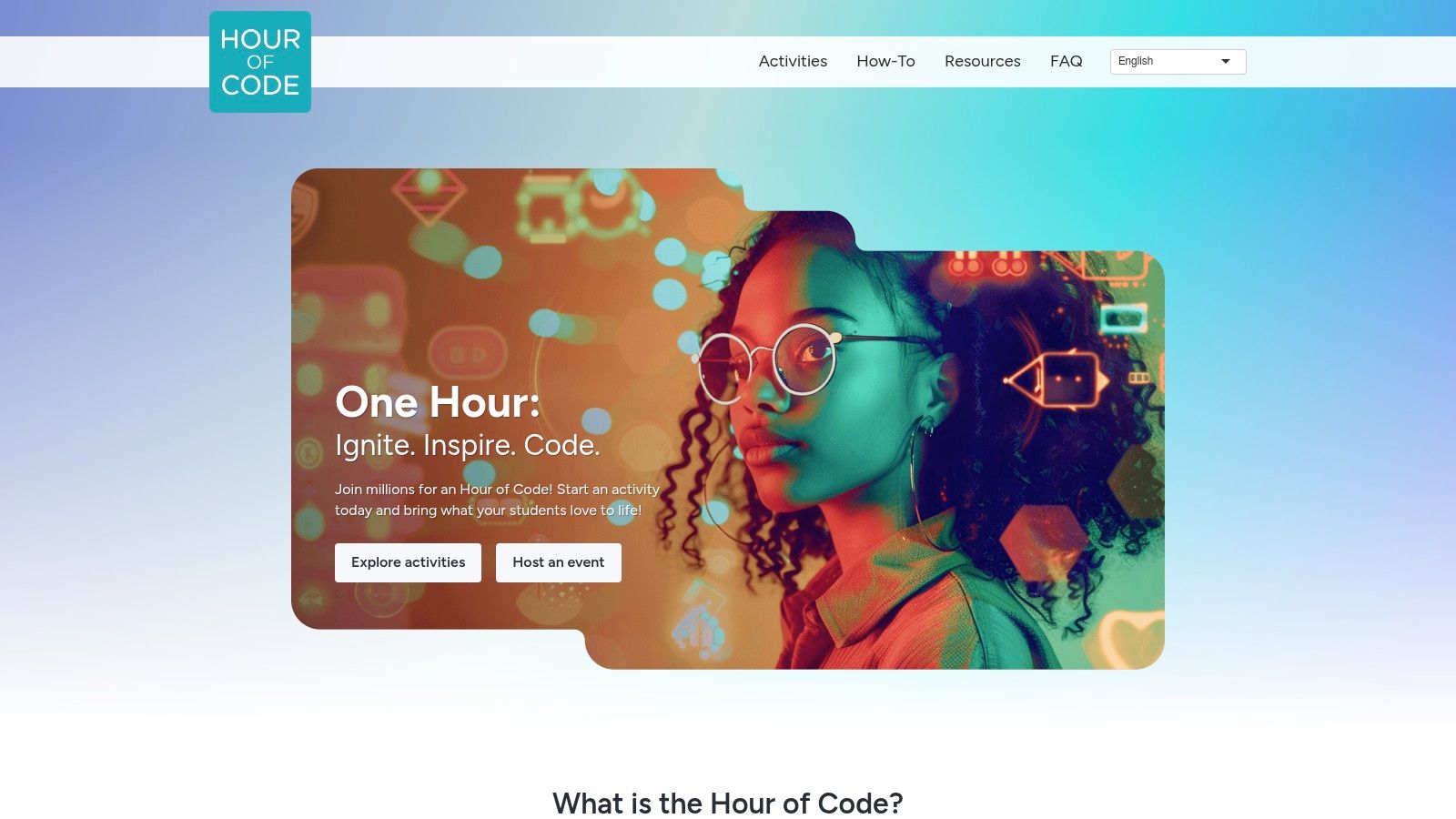
Hour of Code’s focus on block-based visual programming simplifies the coding process significantly. Instead of writing lines of code, users drag and drop visual blocks that represent different programming commands. This approach removes the hurdle of syntax errors, allowing learners to focus on the logic and flow of programming. This visual approach is particularly beneficial for beginners, young learners, and those who prefer a more intuitive learning style. It eliminates the initial steep learning curve often associated with text-based coding, enabling users to quickly grasp core concepts like sequencing, loops, and conditional statements. The platform also boasts impressive multilingual support, offering activities in over 45 languages, making it a truly global resource for coding education. Upon completing an activity, users are rewarded with printable certificates, adding a sense of accomplishment and motivation to continue exploring the world of coding.
One of the key strengths of Hour of Code lies in its sheer variety. With dozens of themed activities, users can explore different coding concepts within the context of their favorite characters and stories. This gamified approach keeps learners engaged and motivated, making the learning process feel less like a chore and more like play. This extensive library also ensures there's something for everyone, catering to diverse interests and age groups. From navigating mazes with Minecraft characters to creating interactive stories with Disney princesses, Hour of Code provides a broad spectrum of engaging coding experiences. The availability of multiple difficulty levels further ensures that the activities remain challenging yet achievable, catering to different skill levels and learning paces.
Compared to more advanced coding platforms like Scratch or CodeCombat, Hour of Code offers a more streamlined and simplified experience. While platforms like Scratch offer a richer environment for creating complex projects and fostering deeper learning, Hour of Code prioritizes immediate accessibility and a low barrier to entry. This makes it an ideal starting point for complete novices, while platforms like Scratch are better suited for those seeking more extended engagement and project-based learning. This difference in approach makes Hour of Code a powerful tool for sparking initial interest in coding, which can then be nurtured further with more complex tools.
Hour of Code is completely free to use, requiring no registration or account creation. This makes it incredibly accessible and removes any financial barriers that might prevent individuals from exploring coding. The platform’s strong institutional backing from Code.org and alignment with curriculum standards further adds to its credibility and makes it a valuable resource for educators. Implementing Hour of Code in a classroom setting is straightforward, requiring only internet access and a device for each student. The self-guided nature of the activities allows students to learn at their own pace, while the themed content keeps them engaged and motivated.
While Hour of Code excels in its introductory approach, it’s important to acknowledge its limitations. The activities are intentionally short and basic, providing only a surface-level introduction to coding concepts. For those seeking more in-depth learning and sustained engagement, other platforms offering more extensive project-based learning might be more suitable. Additionally, the lack of progression tracking across activities can make it difficult to assess a learner’s overall progress. Despite these limitations, Hour of Code remains an invaluable tool for introducing coding games to beginners, setting the stage for further exploration in the exciting world of programming. It serves as an effective gateway, inspiring curiosity and laying the foundation for a future journey in coding.
6. CodinGame: Level Up Your Coding Skills Through Play
CodinGame stands out among coding games for beginners because it cleverly blends learning with entertainment. It's a platform where you can sharpen your programming prowess through interactive games, puzzles, and coding challenges, making the learning process significantly more engaging than traditional methods. Whether you're an aspiring coder taking your first steps or an experienced developer looking to brush up on a new language, CodinGame offers a versatile playground for all skill levels. It effectively bridges the gap between basic coding tutorials and complex real-world applications, making it an ideal choice for those looking to transition from novice to intermediate and beyond. This platform is particularly appealing because it supports over 25 programming languages, allowing you to practice with familiar tools or explore new ones in a fun, risk-free environment. For beginners looking to dive into the world of coding through interactive games, CodinGame offers an accessible and motivating entry point.
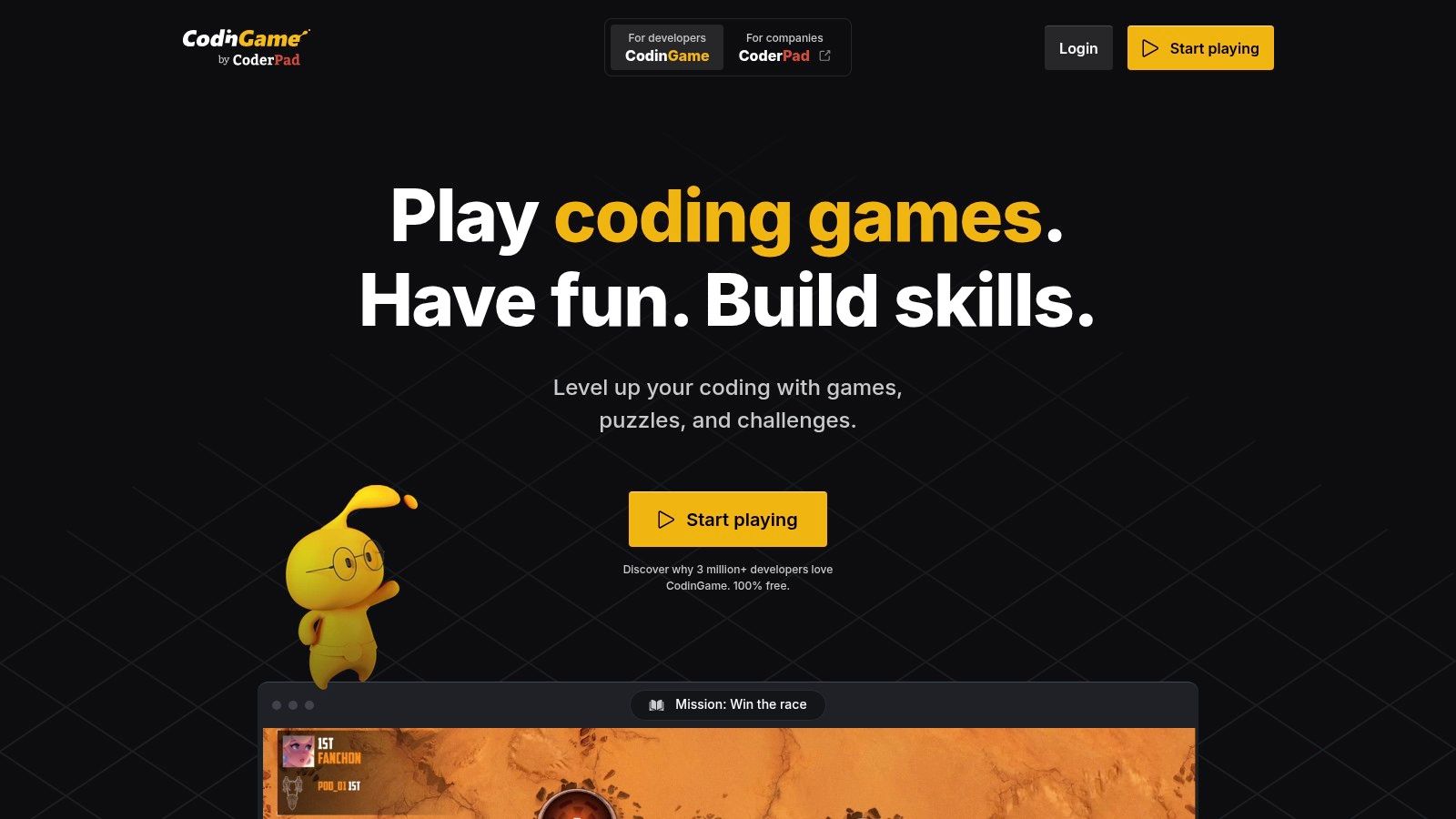
CodinGame's versatility is one of its greatest strengths. The platform caters to a broad spectrum of learning styles and skill levels, offering everything from simple, beginner-friendly puzzles to complex, competitive programming challenges. For those just starting out, the initial puzzles introduce fundamental coding concepts in a digestible, game-like format. As users progress, the challenges become more intricate, mirroring real-world programming scenarios and demanding more sophisticated problem-solving skills. This gradual increase in complexity ensures that learners are constantly challenged and motivated to push their boundaries.
One of CodinGame's most distinctive features is its visual, game-based approach to coding challenges. Instead of simply writing code in a plain text editor, you’re immersed in interactive game environments where your code directly influences the outcome. For example, you might be tasked with writing code to control a spaceship dodging asteroids, or developing an algorithm to navigate a robot through a maze. This gamified approach not only makes learning more enjoyable but also provides immediate visual feedback on the effectiveness of your code, which is invaluable for beginners.
Beyond solo play, CodinGame fosters a vibrant community of programmers through multiplayer coding competitions. These competitions offer a chance to test your skills against other coders, learn from their approaches, and gain valuable experience in a competitive setting. This element of community and collaboration sets CodinGame apart from many other learning platforms, adding a social dimension to the coding journey. For experienced developers, these competitions can be a valuable way to stay sharp and explore new technologies. The platform even hosts coding contests that can lead to career opportunities, providing a tangible link between skill development and professional advancement.
While CodinGame offers a substantial amount of free content, including many of the core game-based challenges and puzzles, some advanced features and specialized content are accessible through a premium subscription. This premium tier unlocks features like more in-depth learning paths, advanced AI programming challenges, and exclusive content designed to prepare users for coding interviews and professional certifications.
For beginners, navigating the CodinGame interface might initially feel slightly overwhelming due to the sheer amount of content available. While the platform's visual elements are generally well-designed, the sheer breadth of options can be daunting for someone just starting out. However, with a little exploration and experimentation, the interface becomes intuitive and easy to navigate. While CodinGame offers an excellent gateway into coding, it’s important to acknowledge that it’s not a fully structured curriculum like some dedicated educational platforms. It excels at engaging learners through gamification and challenges, but those seeking a highly structured, step-by-step learning path might need to supplement CodinGame with other resources.
Pricing: Free tier with substantial content; Premium subscription available for advanced features.
Technical Requirements: Internet access and a web browser.
CodinGame earns its place on this list because it successfully transforms the often-daunting task of learning to code into an engaging and rewarding experience. By blending coding challenges with interactive games and a supportive community, CodinGame motivates beginners to persist through the initial learning curve and progress to more advanced concepts. Website
7. Tynker: A Visual Playground for Budding Coders
Tynker is a popular choice among coding games for beginners, offering a vibrant and engaging platform specifically designed to introduce children and young adults to the world of programming. It’s a fantastic stepping stone for those taking their first tentative steps into coding, providing a structured learning path that progresses from visual block-based programming to text-based languages like Python and JavaScript. This approach makes it ideal for a wide range of ages, from early elementary school through high school, catering to different learning styles and skill levels. The platform distinguishes itself through its focus on game creation, animation tools, and even robotics programming, empowering users to bring their creative ideas to life through code. This emphasis on practical application makes learning fun and rewarding, fostering a deeper understanding of programming concepts through hands-on experience.
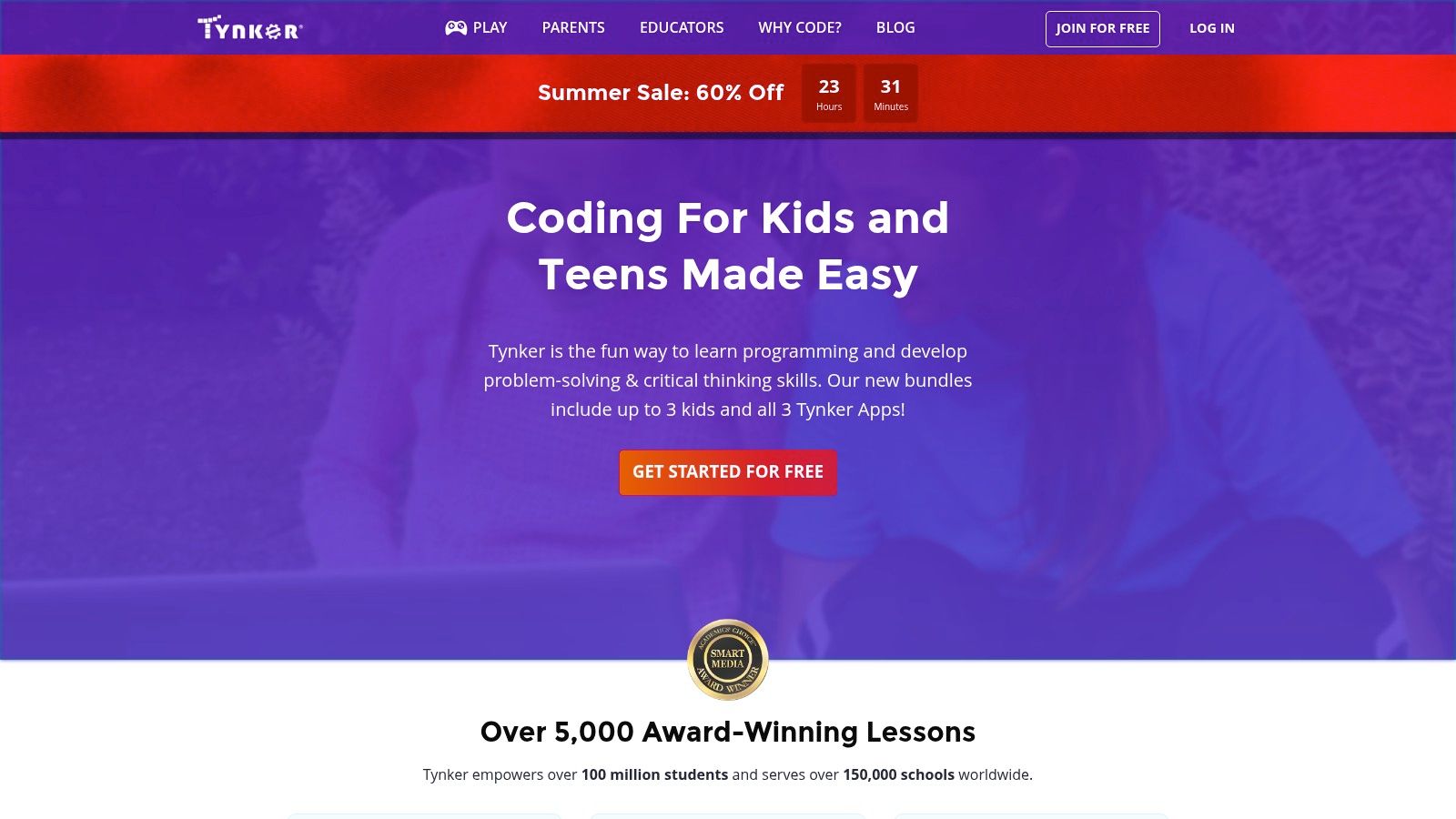
One of Tynker's greatest strengths lies in its seamless transition from visual block coding to text-based programming. Beginners can start by dragging and dropping visual blocks to create simple programs, gradually learning fundamental coding concepts like loops, variables, and conditional statements without the intimidation of syntax. As they gain confidence, they can transition to text-based languages like Python and JavaScript, applying the logic they've learned in a more advanced environment. This scaffolded learning path makes Tynker a valuable tool for educators and parents alike, providing a structured curriculum that grows with the learner. The platform also boasts a comprehensive K-12 curriculum, aligning with educational standards and providing educators with resources to integrate coding into their classrooms.
Tynker goes beyond simple coding exercises by offering a rich suite of creative tools. Users can design and build their own games, create animations, and even delve into robotics and IoT (Internet of Things) programming. This versatility opens up a world of possibilities for aspiring game developers, digital artists, and creative technologists. Imagine building your own platformer game, animating a short film, or programming a robot to navigate a maze – Tynker empowers users to transform their digital dreams into reality. The integration with Minecraft further enhances the platform’s appeal, allowing users to modify and customize their Minecraft worlds using code, adding a whole new dimension to their gameplay experience.
For parents and educators, Tynker offers robust parental controls and progress tracking features. Parents can monitor their child's learning progress, set screen time limits, and manage their account settings. This level of control provides peace of mind and ensures a safe and productive learning environment. Teacher dashboards offer valuable insights into student performance, allowing educators to personalize instruction and track classroom progress effectively.
However, while Tynker offers a plethora of features and benefits, it's important to be aware of its limitations. Full access to the platform requires a subscription, ranging from $7.50 to $20 per month, depending on the plan. This can be a significant investment for families, especially those with multiple children. While some free content is available, it's limited, and unlocking the full potential of Tynker requires a paid subscription. Additionally, while the visual interface is ideal for younger learners, older students might find it too childish and prefer platforms with a more mature aesthetic.
Compared to other coding platforms like Scratch and Blockly, Tynker stands out with its structured curriculum, progression to text-based languages, and emphasis on game creation and creative projects. Scratch and Blockly are excellent entry points to coding, but Tynker provides a more comprehensive learning path, bridging the gap between block-based coding and real-world programming languages.
Setting up Tynker is straightforward. Simply visit the website (https://www.tynker.com) and choose a subscription plan. The platform is accessible through a web browser, eliminating the need for complex software installations. Getting started is easy, with introductory tutorials and guided projects available to help users familiarize themselves with the interface and coding concepts. Whether you're a beginner taking your first coding steps or an experienced developer looking for a creative outlet, Tynker offers a rich and engaging platform for exploring the world of programming through play. Its value lies in its ability to nurture a passion for coding through creative projects, laying a strong foundation for future learning and exploration in the ever-evolving world of technology.
8. Swift Playgrounds
Swift Playgrounds is a fantastic entry point for beginners looking to dive into the world of coding games. Developed by Apple, this interactive learning environment uses the Swift programming language, the same language used to build apps for iPhones, iPads, Macs, Apple Watches, and Apple TVs. Unlike traditional coding tutorials that can feel dry and theoretical, Swift Playgrounds uses engaging puzzles and challenges within a vibrant 3D world to teach core programming concepts. This gamified approach makes learning to code feel less like a chore and more like, well, playing a game!
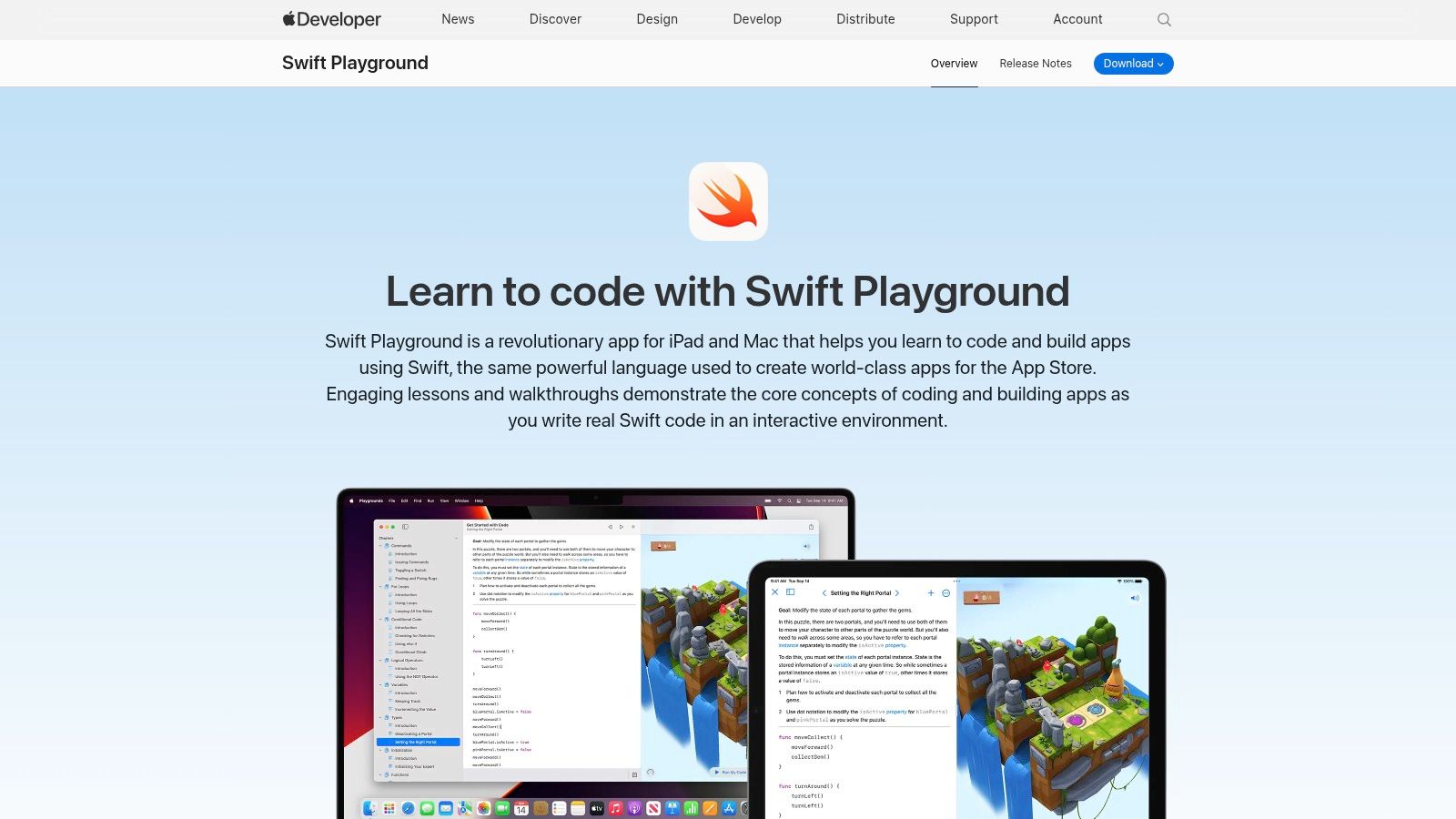
What sets Swift Playgrounds apart is its accessibility. It uses a touch-based interface on iPads, making it incredibly intuitive for beginners. You manipulate code blocks and see the results in real-time within the interactive 3D environment. This visual feedback loop is crucial for understanding how code translates into action. As your skills progress, Swift Playgrounds provides a structured learning path, guiding you from basic concepts like variables and loops to more advanced topics like functions and data structures. This structured approach ensures you build a solid foundation while constantly being challenged.
For those aspiring to develop iOS apps, Swift Playgrounds serves as a perfect stepping stone. Its seamless integration with Xcode, Apple's professional development environment, means you can easily transition from the playful learning environment of Playgrounds to building real-world applications. Imagine starting with a simple puzzle where you guide a character through a maze and then progressing to creating your own interactive game – Swift Playgrounds allows you to realize that journey. Learn more about Swift Playgrounds to see some interesting comparisons and discover how this tool fits in a broader development context.
Swift Playgrounds is completely free, eliminating any financial barrier to entry. This makes it a particularly attractive option for educators and students, providing a cost-effective way to introduce coding into the curriculum. Furthermore, the beautiful and intuitive interface design is highly appealing to beginners, making it easier to stay engaged and motivated throughout the learning process.
While Swift Playgrounds offers many advantages, it does have some limitations. Primarily, it is restricted to Apple devices (iPads and Macs). This exclusivity can be a drawback for users who prefer other platforms. Additionally, although Swift is a powerful and versatile language, Swift Playgrounds' primary focus is on Swift and, by extension, iOS development. This might not appeal to beginners primarily interested in other programming languages or development areas like web development or game development for other platforms. Finally, while the iPad offers a superb touch-based experience, the smaller screen can sometimes feel limiting for more complex projects. A Mac offers a more traditional coding environment, which some users might prefer.
For aspiring vibe coders, Swift Playgrounds provides an engaging introduction to Swift and the logic of programming. Experienced software developers might find it a refreshing way to explore Swift or introduce coding concepts to others. Digital artists and creative technologists can use it to prototype interactive experiences. Educators can leverage its free and intuitive platform for teaching, and innovative entrepreneurs can use it to explore app development ideas. For hobbyists, it’s a fun and accessible way to learn a new skill.
In summary, Swift Playgrounds earns its place on this list of coding games for beginners due to its interactive approach, free access, and seamless integration with Apple's development ecosystem. While its platform exclusivity and focus on Swift might be limitations for some, it remains a powerful and engaging tool for beginners looking to explore the world of coding, especially for those interested in iOS app development. If you have access to an iPad or Mac and are curious about coding, Swift Playgrounds is undoubtedly worth checking out. You might just surprise yourself with what you can create.
Coding Games for Beginners: Feature Comparison
| Platform | Core Features & Languages | User Experience & Quality ★ | Value & Pricing 💰 | Target Audience 👥 | Unique Selling Points ✨ |
|---|---|---|---|---|---|
| Scratch | Visual block coding, sprite & sound libs | ★★★★☆ Large community, easy to use | 💰 Free, open-source | Beginners, kids 8-16 | 🏆 No syntax errors, real-time collaboration |
| CodeCombat | Real code (Python, JS, C++), RPG gameplay | ★★★★☆ Engaging, progressive levels | 💰 $9.99/month subscription | Students, adults | ✨ RPG coding game, classroom tools |
| LightBot | Puzzle-based logic, drag-drop interface | ★★★☆☆ Simple, multiplatform | 💰 One-time purchase | Young children 4+ | 🏆 Intro to logic without code |
| Codecademy | Interactive coding in 14+ languages | ★★★★☆ Real code, progress tracking | 💰 Free + $15.99/month Pro | Beginners to intermediate learners | ✨ Project-based, badges, mobile app |
| Code.org Hour of Code | Block visual coding, themed activities | ★★★☆☆ Short, beginner-friendly | 💰 Completely free | Absolute beginners, all ages | 🏆 Huge theme variety, no registration needed |
| CodinGame | 25+ languages, coding challenges & competitions | ★★★★☆ Challenging, competitive | 💰 Free + premium features | Intermediate coders, competitive | ✨ AI challenges, multiplayer coding |
| Tynker | Block-to-text coding, game & robotics programming | ★★★★☆ K-12, parent dashboards | 💰 $7.50-20/month subscription | Kids 5-18, educators, parents | 🏆 Minecraft modding, IoT support |
| Swift Playgrounds | Real Swift code, interactive puzzles, iOS focused | ★★★★☆ Intuitive, Apple ecosystem | 💰 Free | iOS developers, learners | ✨ Apple integration, 3D puzzles |
Ready to Code? Start with the Perfect Game
Learning to code can be an exciting journey, and these coding games for beginners make the first steps both fun and educational. From visual block coding in Scratch and Blockly-based platforms like Code.org to text-based adventures in CodeCombat and CodinGame, there's a perfect entry point for everyone, no matter your age or experience level. We've explored several fantastic tools, including Lightbot for logic puzzles, Codecademy for structured learning, Tynker for creative coding, and Swift Playgrounds for iOS app development.
The key takeaway is that the best coding game for beginners is the one that aligns with your interests and learning style. If you enjoy solving puzzles, Lightbot or Code.org might be a great starting point. If you prefer a more narrative-driven experience, consider CodeCombat or CodinGame. For building creative projects, explore Scratch or Tynker. Aspiring iOS developers should definitely check out Swift Playgrounds.
Choosing the right tool is the first step. When implementing these tools, consider your learning goals. Are you aiming to learn a specific language like Swift or Python? Do you want to focus on web development, game development, or something else? These factors will influence your tool selection. Don't forget to explore additional resources for further support and inspiration. Platforms like Vibecoding VIP, curated by @slhomme, offer a wealth of information specifically tailored to the exciting world of vibe coding.
So, which coding game for beginners will you choose? Dive in, explore the possibilities, and unleash your inner coder. The digital world awaits your creations!