Uniting Code, Uniting Teams: The Power of Collaborative Coding
Boost team coding with real-time collaboration! This list of top collaborative code editors helps solve version control conflicts and communication delays, enabling seamless teamwork on projects. Whether you're a seasoned developer, aspiring coder, or creative technologist, discover the perfect tool to elevate your collaborative coding. From Visual Studio Live Share to JetBrains' Code With Me, explore these eight powerful platforms and unlock the potential of shared coding.
1. Visual Studio Code Live Share
Visual Studio Code Live Share stands out as a premier collaborative code editor solution, transforming the way developers work together. This powerful extension integrates seamlessly with VS Code, the world's most popular code editor, enabling real-time collaborative development without the hurdles of traditional methods. Forget the tedious process of cloning repositories or configuring matching development environments; Live Share lets developers instantly share their active coding session with team members, fostering a truly collaborative coding experience. This streamlined approach allows for simultaneous editing, debugging, and even terminal sharing, making it a valuable tool for a wide range of users, from aspiring vibe coders and experienced software developers to educators and students in tech fields.
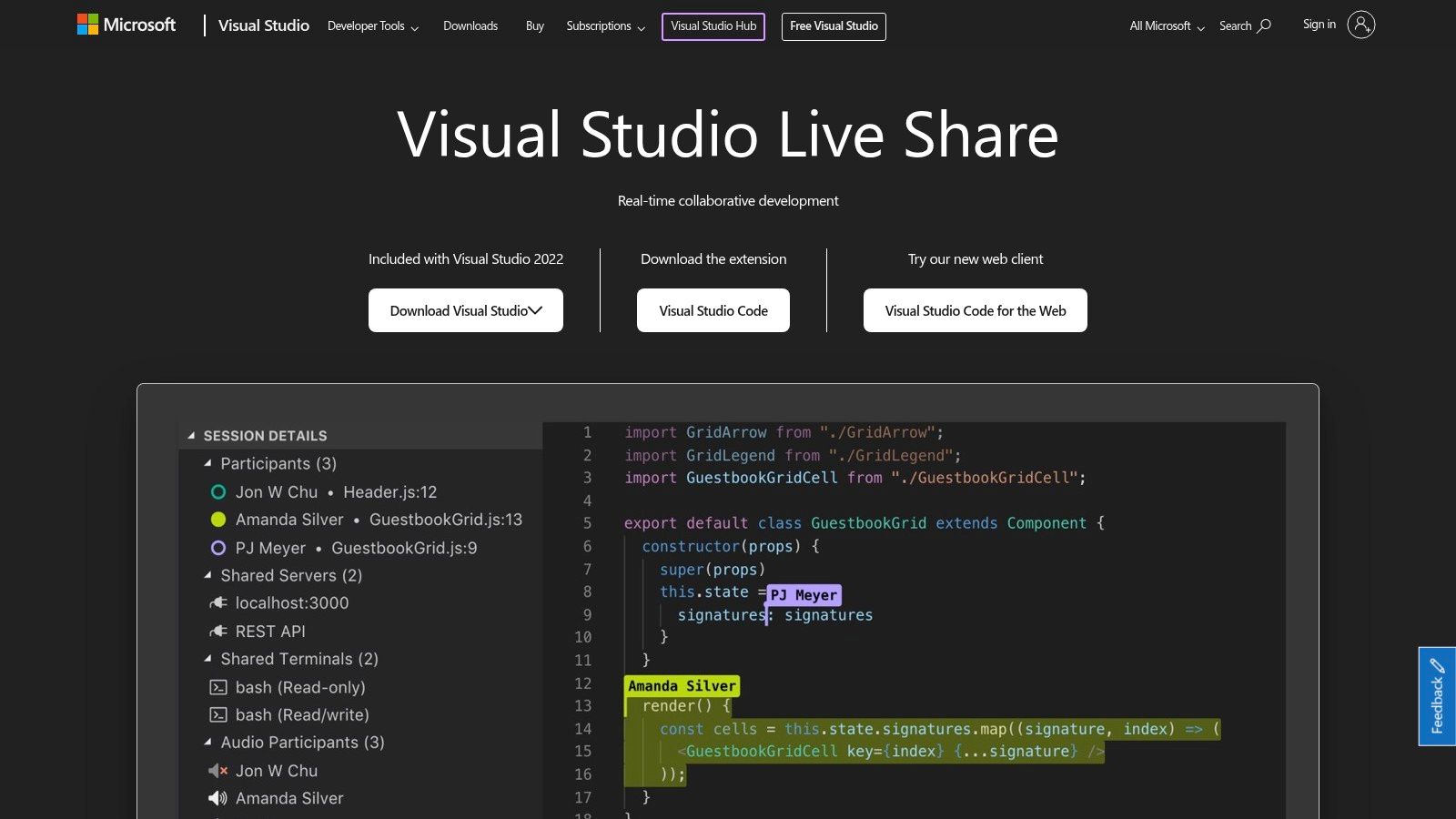
One of the most compelling features of Live Share is its real-time collaborative editing capability. Multiple developers can simultaneously edit the same file, each with their own cursor, making pair programming and code reviews incredibly efficient. This "shared cursor" experience facilitates seamless knowledge transfer and collaborative problem-solving, boosting team productivity and code quality. Furthermore, shared debugging sessions take collaboration to the next level. Teams can collectively step through code, inspect variables, and analyze call stacks, significantly simplifying the process of identifying and resolving bugs. Imagine the ease with which a senior developer can guide a junior team member through a complex debugging scenario, or how quickly a team can troubleshoot a critical production issue together. The ability to share a local development server and terminal adds another layer of practicality. Team members can directly interact with the running application and its environment, streamlining tasks like front-end development, API integration, and collaborative testing.
Visual Studio Code Live Share simplifies the setup process significantly. Invited participants don't need to install any specific SDKs or clone the repository. They only need VS Code (or a compatible editor) and the Live Share extension. This ease of access makes it an ideal solution for quickly bringing team members into a coding session, regardless of their location or development environment setup. Furthermore, Live Share supports all VS Code extensions and programming languages, maintaining the flexibility and customization that developers appreciate. For individual developers and small teams, Live Share is free to use, adding to its appeal as a readily accessible collaborative tool. You can learn more about Visual Studio Code Live Share to delve into its functionalities and usage scenarios.
While Live Share offers a plethora of advantages, it's important to acknowledge its limitations. The most notable constraint is its reliance on VS Code as the primary editor. While there's a browser-based extension for limited participation, the full collaborative experience is best within the VS Code environment. This might exclude developers who prefer other code editors. Another potential drawback is its tighter integration with the Microsoft ecosystem, which could pose challenges for teams working primarily with non-Microsoft technologies. Finally, for extremely large codebases, Live Share can become resource-intensive, potentially impacting performance.
Despite these minor limitations, Visual Studio Code Live Share earns its spot on this list as a leading collaborative code editor tool. Its seamless integration with VS Code, comprehensive feature set, and ease of use make it an invaluable asset for teams of all sizes. From facilitating real-time code reviews and collaborative debugging to simplifying the setup process for remote collaboration, Live Share empowers developers to work together more efficiently and effectively, ultimately producing higher-quality code. You can find more information and download the extension on the official Visual Studio Code Live Share website.
2. CodeSandbox
CodeSandbox is a powerful, cloud-based collaborative code editor ideal for rapid web development. Its instant development environments and built-in collaboration features make it a favorite among developers for prototyping, learning, and team projects focusing on JavaScript applications, React projects, and other web technologies. As a collaborative code editor, CodeSandbox excels in providing a seamless experience for developers working together on a project, offering real-time editing and communication tools that enhance productivity and streamline workflows. This makes it a solid choice for those seeking a streamlined and collaborative coding experience in the cloud.
One of the most significant advantages of CodeSandbox is its zero-configuration setup. You can dive straight into coding with popular frameworks like React, Vue, and Angular without worrying about local installations, dependencies, or build processes. This feature makes CodeSandbox a fantastic tool for rapid prototyping. Need to quickly whip up a proof-of-concept or a shareable demo? CodeSandbox has you covered. This instant access is a game-changer for aspiring "vibe coders" who want to experiment with new technologies without the hassle of complex setup procedures, as well as for seasoned developers looking for a frictionless environment for quick prototyping. Educators and students can also leverage this easy setup to create and share interactive coding exercises and assignments, fostering a more engaging learning experience.
The real-time collaboration features in CodeSandbox truly elevate it as a collaborative code editor. Live cursors allow multiple developers to work on the same codebase simultaneously, seeing each other's edits in real-time. Integrated chat functionality facilitates instant communication within the editor itself, eliminating the need to switch between different communication platforms. This seamless collaboration makes it easier for teams to work together efficiently, especially in remote or distributed work environments. This collaborative environment is perfect for team projects, hackathons, and even pair programming sessions, enabling real-time feedback and collaborative problem-solving.
CodeSandbox's built-in package management simplifies dependency management significantly. You can effortlessly add or remove packages through its intuitive interface, and CodeSandbox automatically handles the installation process. The live preview feature allows you to see your changes instantly, and hot reloading ensures that updates are reflected in the preview without manual refreshes. This combination provides a dynamic and interactive development experience, particularly appealing to digital artists and creative technologists experimenting with visual effects and interactive elements. The seamless workflow fosters creativity and rapid iteration, allowing developers to quickly see the impact of their code changes.
Furthermore, CodeSandbox integrates with popular version control platforms like GitHub, GitLab, and Bitbucket. This integration streamlines the workflow by allowing developers to easily import, export, and collaborate on projects directly from their repositories. For experienced developers, this version control integration allows for seamless integration with existing workflows. Entrepreneurs and hobbyists can also utilize these features to manage their projects efficiently and maintain version control best practices.
While CodeSandbox excels in many areas, it's primarily focused on web development technologies. While this caters to a large portion of the development community, it might not be the best choice for developers primarily working with other technologies like native mobile apps or embedded systems. Compared to fully-fledged desktop IDEs, CodeSandbox offers limited customization options. Advanced features like custom themes, extensions, and debuggers are often restricted to paid subscription plans. The platform's reliance on an internet connection for full functionality can also be a limitation in situations with limited or no internet access.
CodeSandbox offers different subscription plans, including a free tier for basic usage and paid plans for individuals and teams requiring advanced features and private sandboxes. You can find detailed pricing information on their website.
Getting started with CodeSandbox is simple. Visit the website (https://codesandbox.io/) and sign up for a free account. You can choose from various templates based on popular frameworks or start a new sandbox from scratch. CodeSandbox also provides a comprehensive documentation and a supportive community forum for assistance and learning resources.
In summary, CodeSandbox is a versatile collaborative code editor that excels in providing a streamlined, collaborative, and cloud-based environment for web development. Its ease of use, real-time collaboration features, and instant development environments make it a valuable tool for developers of all levels, educators, and anyone looking to prototype, learn, or build web applications quickly and efficiently. While primarily focused on web technologies and requiring an internet connection, its strengths in rapid prototyping, collaboration, and ease of setup make it a worthy addition to any developer's toolkit.
3. Replit
Replit stands out as a powerful collaborative code editor that brings a comprehensive cloud-based Integrated Development Environment (IDE) right to your browser. Supporting over 50 programming languages, from Python and JavaScript to C++ and Java, Replit removes the hurdle of complex local setups and makes coding accessible from anywhere with an internet connection. This makes it an exceptional choice for collaborative projects, educational purposes, and rapid prototyping, fitting perfectly into the workflow of aspiring vibe coders, experienced software developers, and even digital artists exploring creative coding. Its multiplayer mode allows for real-time collaboration, mirroring the experience of working together on a physical whiteboard, but for code. This feature makes Replit a compelling option for teams working remotely or educators seeking to enhance interactive learning experiences.
One of Replit's key strengths lies in its comprehensive nature. It's more than just a collaborative code editor; it's a complete development environment in the cloud. This means you can write, run, debug, and deploy your applications all within the same platform. This simplifies the development workflow significantly, especially for beginners, as it eliminates the need to configure local environments, manage dependencies, and wrestle with deployment processes. For example, if you're working on a web development project with a team, you can collaboratively edit the code in real-time, see the changes reflected instantly in a live preview, and then deploy the project to the web with just a few clicks. This streamlined workflow fosters rapid iteration and experimentation, making it ideal for hackathons, prototyping, and educational settings. While you can learn more about different platforms and potentially find additional resources related to Replit at Learn more about Replit, it's important to evaluate its suitability for your specific needs based on the information presented here as well.
Replit’s built-in version control using Git integration also simplifies project management and collaboration, allowing multiple developers to work on the same codebase without conflicts. This feature, usually found in more advanced IDEs, is seamlessly integrated into Replit, making it accessible even to those new to version control. Beyond its collaborative features, Replit shines as a powerful learning tool. Its interactive learning environment and built-in tutorials cater to beginners taking their first steps into the world of coding. The platform's support for a wide array of programming languages also allows learners to explore different domains, from web development and data science to game development and machine learning.
Replit offers various pricing tiers, including a free plan that provides access to core features with certain limitations on computational resources and storage. Paid plans unlock more powerful features, increased storage, and private repositories for individual or team projects. While Replit excels in many areas, it's important to be aware of its limitations. The cloud-based nature of the platform can sometimes lead to performance issues, particularly for computationally intensive tasks or when working on large projects. Compared to local development environments with dedicated hardware resources, Replit can sometimes feel slower. Additionally, the free tier has limitations in terms of both storage and computational power, which might necessitate an upgrade for more demanding projects. The interface, while generally intuitive, can also feel cluttered when dealing with complex projects with numerous files and folders.
For educators and students, Replit is a game-changer, offering a readily accessible and collaborative learning environment. For experienced developers, it serves as a convenient platform for rapid prototyping and experimentation. And for digital artists and creative technologists, Replit opens up new possibilities for exploring code-based creative expression. In the context of collaborative code editors, Replit differentiates itself through its cloud-based accessibility, comprehensive language support, and integrated development environment. While platforms like VS Code Live Share and CodeSandbox offer similar collaborative editing features, Replit's broad language support, built-in hosting and deployment, and focus on educational resources set it apart. Despite some limitations regarding customization and potential performance constraints on the free tier, Replit remains a powerful and versatile collaborative code editor, making coding more accessible and collaborative than ever before. If you’re looking for a collaborative code editor that simplifies the development workflow, provides a robust learning environment, and supports a vast range of programming languages, Replit is undoubtedly worth exploring.
4. Gitpod: Your Cloud-Based Collaborative Code Editor
Gitpod stands out as a powerful cloud development environment that streamlines the coding process by providing ready-to-code workspaces for any GitHub, GitLab, or Bitbucket repository. It effectively eliminates the often tedious and time-consuming process of setting up local development environments, enabling developers to dive straight into coding. This makes it a particularly compelling choice for collaborative code editor scenarios, especially for teams working on open-source projects or distributed development where consistent environments are crucial. By leveraging the power of cloud computing and containerization, Gitpod offers a flexible and efficient solution for both individual developers and teams.
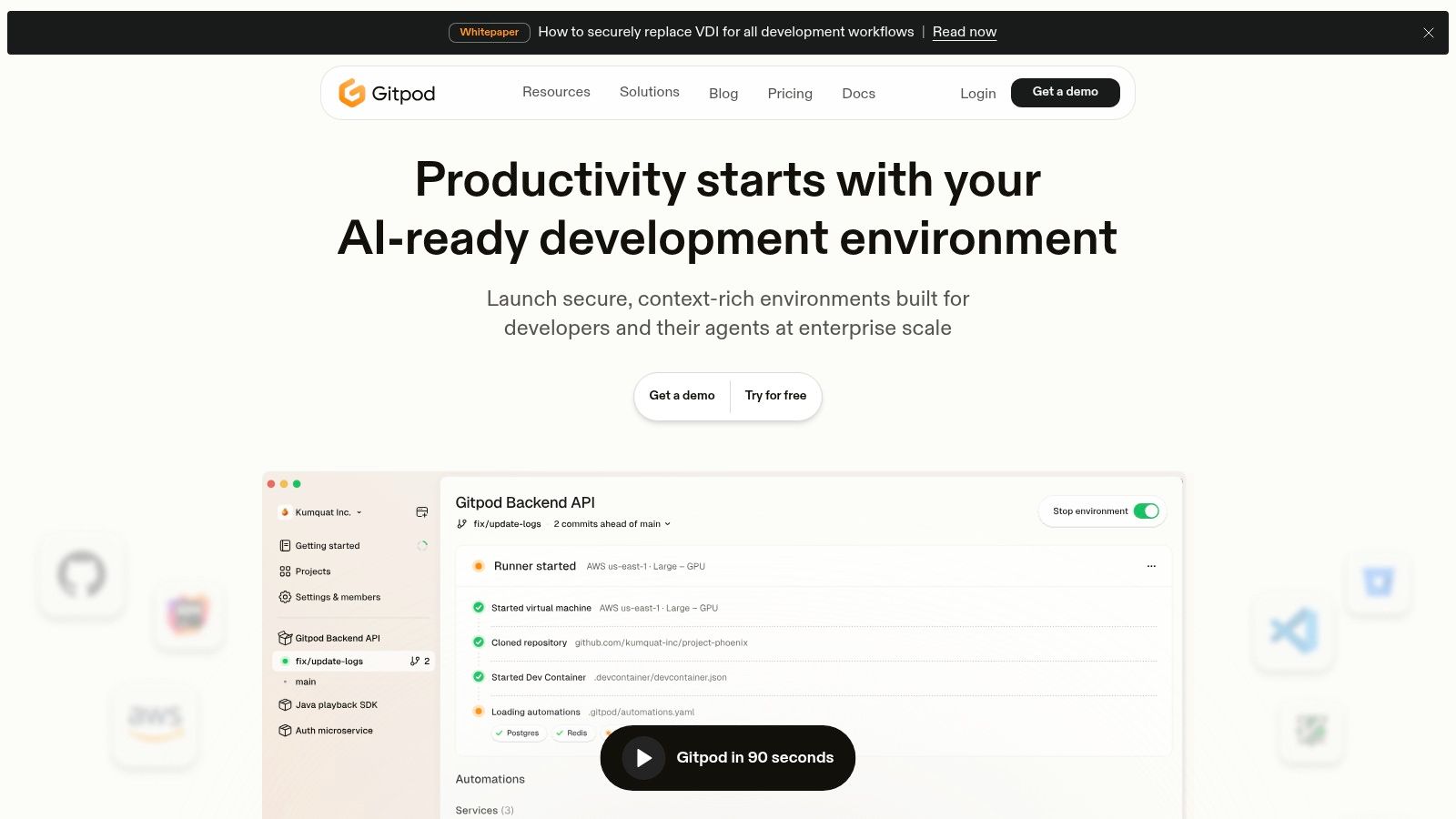
Imagine clicking a link and instantly having a fully configured development environment ready to go, complete with all the necessary dependencies, tools, and extensions. That’s the power of Gitpod. This automated setup significantly reduces friction in the development workflow, allowing developers to focus on writing code rather than wrestling with configurations. This is especially beneficial in collaborative code editor settings, where different team members might be using different operating systems and configurations. Gitpod ensures everyone is working within a consistent and predictable environment.
Gitpod’s use of full Linux containers with root access provides developers with a flexible and powerful environment. This allows for complex development tasks and ensures compatibility across different systems. Furthermore, the familiar VS Code interface, accessible directly within your browser, offers a comfortable and productive coding experience. The browser-based VS Code instance supports extensions, further enhancing customization and productivity within the collaborative code editor. Prebuilt workspaces are another key feature, optimizing startup times and ensuring quick access to your projects.
For team collaboration, Gitpod excels by facilitating workspace sharing. Team members can easily collaborate on projects, share their development environments, and even pair program within the same workspace. This streamlined workflow fosters better communication and efficient collaboration within the team. Gitpod also integrates seamlessly with Git-based workflows, making it a natural extension of the development process for many teams.
Pricing and Technical Requirements:
Gitpod offers various pricing plans, including a free tier for personal use and open-source contributions. Paid plans offer increased resources and features, catering to professional teams and larger organizations. The precise technical requirements are minimal, primarily relying on a stable internet connection for optimal performance. As a cloud-based solution, the heavy lifting is done on Gitpod’s servers, minimizing the local resource requirements.
Comparison and Implementation Tips:
Compared to setting up local development environments or using other cloud-based solutions, Gitpod's automated setup and prebuilt workspaces give it a significant edge in terms of speed and convenience. Similar tools like GitHub Codespaces offer similar functionality, but Gitpod distinguishes itself through its broad integration across different Git platforms like GitLab and Bitbucket.
To get started with Gitpod, simply connect your GitHub, GitLab, or Bitbucket account. You can then configure your workspace preferences, including pre-install scripts, extensions, and other settings. Leveraging prebuilt workspaces can significantly reduce startup times. For teams, exploring the collaborative features like workspace sharing and snapshotting can drastically improve workflow efficiency.
Pros and Cons:
- Pros: Eliminates environment setup hassles, excellent Git integration, powerful containerized environments, ideal for open-source collaboration.
- Cons: Learning curve for workspace configuration, cost can escalate with heavy usage, requires reliable internet connectivity, limited offline functionality.
Conclusion:
Gitpod offers a compelling solution for developers seeking a streamlined and collaborative coding experience. By eliminating the complexities of local environment setup and offering powerful cloud-based workspaces, Gitpod empowers developers to focus on what they do best: writing code. While there is a learning curve associated with configuring workspaces, the benefits in terms of efficiency and collaboration, particularly for teams, make Gitpod a worthy addition to any developer’s toolkit. https://gitpod.io/
5. CodePen
CodePen stands out as a dynamic collaborative code editor specifically tailored for front-end web development. It shines as a social development environment where developers, designers, and creative technologists can converge to experiment, prototype, and showcase their work. With its real-time preview and collaborative editing features, CodePen bridges the gap between individual coding and shared creation, making it an invaluable tool for both learning and professional use. This collaborative code editor empowers users to bring their front-end visions to life quickly and efficiently, fostered by a vibrant community of like-minded individuals. Whether you're crafting intricate animations, refining responsive designs, or simply exploring the possibilities of HTML, CSS, and JavaScript, CodePen provides the canvas and the community to elevate your front-end coding experience.
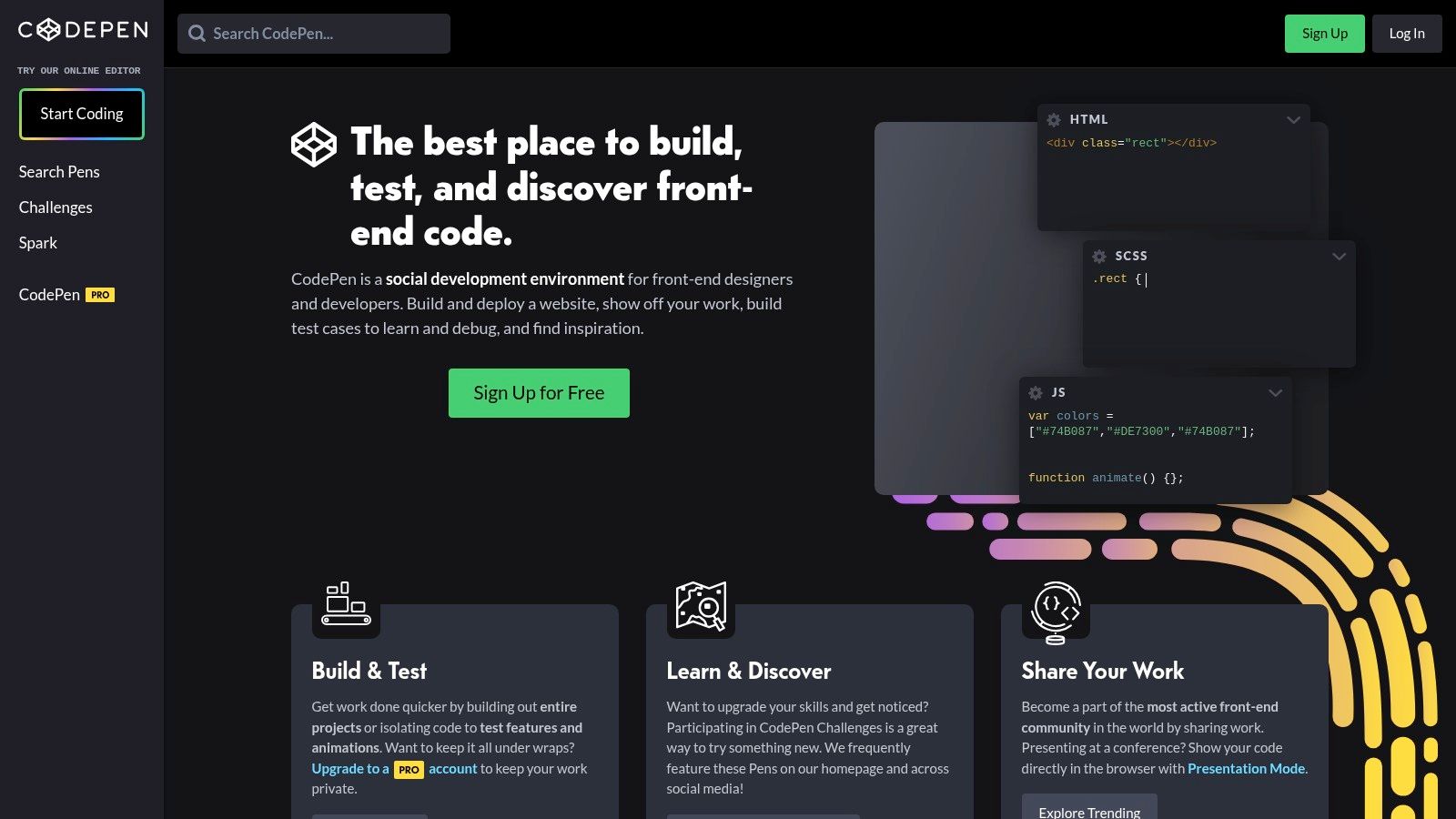
One of the most compelling aspects of CodePen is its inherent focus on collaboration. Multiple users can work on the same code simultaneously, witnessing changes in real-time. This feature proves invaluable for team projects, educational purposes, or even pair programming sessions. Imagine a design team tweaking CSS styles collaboratively, seeing the impact on their web page instantly. Or picture a coding instructor guiding students through a JavaScript function, everyone observing the code's execution live. CodePen transforms the coding process from a solitary activity into a dynamic, shared experience, fostering a sense of community and accelerating the learning curve.
CodePen offers a free tier that provides access to the core functionalities of the platform. However, for those seeking advanced features like private Pens, asset hosting, and collaboration tools, CodePen Pro offers different subscription plans. The Pro plans cater to individual users, teams, and even agencies, offering increased storage, collaboration features, and presentation modes. The specific pricing details can be found on the CodePen website.
From a technical standpoint, CodePen requires minimal setup. Being a web-based platform, all you need is a web browser and an internet connection. No local installations or complex configurations are required. This accessibility makes it an ideal tool for both beginners and experienced developers. You can jump right into coding, experimenting, and sharing your creations with the world, without getting bogged down by technical hurdles.
Compared to similar collaborative code editors, CodePen distinguishes itself through its dedicated focus on front-end web technologies and its vibrant social community. While tools like VS Code Live Share offer broader language support and integrated development environments, CodePen’s streamlined approach and community-centric design make it an unparalleled platform for front-end exploration and collaboration. For projects heavily reliant on back-end development, other tools might be more suitable. However, for front-end focused tasks, CodePen provides an efficient, collaborative, and inspiring environment.
Getting started with CodePen is incredibly straightforward. Simply visit the CodePen website (https://codepen.io/) and sign up for an account. Once registered, you can start creating new "Pens" – self-contained coding environments for HTML, CSS, and JavaScript. Experiment with different features, explore the vast library of public Pens created by other users, and engage with the community by following other creators, liking their work, and even "forking" their Pens to experiment with variations of their code.
CodePen truly deserves its place in this list of collaborative code editors. Its focus on front-end development, combined with its real-time collaboration and social features, creates a unique and powerful platform for learning, experimentation, and showcasing web development skills. Whether you're a seasoned developer, an aspiring coder, or a creative technologist, CodePen provides a valuable space to explore the world of front-end development in a collaborative and inspiring environment.
6. AWS Cloud9
AWS Cloud9 is a powerful cloud-based integrated development environment (IDE) that offers a comprehensive suite of tools for collaborative coding. More than just a simple text editor, Cloud9 provides a full Ubuntu environment in the cloud, allowing developers to write, run, and debug code directly within their web browser. This makes it an especially attractive option for teams working on cloud-native projects, serverless applications, and those already deeply embedded in the AWS ecosystem. Its collaborative features make it a robust collaborative code editor, enabling seamless teamwork on projects of any scale.
One of the key strengths of AWS Cloud9 lies in its deep integration with other AWS services. This tight coupling simplifies the development workflow for projects leveraging services like Lambda, EC2, S3, and more. Imagine building a serverless application with Lambda functions: with Cloud9, you can write your code, test it locally using a simulated Lambda environment, and deploy it directly to AWS all within the same interface. This seamless integration reduces context switching and accelerates the development process, making Cloud9 a highly productive collaborative code editor for AWS-centric projects.
Cloud9 offers a full Ubuntu workspace complete with terminal access. This allows developers to utilize familiar command-line tools and utilities, simplifying the development setup and reducing the learning curve. Features like real-time collaborative editing and integrated chat facilitate smooth teamwork, enabling developers to work together on code in real time and communicate effectively within the IDE. The built-in debugger supports multiple programming languages, allowing developers to identify and resolve issues quickly. The customizable workspace with themes and layouts further enhances the user experience, allowing developers to personalize their environment for optimal productivity.
For aspiring "vibe coders" looking to explore cloud development, Cloud9 provides a gentle entry point into the AWS ecosystem. Educators can leverage Cloud9 to create interactive coding environments for students, while experienced software developers benefit from the robust toolset and integrations with other AWS services. Digital artists and creative technologists can utilize the full Ubuntu environment for tasks beyond traditional coding, such as running specialized software or scripting complex workflows. Innovative entrepreneurs and hobbyists appreciate the pay-as-you-use pricing model, which allows them to scale their resources as needed.
While Cloud9 offers numerous benefits, it's important to consider its drawbacks. The platform requires an AWS account, which might be a barrier for some users. Beginners might find the initial setup and the breadth of AWS services somewhat overwhelming. The pricing, while flexible, can become expensive with heavy usage, particularly for large teams or resource-intensive projects. Furthermore, the user interface, while functional, feels somewhat dated compared to some more modern collaborative code editor alternatives.
From a technical perspective, Cloud9 requires a stable internet connection and a compatible web browser. While there are no specific hardware requirements beyond those needed to run a modern web browser, the performance of the environment depends on the chosen instance type, which impacts the available CPU, memory, and storage. Setting up Cloud9 is relatively straightforward, involving creating an AWS account, choosing an instance type, and configuring the IDE. AWS provides extensive documentation and tutorials to guide users through the process.
Compared to other collaborative code editors like VS Code Live Share or CodeSandbox, Cloud9 differentiates itself through its deep AWS integration and full Ubuntu environment. VS Code Live Share, while offering excellent collaborative features, lacks the direct access to AWS services. CodeSandbox excels in providing lightweight, browser-based development environments but doesn't offer the same level of control and flexibility as a full operating system.
In conclusion, AWS Cloud9 stands out as a robust collaborative code editor, particularly for projects within the AWS ecosystem. Its seamless integration with AWS services, coupled with a full Ubuntu environment, makes it a powerful tool for cloud-native and serverless development. While the AWS dependency and potential cost might be considerations, the extensive features and collaborative capabilities make AWS Cloud9 a valuable asset for a diverse range of users, from students to seasoned professionals. You can explore AWS Cloud9 further by visiting their website: https://aws.amazon.com/cloud9/
7. Duckly
Duckly distinguishes itself as a collaborative code editor specifically designed for real-time code sharing, pair programming, and mentoring. Unlike some collaborative code editors that are built as extensions of existing IDEs, Duckly centers its functionality around collaborative coding, offering a unique approach to remote teamwork. It bridges the gap between traditional screen sharing and fully integrated collaborative IDEs, providing a balanced solution for teams that prioritize interactive coding sessions. This makes it an excellent option for those who require robust pair programming capabilities alongside integrated communication tools. Whether you're engaging in joint debugging, conducting code reviews, or mentoring junior developers, Duckly offers a streamlined environment for collaborative coding. Its focus on facilitating interaction makes it a powerful tool for distributed teams, remote workers, and educational settings.
Duckly's core strength lies in its seamless integration of video/voice calling with real-time code sharing. Imagine effortlessly transitioning from a discussion about code logic directly into a live coding session, all within the same platform. This tight integration eliminates the need to juggle between separate communication and coding tools, significantly improving workflow efficiency. Cursor synchronization allows all participants to follow along in real-time, minimizing confusion and fostering a shared understanding of the codebase. The ability to share terminals and local servers further enhances the collaborative experience, allowing developers to troubleshoot issues, demonstrate functionality, and work on projects together seamlessly, regardless of their physical location. This feature is particularly useful for remote debugging sessions, where access to the development environment is crucial.
Duckly’s multi-IDE support, encompassing VS Code, IntelliJ, and Sublime Text among others, caters to diverse development preferences. This flexibility ensures that team members can utilize their preferred IDE while still collaborating seamlessly within the Duckly environment. The ease of setup and invitation process simplifies onboarding new team members, allowing for quick integration into collaborative workflows. Simply install the Duckly plugin for your chosen IDE, and you're ready to start collaborating. Inviting collaborators is equally straightforward, streamlining the process of initiating coding sessions.
While Duckly shines in its collaborative features, it’s important to consider its limitations. The reliance on plugin installation for each IDE, while providing flexibility, can introduce a slight overhead compared to browser-based collaborative code editors. The free tier, while sufficient for initial exploration, has usage restrictions, potentially necessitating a paid subscription for extended or more intensive usage. As of writing, Duckly offers a free plan for up to 30 minutes of session time per day and limited session recording storage. Paid plans start at $8 per user per month, offering unlimited session time and recording storage. Compared to more established collaborative platforms like VS Live Share or CodeSandbox Live, Duckly has a smaller user base, which may impact community support and the availability of advanced features. Finally, it’s crucial to recognize that Duckly prioritizes collaboration and real-time code sharing over comprehensive IDE functionalities. For projects requiring advanced debugging, refactoring, or other IDE-specific features, developers might need to supplement Duckly with their primary IDE.
For developers seeking a focused and effective platform for pair programming, code reviews, and remote collaborative coding, Duckly provides a compelling solution. Its dedicated approach to real-time interaction, combined with high-quality audio/video integration and multi-IDE support, makes it a valuable tool for teams that prioritize collaborative development. While considering its limitations, particularly regarding the free tier and plugin dependency, the overall benefits of Duckly make it a strong contender in the collaborative code editor landscape, especially for those focusing on pair programming and mentoring. You can explore Duckly and its features by visiting their website: https://duckly.com/.
8. Collaborative Editing in JetBrains IDEs (Code With Me)
For teams deeply entrenched in the JetBrains ecosystem, Code With Me offers a powerful way to elevate collaborative coding. This integrated service transforms the popular IDEs like IntelliJ IDEA, PyCharm, WebStorm, and others into shared workspaces, facilitating real-time collaborative editing, debugging, and overall development. It streamlines the collaborative coding experience, making it a natural extension of the already robust JetBrains toolset. This makes it an excellent choice for professional development teams that prioritize seamless integration and the advanced features offered by JetBrains IDEs. It bridges the gap between individual coding and teamwork, enabling a more fluid and interactive development process.
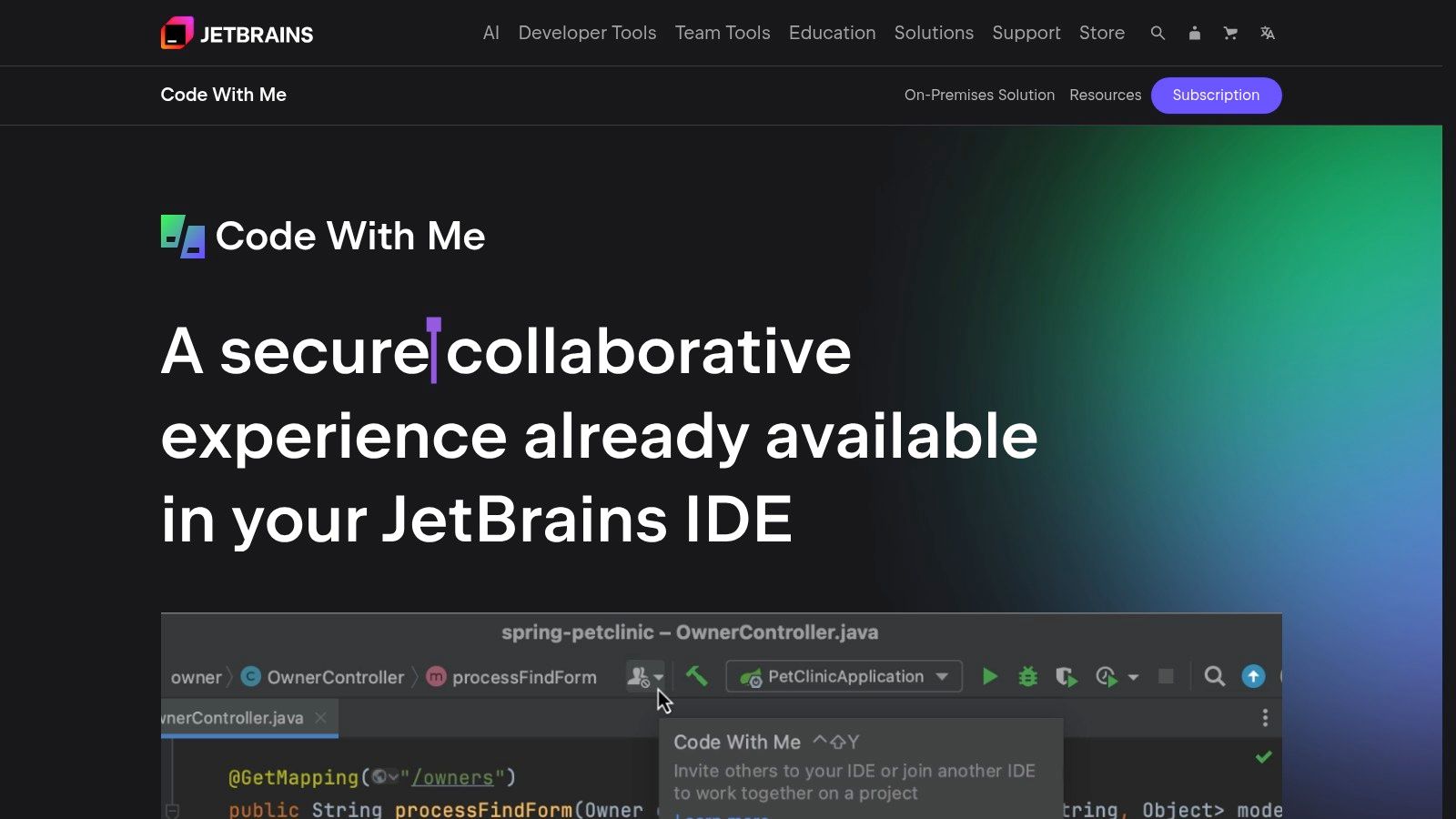
One of the key strengths of Code With Me is its seamless integration with the JetBrains IDE suite. This means that all the powerful features developers rely on, like intelligent code completion, refactoring tools, and built-in debugging capabilities, are readily available during collaborative sessions. This deep integration sets Code With Me apart from other collaborative code editors that often operate as separate platforms, requiring context switching and limiting access to IDE-specific functionalities. Instead, Code With Me enables a truly shared IDE experience.
Code With Me offers a range of collaborative features that enhance the development workflow. Real-time collaborative editing allows multiple developers to work on the same codebase simultaneously, with changes reflected instantly for all participants. Shared debugging sessions empower teams to troubleshoot code together, leveraging the full debugging capabilities of the JetBrains IDE. The integrated voice calling feature facilitates seamless communication during these collaborative sessions, removing the need for external communication tools. Granular permission controls enable hosts to define the level of access granted to each participant, ensuring code security and control. Learn more about Collaborative Editing in JetBrains IDEs (Code With Me)
While Code With Me offers powerful collaborative capabilities, it's essential to consider the practical implications and requirements. The host machine needs sufficient resources to handle multiple collaborative sessions, particularly during resource-intensive tasks like debugging. The full feature set of Code With Me requires a JetBrains IDE subscription, which can be a factor for individuals or teams on a budget. Furthermore, its integration within the JetBrains ecosystem, while a strength for existing users, also means it's limited to this environment. Users unfamiliar with JetBrains IDEs may experience a steeper learning curve compared to more generalized collaborative code editors.
Code With Me is available in different subscription tiers, offering varying levels of functionality and session duration. The free tier allows for limited-time sessions and a restricted number of participants, suitable for quick collaborative coding sessions or demonstrations. Paid subscriptions offer extended session durations, increased participant limits, and access to advanced features like audio and video calls. The technical requirements for Code With Me are relatively straightforward, primarily requiring a compatible JetBrains IDE and a stable internet connection.
Compared to other collaborative code editors like Live Share or Remote Collab, Code With Me offers a more specialized approach. While Live Share and Remote Collab offer broader platform support and often free access to basic functionalities, Code With Me excels in its deep integration with the JetBrains environment. This integration allows access to the full suite of IDE features during collaborative sessions, making it a more powerful tool for professional development teams already working within the JetBrains ecosystem.
Setting up a Code With Me session is relatively simple. The host initiates a session from within their JetBrains IDE and shares a link with the participants. Participants can join the session by clicking the link and, if necessary, installing a lightweight client. This straightforward setup process allows for quick and easy collaboration.
In conclusion, Code With Me stands out as a powerful collaborative code editor specifically tailored for the JetBrains ecosystem. Its tight integration with professional-grade IDEs provides access to advanced features and a seamless collaborative experience, making it an excellent choice for professional development teams, experienced software developers, and educators working within the JetBrains environment. While it might not be the ideal choice for those outside the JetBrains world, its specialized approach makes it a valuable tool for those who value the power and efficiency of collaborative coding within a fully-featured IDE.
Collaborative Code Editors Feature Comparison
| Tool | Core Features / Collaboration ✨ | User Experience / Quality ★★★★☆ | Value Proposition 💰 | Target Audience 👥 | Unique Selling Points 🏆 |
|---|---|---|---|---|---|
| Visual Studio Code Live Share | Real-time edit, shared debugging, terminal sharing | Seamless VS Code integration, low setup | Free for individuals & small teams 💰 | VS Code users, dev teams | Audio calls, no cloning needed ✨ |
| CodeSandbox | Instant envs, live cursors/chat, Git integration | Mobile-friendly, zero-config setup | Free + paid plans; rapid prototyping 💰 | Web devs, learners, teams | Built-in package management ✨ |
| Replit | 50+ languages, multiplayer, cloud hosting | Strong learning tools, extensive lang support | Free tier + paid; hosting included 💰 | Educators, polyglot devs | Multi-language & cloud deployment 🏆 |
| Gitpod | Auto setup from repos, Linux containers, VS Code in browser | Fast startup, containerized envs | Pay-as-you-go; can be costly 💰 | Open-source contributors, teams | Full Linux containers with root access 🏆 |
| CodePen | Real-time front-end editing, social sharing | Clean UI, large community | Free + Pro subscription 💰 | Front-end devs, designers | Social features, preprocessor support ✨ |
| AWS Cloud9 | Full Ubuntu environment, AWS integration | Strong security, full dev tools | Pay-as-you-use, pricey for heavy use 💰 | AWS users, cloud dev teams | Native AWS Lambda & services integration 🏆 |
| Duckly | Real-time code sharing, voice/video chat | Easy setup, multi-IDE support | Limited free tier, paid plans 💰 | Pair programmers, mentors | Multi-IDE & session recording ✨ |
| JetBrains Code With Me | Collaborative editing & debugging in JetBrains IDEs | Professional IDE support, granular permissions | Included with JetBrains subscription 💰 | Enterprise teams, JetBrains users | Full IDE features + voice calls 🏆 |
Elevating Teamwork, One Line of Code at a Time
Choosing the right collaborative code editor can drastically transform your team's workflow. From real-time co-editing and integrated debugging to shared workspaces and built-in communication tools, the options we've explored – Visual Studio Code Live Share, CodeSandbox, Replit, Gitpod, CodePen, AWS Cloud9, Duckly, and JetBrains IDEs with Code With Me – offer a powerful suite of features to elevate your collaborative coding experience.
The key takeaway is that there's no one-size-fits-all solution. While Visual Studio Code Live Share offers a robust and versatile free option for many, CodeSandbox excels for web development projects. Replit shines with its beginner-friendly interface and educational focus, while Gitpod provides powerful cloud-based development environments. CodePen is perfect for front-end focused collaboration, and AWS Cloud9 integrates seamlessly with Amazon's cloud services. Duckly provides a dedicated platform for pair programming, and JetBrains IDEs with Code With Me offers a comprehensive solution for teams already invested in their ecosystem.
When selecting a collaborative code editor, consider your team's size, project scope, budget, and required integrations. Do you need robust version control? Are real-time audio and video chat essential? Is cloud-based access a priority? Answering these questions will guide you toward the perfect tool. Remember to factor in the learning curve for your team and ensure the chosen platform supports your preferred programming languages and frameworks. Implementing a new tool requires thoughtful onboarding and clear communication within your team to ensure a smooth transition and maximize its benefits.
The right collaborative code editor can unlock a new level of synergy within your team. Whether you're an aspiring vibe coder, a seasoned software developer, a digital artist, a student, or an entrepreneur, embracing these tools can transform your coding journey, fostering creativity, boosting productivity, and ultimately, helping you build amazing things together. So, explore the options, choose wisely, and get ready to experience the power of collaborative coding.