Unleash Your Inner Coder: Fun With Computational Thinking
From designing elegant algorithms to visualizing complex datasets, computational thinking has changed how we solve problems. Originating with computer science pioneers like Alan Turing, and evolving through advancements in programming languages and hardware, these concepts have impacted almost every field. Effective computational thinking involves breaking down complex problems into smaller parts, recognizing patterns, abstracting details, and designing step-by-step solutions for computers or even people. Grasping these core principles is essential in our technology-driven world.
Whether you're a new coder, a seasoned software developer, a digital artist, an educator, or a hobbyist, computational thinking helps you tackle challenges with efficiency and ingenuity. This article explores computational thinking through engaging activities, from unplugged exercises to hands-on projects involving robotics, data visualization, and game development. Prepare to sharpen your problem-solving skills, improve your logical reasoning, and unlock your creative potential—no prior coding experience is needed!
1. Unplugged Programming Activities
Unplugged programming activities offer a practical and accessible introduction to computational thinking. Without computers or digital devices, these activities leverage physical objects, movements, and games to illustrate core programming concepts. Think algorithms, decomposition, pattern recognition, and debugging. This hands-on approach transforms abstract ideas into concrete experiences, building a deeper understanding of the logic behind computer science.
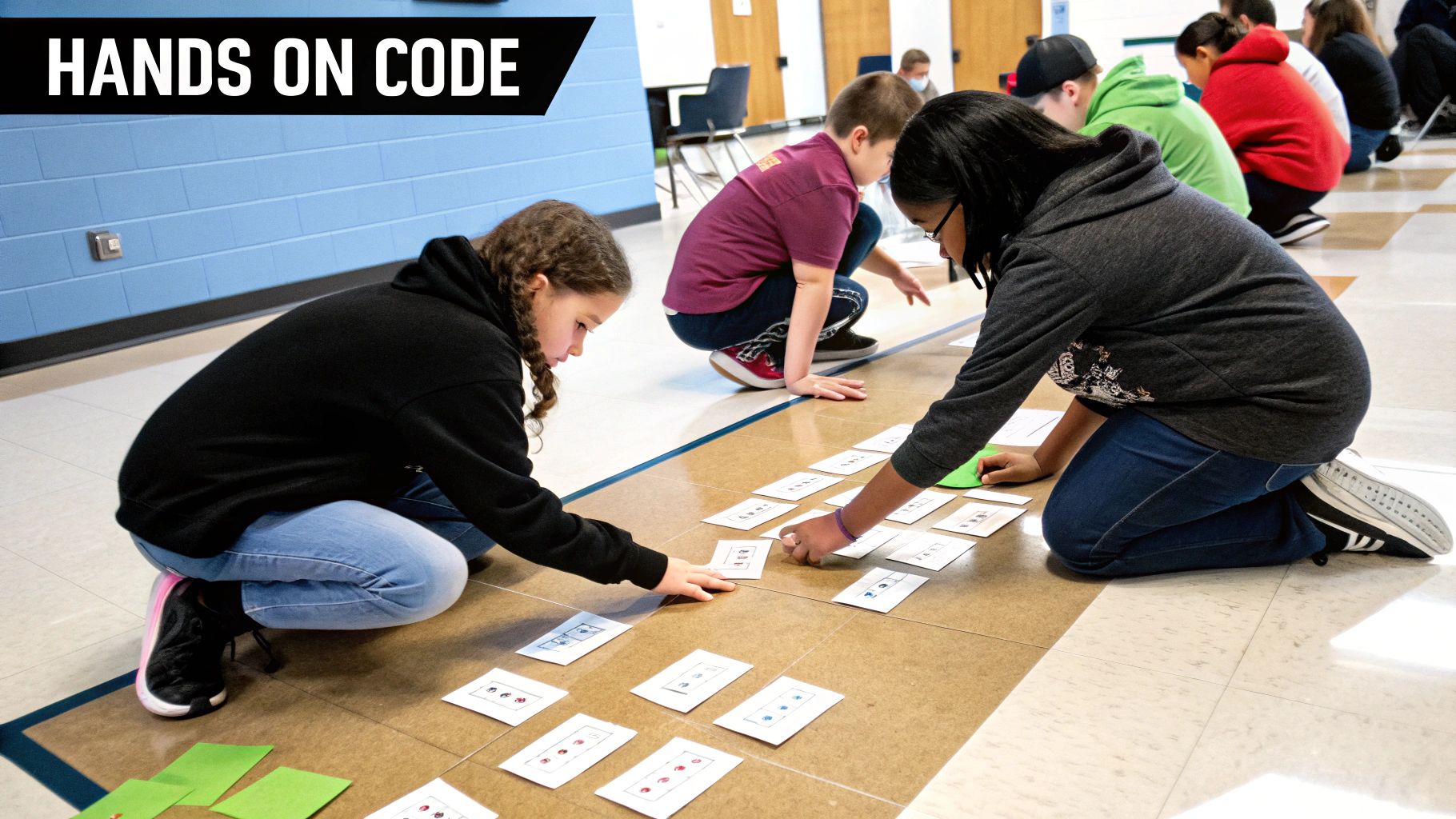
Imagine students physically sorting themselves by height using a set of pre-defined rules. This is the "Sorting Network" activity from CS Unplugged, a leader in the unplugged movement. This exercise vividly demonstrates how sorting algorithms function, making a complex concept easily grasped.
Another popular activity is the "Human Robot". One student, the "programmer," gives precise instructions to another, the "robot," to perform a task, like navigating a maze. This emphasizes the critical role of clear instructions in programming. Even representing binary numbers with paper cups (upside down for 0, right side up for 1) can reveal the fundamental logic of digital systems.
The Rise of Unplugged Learning
The unplugged approach gained popularity through initiatives like CS Unplugged (developed by Tim Bell at the University of Canterbury), Code.org’s unplugged curriculum, and the Barefoot Computing Project. These resources provide numerous ready-to-use activities and lesson plans, simplifying implementation for educators. Its effectiveness in demystifying computational thinking, combined with its accessibility and minimal resource needs, has spurred its widespread use.
Features and Benefits of Unplugged Programming
- No technology required: Accessible to all, regardless of device access.
- Tangible representation of abstract concepts: Boosts understanding and retention.
- Group-friendly format: Encourages collaboration and communication.
- Suitable for all ages: Adaptable to various learning styles and levels.
- Minimal resources: Cost-effective and easy to set up.
Pros and Cons of Unplugged Programming
Here's a quick look at the advantages and disadvantages:
| Pros | Cons |
|---|---|
| Makes abstract concepts concrete | May not translate directly to coding |
| Removes technical learning barriers | Limited complexity compared to digital |
| Works in resource-limited environments | Some students may prefer screen-based tasks |
| Reduces screen time | Can require significant teacher preparation |
| Encourages collaboration and communication |
Tips for Implementation
- Start with simple concepts (sequencing) and build toward complex ones (loops and conditionals).
- Relate the physical activity to its digital counterpart when possible. After the “Sorting Network,” introduce a visual representation of a sorting algorithm in a programming language.
- Use clear instructions and visual aids to reduce confusion.
- Conduct debriefing sessions to reinforce learning and clarify misconceptions.
- Incorporate movement and playful elements to keep students engaged.
Unplugged programming activities provide a strong foundation in computational thinking. They enable learners to grasp essential concepts in a concrete, engaging manner, setting the stage for success in coding and other digital pursuits. Visit CS Unplugged for a wealth of free resources and activities.
2. Block-Based Programming Projects
Block-based programming projects offer a fantastically accessible entry point into the world of computational thinking. Using visual blocks representing code elements, these environments remove the need for typing syntax, making them perfect for beginners and even seasoned programmers. This approach lets learners concentrate on the core concepts of logic, problem-solving, and algorithm design without getting tripped up by syntax errors or complicated language structures.
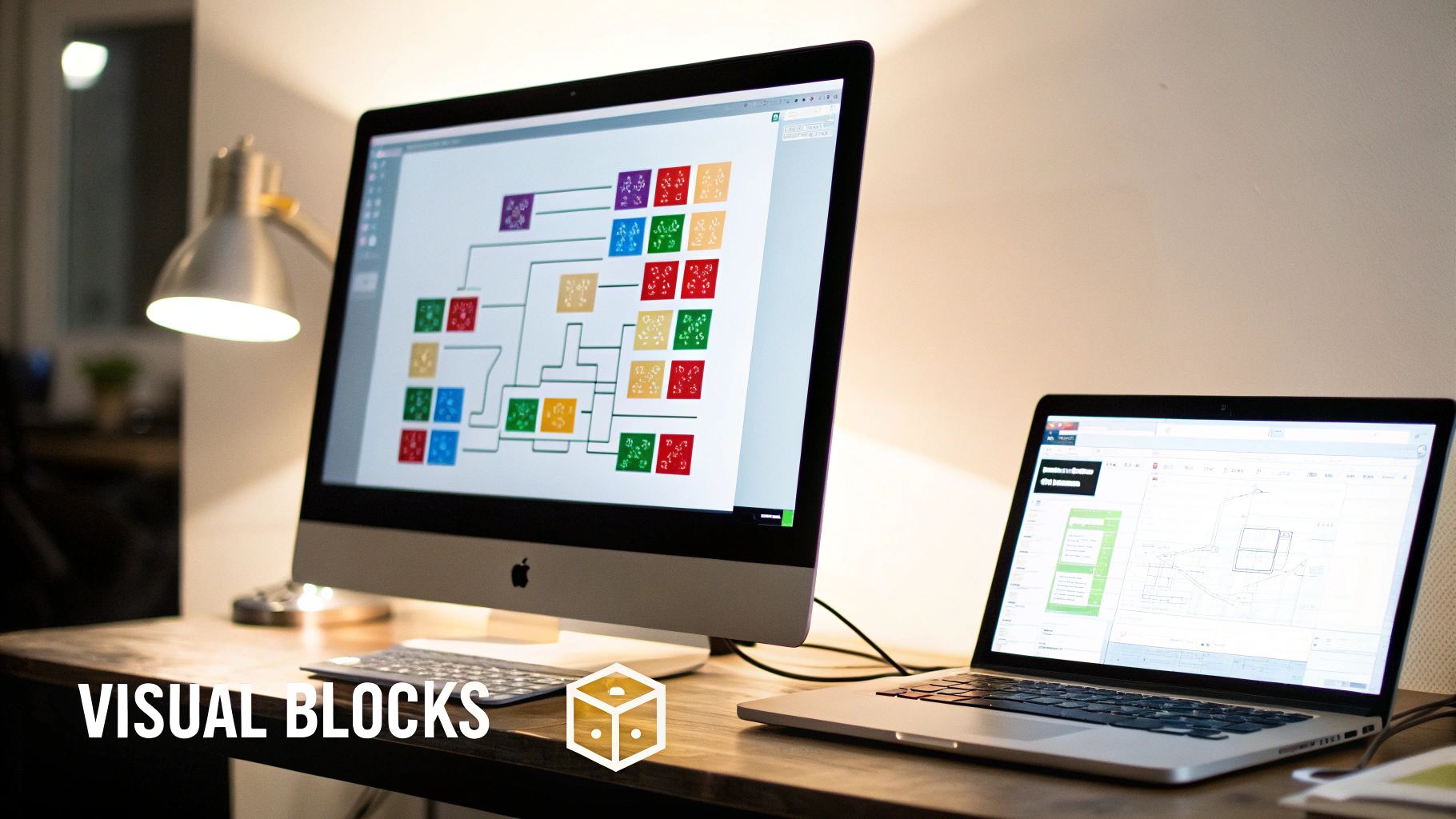
The visual nature of these platforms, with their color-coded blocks snapping together like puzzle pieces, provides immediate visual feedback. This instant gratification reinforces learning and encourages experimentation. The block-based design inherently prevents errors through compatible block shapes, ensuring only logically sound connections. Furthermore, the progressive complexity within these environments caters to a wide range of skill levels, creating a "low floor, high ceiling" experience. Beginners can start with simple drag-and-drop actions, while more advanced users can explore more complex concepts like variables, loops, and conditional statements.
This approach gained significant traction with projects like Scratch, developed by the MIT Media Lab, which made coding accessible to children and educators globally. Blockly, created by Google, expanded the reach of block-based programming by providing a library that integrates into diverse platforms. The work of Jeannette Wing on computational thinking solidified the importance of these tools in fostering essential problem-solving skills. Today, platforms like MIT App Inventor and Microsoft MakeCode empower users to create everything from mobile apps to interactive hardware projects, demonstrating the versatility of this approach.
Features and Benefits
- Visual Programming Blocks: A drag-and-drop interface simplifies code creation.
- Color-Coded Blocks: Different programming concepts are visually represented.
- Immediate Visual Feedback: Experimentation is encouraged, and learning is reinforced.
- Error Prevention: Compatible block shapes minimize syntax errors.
- Progressive Complexity: The platform caters to learners of all levels.
Pros
- Eliminates syntax errors and typing barriers.
- Provides immediate visual feedback.
- Creates a low floor, high ceiling learning environment.
- Allows focus on logic rather than language specifics.
- Highly engaging through creative and game-based projects.
Cons
- May create misconceptions about text-based programming.
- Some advanced concepts can be challenging to represent visually.
- Potential transition challenges to text-based languages.
- Can encourage trial-and-error rather than planned approaches.
Examples of Block-Based Programming Projects
- Creating animated stories in Scratch that respond to user input.
- Designing simple games with scoring and multiple levels.
- Programming robotic movements in Blockly.
- Building mobile apps with MIT App Inventor.
- Coding interactive greeting cards or digital art.
Tips for Implementation
- Start with guided challenges before moving to open-ended projects.
- Encourage planning on paper or using flowcharts before programming.
- Promote code review between peers to foster collaboration and learning.
- Utilize the 'Use-Modify-Create' framework for project progression.
- Highlight the computational thinking concepts used in completed projects.
Block-based programming projects are a valuable addition to this list because they democratize access to coding and computational thinking. They empower individuals from all backgrounds to develop crucial problem-solving skills applicable across various fields, from software development to digital art and beyond. By lowering the barrier to entry, these tools pave the way for future innovators and creators.
3. Algorithmic Problem-Solving Challenges

Algorithmic problem-solving challenges are fundamental to computational thinking. They involve structured problems with various solutions, encouraging individuals to develop step-by-step instructions (algorithms) using core computational thinking principles. These challenges range from basic logic puzzles to complex situations requiring decomposition, pattern recognition, and advanced algorithm design. Through these exercises, students learn to break down problems, identify efficient solutions, and develop systematic thinking. This makes algorithmic problem-solving essential for aspiring vibe coders, seasoned software developers, and even digital artists seeking to optimize their creative work.
These challenges frequently have progressive difficulty levels, allowing learners to gradually improve their skills. There's a significant emphasis on efficiency and optimization, encouraging participants to find not just a solution, but the best solution.
The applications extend across diverse fields like mathematics, logic, and real-world situations, such as optimizing resource allocation or designing efficient transportation routes. The challenges can be tackled individually or collaboratively, fostering teamwork and communication skills.
Pros of Algorithmic Problem-Solving
- Develops logical thinking and reasoning skills.
- Focuses on the problem-solving process rather than just coding syntax.
- Applicable across various academic disciplines and professional fields.
- Excellent preparation for competitive programming and computer science careers.
- Cultivates persistence and a "debugging" mindset.
Cons of Algorithmic Problem-Solving
- Can be initially frustrating for beginners without proper support and guidance.
- May unintentionally favor students with strong mathematical backgrounds.
- Assessment and feedback can be time-consuming for educators.
- There's a risk of prioritizing the solution over understanding the underlying process.
Examples of Algorithmic Problem-Solving Challenges
- Classic puzzles like the Tower of Hanoi and maze solving.
- Bebras Computing Challenge problems (Bebras International Challenge).
- Implementing sorting and searching algorithms.
- Graph traversal problems, such as finding the shortest path.
- Logic puzzles from platforms like Project Euler or Advent of Code.
Tips for Implementing Algorithmic Problem-Solving
- Explicitly teach problem-solving strategies like divide and conquer and greedy algorithms.
- Encourage exploration of multiple solution approaches and comparison of their efficiency.
- Use visual tools like flowcharts or diagrams to map out solutions before implementation.
- Incorporate pair programming for particularly challenging problems, promoting collaboration and knowledge sharing.
- Emphasize process documentation, requiring students to explain their reasoning and not just present the final answer.
The increasing importance of algorithmic problem-solving is largely due to organizations like the Computer Science Teachers Association (CSTA), the Bebras International Challenge, and platforms like Project Euler, HackerRank, and LeetCode. Influential figures like Donald Knuth, author of The Art of Computer Programming, have also advocated for the importance of algorithmic thinking. You might be interested in: Our coding resources.
Algorithmic problem-solving challenges are essential in any computational thinking curriculum. They develop crucial skills, connect theoretical concepts with practical application, and prepare individuals for the complex problem-solving demands of the modern world, benefiting everyone from aspiring vibe coders to experienced tech professionals.
4. Data Analysis and Visualization Projects
Data analysis and visualization projects offer a compelling way to apply computational thinking, bridging the gap between theoretical concepts and practical problem-solving. These projects empower individuals to gather, analyze, and interpret data, transforming raw information into actionable insights and engaging narratives. This process helps develop critical thinking, problem-solving, and communication skills.
These projects typically involve working with real-world datasets. Examples include weather data, census statistics, and social media trends. They also utilize various tools, including spreadsheets, specialized visualization software, or programming languages like Python and R. A core focus is placed on pattern recognition and data transformation (filtering, sorting, aggregating), integrating statistical concepts (mean, median, correlation), and communicating findings effectively through visual representations (charts, graphs, interactive dashboards).
Why Data Analysis and Visualization Matters
In our data-rich world, the ability to analyze and interpret information is essential. Data analysis and visualization projects cultivate data literacy, a crucial skill for making informed decisions in all areas of life, from personal finance to civic engagement. These projects also highlight the practical applications of computing, connecting computational thinking to diverse fields like science, social studies, business, and the arts.
Pros of Data Analysis and Visualization Projects
- Connects computational thinking to diverse disciplines, enriching learning.
- Develops data literacy, a vital skill for modern life and professional success.
- Demonstrates practical applications of computing, increasing engagement.
- Integrates mathematics, statistics, and computing, fostering interdisciplinary knowledge.
- Builds critical evaluation skills for information, empowering informed navigation.
Cons of Data Analysis and Visualization Projects
- Access to suitable datasets and tools can be a challenge.
- May require technical skills beyond basic computational thinking.
- Meaningful projects can be time-consuming, requiring planning and resources.
- Assessing the quality of analysis versus presentation can be complex.
Real-World Examples and Case Studies
- Analyzing weather patterns from public datasets to understand climate change.
- Creating interactive dashboards of school or community statistics for local policy decisions.
- Examining social media trends using data scraping and visualization to understand public sentiment.
- Tracking personal fitness or nutrition data with wearable technology and spreadsheets.
- Environmental monitoring projects using sensor data to study pollution and ecological changes.
Evolution and Growing Popularity
Several factors have contributed to the rise of data analysis and visualization. These include increased availability of open data, advancements in visualization tools, and the growing recognition of data literacy as a critical 21st-century skill. Pioneers like Hans Rosling (Gapminder Foundation) have showcased the power of data visualization to communicate complex information. Platforms like Kaggle and the International Data Science for Schools (IDSFS) initiative have broadened access to data and encouraged its use in education. The Common Online Data Analysis Platform (CODAP) offers a beginner-friendly environment for exploring data analysis and visualization. Data journalism, exemplified by outlets like FiveThirtyEight, has also popularized data-driven storytelling.
Tips for Implementation
- Start with clean, prepared datasets before using complex real-world data.
- Teach data cleaning as a core computational process, emphasizing data integrity.
- Prioritize formulating clear research questions before beginning analysis.
- Introduce visual programming tools like CODAP to beginners for a smooth introduction.
- Incorporate storytelling elements into presentations to make findings engaging and memorable.
5. Robotics Programming Activities
Robotics programming activities offer a compelling way to bring computational thinking principles to life. By integrating hardware and software, students and enthusiasts can witness the direct impact of their code. Programming a robot to navigate a maze, manipulate objects, or respond to sensor input reinforces key computational thinking concepts such as algorithmic thinking, decomposition, and pattern recognition.
This hands-on experience makes robotics programming both engaging and effective for learners of all levels. It connects abstract computational ideas with tangible results, building a deeper understanding of the interplay between software and the physical world. The process of designing, building, and programming robots also naturally incorporates the engineering design process, promoting problem-solving and troubleshooting skills valuable in many fields.
Real-World Problem Solving
Robotics programming is especially well-suited for introducing complex problem-solving within real-world limitations. Factors like battery life, motor speed, and sensor accuracy present challenges that demand thoughtful solutions. This practical application of computational thinking equips individuals for careers in growing fields like automation, robotics, and embedded systems.
Features and Benefits
Here's a breakdown of some key aspects of robotics programming:
Features:
- Tangible computing with physical responses to code
- Integration of sensors and actuators
- Complex problem-solving with real-world constraints
- Compatible with both block-based and text-based programming
- Structured challenges like maze navigation or object manipulation
Pros:
- Highly engaging with immediate physical feedback
- Connects abstract concepts to concrete outcomes
- Naturally incorporates the engineering design process
- Develops troubleshooting and debugging skills
- Prepares for careers in automation and robotics
Cons:
- Requires specialized equipment, which can be expensive
- Technical issues with hardware can be distracting
- More complex setup and management for teachers
- Can be time-consuming in the classroom
Examples and Platforms
Several platforms and challenges provide excellent robotics programming experiences:
- LEGO Education (MINDSTORMS or SPIKE Prime challenge courses)
- Sphero Education (Autonomous navigation challenges)
- VEX Robotics competitions
- Micro:bit or Arduino sensor-based projects
- Drone programming for aerial photography or mapping
Tips for Implementation
To get the most out of robotics programming activities, consider these tips:
- Start with simple movement challenges before integrating sensors.
- Encourage planning with pseudocode before writing the actual program.
- Implement pair programming with designated roles (driver/navigator).
- Include documentation requirements for robot design and code.
- Provide a balance of guided activities and open-ended exploration.
Popularity and Evolution
Seymour Papert pioneered the use of robotics in education, advocating for constructionist learning through tangible interaction with technology. Organizations like the FIRST Robotics Competition, LEGO Education, Sphero Education, and VEX Robotics have popularized robotics programming by creating engaging platforms and competitions. The declining cost of hardware and the development of accessible programming interfaces have also made robotics a more widely used tool for teaching computational thinking. Robotics programming activities offer a powerful and engaging way to cultivate essential problem-solving skills for the 21st-century workforce. They allow individuals to experience code in action, leading to a deeper understanding and appreciation for the potential of computational thinking.
6. Game Design and Development
Game design and development offers a compelling way to grasp and apply computational thinking. This activity immerses students in creating interactive games, requiring them to use core computational concepts practically and engagingly. From designing the game's underlying logic to implementing interactive elements, students learn to break down complex systems, design algorithms, recognize patterns, and abstract game mechanics into manageable parts. This process blends creativity with logical thinking, letting students build engaging experiences through computational processes.
The process combines creative design and logical implementation using an iterative development process, including player testing. Students integrate graphics, sound, and user interaction, applying concepts like conditional logic, variables, and loops. The complexity of game mechanics can gradually increase, allowing for a scaffolded learning experience.
For example, students might start by creating simple platform games in Scratch with increasing difficulty levels and then progress to text-based adventure games incorporating conditional logic. Further exploration could involve building simple AR/VR experiences with tools like CoSpaces or Unity, or even recreating classic games like Pong or Breakout to understand game physics and underlying code structure. Designing educational games that teach specific curriculum content is another exciting application.
Benefits and Drawbacks of Game Design for Education
The benefits of using game design for computational thinking education are numerous. It’s highly motivating and engaging for students, providing a real-world context for algorithm development and encouraging iterative improvement through testing. It also integrates arts and computing for cross-disciplinary learning, teaching user experience design alongside technical skills. You might be interested in Coding Examples for practical illustrations of these concepts in real-world projects.
However, potential drawbacks exist. Projects can sometimes become too ambitious and difficult to complete. There’s also a risk that students might overemphasize gameplay over the underlying computational concepts. Group projects can sometimes lead to uneven participation, and assessment can be challenging due to the diverse project outcomes.
Strategies for Effective Implementation
To address these challenges, educators can use several strategies. Starting with game modification rather than original creation can be a good first step. Using design documents to plan before coding helps students organize their thoughts and define the project scope. Implementing scaffolded challenges that focus on specific computational concepts ensures a structured learning experience. Emphasizing code structure and readability alongside functionality instills good programming practices from the start. Finally, scheduling regular playtest sessions for feedback and iteration reinforces the importance of user-centered design and iterative development.
Pioneers like Mitchel Resnick (creator of Scratch), Brenda Romero (game designer and educator), and platforms like the Alice programming environment (Carnegie Mellon), GameMaker Studio, and Kodu Game Lab (Microsoft) have popularized game design as a powerful tool for teaching computational thinking. Their work has helped establish game development as a valuable teaching approach, enriching computational thinking education with a dynamic and creative aspect. This approach empowers learners not only to understand computational concepts but also to apply them to build innovative and engaging interactive experiences.
7. Physical Computing Projects
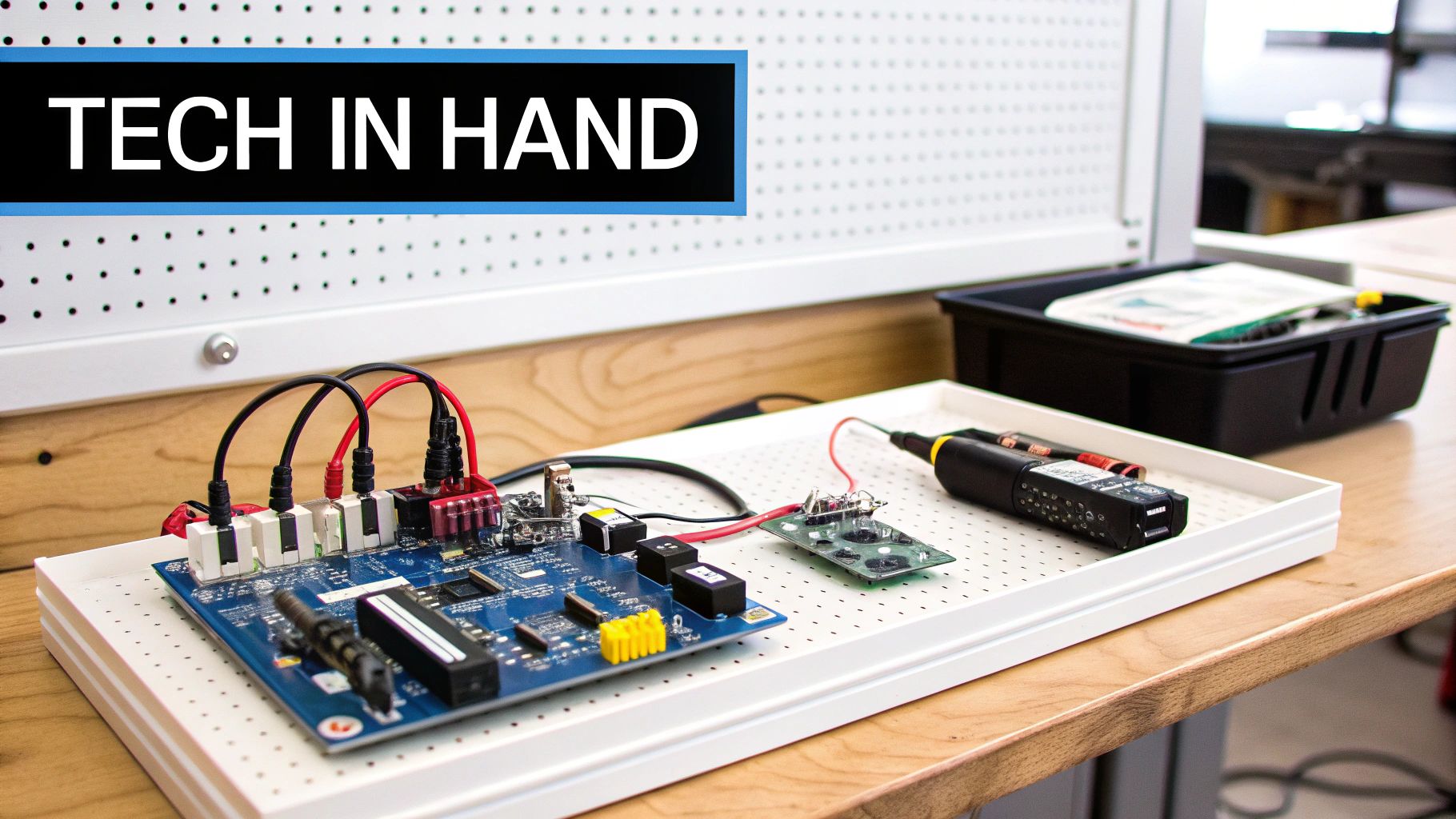
Physical computing projects offer a compelling way to make computational thinking tangible. These projects involve building interactive systems that connect the digital and physical worlds, enabling students and creators to design projects that sense, process, and react to the environment. By combining hardware components like sensors and actuators with software programming, these projects bring computing to life and link abstract concepts to practical applications.
Instead of code remaining confined to a screen, physical computing brings it into the real world. Imagine a plant that waters itself based on sensor readings, a wearable device that monitors fitness levels, or an interactive art installation that responds to viewers. These examples showcase how physical computing empowers us to build dynamic and responsive systems. This hands-on approach encourages systems thinking, as creators consider the interaction between hardware and software components to achieve a specific outcome. For example, a smart home prototype could use temperature sensors to detect room temperature changes and then activate an algorithm to adjust the thermostat.
Key Features and Applications
The defining characteristics of physical computing projects include the integration of hardware and software, the use of sensors to gather real-world data, trigger-based programming with input/output systems, and the physical manifestation of computational concepts. These projects often have interdisciplinary uses in art, science, and engineering. Consider interactive musical instruments controlled by sensor inputs or environmental monitoring stations that collect and display air quality data.
Advantages of Physical Computing
- Tangible Creations: Leads to interactive projects that go beyond the screen.
- Real-World Applications: Showcases the practical applications of computing for solving real-world problems.
- Interdisciplinary Thinking: Fosters creative problem-solving across different fields.
- Systems Thinking: Develops skills in debugging and integrating hardware and software.
- Kinesthetic Learning: Engages learners who thrive on hands-on, tactile experiences.
Challenges of Physical Computing
- Specialized Equipment: Requires access to microcontrollers, sensors, actuators, and other hardware.
- Technical Challenges: Possibilities of troubleshooting hardware connections and component malfunctions.
- Complex Setup: Involves more intricate setup and maintenance compared to software-only projects.
- Electronics Knowledge: May demand basic knowledge of electronics and circuitry.
Project Examples
- Interactive art installations using Micro:bit or Arduino
- Smart home prototypes that react to environmental changes
- Wearable technology projects that track movement or health metrics
- Environmental monitoring stations that collect and display data
- Interactive musical instruments controlled through sensors
Implementation Tips
- Start with basic circuits before incorporating programming.
- Use visual planning tools to map inputs, processing, and outputs.
- Develop debugging checklists for both hardware and software problems.
- Maintain well-organized component kits for easy access.
- Relate projects to real-world challenges or needs.
The increasing popularity of physical computing is largely due to platforms like the Micro:bit Educational Foundation and Arduino Education, which provide accessible tools and resources for beginners. Influential figures like Tom Igoe (author of "Making Things Talk") and Leah Buechley (creator of the LilyPad Arduino) have also made significant contributions to the field. Invention kits like Makey Makey further simplify the process of creating interactive projects. You might find this helpful: Our guide on various coding tools.
Physical computing projects are a valuable addition to any computational thinking curriculum because they connect theoretical concepts to real-world creations. These projects empower learners to not only understand code, but to witness it in action, promoting a deeper understanding of how software interacts with the physical world. They also create a solid foundation for future exploration in robotics, the Internet of Things (IoT), and other emerging technologies.
8. Simulation and Modeling Activities
Simulation and modeling represent a powerful application of computational thinking. They allow us to explore complex systems and phenomena within a virtual environment. Constructing computational models lets us represent real-world scenarios, manipulate variables, and observe outcomes without the constraints of physical limitations or real-world risks. This makes simulation and modeling essential tools for computational thinking.
These activities involve identifying key variables within a system, designing algorithms that capture its behavior, and creating programs that simulate its changes over time or its reactions to different conditions. This process requires computational abstraction – simplifying complex systems into manageable computational representations. It also allows for iterative experimentation.
Features and Benefits
- Representation of Real-World Systems: Models can represent anything from ecosystems and epidemics to traffic flow and climate change.
- Manipulation of Variables: Experimenting with different parameters helps us understand the impact of various factors on system behavior.
- Visualization of Data: Simulations frequently generate large datasets which can then be visualized to reveal insights and uncover patterns.
- Integration of Knowledge: Effective modeling requires integrating computational thinking with mathematics and specialized domain knowledge.
- Hypothesis Testing: Simulations offer a safe and controlled setting to test hypotheses and explore different scenarios.
Real-World Examples and Case Studies
- Agent-Based Modeling of Ecosystems (NetLogo): Simulating the interactions between different species in an ecosystem helps in understanding population dynamics and ecological balance.
- Epidemic Spread Models: Modeling the spread of diseases like COVID-19 can help evaluate the effectiveness of interventions such as social distancing and vaccination.
- Physics Simulations: Simulating actions like projectile motion or planetary orbits helps us understand the laws of physics and predict outcomes.
- Traffic Flow Optimization: Modeling traffic patterns aids in designing efficient road networks and traffic management strategies.
- Climate Change Scenario Modeling: Exploring the impact of various emissions scenarios on global temperatures and other climate variables provides crucial insights for future planning.
Evolution and Popularization
The field of simulation and modeling has been significantly influenced by tools like NetLogo and the work of Uri Wilensky at Northwestern University, the complexity science research and educational activities of the Santa Fe Institute, and MIT's StarLogo and StarLogo TNG. Stephen Wolfram's work on cellular automata has also been fundamental in demonstrating the power of simple computational rules to create complex patterns and behaviors. The Concord Consortium has further promoted the use of simulations in education through the development of various simulation tools.
Pros and Cons
Pros:
- Connects computational thinking to scientific and social inquiry.
- Allows exploration of systems too complex, large, or dangerous for direct experimentation.
- Encourages systems thinking and the understanding of emergent behaviors.
- Integrates computing with various subject areas.
- Demonstrates impactful real-world applications of computing.
Cons:
- Can involve complex mathematics that may present a challenge for some learners.
- Requires careful consideration of the balance between simplification and accuracy in model design.
- May require specific software or programming knowledge.
- Evaluating the depth of understanding versus technical implementation can be difficult.
Tips for Implementation
- Begin by exploring existing simulations before creating new ones.
- Initially focus on identifying the most important variables and relationships within the system.
- Employ an incremental development approach, adding one feature at a time.
- Whenever possible, correlate simulation results to real-world data.
- Encourage critical thinking about the model's limitations and inherent assumptions.
Simulation and modeling equip us to tackle intricate problems and gain a deeper understanding of our world. By incorporating these activities into education and practice, we can cultivate essential computational thinking skills and prepare individuals for the complex issues of the 21st century.
8-Point Computational Thinking Comparison Matrix
| Activity | 🔄 Complexity | ⚡ Resources | 📊 Outcomes | 💡 Use Cases | ⭐ Advantages |
|---|---|---|---|---|---|
| Unplugged Programming Activities | Low-moderate; relies on clear teacher prep | Minimal; everyday objects, paper, or cards | Concrete grasp of abstract algorithms & patterns | Introductory lessons; resource-limited settings | Tangible concepts; promotes collaboration; screen-free |
| Block-Based Programming Projects | Moderate; visual interface streamlines process | Basic computer access; block-based tools | Instant visual feedback; focus on logic and creativity | Beginner coding projects; game or storytelling projects | Error prevention; engaging; low syntax barrier |
| Algorithmic Problem-Solving Challenges | Moderate-high; may need scaffolding | Minimal; pen-and-paper or simple digital tools | Enhanced logical reasoning and systematic problem solving | Competitive programming; math and logic challenges | Deep process focus; builds persistence; versatile problem-solving |
| Data Analysis and Visualization Projects | Moderate; requires handling data and tools | Access to datasets and analysis/visualization tools | Improved data literacy; ability to draw insights from trends | Interdisciplinary projects; real-world data exploration | Connects computing with real-world issues; analytical skill development |
| Robotics Programming Activities | High; integration of software & hardware | Specialized robotics kits and computers | Hands-on engineering experience; immediate physical feedback | STEM projects; engineering and automation challenges | Tangible results; immediate feedback; real-world application |
| Game Design and Development | Moderate; blends creative design with technical logic | Computer with game development software | Iterative design skills; creative and algorithmic thinking | Interactive game projects; cross-disciplinary learning | Highly engaging; authentic context; motivates iterative improvement |
| Physical Computing Projects | High; incorporates hardware-software integration | Sensors, microcontrollers, and physical materials | Interactive systems; tangible representation of computing concepts | Art, science, and engineering projects; maker activities | Interdisciplinary; real-world applications; kinesthetic learning |
| Simulation and Modeling Activities | Moderate-high; involves abstraction and math | Simulation software and domain-specific data | Deeper understanding of complex systems & emergent behaviors | Scientific inquiry; modeling real-world phenomena | Promotes systems thinking; supports hypothesis testing; high impact analysis |
Ready to Code? Take the Next Step!
Computational thinking forms the bedrock of coding success. Through exploring various activities like unplugged programming, block-based projects, algorithmic problem-solving, data analysis and visualization, robotics programming, game design, physical computing, and simulations, you've acquired valuable problem-solving skills and a deeper understanding of computational concepts. Now is the time to put that knowledge into practice and begin creating your own impressive programs!
Let's recap some key takeaways. Computational thinking empowers you to deconstruct complex problems into smaller, more manageable components. It encourages abstract thinking, pattern identification, and the design of step-by-step solutions that a computer can interpret. Whether you're developing a game, analyzing data, or controlling a robot, these principles are crucial for success.
To apply these concepts effectively, select a project that truly sparks your interest. Don't hesitate to experiment and iterate. Begin with a small, functional prototype and progressively incorporate more features. Remember, learning to code is a continuous journey. Embrace the challenges, learn from your mistakes, and celebrate your accomplishments.
Adapting to the Changing Tech Landscape
Adaptability is essential in the constantly evolving realm of technology. Continue to acquire new programming languages, tools, and techniques. Stay informed about emerging trends like artificial intelligence, machine learning, and quantum computing, as these fields are continuously shaping the future of software development.
Consider participating in online communities, attending workshops, or contributing to open-source projects. These activities can expand your skillset and connect you with other passionate individuals. You can find valuable resources and connect with other developers through platforms like GitHub.
In conclusion, computational thinking is a potent skillset that extends far beyond coding. It nurtures creativity, critical thinking, and problem-solving abilities valuable in any field. By continuing to refine your computational thinking skills and embracing a lifelong learning approach, you'll be well-prepared to navigate the exciting world of technology and bring your innovative ideas to fruition.