Unleash Your Inner Artist with Code
Discover the power of creative coding with these 8 inspiring examples. This list provides a direct overview of platforms and tools to create stunning visuals, interactive experiences, and innovative digital art. Learn about Processing, openFrameworks, TouchDesigner, Three.js, p5.js, VVVV, Max/MSP, and Generative Adversarial Networks (GANs) to transform code into a powerful creative tool. Explore these diverse creative coding examples and start crafting your own digital masterpieces. These tools and platforms are featured on Vibecoding VIP, a directory dedicated to vibe coding curated by @slhomme.
1. Processing
Processing stands out as a prime example of creative coding, offering a flexible and beginner-friendly environment for exploring the intersection of art, design, and technology. It's an open-source programming language and integrated development environment (IDE) specifically designed for visual artists, new media creators, and anyone interested in expressing themselves through code. Processing simplifies the process of creating interactive visuals, animations, and generative art by providing a streamlined syntax and a rich set of built-in graphics functions. This empowers users to focus on the creative aspects rather than getting bogged down in complex code structures.
Processing’s core strength lies in its accessibility. The language, based on Java, adopts a simplified syntax that makes it easy for beginners to grasp fundamental programming concepts while simultaneously creating visually engaging output. If you're just starting your creative coding journey, choosing the right tools can be crucial. Check out these resources on the best animation software for beginners from Creativize. Even with its simplified approach, Processing remains a powerful tool capable of generating complex visuals and interactive experiences. Its extensive library ecosystem opens up a world of possibilities for working with various media, including sound, video, and hardware. Further extending its versatility, Processing boasts cross-platform compatibility (Windows, macOS, Linux) and allows for exporting projects to multiple formats, from standalone applications to web-based sketches.
Features such as built-in graphics functions, an active community forum for support, and seamless integration with hardware like Arduino contribute to Processing’s position as a go-to platform for creative coding examples. The platform has fueled countless inspiring projects, including Aaron Koblin's 'Flight Patterns' visualization of air traffic, interactive artworks by Lauren McCarthy using p5.js (a JavaScript library based on Processing), and the captivating Nature of Code simulations by Dan Shiffman. These examples showcase the breadth of creative applications possible with Processing, from data visualization and generative art to interactive installations and web-based experiences.
Pros:
- Low barrier to entry for beginners due to simplified syntax.
- Strong community support and extensive documentation.
- Excellent for rapid prototyping of visual ideas.
- Free and open-source, making it accessible to everyone.
- Seamless integration with hardware like Arduino for physical computing projects.
Cons:
- Can encounter performance limitations when dealing with highly complex graphics.
- Less suitable for large-scale commercial or enterprise applications.
- Offers limited built-in 3D capabilities compared to specialized 3D software.
Tips for Using Processing:
- Start with basic shapes and interactions to build a strong foundation.
- As your projects grow, utilize object-oriented programming principles for better organization and code reusability.
- Leverage existing libraries to extend functionality and avoid reinventing the wheel. Explore the rich examples that come bundled with the software for inspiration and learning.
- Engage with the Processing community forums for support and collaboration.
Processing's influence on the field of creative coding is undeniable. Popularized by its creators, Casey Reas and Ben Fry, along with influential figures like Daniel Shiffman (author of "Learning Processing" and "The Nature of Code"), and embraced by institutions like the MIT Media Lab and NYU's ITP, Processing has become an essential tool for anyone seeking to explore the creative potential of code. Whether you're a seasoned developer or a complete beginner, Processing offers a welcoming and empowering environment for bringing your creative coding ideas to life.
2. openFrameworks
openFrameworks is a powerful C++ toolkit specifically designed for creative coding. It provides a simplified and intuitive framework for artists, designers, and developers to experiment with code and create visually stunning interactive applications, installations, and performances. Its core strength lies in its ability to bridge the gap between complex technical concepts and artistic expression, making it an excellent choice for those seeking high-performance creative coding examples. Learn more about openFrameworks
openFrameworks works by wrapping commonly used libraries for graphics (OpenGL), audio, video, and networking under a consistent and easy-to-use API. This abstraction allows creators to focus on the creative aspects of their projects without getting bogged down in the intricacies of low-level programming. It offers a streamlined development process, enabling rapid prototyping and experimentation with different visual and interactive elements.
One of the key features of openFrameworks is its cross-platform compatibility. You can develop projects on Windows, macOS, Linux, iOS, and Android using the same codebase. Its modular addon system provides access to a wealth of community-developed extensions for functionalities ranging from computer vision to hardware integration. This allows for highly customized and complex creative coding examples to be built upon a solid and reliable foundation.
Examples of Successful Implementation:
- Zach Lieberman's 'Play the World': This interactive installation allows participants to "play" the world around them using motion tracking and sound synthesis, showcasing openFrameworks' ability to create engaging and playful experiences. Lieberman, a co-creator of openFrameworks, leverages its capabilities to seamlessly connect physical interaction with digital outputs.
- Kyle McDonald's 'Sharing Faces': This thought-provoking art installation explored facial recognition and privacy by projecting participant's faces onto others, demonstrating openFrameworks' potential for creating interactive installations that address social commentary.
- Theo Watson's interactive projections: Watson, another co-creator of openFrameworks, utilizes it to craft breathtaking interactive projections, demonstrating the toolkit's prowess in handling real-time graphics and dynamic visuals.
- Daito Manabe's facial performance systems: These innovative systems use facial tracking and projection mapping to create stunning visual effects synchronized with music and movement, pushing the boundaries of interactive performance art through openFrameworks.
Pros:
- Excellent performance: Its C++ foundation provides excellent performance, essential for computationally intensive projects involving real-time graphics, audio processing, and computer vision.
- Control over resources: Provides greater control over memory and system resources, allowing for optimization and efficient utilization of hardware capabilities.
- Rich ecosystem: The extensive addon system expands functionality and offers specialized tools for various creative coding applications.
- Professional applications: Well-suited for creating robust installations, interactive art pieces, and professional applications requiring high stability and performance.
- Strong community: A thriving community of artists and developers provides support, resources, and inspiration.
Cons:
- Steeper learning curve: Requires some familiarity with C++, posing a steeper learning curve compared to beginner-friendly options like Processing or p5.js.
- C++ knowledge required: Advanced usage necessitates a deeper understanding of C++ programming concepts.
- Complex setup: The setup and compilation process can be more complex for beginners.
- Less beginner-friendly documentation: While the documentation is comprehensive, it can be challenging for those completely new to C++ and openFrameworks.
Tips for Using openFrameworks:
- Start with the examples: The included examples provide a great starting point for understanding the framework and its capabilities.
- Use Project Generator: Simplify project creation with the Project Generator tool.
- Learn basic C++: Familiarize yourself with basic C++ concepts before tackling complex projects.
- Leverage existing addons: Explore and utilize existing addons before writing custom code.
- Test early and often: Test your projects on target platforms early in the development process to identify and address compatibility issues.
openFrameworks deserves its place in this list of creative coding examples because it empowers creators to build high-performance interactive applications and installations with a level of control and flexibility not readily available in other environments. Its focus on C++, combined with its rich ecosystem and active community, makes it a compelling choice for serious creative coders.
3. TouchDesigner: Real-Time Visual Magic for Creative Coding
TouchDesigner is a powerful platform for creating stunning real-time visuals and interactive experiences, earning its place among the top creative coding examples. This node-based visual programming environment empowers artists, designers, and developers to build everything from generative art installations to immersive VR experiences and interactive stage visuals. It's a playground for exploring the intersection of code and art, enabling you to manipulate pixels, geometry, and data in real-time.
Instead of writing lines of code, TouchDesigner utilizes a visual programming interface where you connect different operators (nodes) to form a network. This network represents the flow of data and processing, allowing for complex visual effects and interactions to be built intuitively. While its visual nature makes it accessible to those new to coding, its depth and flexibility also cater to experienced programmers seeking powerful real-time capabilities.
How TouchDesigner Works:
The core of TouchDesigner lies in its node-based system. Each node performs a specific function, from generating geometric shapes to manipulating textures and handling user input. By connecting these nodes, you create a visual representation of your program's logic, making it easy to experiment and iterate. Python scripting is integrated deeply within TouchDesigner, allowing for more complex logic and control when needed. This blend of visual programming and scripting provides a unique and highly adaptable creative coding environment.
Features and Benefits:
- Real-time rendering and processing: Witness your creations come to life instantly, enabling rapid prototyping and experimentation.
- Node-based visual programming interface: Intuitive and accessible, even for those without traditional programming experience.
- Python scripting integration: Unlock advanced functionalities and customization options.
- Support for various input devices and protocols (MIDI, OSC, DMX): Seamlessly integrate with hardware controllers, musical instruments, and lighting systems.
- Built-in physics engine: Simulate realistic physical interactions within your visual creations.
- VR/AR capabilities: Develop immersive experiences for virtual and augmented reality platforms.
Pros:
- Visual programming lowers the barrier to entry for non-programmers.
- Real-time feedback facilitates rapid iteration and experimentation.
- Exceptional performance in live performance and installation settings.
- Robust integration with physical hardware expands creative possibilities.
- Powerful capabilities for projection mapping and other advanced visuals.
Cons:
- Steep learning curve, even with the visual interface, requires dedicated learning.
- Commercial software with associated costs, especially for commercial use.
- Resource-intensive, necessitating powerful hardware for complex projects.
- Less portable than web-based solutions, generally requiring dedicated machines.
Examples of TouchDesigner in Action:
- Refik Anadol's data-driven architectural projections: Transforming buildings into dynamic canvases with data-driven visuals.
- Notch's stage visuals for music performers: Creating mesmerizing real-time graphics synchronized with music.
- Matthew Ragan's generative art installations: Exploring the boundaries of art and technology through interactive installations.
- Interactive museum exhibits by Moment Factory: Engaging visitors with captivating and immersive experiences.
Tips for Getting Started:
- Start with tutorials on the basic operator families: Familiarize yourself with the fundamental building blocks of TouchDesigner.
- Use the Palette Browser to discover available components: Explore the vast library of pre-built operators and tools.
- Learn the fundamentals of network data flow: Understand how data moves between nodes to create complex interactions.
- Join the TouchDesigner forum for community support: Connect with other users and tap into a wealth of knowledge and resources.
- Optimize networks early to prevent performance issues: Develop good habits for efficient network design to maintain optimal performance.
When and Why to Use TouchDesigner:
TouchDesigner shines when you need real-time visual processing and interactivity. It’s an ideal choice for projects involving:
- Live performances and installations: Create dynamic visuals that respond to music, sensors, and audience interaction.
- Generative art and interactive media: Explore algorithmic art, data visualization, and interactive storytelling.
- Projection mapping and immersive experiences: Transform physical spaces with projected visuals and create engaging VR/AR environments.
- Prototyping and experimentation: Quickly test and iterate on visual ideas thanks to the real-time feedback.
TouchDesigner is a powerful tool for creative coding, offering a unique blend of visual programming and scripting. While it requires dedication to master, its capabilities for creating stunning real-time visuals and interactive experiences make it a rewarding platform for artists, designers, and developers alike. Its widespread use in professional settings, from large-scale art installations to live music performances, solidifies its position as a leading creative coding example.
4. Three.js
Three.js stands out as a powerful and versatile example of creative coding, enabling developers and artists to craft stunning 3D experiences directly within a web browser. It's a cross-browser JavaScript library and API built upon WebGL, which handles the complex low-level graphics rendering. Instead of wrestling with raw WebGL, Three.js provides a higher-level, scene-graph-based approach. This means you can construct your 3D world using familiar concepts like scenes, cameras, lights, and objects, significantly simplifying the development process. This accessibility makes it a fantastic tool for anyone looking to explore the world of 3D web graphics, regardless of their prior experience with graphics programming.
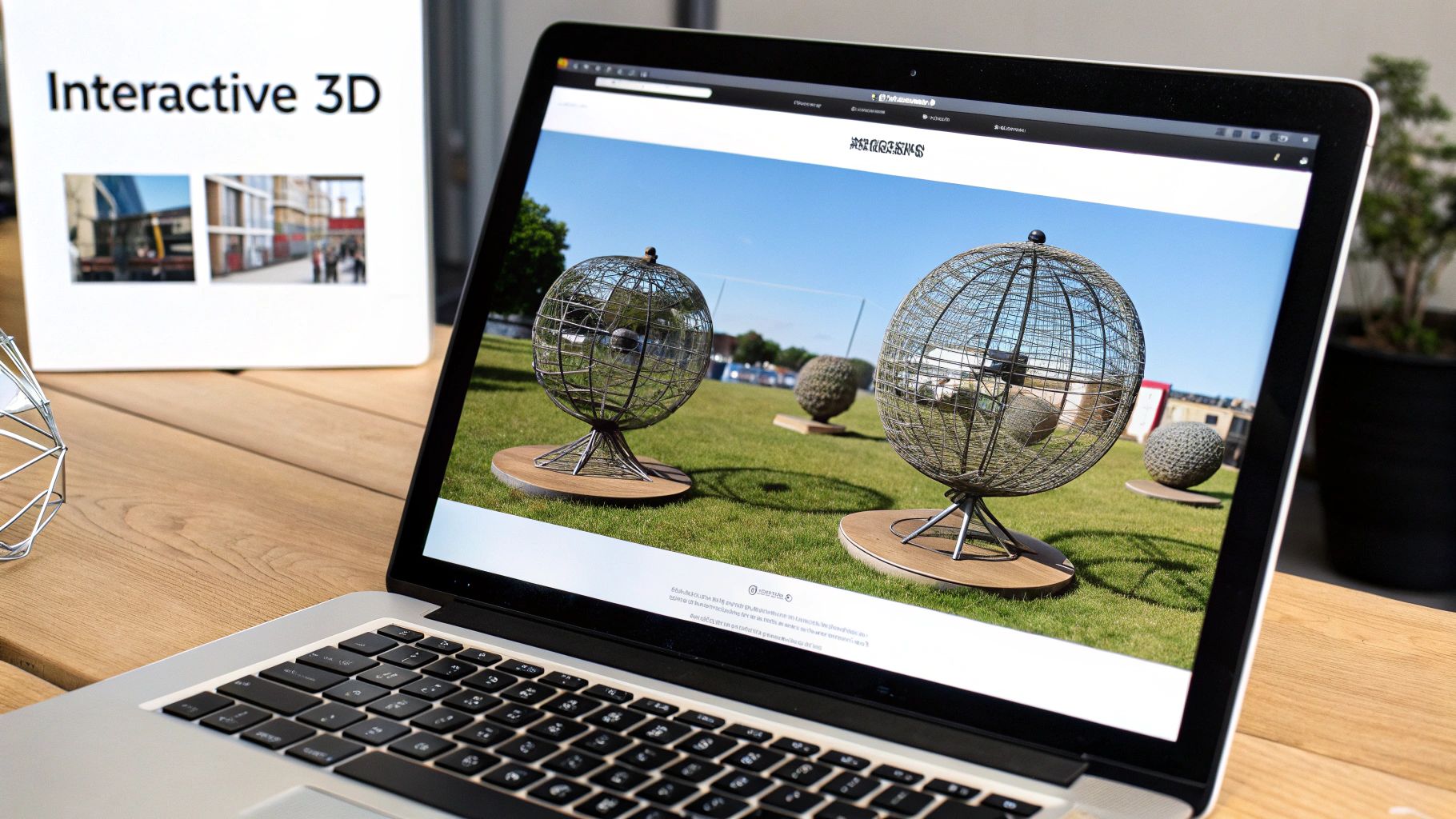
Three.js offers a comprehensive set of features to facilitate creative coding examples. It boasts a rich library of pre-built 3D primitives (cubes, spheres, etc.) and geometries, allowing you to quickly assemble complex objects. Various camera types and controls empower you to create dynamic viewpoints and navigate your 3D world. Robust material and lighting systems bring realism and depth to your scenes, while support for loading different 3D file formats (like FBX and OBJ) streamlines the integration of pre-made assets. A built-in animation system and the ability to integrate physics engines through third-party libraries further enhance the interactive possibilities. This makes Three.js a perfect fit for showcasing innovative creative coding examples, from interactive portfolios to data visualizations and immersive games.
The benefits of using Three.js are numerous. It works seamlessly across modern web browsers without requiring any plugins, making your 3D creations instantly accessible to a wide audience. No installation is needed for end-users, further enhancing the shareability of your work. A large and active community provides ample support and resources, alongside extensive documentation. Furthermore, Three.js integrates well with other web technologies, allowing you to seamlessly blend your 3D creations with existing web projects.
However, like any technology, Three.js has its limitations. Performance is ultimately dependent on the client's hardware and browser capabilities. While it’s powerful for web-based 3D, it’s not as feature-rich as dedicated desktop 3D applications. Optimizing complex scenes can be challenging, requiring careful management of resources and potentially the implementation of level-of-detail (LOD) techniques. Learn more about Three.js and dive deeper into optimizing your projects. Finally, while the high-level API simplifies development, understanding core 3D concepts is still crucial for creating truly compelling experiences.
For aspiring vibe coders, experienced software developers, digital artists, and creative technologists alike, Three.js offers an accessible entry point into the world of 3D web graphics. Consider its use when you need to create interactive 3D visualizations, engaging product demos, immersive web experiences, or even browser-based games. Examples of successful implementations include Bruno Simon's portfolio website, featuring an interactive 3D driving experience, Google's WebVR Experiments, Airbnb's 3D visualizations of rental properties, and numerous award-winning websites showcasing the work of agencies like Resn and Active Theory.
To start your journey with Three.js, explore the basic examples provided on the official website. Use debugging tools like Stats.js to monitor performance and identify bottlenecks. As your scenes grow in complexity, consider implementing LOD techniques and pre-loading assets to enhance user experience. Remember to test your creations across different devices and browsers to ensure compatibility and optimal performance. Through its combination of power and accessibility, Three.js rightfully earns its place as a prime example of creative coding in action.
5. p5.js
p5.js is a powerful and accessible JavaScript library specifically designed for creative coding. It's built upon the core principles of Processing, a popular visual programming language, but reimagines them for the web. This means artists, designers, educators, beginners, and seasoned developers alike can leverage p5.js to create interactive visuals, animations, and experiences that run directly in a web browser. p5.js empowers users to sketch with code, exploring generative art, data visualization, and a wide range of creative coding examples, all without the need for complex setups or plugins. It makes creating and sharing engaging web-based projects remarkably simple.
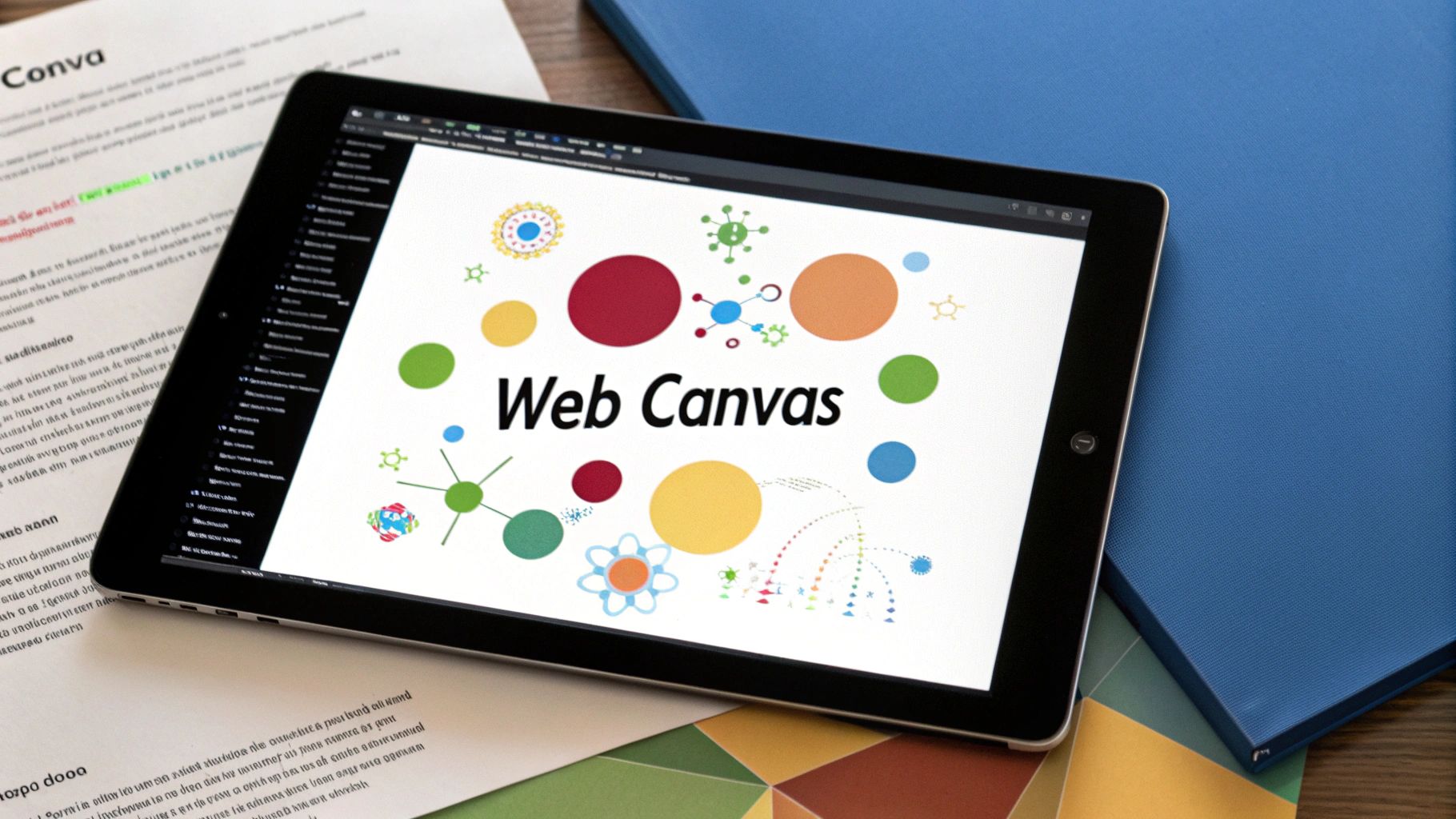
p5.js achieves its accessibility through a simplified syntax and a focus on visual output. It utilizes the HTML5 Canvas and WebGL for rendering graphics, offering a rich environment for 2D and 3D creations. Beyond graphics, p5.js incorporates features like a sound library for audio manipulation, mobile touch support for interactive experiences, and even integration with the Web Speech API. Its ability to seamlessly interact with other HTML/CSS elements makes it a versatile tool for integrating creative coding into broader web projects.
Features and Benefits:
- Web-based implementation of Processing concepts: This allows for a familiar transition for users coming from Processing and simplifies the learning curve for beginners.
- HTML5 Canvas and WebGL rendering: Enables the creation of diverse visual outputs from basic shapes to complex 3D scenes.
- DOM manipulation: Allows for interactive user interfaces and dynamic web page integration.
- Sound library: Facilitates the creation of sonic landscapes and interactive audio experiences.
- Mobile touch support: Expands creative possibilities to touchscreen devices.
- Easy integration with HTML/CSS: Allows for seamless embedding within existing web projects.
Pros:
- Works directly in the browser: No installation required, making it incredibly easy to get started.
- Easily shareable projects via web links: Perfect for showcasing work and collaborating.
- Beginner-friendly syntax and documentation: Lowers the barrier to entry for newcomers.
- Strong educational focus with many learning resources: A plethora of tutorials and examples makes learning enjoyable.
- Active, inclusive community: Provides support and fosters collaboration among users.
Cons:
- Less performant than native applications for complex projects: May struggle with computationally intensive tasks.
- More limited than Processing for certain applications: Lacks some advanced features found in the desktop version of Processing.
- Browser compatibility issues can arise: While generally robust, cross-browser inconsistencies can occasionally occur.
- Limited built-in 3D capabilities compared to specialized libraries: WebGL support is good, but dedicated 3D libraries offer more advanced features.
Examples of p5.js in action:
- Kate Compton's work showcases the potential of p5.js for creating compelling procedural generators.
- Daniel Shiffman's Coding Train YouTube channel offers a wealth of p5.js tutorials and creative coding examples.
- NYU ITP student projects frequently utilize p5.js for its versatility and ease of use.
- Nikita Rokotyan leverages p5.js for creating interactive data visualizations.
Tips for using p5.js:
- Use the online editor for quick prototyping: Experiment and iterate rapidly without local setup.
- Leverage the p5.js DOM functions to create interactive UI: Enhance user engagement through dynamic controls.
- Start with 2D before moving to WEBGL mode: Master the fundamentals before venturing into 3D.
- Embrace object-oriented programming for complex sketches: Organize your code efficiently for larger projects.
- Check the online reference and examples for guidance: Extensive documentation is readily available.
Popularized By:
Lauren McCarthy (creator), Daniel Shiffman (The Coding Train), Processing Foundation, NYU ITP program, and platforms like Codecademy.
p5.js earns its place in this list of creative coding examples because of its accessibility, vibrant community, and its focus on empowering individuals to express themselves through code. Whether you're a beginner or a seasoned coder, p5.js provides a welcoming environment to explore the exciting world of creative coding. Check out the official p5.js website: https://p5js.org/
6. VVVV: Real-Time Visuals and Interactive Installations
VVVV (pronounced 'vee four') distinguishes itself among creative coding examples as a powerful hybrid visual/textual programming environment tailored for real-time video synthesis, physical interaction, and data visualization. It's a popular choice for professionals creating large-scale media installations, architectural projections, and high-impact performance setups. Its dataflow programming approach, where you visually connect functional nodes to create "patches," offers a unique way to manipulate and generate stunning visuals and interactive experiences. This approach allows for rapid prototyping and experimentation, making it a powerful tool for anyone exploring creative coding.
VVVV exists in two main versions: vvvv gamma (the newer, cross-platform iteration built on .NET) and vvvv beta (the legacy, Windows-only version based on DirectX). While gamma strives for cross-platform compatibility, its features are still evolving. Beta, on the other hand, boasts a mature feature set and remains the go-to for many professionals working specifically within the Windows ecosystem.
How VVVV Works
VVVV's visual patching interface is its core strength. Users manipulate data by connecting nodes, each representing a specific operation (e.g., generating geometric shapes, applying effects, controlling audio). The connections between nodes represent the flow of data, and changes to the patch are reflected in real-time, providing instant feedback. This iterative process fosters experimentation and allows for rapid development of complex visuals and interactive systems. Furthermore, the ability to encapsulate sections of a patch into reusable "subpatches" helps manage complex projects and promotes modular design.
Features and Benefits
VVVV offers a rich set of features tailored to creative coding:
- Visual patching interface with real-time feedback: This accelerates the iterative design process, making experimentation a core part of the workflow.
- High-performance rendering for multimedia: Leveraging DirectX (beta) and Stride 3D engine (gamma), VVVV excels in handling complex visuals and real-time effects.
- Support for DirectX and Stride 3D engine: This ensures high-performance graphics capabilities for demanding projects.
- Multi-screen and projection mapping capabilities: VVVV simplifies the creation of immersive environments across multiple displays and complex surfaces.
- Strong integration with physical devices and sensors: Connect easily with various hardware inputs (Kinect, Arduino, MIDI controllers, etc.) to create interactive installations.
- C# scripting capabilities: Extend the functionality of VVVV by writing custom nodes and modules.
- Extensive plugin system: A vast library of community-developed plugins expands VVVV's capabilities even further.
Pros and Cons
Pros:
- Exceptionally fast for real-time applications: The optimized rendering pipeline allows for smooth performance, even with complex visuals.
- No compilation needed: Changes to patches are reflected immediately, promoting rapid iteration and experimentation.
- Excellent for complex installations with multiple inputs/outputs: VVVV handles complex routing and data management effectively.
- Strong for connecting to hardware and physical computing: This makes it ideal for interactive installations and responsive environments.
- Good community support and documentation: A dedicated community and readily available resources facilitate learning and troubleshooting.
Cons:
- Windows-only (though gamma version has limited multi-platform support): This can be a limitation for users on other operating systems, though gamma is moving towards cross-platform compatibility.
- Steeper learning curve than some alternatives: The dataflow programming paradigm may require some initial effort to grasp.
- Commercial model for professional use: Free for non-commercial use, but professional licenses are required for commercial projects.
- Smaller community compared to other creative coding platforms: While supportive, the VVVV community is not as large as some others, which can impact the availability of readily available resources.
Examples in Action
VVVV's capabilities are showcased in impressive projects like Onformative's 'Collimation' art installation, Christopher Bauder's large-scale light installations, Flora Lisi's interactive performances, and the media facades at the Kunst Museum in Stuttgart. These examples highlight VVVV's prowess in handling complex visuals, real-time interaction, and physical integration.
Tips for Getting Started
- Start with the included tutorials and help patches: VVVV offers a solid foundation for learning its core concepts.
- Learn the difference between spreads and loops: Understanding data structures within VVVV is crucial.
- Use inspector nodes to debug your patches: This helps identify and resolve issues quickly.
- Join the forum for community help: The VVVV forum is a valuable resource for getting support and connecting with other users.
- Use subpatches to organize complex projects: This promotes modularity and maintainability.
Why VVVV Deserves Its Place
VVVV earns its place in this list of creative coding examples because it fills a niche for high-performance real-time visuals, especially in large-scale installations and professional settings. While it may have a steeper learning curve, its power and flexibility make it a valuable tool for those seeking to push the boundaries of interactive and visual experiences. You can find more information and download VVVV from their website: vvvv.org.
VVVV has been popularized by the vvvv group (its creators), digital design studios like Meso, creative studios like Marshmallow Laser Feast, artists like Christopher Bauder, and the broader European media art community. These individuals and groups have consistently demonstrated the potential of VVVV as a creative coding platform and have helped to shape its evolution.
7. Max/MSP
Max/MSP (often referred to as just Max) stands out as a powerful platform for creative coding, particularly in the realms of music, multimedia, and interactive art. Unlike traditional text-based coding, Max employs a visual programming language where users connect different objects representing functions and data flows with virtual patch cords. This modular approach enables the creation of complex systems by combining simpler building blocks, making it a compelling choice for those seeking to explore the intersection of code and artistic expression. It deserves its place in this list because it offers a unique and powerful environment for creating truly interactive and dynamic experiences.
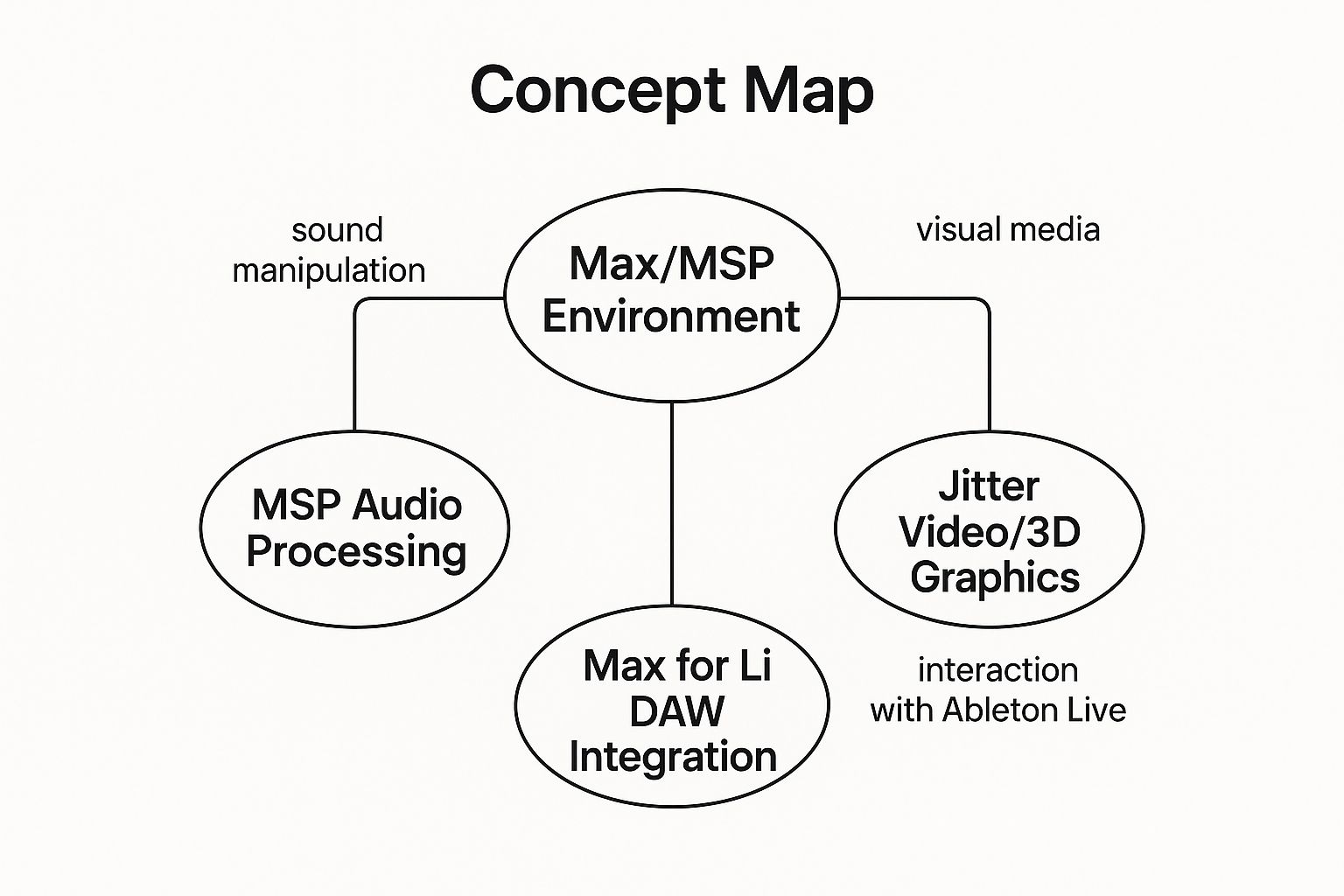
The infographic above visualizes the key components and relationships within the Max/MSP ecosystem. The central concept, Max, is surrounded by its core extensions: MSP for audio processing, Jitter for video and 3D graphics, and Gen for low-level DSP manipulation. These extensions are interconnected, demonstrating how they can be combined for comprehensive multimedia projects. Furthermore, the diagram highlights external connections to MIDI and OSC protocols, Ableton Live, and JavaScript/Node.js, showcasing the platform's extensibility and integration capabilities. The infographic also emphasizes key applications like interactive music, art installations, and generative systems, connecting them back to the core functionalities. Finally, the inclusion of prominent users like Autechre and Daito Manabe further reinforces Max/MSP's impact on the creative coding landscape. The visualization clearly illustrates Max/MSP’s versatile nature and its potential for diverse creative applications.
Originally focused on MIDI sequencing and control, Max has significantly expanded its capabilities over the years. The addition of MSP (Max Signal Processing) brought real-time audio synthesis and processing into the fold. Jitter further extended the platform into the visual domain, offering tools for video manipulation, 3D graphics, and real-time image processing. Gen, a more recent addition, provides a lower-level environment for designing custom audio and video processing algorithms. These components work seamlessly together, allowing for the creation of highly integrated audiovisual experiences. For instance, you could use MSP to generate sound based on data from a live video feed processed by Jitter, all controlled by a central Max patch.
Examples of successful implementation:
- Autechre's algorithmic music compositions: The electronic music duo famously utilizes Max/MSP to create intricate and evolving soundscapes.
- Daito Manabe's 'particles' audiovisual installations: Manabe's mesmerizing installations often feature complex particle systems and generative visuals, powered by Max/MSP's real-time processing capabilities.
- Robert Henke's 'Lumière' laser performances: Henke utilizes Max/MSP to control lasers and generate synchronized audio, resulting in stunning audiovisual spectacles.
Tips for using Max/MSP:
- Start with the built-in tutorials and examples: Max/MSP comes with a rich set of tutorials and examples that cover various aspects of the platform.
- Use presentation mode for cleaner interfaces: This mode hides the patching details, allowing you to present a polished and user-friendly interface.
- Encapsulate functionality in subpatchers: Breaking down complex patches into smaller, reusable subpatchers improves organization and maintainability.
- Learn key shortcuts to speed up patching workflow: Mastering keyboard shortcuts can significantly increase your patching efficiency.
Pros:
- Industry standard for interactive music and art installations: Its widespread use makes it a valuable skill for those working in these fields.
- Modular approach makes it adaptable to various applications: Its flexibility allows it to be tailored to a wide range of creative projects.
- Live coding allows changes without restarting: This allows for rapid experimentation and iteration.
Cons:
- Expensive commercial software: The cost can be a barrier for some users.
- Steep learning curve and unique programming paradigm: Mastering the visual patching environment can take time and effort.
When and why to use Max/MSP:
Max/MSP is particularly well-suited for projects that require real-time interaction, generative systems, and complex audio/visual processing. If you're aiming to create interactive installations, generative music, or experimental audiovisual experiences, Max/MSP is an excellent choice. Its modularity and visual nature make it a powerful tool for prototyping and exploring new creative ideas. Cycling '74 Website
8. Generative Adversarial Networks (GANs)
Generative Adversarial Networks (GANs) represent a fascinating and powerful example of creative coding, pushing the boundaries of what's possible in art, music, and interactive experiences. This technique deserves its place on this list due to its unique ability to create truly novel outputs, going beyond what traditional algorithms can achieve. Instead of explicitly programming every detail, GANs learn from data and generate new content based on patterns and styles within that data.
At the heart of a GAN lie two neural networks locked in a creative duel: the generator and the discriminator. Imagine the generator as an aspiring artist, constantly creating new pieces. The discriminator, acting as an art critic, evaluates these creations, judging their authenticity. The generator strives to create outputs that fool the discriminator into thinking they are real, while the discriminator works tirelessly to distinguish between the generated pieces and genuine examples from the training dataset. This adversarial process drives both networks to improve, resulting in the generator producing increasingly realistic and sophisticated outputs. Learn more about Generative Adversarial Networks (GANs) for a deeper dive into this fascinating technology.
GANs can work with various media types, including images, audio, and text. Their features, such as progressive training and latent space manipulation, offer fine-grained control over the generated content. Features like a dual neural network architecture and the ability to work with diverse media make GANs a versatile creative tool. Benefits include the generation of novel content, infinite variations on a theme, and enabling new aesthetic possibilities beyond traditional algorithms. For instance, style transfer capabilities allow for blending the style of one image with the content of another, opening exciting avenues for creative coding examples. Latent space manipulation allows artists to explore and control subtle aspects of generated outputs, adding another layer of creative control.
The power of GANs is evident in successful implementations across diverse fields. Mario Klingemann's 'Memories of Passersby I' is a prime example, featuring an AI art installation that generates an endless stream of unique portraits. Refik Anadol's 'Machine Hallucinations' transforms data into mesmerizing data sculptures, showcasing the potential of GANs in architectural visualization and public art. In music, Holly Herndon's 'Proto' album features an AI voice created with GANs, blurring the lines between human and machine creativity. Even the art world has taken notice, with Obvious Art's 'Portrait of Edmond de Belamy', a GAN-generated artwork, sold at Christie's.
Pros:
- Creates truly novel outputs that weren't explicitly programmed.
- Can generate infinite variations on a theme.
- Enables new aesthetic possibilities beyond traditional algorithms.
- Powerful for style transfer and domain translation.
- Continually evolving field with regular breakthroughs.
Cons:
- Requires significant computational resources to train.
- Complex to implement from scratch.
- Training can be unstable and requires expertise.
- Ethical concerns about synthetic media.
- Limited control over specific output details.
Tips for Aspiring GAN Artists and Coders:
- Start with pre-trained models like StyleGAN before training your own. This allows you to experiment and understand the basics without needing extensive computational resources.
- Use tools like RunwayML to experiment without deep technical knowledge. These platforms provide user-friendly interfaces for interacting with GANs.
- Explore latent space interpolation for animations. By smoothly transitioning between points in the latent space, you can create captivating animations and visual effects.
- Consider the ethical implications of generated content, especially regarding ownership, bias, and potential misuse.
- Combine GAN outputs with traditional creative coding techniques to further enhance and personalize your creations. For example, use generated textures in a 3D scene or manipulate generated audio with traditional sound design tools.
By understanding the power and limitations of GANs, creative coders can harness this cutting-edge technology to explore new artistic frontiers and push the boundaries of human-machine collaboration.
Creative Coding Tools Comparison
| Tool/Technology | Implementation Complexity 🔄 | Resource Requirements ⚡ | Expected Outcomes 📊 | Ideal Use Cases 💡 | Key Advantages ⭐ |
|---|---|---|---|---|---|
| Processing | Low – beginner-friendly syntax | Low to moderate | Visual sketches, rapid prototyping | Teaching programming; visual arts; interactive sketches | Easy entry; strong community; open source |
| openFrameworks | High – requires C++ knowledge | Moderate to high | High-performance interactive visuals | Professional installations; performance art | High performance; modular addons; hardware integration |
| TouchDesigner | Moderate to high – node-based UI | High – needs powerful hardware | Real-time interactive 3D and visual media | Live performance; projection mapping; installations | Real-time feedback; accessible non-coders; powerful hardware support |
| Three.js | Moderate – JavaScript & 3D concepts | Low to moderate (browser-based) | Interactive 3D web visuals | Web-based 3D graphics; animations; visualizations | Browser-based; no installation; large community |
| p5.js | Low – beginner-friendly JS library | Low | Web-based interactive 2D/3D visuals | Education; web art; quick prototyping | Browser-based; beginner-focused; shareable projects |
| VVVV | Moderate to high – visual patching | Moderate to high (Windows only) | Real-time video synthesis and multimedia | Large media installations; architectural projections | Fast real-time; no compilation; strong hardware control |
| Max/MSP | High – unique visual programming | Moderate to high CPU use | Complex multimedia, audio/video synthesis | Interactive music; multimedia installations | Industry standard; modular; live coding |
| Generative Adversarial Networks (GANs) | Very high – deep learning expertise | Very high – GPU compute needed | Novel, AI-generated creative content | AI art; style transfer; generative media | Creates novel outputs; infinite variations; evolving field |
Level Up Your Creative Coding Journey
This exploration of creative coding examples, from Processing's accessible entry point to the cutting-edge capabilities of GANs, has showcased the incredible breadth and depth of this field. We've examined eight powerful tools – Processing, openFrameworks, TouchDesigner, Three.js, p5.js, VVVV, Max/MSP, and Generative Adversarial Networks – each offering unique approaches to generating art, visualizations, and interactive experiences through code. These creative coding examples represent just a starting point, a glimpse into the vast possibilities that await. The key takeaway is that regardless of your background – whether you're an artist seeking new mediums, a developer exploring creative outlets, or simply a curious mind – there's a creative coding tool perfectly suited to your needs and aspirations.
Mastering these tools and the concepts behind them opens doors to a world of innovative expression. Imagine crafting mesmerizing visuals, building interactive installations, or even generating entirely new forms of art using algorithms. These skills are highly valuable in today’s landscape, impacting fields from interactive design and data visualization to game development and beyond. The ability to blend technical expertise with creative vision is a powerful asset, empowering you to shape the future of digital art and technology.
For a wealth of additional creative coding examples, tutorials, and resources to fuel your continued growth, explore Vibecoding VIP, curated by @slhomme. Your next creative coding breakthrough is just a line of code away. Dive in, experiment fearlessly, and let your imagination guide you. The world is your canvas; code is your brush.