Coding Canvas: Where Art Meets Algorithm
The intersection of art and technology has given rise to a new era of creative expression. Algorithms now dance on digital canvases, and code itself becomes the artist's brush. From the pioneering work of computer graphics visionaries like John Whitney, who explored the visual possibilities of analog computers, to the emergence of modern generative art, the fusion of computational logic and aesthetic experiences has been a driving force. Understanding the principles behind creative coding languages is essential for anyone looking to push the boundaries of digital art, interaction design, and immersive experiences.
These tools are more than just lines of code; they're about understanding how algorithms can be used to create dynamic, responsive, and visually compelling works.
What makes a creative coding language effective? It's the careful balance between power and accessibility. The language needs to provide a framework robust enough for complex computations while remaining intuitive and expressive for artistic exploration. Seamless integration with other media, real-time interactivity, and the facilitation of generative processes are key features that set these languages apart from traditional programming. By fostering a connection between artistic vision and computational logic, these platforms have democratized the creation of complex digital art, opening a world of possibilities for both experienced developers and aspiring artists.
Exploring 8 Influential Creative Coding Languages
In this exploration, we'll delve into eight of the most influential creative coding languages shaping the digital art landscape in 2025. These languages are at the forefront of innovation, enabling artists and developers to create stunning visuals, interactive installations, and immersive experiences.
- Processing: Processing is a flexible software sketchbook and a language for learning how to code within the context of the visual arts.
- p5.js: p5.js is a JavaScript library that starts with the original goal of Processing, to make coding accessible for artists, designers, educators, and beginners.
- OpenFrameworks: OpenFrameworks is an open-source C++ toolkit designed for creative coding.
- Cinder: Cinder is a C++ library for creative coding. It is designed to be fast and easy to use and has a strong focus on performance.
- vvvv: vvvv is a visual programming language for creating interactive art installations, live performances, and multimedia environments.
- TouchDesigner: TouchDesigner is a node-based visual programming language for real-time interactive multimedia content.
- Max/MSP: Max is a visual programming language for music and multimedia, enabling users to create interactive instruments, sound installations, and more.
- Pure Data (Pd): Pure Data is an open-source visual programming language for creating interactive computer music and multimedia works.
Whether you're a seasoned software developer expanding your creative toolkit, a digital artist seeking new mediums, a student eager to learn, or simply curious about code as an artistic medium, this journey will provide you with insights and inspiration to begin your own creative coding adventures. Discover the tools and techniques empowering the next generation of digital artists and transforming how we interact with the world.
1. Processing
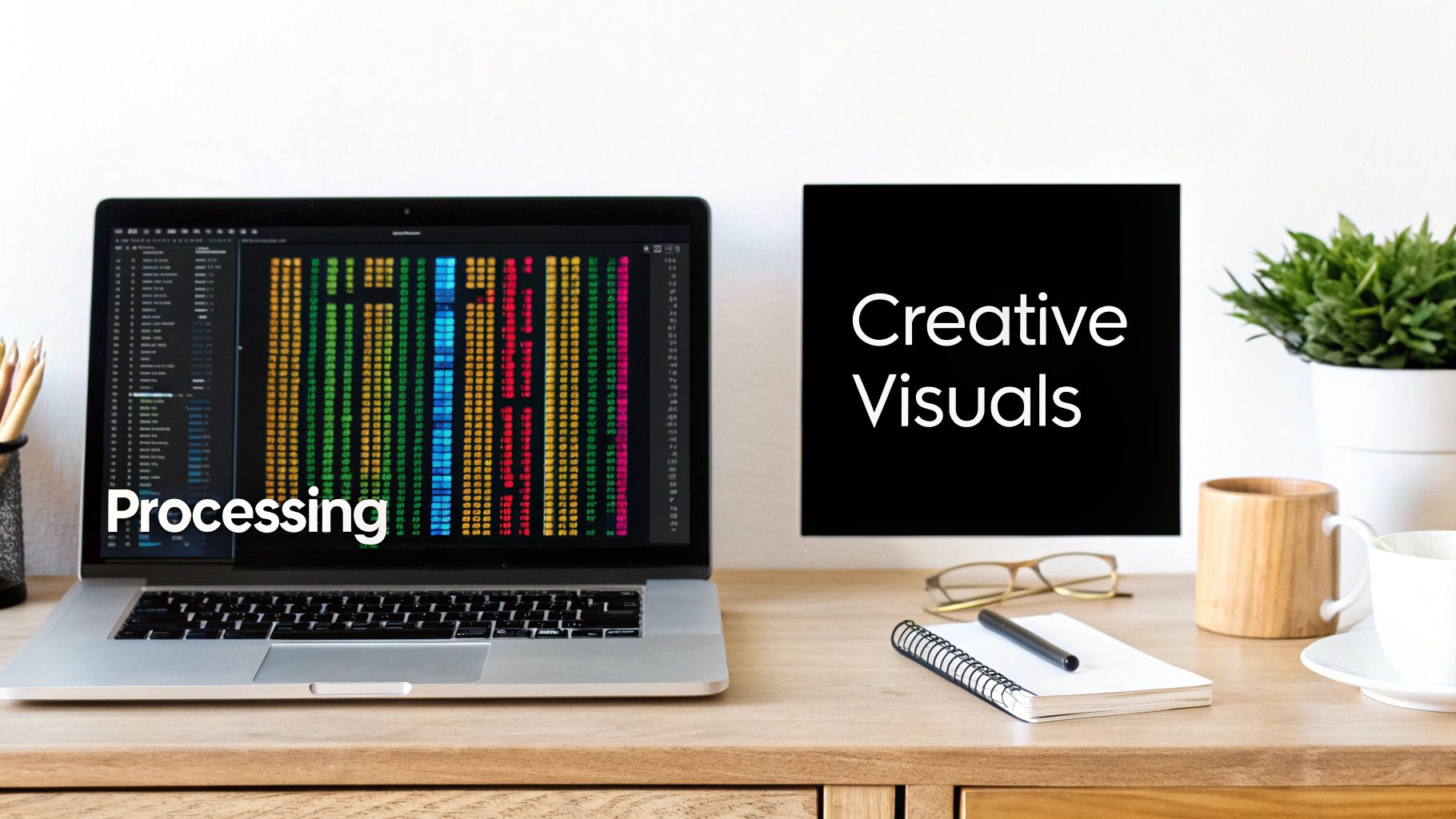
Processing earns its spot on this list of creative coding languages because it effectively bridges the gap between programming and art. Designed with visual artists, designers, and educators in mind, Processing empowers users to create stunning visuals, interactive experiences, and insightful data visualizations, even with minimal coding experience.
Developed in 2001 at the MIT Media Lab by Ben Fry and Casey Reas, Processing stemmed from the desire to make code more accessible. This accessibility has fostered a new generation of creative coders, whose influence can be seen everywhere from interactive museum installations to dynamic data visualizations in news media.
Processing simplifies complex programming concepts through an intuitive, Java-based syntax. The Processing Development Environment (PDE) provides instant visual feedback, allowing users to see the results of their code in real-time. This rapid prototyping capability is invaluable for exploring visual ideas and experimenting with different coding approaches.
Key Features of Processing
- Simple Syntax: Based on Java, the syntax is easy for beginners to learn.
- Visual Feedback: The live coding environment allows for quick iteration and experimentation.
- Cross-Platform Compatibility: Processing runs on Windows, macOS, and Linux.
- Export Options: Create applications for desktop, web, and mobile platforms.
- Extensive Libraries: Access tools for graphics, interaction, sound, and data visualization.
- Built-in IDE: Includes simplified debugging tools for a smoother development process.
Processing offers a number of advantages for creative coding:
- Easy to Learn: The simplified syntax and visual feedback make it beginner-friendly.
- Community Support: A vibrant community and comprehensive documentation provide ample resources.
- Rapid Prototyping: Real-time feedback facilitates quick experimentation and iteration.
- Pathway to Java: Processing’s Java foundation provides a solid base for advanced programming.
- 2D and 3D Graphics: Expands creative possibilities with support for both 2D and 3D rendering.
While Processing excels in many areas, it also has some limitations:
- Performance: Complex applications may encounter performance bottlenecks.
- Scalability: Not ideally suited for large-scale production applications.
- Mobile Development: Requires additional frameworks for mobile deployment.
- Non-Visual Projects: Less suitable for projects without a strong visual component.
Processing's impact is visible in diverse projects, including data visualization dashboards for museums like the Museum of Modern Art, interactive installations, and interactive news graphics for publications like the New York Times. Educational platforms like Code.org also utilize Processing’s visual approach to teach programming fundamentals. Its popularity is a testament to the work of its creators, Ben Fry and Casey Reas, educators like Daniel Shiffman (author of "The Nature of Code"), and the ongoing support of the Processing Foundation.
Getting Started with Processing
Here are a few tips to begin your Processing journey:
- Explore Examples: Start with the built-in examples to grasp basic concepts.
- Use the PDE: Streamline your development experience with the Processing Development Environment.
- Reference Documentation: Utilize the readily available documentation within the IDE.
- Join the Community: The Processing Foundation community offers support and inspiration.
- Experiment with Rendering: Try different rendering modes (P2D, P3D) to optimize performance.
For additional coding resources, check out: Our guide on coding resources. This guide can enhance your coding skills and unlock new creative avenues.
2. p5.js

p5.js stands out as a user-friendly and adaptable creative coding platform built for the web. Based on the foundation of Processing, p5.js lets users create interactive visuals, animations, and web applications that run directly in a browser. This accessibility removes the need for complicated software installations, making it a perfect starting point for aspiring creative coders.
Developed by Lauren McCarthy in 2014, p5.js brings Processing's core ideas to the modern web environment. Using JavaScript, the common language of the internet, p5.js seamlessly works with HTML5 Canvas and WebGL for rendering. This integration unlocks a wide range of creative possibilities for web-based expression. This tight connection to web technologies is key, allowing developers to combine visuals with other website elements and utilize the extensive JavaScript resources available.
Key Features and Benefits
- JavaScript-Based: p5.js takes advantage of the widespread use of JavaScript, making it easy for web developers to learn and integrate with other web technologies.
- HTML5 Canvas and WebGL Rendering: Supporting both 2D and 3D graphics rendering provides flexibility for various project requirements.
- DOM Manipulation: Developers can directly interact with and modify website elements, leading to dynamic and interactive web experiences.
- Web Audio Integration: The ability to create and manage sound within projects brings another dimension to creative expression.
- Mobile Support: With built-in support for touch interactions and accelerometer data, p5.js allows for mobile-friendly creative coding projects.
- Comprehensive Web Editor: The p5.js Web Editor offers a complete online coding space. This simplifies development and makes sharing projects easier. (editor.p5js.org/)
Pros
- Browser-Based: p5.js runs in any modern web browser, removing the obstacles of software installation.
- Easy Sharing: Sharing projects is straightforward using simple URLs, promoting collaboration and easy access.
- Web Integration: It smoothly integrates with other web technologies like HTML, CSS, and JavaScript libraries.
- Active Community: A lively and helpful community offers plentiful resources and support for users.
- Excellent Documentation: p5.js boasts comprehensive documentation and a plethora of online tutorials and examples.
Cons
- Performance: Compared to compiled languages, p5.js can have performance limitations, especially for projects with complex computations.
- Browser Compatibility: Some browser compatibility issues might arise and necessitate careful testing across different browsers.
- Verbose Syntax: The syntax can be lengthier compared to some newer creative coding frameworks.
- JavaScript Quirks: p5.js does inherit certain quirks and limitations that are inherent to JavaScript.
Real-World Examples
- Interactive Art: Museums and cultural institutions use p5.js for online interactive art installations on their websites.
- Generative Art Galleries: Online galleries utilize p5.js to showcase dynamic and constantly changing artwork.
- Educational Platforms: Platforms like The Coding Train heavily rely on p5.js for teaching programming and creative coding concepts.
- Data Visualization: p5.js brings complex datasets to life through engaging web-based data visualizations.
- Interactive Games: Developers use p5.js to build interactive games and web experiences directly within the browser.
Tips for Implementation
- Start with the Web Editor: The p5.js Web Editor is a great starting point for quick prototyping and experimenting.
- Instance Mode: For incorporating p5.js sketches into existing websites, Instance Mode offers better control and avoids conflicts.
- Libraries: Explore and utilize additional JavaScript libraries to expand functionality, such as sound, physics simulations, or computer vision integration.
- Preload(): The
preload()function is essential for loading assets like images and sounds before your sketch runs, guaranteeing a smooth user experience.
Popularized By
Lauren McCarthy (the creator), Daniel Shiffman (The Coding Train), the Processing Foundation, ITP at NYU, and a global network of creative technologists and educators have all contributed to the widespread adoption and popularity of p5.js. It has become a key tool in democratizing creative coding and making it accessible to a larger audience.
3. OpenFrameworks
OpenFrameworks is a C++ toolkit designed for creative coding. It provides a comprehensive framework for working with graphics, audio, video, computer vision, and even physical computing, all while maintaining high performance. Originally developed in 2005 by Zach Lieberman, Theo Watson, and Arturo Castro, openFrameworks simplifies the often-complex world of C++ development.
This accessibility allows artists and designers to harness the power of C++ without getting bogged down in technical details. It's particularly well-suited for demanding projects like interactive installations, live performances, and applications where robust performance is critical.
OpenFrameworks earns its spot on this list because it effectively bridges the gap between high-level creative expression and low-level control. While other creative coding platforms might be easier to pick up initially, openFrameworks stands out when performance and granular control are essential.
Think large-scale installations, real-time video manipulation, or intricate simulations – these are the areas where openFrameworks truly shines.
Key Features and Benefits
OpenFrameworks boasts a range of key features, including:
- A cross-platform C++ foundation.
- A modular addon system for extending functionality.
- High-performance graphics via OpenGL.
- Sophisticated audio and video processing capabilities.
- Computer vision integration.
- Hardware interaction support.
- Comprehensive math and utility libraries.
Pros and Cons of Using OpenFrameworks
Here's a quick rundown of the advantages and disadvantages of working with OpenFrameworks:
Pros:
- Exceptional Performance: Handles computationally intensive tasks effortlessly.
- Extensive Addon Ecosystem: Easily expand capabilities with community-created addons.
- Large-Scale Installations: A robust and stable choice for demanding projects.
- Fine-Grained Control: Offers in-depth access to system resources.
- Strong Community Support: Benefit from a supportive and knowledgeable community.
- Production-Ready: Suitable for professional-grade applications.
Cons:
- Steeper Learning Curve: Requires C++ familiarity and a more involved setup.
- C++ Complexity: Debugging can be more challenging than with higher-level languages.
- Less Beginner-Friendly: Documentation can be dense for newcomers.
Real-World Applications and Influential Users
OpenFrameworks has made its mark in a variety of creative fields. Examples of its use include:
- Immersive installations in museums worldwide.
- Interactive projection mapping on buildings.
- Real-time visual effects in live performances.
- Commercial interactive exhibits for brands like Nike and Adidas.
- Data visualization for scientific research.
Influential figures and studios like Zach Lieberman, Theo Watson, Arturo Castro, Studio Antimateria, Random International, and Universal Everything have championed openFrameworks, showcasing its versatility and power.
Getting Started with OpenFrameworks
Here are a few tips for beginners:
- Project Generator: Use the Project Generator to quickly set up new projects.
- Examples Folder: Explore the provided examples to learn from existing code.
- ofxAddons: Browse the ofxAddons website for community-developed extensions.
- Memory Management: Familiarize yourself with C++ memory management.
- Incremental Building: Build projects incrementally and test each component.
You might be interested in: Our guide on coding examples.
The evolution of openFrameworks has been shaped by the needs of the creative coding community, constantly pushing the boundaries of real-time interactive experiences. Its open-source nature and supportive community have fostered innovation, ensuring it remains a vital tool for artists and developers exploring the intersection of art, technology, and expression.
4. TouchDesigner
TouchDesigner, developed by Derivative, is a powerful node-based visual programming language perfect for crafting real-time interactive multimedia content. By linking functional components, known as "operators," within a network, users can build complex systems for a wide array of applications. Originally designed for the professional audio-visual industry, TouchDesigner has evolved into a versatile platform used for everything from interactive installations and live performances to architectural projections and data visualizations. Its capacity for real-time feedback and high-performance rendering makes it ideal for immersive experiences and visually demanding projects.
Visual Programming and Scripting
TouchDesigner’s core strength lies in its intuitive visual programming approach. Users manipulate a network of operators, each with a specific function, rather than writing lines of code. This promotes rapid prototyping and experimentation due to the immediate visual feedback. This visual approach doesn't compromise coding power. TouchDesigner seamlessly incorporates Python scripting, allowing users to extend functionality and build custom operators. It also supports GLSL shaders, offering fine-grained control over visual effects and rendering pipelines. This fusion of visual programming and traditional coding creates a robust and adaptable development environment.
Media Handling and Hardware Integration
The platform's comprehensive media handling capabilities include video, audio, and image formats, allowing for seamless integration of various media sources. Its robust hardware integration extends to DMX lighting control, MIDI musical instruments, OSC communication, Kinect motion tracking, and more. This makes TouchDesigner ideal for interactive installations and live performances. Advanced features like particle systems, physics simulations, and sophisticated 3D rendering further empower creators to build complex and visually impressive experiences.
Real-World Applications
TouchDesigner’s impact can be seen in its diverse applications. From interactive installations at festivals like SXSW and Coachella to live visuals for artists like Deadmau5 and Eric Prydz, its influence is widespread. Immersive experiences at TeamLab exhibitions and projection mapping on iconic buildings also showcase its versatility. Even interactive museum exhibits and dynamic data visualizations use TouchDesigner's capabilities.
Features:
- Node-based visual programming interface
- Real-time rendering and processing
- Built-in Python scripting support
- GLSL shader integration
- Comprehensive media handling (video, audio, images)
- Hardware integration (DMX, MIDI, OSC, Kinect, etc.)
- Particle systems and physics simulations
- Advanced 3D rendering capabilities
Pros:
- Intuitive visual programming approach
- Immediate visual feedback
- Ideal for real-time performance and installations
- Powerful hardware integration
- Highly optimized GPU rendering
- Flexible combination of visual programming and scripting
Cons:
- Steep learning curve for advanced features
- Expensive professional licenses
- Resource-intensive
- Primarily Windows-based
- Smaller community compared to mainstream languages
Tips for Getting Started:
- Explore the bundled examples and modify them.
- Attend TouchDesigner workshops and summits.
- Master the core operator types before building complex networks.
- Use containers for project organization and modularization.
- Optimize performance by understanding cook dependencies.
Popularized By:
Derivative (founded by Greg Hermanovic), Matthew Ragan (educator and TouchDesigner specialist), Elburz Sorkhabi and nVoid (training and development), studios like Obscura Digital and Moment Factory, and artists like Refik Anadol and Weirdcore have all significantly contributed to TouchDesigner’s growth.
TouchDesigner’s blend of visual programming, real-time performance, and hardware integration earns its place on this list. While challenging to master, its potential for creating stunning interactive experiences makes it a compelling option for creative coders, digital artists, and anyone pushing the boundaries of visual expression. For more information, visit the official website: Derivative.
5. Max/MSP
Max/MSP, formerly Max/MSP/Jitter, is a visual programming language perfect for working with sound, visuals, and interactive media. Its unique approach allows both artists and programmers to create complex systems without traditional coding. Developed by Cycling '74 and now owned by Ableton, Max/MSP uses a graphical "patching" system. This involves connecting objects representing functions, data, and operations, making it accessible for creative exploration, rapid prototyping, and real-time manipulation of audio and visuals.
Max/MSP originated in music and audio processing. Max, the original component, focused on MIDI sequencing and musical control. MSP extended this to real-time audio synthesis and processing. Jitter later added video and 3D graphics, transforming Max into a complete multimedia platform. This evolution established Max/MSP as a key tool in various fields. From interactive sound installations to custom instruments used by artists like Aphex Twin and Björk, its influence is widespread. Max/MSP also plays a vital role in academic research in music technology and interactive arts.
Key Features and Benefits
-
Visual Patching Interface: Drag, drop, and connect objects to build programs visually. This intuitive interface simplifies complex processes and allows for quick experimentation.
-
Real-Time Audio and MIDI Processing: Max/MSP excels at real-time audio and MIDI manipulation, ideal for live performance, interactive installations, and sound design.
-
Video and 3D Graphics (Jitter): Integrate video and 3D graphics into your patches, creating audio-reactive visuals and interactive multimedia experiences.
-
Gen (for DSP): Design and implement custom digital signal processing (DSP) algorithms with Gen, offering precise control over audio.
-
Extensive Libraries: Max/MSP has a large library of built-in objects and externals, expanding its functionality.
-
Ableton Live Integration (Max for Live): Integrate Max patches into Ableton Live, creating custom instruments, effects, and control surfaces within your music production workflow.
-
Cross-Platform Support: Develop on both macOS and Windows.
Pros and Cons
Here’s a breakdown of the advantages and disadvantages of using Max/MSP:
| Feature | Pros | Cons |
|---|---|---|
| Usability | Intuitive visual programming | Steep learning curve for advanced features |
| Functionality | Extensive audio processing capabilities | Can be RAM-intensive for complex patches |
| Integration | Strong integration with music hardware and software | Less efficient than text-based languages for certain tasks |
| Community | Robust community and many shared resources | Performance limitations for highly complex visual processing |
| Resources | Excellent documentation and learning materials | Expensive commercial license |
Practical Tips for Getting Started
-
Start Simple: Begin with basic patches and gradually add complexity.
-
Encapsulation (Subpatchers): Organize your patches with subpatchers to manage complexity and reuse elements.
-
Keyboard Shortcuts: Learn shortcuts for faster patching.
-
Help Patches: Explore the help patches for each object to understand its use.
-
Community Support: Join the Cycling '74 forum (https://cycling74.com/) for help and inspiration.
Max/MSP offers a unique and powerful environment for creative coding, especially in audio and multimedia. Its visual nature makes programming more accessible, empowering artists to explore complex ideas and build interactive systems. While mastering advanced features takes time, Max/MSP is a powerful tool for realizing creative visions.
6. GLSL (OpenGL Shading Language)
GLSL (OpenGL Shading Language) empowers creative coders to manipulate graphics at the hardware level. This unlocks a world of real-time visual effects and generative art possibilities. While GLSL has a steeper learning curve than some other creative coding languages, its direct access to the GPU (Graphics Processing Unit) offers significant performance advantages. This level of control over the rendering pipeline makes it a powerful tool for visual expression.
GLSL is not a standalone language. It's a high-level shading language with a C-like syntax, designed to work within the OpenGL framework. GLSL code executes directly on the graphics card, allowing for massive parallel processing of graphical data. This enables complex calculations and manipulations of vertices, colors, and textures to be performed in real-time, resulting in stunning visuals and interactive experiences.
Features and Benefits
- C-like syntax: Makes it accessible to programmers familiar with C-style languages.
- Direct GPU Access: Enables parallel computation and significant performance gains.
- Shader Variety: Vertex, fragment, geometry, tessellation, and compute shaders provide granular control over the rendering pipeline. For example, fragment shaders calculate the color of each pixel, enabling a range of visual effects.
- Built-in Math Functions: Simplifies complex transformations and calculations essential for 3D graphics using vectors and matrices.
- Hardware Acceleration: Leverages the power of modern GPUs for real-time performance.
- Cross-Platform Compatibility: Works across various devices and operating systems through OpenGL.
Pros and Cons
Here's a quick overview of the advantages and disadvantages of using GLSL:
| Pros | Cons |
|---|---|
| Exceptional performance | Steep learning curve |
| Highly parallel processing | Challenging debugging |
| Direct control over rendering | Requires graphics pipeline understanding |
| Enables advanced visual effects | Syntax variations between GLSL versions |
| Wide hardware compatibility | Limited access to system resources |
| Integration with creative coding frameworks | Less beginner-friendly |
Real-World Examples and Evolution
GLSL’s popularity grew with platforms like Shadertoy and GLSL Sandbox, which provide online editors and communities for sharing shaders. These platforms, especially Shadertoy, democratized access to GLSL and fostered a community of shader artists. Resources like "The Book of Shaders" by Patricio Gonzalez Vivo further increased accessibility. Today, GLSL is used in:
- Interactive Websites: Websites featuring advanced graphics, like Shadertoy, showcase the possibilities of GLSL.
- Video Games: Used for realistic lighting, shadows, and other visual enhancements.
- Generative Art: Enables the creation of dynamic and evolving artworks driven by algorithms.
- Visual Music: Powers real-time audio visualization in applications and VJ software.
- Procedural Textures: Used for creating complex and customizable textures algorithmically in design applications.
Tips for Implementation
- Start Simple: Begin with basic fragment shaders to understand pixel color manipulation.
- Use Online Editors: Experiment with Shadertoy for quick and easy prototyping.
- Learn Fundamentals: A grasp of computer graphics and linear algebra is crucial.
- Build a Library: Create reusable shader snippets for common tasks.
- Study Existing Shaders: Learn techniques and best practices from others' work.
GLSL's direct access to the GPU makes it a valuable tool for visual expression in code. While challenging, the potential rewards in performance and creative control are significant. By learning GLSL, creative coders can unlock a new dimension of visual possibilities.
7. Unity + C#
Unity, combined with the C# programming language, provides a powerful and flexible platform for creative coding that goes beyond its game development origins. While designed for building games, Unity's robust engine and cross-platform compatibility make it a popular choice for interactive installations, VR/AR experiences, simulations, data visualizations, and even generative art.
Unity's core strength lies in its visual editor combined with C# scripting. The visual editor allows creators to design scenes, manage assets, and build interactive environments intuitively. C# scripting provides the fine-grained control needed to define behaviors, manage logic, and create complex interactions. This blend of visual accessibility and coding power makes Unity appropriate for both beginners and experienced developers.
Unity boasts a wide range of features, including comprehensive 2D and 3D graphics capabilities, a built-in physics engine, animation and timeline tools, particle systems, a visual effects graph, and Shader Graph for building custom shaders. Dedicated AR/VR development frameworks further enhance its immersive experience creation capabilities. The platform supports deployment to over 25 platforms, including mobile, desktop, web, and various VR/AR devices.
Real-World Applications
This versatility is showcased in various real-world applications. Museums such as the Smithsonian and MoMA have used Unity for interactive installations. Architectural firms utilize it for visualizations and virtual walkthroughs. Research institutions employ Unity to create data visualization environments, and artists have crafted stunning VR experiences with tools like Tilt Brush and Quill Theater, which are built on Unity. Even brands like Nike, Adidas, and BMW have used Unity to create engaging brand experiences.
Unity's success is thanks to the work of Unity Technologies (founded by David Helgason, Joachim Ante, and Nicholas Francis) and its embrace by a diverse community of artists, designers, and developers. Artists like Refik Anadol and Universal Everything, design studios such as Marshmallow Laser Feast and The Mill, academic institutions like MIT Media Lab, and countless independent creators have contributed to its widespread adoption and continuing development.
Pros and Cons of Using Unity
Here's a quick look at the advantages and disadvantages of using Unity:
Pros:
- Powerful combination of visual tools and coding
- Extensive documentation and learning resources
- Large community and asset marketplace
- Excellent for spatial and interactive experiences
- Professional-grade development environment
- Streamlined deployment to multiple platforms
Cons:
- Higher learning curve than some creative coding environments
- Resource-intensive development environment
- License costs for commercial applications beyond a certain revenue threshold
- Complex setup for some project types
- Can be excessive for simple 2D projects
Getting Started With Unity
Here are a few tips for getting started with Unity:
- Use the built-in tutorial projects to grasp the basics.
- Take advantage of the Asset Store for pre-built components.
- Learn C# fundamentals before tackling complex systems.
- Explore the Package Manager for official extensions.
- Use prefabs and scriptable objects to build modular systems. Consider using GitHub Copilot for assistance with C# coding within Unity.
Unity earns its place on this list by offering a powerful, professional-grade environment for creative coding across a wide range of applications. Its combination of visual tools, robust scripting capabilities, and cross-platform deployment makes it an ideal choice for bringing ambitious creative projects to fruition. For more information and to download Unity, visit the official Unity website.
8. Three.js
Three.js (https://threejs.org/) is a powerful JavaScript library that simplifies creating 3D graphics on the web. It makes the complexities of WebGL easier to manage, allowing developers to craft stunning visuals and immersive experiences directly in the browser, without requiring plugins. Created in 2010 by Ricardo Cabello (Mr.doob), Three.js has become the industry standard for web-based 3D, fostering a large community and ecosystem.
Three.js provides a user-friendly API on top of WebGL, offering a comprehensive set of tools for 3D development.
Key Features of Three.js
- 3D Primitives and Materials: From simple shapes like cubes and spheres to more intricate geometries, Three.js offers pre-built elements and diverse materials for texturing and shading.
- Rendering Options: Primarily focused on WebGL, Three.js also supports CSS3D and SVG renderers, providing fallback options and alternative visual styles.
- Animation and Scene Management: Animate objects and manage complex scenes easily with its intuitive animation system and hierarchical scene graph.
- Cameras and Lighting: Control perspective and lighting with different camera types and lighting options to create realistic and dynamic environments.
- 3D Model Loading: Import 3D models in various formats (like glTF, FBX, and OBJ) to integrate external assets.
- Post-Processing and Shaders: Enhance visuals with post-processing effects like bloom and depth of field, and utilize custom shaders for unique visual styles.
- Physics Integration: Integrate with physics engines like Cannon.js and Ammo.js to simulate realistic physical interactions.
Three.js is invaluable because of its accessibility, broad feature set, and active community. It bridges the gap between the complexities of WebGL and the ease of JavaScript, opening 3D graphics to a wider audience.
Pros and Cons of Using Three.js
Let's take a look at the advantages and disadvantages of using Three.js:
| Pros | Cons |
|---|---|
| Browser-based, no plugins needed | Performance limitations with complex scenes |
| Easy to use, simplifies WebGL | Occasional browser compatibility issues |
| Excellent documentation and community | Larger project sizes |
| Cross-platform compatibility | Can be more verbose than other frameworks |
| Seamless web integration | Requires external libraries for advanced physics |
Real-World Applications of Three.js
Three.js has powered many impressive web experiences, including:
- Award-winning websites showcased on Awwwards.
- Interactive product configurators for brands like Nike and IKEA.
- Immersive WebVR and WebXR experiences.
- Engaging data visualizations and dashboards.
- Digital art and virtual galleries.
Getting Started with Three.js
Here are a few tips for beginners:
- Explore the official Three.js examples.
- Monitor performance using browser developer tools.
- Implement Level of Detail (LOD) techniques for complex scenes.
- Use the glTF format for efficient 3D model loading.
- Learn the basics of GLSL (OpenGL Shading Language) for custom shaders.
The influence of key figures like Ricardo Cabello, Google Creative Lab, studios like Active Theory and Resn, educators like Bruno Simon, and creative technologists like Patricio Gonzalez Vivo and Reza Ali has made Three.js a leading library for web-based 3D creative coding. It empowers developers, artists, and designers to push the boundaries of web visuals, creating immersive and interactive experiences.
Top 8 Creative Coding Languages Comparison
| Framework | 🔄 Complexity | ⚡ Resource Requirements | 📊 Expected Outcomes | 💡 Ideal Use Cases | ⭐ Key Advantages |
|---|---|---|---|---|---|
| Processing | Beginner-friendly with simplified Java syntax | Moderate; not built for intensive production workloads | Rapid visual prototypes | Educational tools, interactive visual art | Low barrier to entry; seamless transition to Java |
| p5.js | Simple browser-based coding with minimal setup | Low to moderate; dependent on browser performance | Engaging web-enabled interactive visuals | Interactive websites and online art installations | No installation required; strong JavaScript ecosystem |
| openFrameworks | High complexity; steep learning curve using C++ | High efficiency but requires robust hardware support | High-performance real-time installations | Large-scale interactive exhibits and processing | Fine-grained control; extensive addon ecosystem |
| TouchDesigner | Visual node-based with a steep curve in advanced use | Resource-intensive; high GPU demand | Real-time multimedia and immersive experiences | Live performances and immersive installations | Immediate visual feedback and versatile hardware integration |
| Max/MSP | Visual patching with moderate complexity for experiments | Moderate to high; can be RAM-intensive for complex patches | Real-time audio-visual interactions | Music, sound design, and multimedia live shows | Intuitive interface; robust audio integration |
| GLSL | Low-level shader coding with a steep learning curve | Highly optimized; execution is GPU-bound | Stunning real-time visual effects | Shader development and generative visual art | Direct GPU control; exceptional performance |
| Unity + C# | Moderate-to-high; blends visual editing with scripting | High system demands typical of professional development | Professional-grade interactive experiences | Games, VR/AR, simulations, and interactive installations | Rich toolset; extensive cross-platform capabilities |
| Three.js | Moderate; abstracts away many WebGL complexities | Browser-limited performance; moderate load | Immersive 3D graphics in web browsers | Browser-based 3D art, product visualizations | Ease of use; comprehensive documentation and community support |
Beyond the Code: The Future of Creative Expression
These 8 creative coding languages – Processing, p5.js, openFrameworks, TouchDesigner, Max/MSP, GLSL, Unity with C#, and Three.js – offer diverse approaches to generating art, music, interactive installations, and more. They share key principles: utilizing visual and often real-time feedback, embracing experimentation and iterative development, and bridging the gap between software and artistic expression. To effectively apply these concepts, focus on understanding the core principles of each language. Also, identify the tools that best suit your project's needs, and explore the vast libraries and resources available within each community.
Adapting to the ever-changing landscape of creative coding requires continuous learning. Explore online tutorials, join community forums, attend workshops, and contribute to open-source projects. Embrace the iterative nature of creative coding – don't be afraid to experiment, break things, and learn from your mistakes. This mindset of continuous exploration is crucial for staying at the forefront of innovation.
Ongoing Trends
Ongoing trends in creative coding include the rise of immersive technologies like VR and AR, increased integration of AI and machine learning, and a growing focus on web-based creative tools and platforms. These developments promise exciting new possibilities for artists and developers, blurring the lines between the physical and digital worlds. The future might see even more specialized languages emerge, focusing on specific creative domains or hardware integrations.
Key Takeaways:
-
Diverse Tools: Creative coding languages offer specialized functionalities for various artistic mediums.
-
Experimentation is Key: Embrace an iterative process, focusing on experimentation and learning from failures.
-
Community Support: Engage with vibrant communities for support, resources, and inspiration.
-
Continuous Learning: Adapt to evolving trends by actively seeking new knowledge and skills.
In conclusion, the world of creative coding is a dynamic and evolving field. Whether you're crafting generative art, interactive installations, or immersive experiences, these languages provide the tools to translate your vision into reality. By embracing experimentation, continuous learning, and the power of community, you can unlock the potential of creative coding and contribute to the future of artistic expression.