Think of creative workflow management as the conductor for your team's orchestra. It’s the system that guides a project from that first spark of an idea all the way to the final delivery. Without it, you might have brilliant individual players, but you get noise instead of music. With it, you get a symphony—a reliable, predictable process for producing incredible work.
Why Your Team Needs Creative Workflow Management
Let's be honest: unstructured creative processes are a recipe for chaos. When your team operates without a defined system, you know the drill. Deadlines get blown, the quality of work is all over the map, and your best people burn out trying to juggle shifting priorities and a never-ending cycle of revisions.
This is where creative workflow management comes in. It’s not about stifling creativity with rigid rules. Quite the opposite. It’s a framework that frees up your team's talent by getting rid of the operational roadblocks and administrative busywork that kills momentum.
From Creative Chaos to Structured Success
When you don’t have a clear process, the same frustrating problems pop up again and again. Vague feedback, lost files, confusion over who’s doing what next—sound familiar? A structured workflow tackles these headaches head-on.
Imagine starting every project with a solid creative brief. No more guesswork. Everyone knows the goals and expectations from day one. Or picture a review process with clear rules—no more endless feedback loops from a dozen different people. This structure is your best defense against the very things that derail creative projects. It lets your team stop putting out fires and start focusing on what they do best: creating.
Before we dive deeper, let's look at the night-and-day difference between a team drowning in chaos and one thriving with a structured workflow.
Creative Chaos vs Structured Workflow
| Challenge in Unstructured Environments | Solution with Creative Workflow Management |
|---|---|
| Projects start with vague requests and goals. | Formal intake with creative briefs ensures clarity from the start. |
| Files and assets are scattered and hard to find. | A centralized system keeps all project materials organized. |
| Endless, conflicting feedback loops stall progress. | Defined review stages with designated approvers streamline feedback. |
| No one is sure who is responsible for the next step. | Clear task assignments and role definitions eliminate confusion. |
| Deadlines are constantly missed due to poor planning. | Visual timelines and automated schedules keep projects on track. |
| Team members are stressed, overworked, and burnt out. | Balanced workloads and predictable processes improve morale. |
Ultimately, a well-defined workflow acts as a roadmap. Everyone involved knows the destination, their role in the journey, and the key milestones along the way. This kind of transparency keeps the entire team moving in the right direction, together.
A Strategic Advantage in a Competitive Market
Getting your workflow in order is more than just an internal tune-up; it’s a massive competitive advantage. Businesses are catching on, and the proof is in the numbers. The global workflow management system market was valued at USD 9.2 billion in 2022 and is expected to rocket to USD 70.9 billion by 2032. This explosion shows just how critical solid processes have become for success. You can read more about the rise of workflow systems and what it means for creative industries.
For your team, effective creative workflow management translates into real, tangible benefits:
- Scale Production: Take on more projects without your team buckling under the pressure or letting quality slip.
- Improve Consistency: Deliver work that consistently hits the mark and reinforces your brand.
- Boost Morale: Give your team the clarity and autonomy they need to do great work without the constant stress and frustration.
- Fuel Innovation: When you free up brainpower from chasing down approvals and files, you create space for actual brainstorming and big ideas.
At the end of the day, treating your process as a strategic asset is what separates the teams that just get by from the ones that truly excel. It builds a resilient, efficient, and innovative creative engine ready to deliver outstanding results time and time again.
The Four Pillars of an Effective Creative Workflow
To really get a handle on creative workflow management, it helps to have a solid mental model. Don't think of it as a rigid, step-by-step checklist. Instead, picture a strong foundation built on four essential pillars. These pillars support the entire structure of your creative process, making sure it can handle the weight of ambitious projects without crumbling.
Each pillar represents a distinct phase of the journey, but they all interconnect to turn a raw idea into a polished final product. When you understand how they work together, you can see your entire process more clearly, spot the weak points, and build a system that’s both reliable and repeatable.
Pillar 1: Briefing and Intake
Every great creative project starts with one thing: clarity. The Briefing and Intake pillar is your official starting line, where requests are captured, defined, and green-lit. The entire point of this phase is to stamp out ambiguity and set crystal-clear expectations before a single creative hour is burned.
This is where a standardized creative brief becomes your best friend. A well-designed brief forces everyone to think through the critical details upfront—from project goals and the target audience to key messages and technical specs. We’ve all been there; research confirms that poorly defined tasks are a massive source of stress and wasted effort, making a solid intake process non-negotiable.
Key Activities:
- Submitting a Creative Request: Stakeholders use a simple, standardized form to outline exactly what they need.
- Holding a Kickoff Meeting: The team gets together to walk through the brief, ask clarifying questions, and make sure everyone is aligned on the vision.
- Assigning a Project Lead: One person is designated as the main point of contact to steer the project from beginning to end.
Without this pillar, you’ll inevitably find yourself halfway through a project, scrambling to answer fundamental questions that should have been settled weeks ago.
This infographic shows just how a well-structured workflow delivers real-world business benefits.
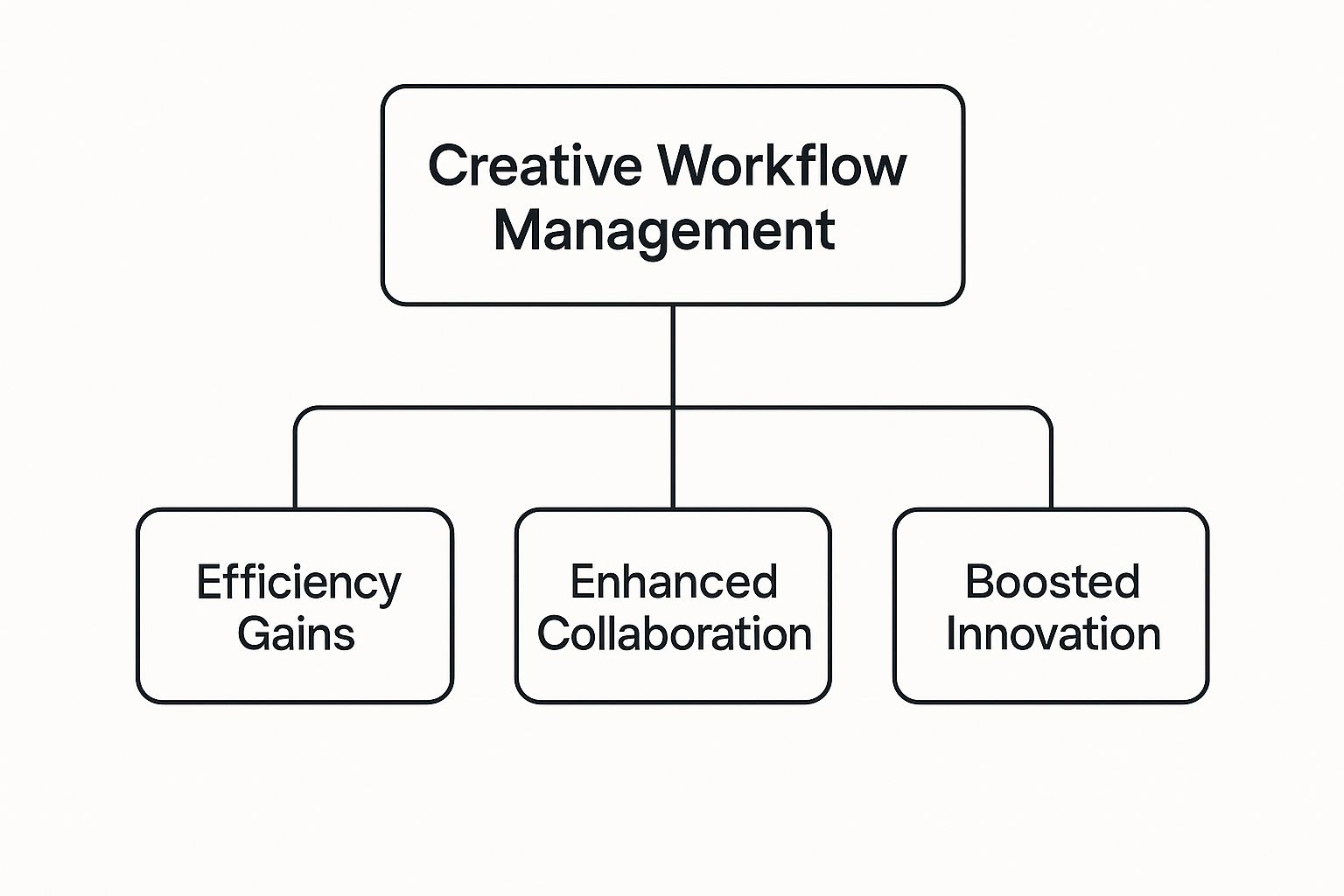
As you can see, properly managing your workflow isn't just about getting organized; it directly leads to major boosts in efficiency, collaboration, and innovation.
Pillar 2: Ideation and Creation
With a clear brief in hand, the creative engine can finally roar to life. The Ideation and Creation pillar is where the magic happens. This is where concepts are dreamed up, brainstormed, and brought into existence.
During this phase, the focus shifts from the "what" and "why" to the "how." It’s all about giving your team the room they need to explore, experiment, and do their best work. This covers everything from sprawling whiteboard sessions and mood boarding to the nitty-gritty of writing copy, designing visuals, or editing video.
Pillar 3: Review and Approval
Let's be honest: creative work is rarely perfect on the first pass. The Review and Approval pillar is your defense against the dreaded "endless feedback loop" that can sink a project. It’s a structured process for gathering feedback and getting the necessary sign-offs.
The goal here is to make feedback constructive, not chaotic. That means defining who gives feedback, when they give it, and how it all gets consolidated. Nothing kills morale and derails a timeline faster than a messy review process with conflicting opinions flying in from every direction.
Here are a few tactics that actually work:
- Designated Approvers: Assign a few specific people to have the final say. This prevents the "too many cooks in the kitchen" problem.
- Version Control: Use a system (even a simple file naming convention) to track changes so everyone knows they're looking at the latest draft.
- Consolidated Feedback: Have one person, like the project lead, collect all the comments and deliver them to the creative team in one organized, easy-to-digest batch.
This pillar ensures every revision is a step forward, not a frustrating step sideways.
Pillar 4: Finalization and Delivery
This last pillar is all about crossing the finish line. Finalization and Delivery covers all the "last mile" tasks needed to get the approved asset into the hands of the end-user or stakeholder. It's a critical step that ensures your hard work is packaged correctly and stored for future use.
This involves final quality checks, exporting files in all the right formats, and uploading assets to a central library, like a Digital Asset Management (DAM) system. A strong delivery process ensures your amazing creative work doesn’t get lost in an email thread or buried on someone’s desktop. It closes the loop on the current project and neatly sets the stage for the next one.
How to Build Your Creative Workflow From Scratch

Knowing the theory behind creative workflow management is one thing. Actually building a system that works for your team? That’s where the real work begins.
The goal isn't to create a perfect, rigid process overnight. Instead, think of it as designing a flexible blueprint that can adapt as your team and projects evolve. This five-stage guide is a practical, step-by-step approach to designing a workflow from the ground up. It’s about starting small, focusing on what matters, and making incremental changes that deliver real results.
1. Map Your Current Process
Before you can build something better, you have to get painfully honest about what you're doing right now—including the messy, unofficial parts. The first step is to visualize your existing process as it truly is, not as you wish it were.
Grab a whiteboard or open a simple flowchart tool. Map out every single step a project takes, from the initial request to the final handoff. Be brutally honest. Include the "quick check-ins" on Slack, the last-minute email approvals, and the dreaded folders where assets seem to vanish.
Get your whole team involved in this. Ask each person to trace their part in a recent project. This is a fantastic way to uncover hidden complexities and see just how differently everyone views the process. The map you create is your starting line.
2. Pinpoint Bottlenecks and Friction
With your current process laid out, the pain points will start to jump out at you. A bottleneck is any point in the workflow where things grind to a halt. This is where you put on your detective hat.
Look for these common culprits:
- Approval Delays: Where do projects consistently get stuck waiting for feedback or a sign-off?
- Information Gaps: At what point do creatives have to stop working to chase down details that should have been in the brief?
- Endless Revisions: Are there specific stages that always trigger multiple, soul-crushing rounds of edits?
- Handoff Confusion: Where does the baton get dropped when a task moves from one person or department to the next?
Run a workshop with your team to go over the map. Ask them directly: "What's the most frustrating part of this for you?" Their firsthand experience is gold for finding exactly what needs fixing.
3. Define Clear Stages and Roles
Okay, time to design the new and improved workflow. Using those core pillars we talked about—Intake, Creation, Review, and Delivery—break your process into distinct, official stages. For each stage, define its purpose, the key tasks involved, and what it looks like when it's "done."
For a workflow to stick, every single person has to know their specific responsibilities. Ambiguity leads to duplicate work or, worse, tasks falling through the cracks.
Next, assign clear roles. This isn’t about micromanaging; it's about ownership. Clearly document who is responsible for what at each stage. Who is the final approver? Who's the project manager keeping the train on the tracks? Who is responsible for consolidating all the feedback before it gets to the creative team?
4. Select and Configure Your Tools
The right tech can turn a good workflow into a great one. Now that your stages and roles are defined, you can pick tools that actually support your process, not force you into a new one.
Modern creative work almost always involves collaborating with marketing, sales, and product teams to make sure the work hits business goals. Tools like Slack and Google Docs are fantastic for day-to-day communication, while prototyping software like Figma helps with the rapid feedback cycles that are so critical today. You can find more great insights on how to nail your creative production workflows online.
Your tool stack should make working together feel effortless. A central project management platform can become your single source of truth—housing briefs, tracking progress, and sending automated updates so everyone is always on the same page.
5. Launch, Test, and Iterate
A workflow isn't a stone tablet; it's a living system that needs to be tested in the real world. Don't try to flip a switch and roll it out to the entire company on day one. Start by piloting the new workflow on a single, low-risk project.
This trial run will immediately show you things you didn't anticipate. That's a good thing! Treat it as a learning opportunity. Collect feedback from the pilot team: What worked? What felt clunky? What could be better?
Use that feedback to make adjustments. The heart of successful creative workflow management is a commitment to continuous improvement. Plan to review your process quarterly or after major projects to make sure it’s still working for your team. By embracing this cycle of testing and refining, you build a resilient and truly effective creative engine.
Using Automation to Enhance Your Creative Process
When you hear "automation" and "creative" in the same sentence, it's easy to imagine a future where robots are writing novels or designing logos. But that’s not really what we’re talking about. In creative workflow management, automation isn't about replacing talented people; it’s about freeing them from the soul-crushing administrative work that gets in the way of real creativity.
Think of it as giving your team a hyper-efficient assistant. This assistant handles all the boring stuff—chasing down approvals, sending reminders, and moving files from one person to the next. This lets your team stay in their creative zone, focusing on big ideas and producing amazing work.
By automating the right parts of your process, you can reclaim countless hours and a ton of mental energy that would otherwise be wasted on busywork. It’s a win for productivity and an even bigger win for team morale.
Where to Apply Automation in Your Workflow
The best places to introduce automation are the predictable, rule-based tasks that happen over and over again. You don’t need to reinvent your entire process overnight. Instead, look for small, high-impact opportunities to smooth things out at each stage.
Here are a few practical examples of where you can start:
- Intake and Briefing: Imagine a new project request comes in through a form. Automation can instantly spin up a new project in your system, populate it with a standard task list, and even assign a project lead based on who has the bandwidth.
- Creation Phase: When a task is finished, automation can give the next person in line a nudge. For instance, once the copywriter marks their draft as complete, the designer automatically gets a notification that the words are ready for layout. No more "Is this ready yet?" emails.
- Review and Approval: This is a goldmine for automation. You can set up rules that automatically send an asset to the right stakeholders for approval depending on the project type or client. If someone forgets to give feedback by the deadline, the system can send a polite reminder for you.
This kind of process automation drastically cuts down on human error and keeps projects chugging along without someone having to manually poke and prod every step of the way.
The Tangible Benefits of Automated Workflows
The perks of automation go way beyond just saving time. It brings a new level of efficiency and cost-effectiveness that can truly change how your team functions. For example, some data shows that around 30% of all sales-related activities, which often rely on marketing creative, can be automated.
What's more, a solid 51% of companies report seeing real cost reductions after bringing in workflow automation. By minimizing manual mistakes and giving creatives their time back, automation helps them focus on work that truly matters and scale their output without burning out.
By automating the repetitive, administrative grunt work, you empower your creative team to do what they were hired to do—solve complex problems and produce exceptional work, not get bogged down in logistics.
Getting Started with Automation Tools
The good news is you don't need a computer science degree to get started. Many modern project management platforms come with built-in automation features that are surprisingly intuitive.
Begin by pinpointing the single biggest bottleneck in your current process. Is it getting briefs assigned? Is it the endless back-and-forth of the review cycle? Pick that one pain point and build a simple automation to solve it. As your team gets used to it, you can gradually add more automations into the mix.
If you’re just starting to look around, our directory of useful creative tools is a great place to find software that fits your team's specific needs. The ultimate goal is to create an environment where technology handles the logistics, so your team can do what they do best: create.
Creative Workflow Management in the Real World
Theory is great, but seeing how creative workflow management actually works in practice is what makes the lightbulb go on. To bring these ideas down to earth, let's look at how different teams are using these principles to tackle real problems every day.
These stories show that a good workflow isn't some rigid, one-size-fits-all template. It's a flexible framework you shape to fit your team's specific reality. Whether you’re a busy agency, a dedicated in-house team, or a global crew of freelancers, the goal is always the same: transform creative chaos into a predictable process that delivers brilliant work, time and time again.
Case Study 1: The Fast-Paced Digital Agency
A mid-sized digital marketing agency found themselves drowning in client projects. With dozens of campaigns running at the same time, their biggest headaches were a chaotic project intake process and a review cycle that was nothing short of a nightmare. Requests flew in from everywhere—emails, Slack DMs, even quick chats in the hallway—which meant crucial details were always getting lost.
Their Workflow Solution:
They tackled the problem with a two-part fix. First, they directed every single new request through a mandatory creative brief form. No exceptions. This form captured all the essentials upfront, from campaign goals and target audiences to brand guides and deliverables.
Next, they set up a tiered review system. For small tweaks, the account manager had the final word. For major campaign creative, one specific client contact was the only person who could give the final approval. This simple change completely stopped the confusing and contradictory feedback from piling up.
The Results:
By putting structure around their intake and review stages, the agency cut down its revision cycles by an impressive 40%. That new efficiency freed them up to increase their project capacity by 25% without having to bring on any new staff.
Case Study 2: The In-House Tech Design Team
At a fast-growing tech company, the in-house design team was struggling to stay on the same page with other departments. During a huge product launch, the designers, product managers, and marketers were constantly out of sync. This led to inconsistent messaging and creative assets that didn't quite match the product's actual features.
Their Workflow Solution:
Their solution was to build their entire workflow inside a project management tool that became their "single source of truth."
- Shared Timelines: They created one master timeline that everyone could see, clearly mapping out how each team’s work depended on the others.
- Centralized Asset Library: Every design file, from the first wireframes to the final marketing graphics, lived in one organized spot with clear version control.
- Stage-Gate Approvals: They built specific checkpoints into the workflow. At these "gates," leads from both the product and marketing teams had to give their official sign-off before designers could move to the next stage.
This structured approach forced everyone to align at critical points, making sure every design decision was backed by both product functionality and marketing strategy.
The Results:
The launch was the smoothest the company had ever had. Customer satisfaction surveys showed people loved the user experience, and the marketing team saw a 15% higher conversion rate on their ads, which they credited to the perfectly cohesive messaging and visuals. To see how different teams build these systems, you can explore a variety of real-world creative workflow management examples that showcase different approaches.
Case Study 3: The Freelance Video Production Crew
A remote team of freelance video pros was hitting roadblocks with coordination and managing all their files. With the director, editor, and motion graphics artist all in different time zones, real-time collaboration just wasn't happening. They were burning hours trying to track down footage, get clarification on storyboards, and manage feedback on countless different video cuts.
Their Workflow Solution:
The team got on board with a cloud-based platform made specifically for video production. This allowed them to break the work down into clear stages that didn't require everyone to be online at once:
- Pre-Production: All storyboards, scripts, and shot lists were uploaded and approved right in the platform.
- Production: Raw footage was uploaded to a central cloud drive each day, letting the editor start putting together rough cuts almost immediately.
- Post-Production: The editor shared drafts in the platform, where the director and artist could leave time-stamped comments directly on the video timeline.
The Results:
This centralized, asynchronous workflow got rid of their version control headaches and cut down the time they spent on admin tasks by over 10 hours per week. The crew finished the project 20% faster than similar jobs in the past, which meant a happier client and much better profit margins.
Measuring and Improving Your Creative Workflow

Here's a little secret about great creative workflows: they're never actually finished. Think of your workflow as a living, breathing system that needs regular check-ups and fine-tuning. Getting your process up and running is just the first step. The real magic happens when you build a culture of improvement, consistently measuring what’s working and what’s getting in the way.
This isn’t about some impossible chase for perfection. It’s about creating a nimble process that can adapt as your team, tools, and goals change. By making measurement a habit, you can catch new bottlenecks before they derail a project and keep your creative engine humming.
Identifying Your Key Performance Indicators
You can't improve what you don't measure. To get a real handle on your workflow's effectiveness, you need to look past vanity metrics and zero in on Key Performance Indicators (KPIs) that tell the true story. These are the data points that give you an honest, objective look at your team's efficiency and the quality of your output.
Don't overcomplicate it. Start by tracking a few core metrics that have a direct impact on your projects:
- Time to Completion: On average, how long does it take to get a project from the initial brief to the final sign-off? This is your fundamental measure of overall efficiency.
- Number of Revision Cycles: How many rounds of feedback does a typical project require? A high number here is a red flag, often pointing to vague briefs or a disorganized review process.
- Team Satisfaction Scores: Are your creatives feeling energized or burnt out? Simple, anonymous surveys can uncover priceless insights into team morale and any friction points in the process.
Gathering this information is probably easier than you think. Most project management tools can track time and revisions automatically. For the human element, a quick poll or survey after each big project is a great way to capture those crucial qualitative insights.
Fostering a Culture of Continuous Improvement
Data is just a starting point; it's what you do with it that counts. Once you’ve pinpointed a problem—say, those review cycles are dragging on forever—it’s time to figure out why and make a change. This is where open communication and a shared commitment to getting better are absolutely vital.
The most effective creative workflow management isn't about having a static, perfect process. It's about empowering your team to identify issues and collaboratively find solutions, making the workflow stronger with every project.
Make post-project reviews, or "retrospectives," a regular practice. Keep them short and focused. Talk about what went smoothly and what felt clunky. Was the brief clear from the start? Did the feedback loop actually work? This creates a safe space for everyone to help improve the very system they rely on every day.
When you treat your workflow as a flexible blueprint instead of a rigid rulebook, you build a resilient and seriously effective creative operation. For more ideas and tools to sharpen your team's processes, explore the resources we've curated.
Answering Your Questions About Creative Workflows
Making the leap to a more structured creative process can feel daunting, I get it. But it doesn't have to be a massive, complicated overhaul. Let's tackle some of the most common questions and worries that come up when teams start thinking about creative workflow management.
Where Do I Even Start If My Team Has No Real Workflow?
If you're starting from scratch, the single most important thing is to keep it simple. Don't fall into the trap of trying to engineer the "perfect" system on day one. It's an impossible task.
Instead, start by just paying attention. For one week, ask everyone on the team to simply write down the steps they take to get their work done, from kickoff to completion. This isn't about micromanaging or judging anyone; it's purely about gathering information.
At the end of the week, bring everyone together and lay out what you've found. You'll likely spot patterns and bottlenecks almost immediately. From there, you can pinpoint one or two of the biggest headaches—maybe it’s a chaotic project intake system or a messy feedback loop—and focus on fixing just those first.
How Do I Get My Team On Board if They're Resistant?
Creatives are often skeptical of anything that sounds like "process." There's a real fear that rules and structure will crush their creativity. The best way to win them over is to frame the new workflow as a solution to their biggest frustrations, not a cage to lock them in.
Start by listening. Sit down with your team and ask them what drives them absolutely crazy about their current day-to-day. Is it getting vague briefs? Dealing with impossible deadlines? Or maybe the endless, last-minute changes from stakeholders?
Once you know the pain points, you can present the new workflow as the direct answer to those problems.
Show them how a proper intake form means they'll never get a vague request again. Explain how a clear review cycle protects their time from a never-ending stream of conflicting feedback. When they realize the process is there to help them do better work with less stress, you'll see that resistance start to melt away.
What’s the Best Software for Managing Creative Workflows?
There’s no single "best" tool—the right software is the one that solves your team's specific problems. The market is full of options, but they generally fall into three buckets.
- General Project Management Tools: Think of platforms like Asana or Trello. These are fantastic for visualizing tasks on boards, setting due dates, and just generally tracking who is doing what. They’re flexible and often a great starting point for teams needing basic organization.
- Digital Asset Management (DAM) Platforms: A DAM is like a super-powered central library for all your creative files. It’s built to organize, store, and easily share finished creative assets. If your team produces a lot of visual content and struggles with finding the right version of a file or maintaining brand consistency, a DAM is a lifesaver.
- Specialized Workflow Platforms: Tools like Planable or monday.com are designed with creative teams in mind from the ground up. They blend project management with features made specifically for creatives, like built-in proofing and annotation tools, automated approval sequences, and spaces made for reviewing content.
The right choice really depends on your biggest headache. If you can't keep track of tasks, start with a project management tool. If you're drowning in disorganized files, prioritize a DAM. If your entire review and approval process is a mess, a specialized platform is probably your best bet.