Getting Started
Building a compelling digital portfolio is a critical step in translating academic projects and personal skills into tangible career opportunities. Simply completing coursework is not enough; you must present your work in a way that demonstrates competence, creativity, and professional readiness to recruiters and hiring managers. A well-crafted portfolio serves as a dynamic, visual resume, offering concrete proof of your abilities beyond what a traditional CV can convey. It's your personal brand and professional showcase rolled into one.
This guide moves beyond generic advice to provide a strategic breakdown of effective digital portfolio examples for students. We will dissect portfolios built on various platforms, from specialized networks like Behance and GitHub to versatile website builders like WordPress and Squarespace. For each example, we'll analyze the specific design choices, content strategy, and platform-specific features used to create a powerful impression.
Our focus is on providing actionable takeaways and replicable strategies. You will learn not just what makes these portfolios successful, but how you can apply the same principles to your own work. By the end, you'll have a clear roadmap for selecting the right platform and building a standout digital portfolio that effectively markets your skills and helps you secure your next internship or job.
1. Behance Portfolio
Behance, Adobe's creative social media platform, functions as a powerful, gallery-style digital portfolio perfect for students in visual fields. Unlike a standalone website, it combines professional project showcases with a built-in creative community. This makes it one of the most effective digital portfolio examples for students looking to gain exposure, connect with industry professionals, and receive direct feedback on their work.
For visual creators, Behance excels at presenting projects in a detailed, narrative format. Graphic design students can display entire brand identity systems, from logos to mockups, while architecture students can guide viewers through their design process with 3D renderings and sketches. The platform’s strength lies in its ability to support rich media and long-form project descriptions, allowing students to articulate the "why" behind their creative decisions.
Strategic Breakdown and Takeaways
To maximize Behance's potential, go beyond simply uploading final images. Create detailed project case studies. Explain the initial brief, outline your research and ideation phases, and showcase work-in-progress shots. This demonstrates critical thinking and a robust methodology, which is highly valued by recruiters. Engaging with the community by appreciating and commenting on others' work is also a key strategy for increasing your own portfolio’s visibility.
The following infographic summarizes the key benefits of using Behance for your student portfolio.
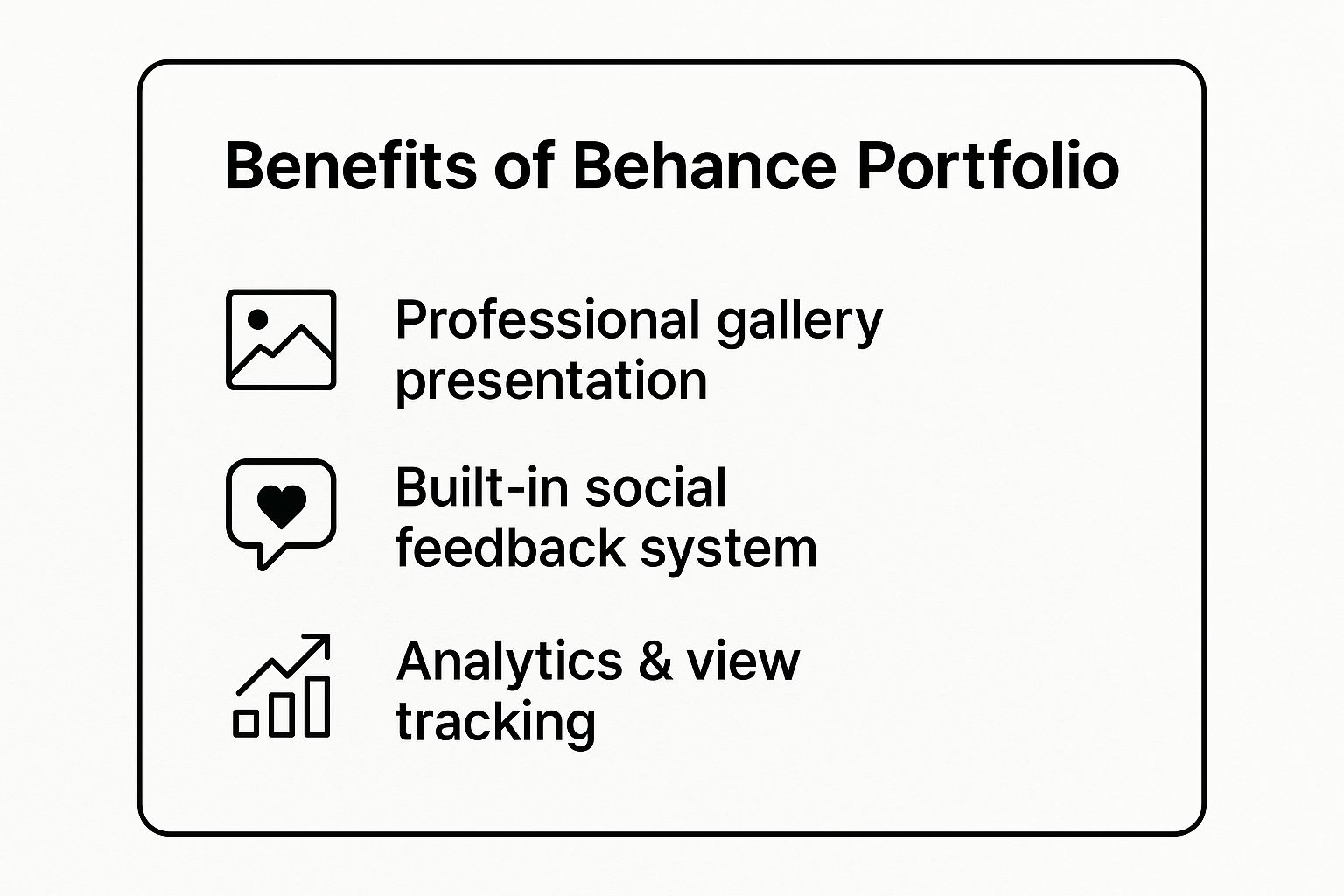
These core features show that Behance offers a comprehensive ecosystem for professional growth, not just a place to host images. By leveraging its presentation, community, and analytical tools, students can build a dynamic portfolio that actively works to build their reputation and network. You can explore more in-depth examples and learn how to structure your own projects effectively with these additional resources on Behance Portfolio strategies.
2. GitHub Portfolio
For students in computer science, data science, and software engineering, GitHub is the quintessential portfolio platform. It functions as much more than a simple code repository; it is a living, breathing testament to a student’s technical abilities, problem-solving skills, and collaborative spirit. This makes it one of the most vital digital portfolio examples for students aiming for careers in tech, as it provides verifiable proof of their coding proficiency directly to recruiters at companies like Google and Microsoft.

Unlike static project descriptions, a GitHub profile showcases the entire development lifecycle. Computer science students can pin repositories for full-stack web applications, while data science students can present detailed analyses in Jupyter notebooks. The platform's strength is its transparency; commit histories, contributions to open-source projects, and well-documented code offer an unparalleled, behind-the-scenes look at a student’s workflow and technical acumen.
Strategic Breakdown and Takeaways
To create a powerful GitHub portfolio, focus on curation and documentation. Pin your top six repositories to your profile, ensuring they represent your best and most complex work. For each pinned project, write an exhaustive README.md file. This file should act as a project landing page, detailing the purpose of the project, the technologies used, setup instructions, and screenshots or live demos. This demonstrates not only your coding skills but also your ability to communicate complex technical information clearly.
A compelling profile-level README is another crucial element. Use it to introduce yourself, list your primary skills and languages, and link to your other professional profiles. Actively contributing to open-source projects is a key differentiator, as it proves you can collaborate effectively within an existing codebase and professional development environment. By treating your GitHub profile as a dynamic resume, you create a powerful narrative of your technical journey. You can even explore advanced tools to streamline your coding process; you can learn more about how tools like GitHub Copilot can enhance your workflow.
3. WordPress Portfolio Website
WordPress offers students unparalleled flexibility, allowing for the creation of a fully customized portfolio website with professional-grade functionality. By leveraging themes designed for portfolios, students can showcase any type of work while maintaining complete control over branding, content organization, and user experience. The platform's support for diverse multimedia, integrated blogging, and robust SEO optimization makes it one of the most versatile digital portfolio examples for students across any academic discipline.
Unlike template-driven builders, WordPress provides a scalable foundation that can grow with a student's career. A journalism student can create a dynamic site featuring multimedia stories and an integrated blog, while a marketing student can build detailed case studies for campaign work. The power of WordPress lies in its extensibility; it allows students to craft a unique digital home that precisely reflects their skills, personality, and professional narrative.

Strategic Breakdown and Takeaways
To build an effective WordPress portfolio, start by selecting a lightweight, responsive, and portfolio-specific theme. This provides a professional structure without sacrificing loading speed. Prioritize creating clear navigation, categorizing your projects logically so recruiters can easily find relevant examples of your work. Optimize all images for the web before uploading to ensure your site remains fast and accessible.
A key strategy is to leverage plugins to add crucial functionality. Install a contact form plugin for easy communication and SEO plugins to improve your site's visibility in search results. A compelling "About Me" page is also essential; use it to tell your unique story and articulate your professional goals. Regularly backing up your site and keeping themes and plugins updated is a non-negotiable step for security and performance.
These elements combine to create a powerful, self-owned digital asset that showcases not just your work, but also your technical competence and attention to detail. You can find more tools and tutorials to get started with your own portfolio by exploring these WordPress portfolio resources.
4. LinkedIn Portfolio Integration
LinkedIn has evolved beyond a simple professional networking site into a dynamic, multi-faceted portfolio platform. It allows students to embed their professional identity directly within the ecosystem where recruiters and industry leaders are actively searching for talent. This makes it one of the most strategic digital portfolio examples for students, especially those in business, marketing, engineering, and communications, who need to contextualize their skills with professional achievements.
Unlike a static website, LinkedIn allows for an ongoing narrative of professional development. A business student can upload a detailed case study analysis from a capstone course, complete with financial models and strategic recommendations. Similarly, a marketing student can showcase a successful social media campaign by linking to live results, sharing performance metrics, and attaching creative assets. The platform’s strength is its integration of project work with professional networking, endorsements, and recommendations, creating a comprehensive picture of a student's capabilities and credibility.
Strategic Breakdown and Takeaways
To leverage LinkedIn effectively, treat your profile as a living document, not just a resume. Use the "Featured" section to spotlight your most impressive projects, whether it's a technical report, a design mock-up, or a published article. For each project, write a concise but impactful description focusing on the problem you solved, the actions you took, and the quantifiable results you achieved. This demonstrates a results-oriented mindset that is highly attractive to employers.
Actively engaging on the platform is crucial for visibility. Share insightful posts about your industry, comment thoughtfully on articles from leaders in your field, and request skill endorsements and recommendations from professors or internship supervisors. These activities not only showcase your expertise but also build a network that can lead to future opportunities. By curating your profile and participating in professional conversations, you transform your LinkedIn from a passive listing into an active career-building tool. You can find more strategies for optimizing your profile on the official LinkedIn for Students resource page.
5. Squarespace Creative Portfolio
Squarespace offers students a streamlined path to creating a polished, professional website without needing to write a single line of code. Its strength lies in its extensive library of award-winning, mobile-responsive templates that cater specifically to visual creators. This makes it an ideal choice among digital portfolio examples for students in fields like fashion, fine arts, or interior design who want a sophisticated online presence with minimal technical overhead.
The platform is renowned for its clean, grid-based layouts and emphasis on high-quality imagery. For a fashion design student, this translates into lookbooks that let collections shine, while a film student can embed high-definition video reels directly into a seamless gallery. Unlike more community-focused platforms, Squarespace provides a private, branded space where the student’s work is the sole focus, presented with an air of professional polish that rivals established creative agencies.
Strategic Breakdown and Takeaways
To make a Squarespace portfolio effective, start by selecting a template that truly complements your work, not one that just looks trendy. Simplicity is key; prioritize intuitive navigation so recruiters can find your best projects in two clicks or less. Optimize every image for the web to ensure fast load times without sacrificing quality, a critical factor for user experience.
Leverage the integrated features to add depth to your portfolio. Use the built-in blog to create detailed case studies, sharing your creative process, challenges, and solutions. This narrative context transforms a simple gallery into a compelling story of your skills. Furthermore, utilize Squarespace’s built-in SEO tools by adding descriptive alt text to images and writing keyword-rich project descriptions to improve your visibility in search engine results.
These features demonstrate that Squarespace is more than just a website builder; it's a comprehensive tool for brand building. By carefully curating your visual presentation and strategically using its content and SEO features, you can create a highly professional portfolio that stands out in a competitive job market. You can explore a variety of student-friendly templates and design guides to find the perfect fit for your creative discipline.
6. Google Sites Academic Portfolio
Google Sites offers a free, highly accessible platform for creating a functional digital portfolio, especially for students grounded in academic and research-oriented fields. Integrated directly into the Google Workspace ecosystem, it allows for seamless embedding of Google Docs, Sheets, Slides, and Drive folders. This makes it one of the most practical digital portfolio examples for students who prioritize content and documentation over intricate web design, allowing for a straightforward showcase of their academic journey.
This platform is particularly effective for students who need to present detailed, text-heavy projects. An education student can embed lesson plans directly from Google Docs, a research student can display data sets from Google Sheets, and a humanities major can showcase long-form essays and presentations. The strength of Google Sites is its simplicity and integration, which removes technical barriers and allows students to focus on clearly communicating the substance of their work.
Strategic Breakdown and Takeaways
To create a powerful Google Sites portfolio, focus on organization and content curation. Use the intuitive drag-and-drop editor to build a clean, professional layout with consistent branding, including a simple color scheme and font choice. The key strategy is leveraging its native integration. Instead of linking to documents, embed them directly into the page to create an interactive and seamless user experience where recruiters can review your work without leaving the site.
A well-defined navigation structure is critical. Create distinct pages for your resume, project showcases, academic papers, and contact information. Regularly update your site with new projects, coursework, and accomplishments to demonstrate ongoing development. By using this straightforward tool strategically, students can build a comprehensive and professional online presence that effectively archives and presents their academic and project-based achievements. You can start building your own portfolio for free at the Google Sites homepage.
7. Wix Student Portfolio
Wix offers students a highly accessible yet powerful drag-and-drop website builder, providing extensive creative freedom without demanding any coding skills. The platform is renowned for its vast library of designer-made templates, many of which are specifically tailored for portfolios. This makes it an ideal choice for students who want a polished, custom-branded website but lack the time or technical expertise for a more complex build. These features establish it as one of the top digital portfolio examples for students seeking a balance between professional design and user-friendly operation.
The versatility of Wix allows students from diverse fields to create compelling showcases. For instance, a photography student can leverage full-width image galleries and slideshows to create an immersive visual experience. A music student can embed audio players for their tracks and integrate video players for performance recordings. This adaptability, combined with its intuitive interface and built-in apps, empowers students to build a portfolio that truly reflects their personal brand and professional discipline.
Strategic Breakdown and Takeaways
To elevate a Wix portfolio from a simple gallery to a professional tool, strategic feature implementation is key. Start by selecting a template that aligns with your industry’s aesthetic, but don't be afraid to customize it heavily to avoid a generic look. Focus on user experience by optimizing all images for web to ensure fast loading times, a critical factor for retaining visitor attention. Use the dedicated mobile editor to guarantee your site looks flawless on all devices, as many recruiters will view it on a phone or tablet.
Furthermore, leverage Wix's integrated marketing tools to increase your visibility. The Wix SEO Wiz provides a step-by-step checklist to help your portfolio rank higher in search engine results. Integrating your social media feeds directly onto your site also keeps your content fresh and shows recruiters you are actively creating. By strategically combining these design and marketing features, you can build a sophisticated and effective digital portfolio that actively works for you. You can start building your own site and explore template options on the official Wix website.
Digital Portfolio Platforms Comparison
| Platform | 🔄 Implementation Complexity | ⚡ Resource Requirements | 📊 Expected Outcomes | 💡 Ideal Use Cases | ⭐ Key Advantages |
|---|---|---|---|---|---|
| Behance Portfolio | Low – simple upload & organization | Minimal – internet access | High visibility in creative industries | Design, art, photography, multimedia students | Professional gallery; social feedback; analytics |
| GitHub Portfolio | Medium – requires coding knowledge | Moderate – technical skills, time | Demonstrates coding skills and collaboration | CS, software engineering, data science students | Industry-standard; version control; open source |
| WordPress Portfolio Website | High – setup, customization needed | High – hosting + maintenance | Fully customized professional portfolio | Any discipline needing flexible, scalable presence | Complete control; SEO; extensive plugins |
| LinkedIn Portfolio Integration | Low – profile setup & updates | Minimal – online profile upkeep | Strong professional networking and recruiter visibility | Business, marketing, professional programs | Networking; endorsements; job search integration |
| Squarespace Creative Portfolio | Low-medium – easy drag-and-drop | Paid subscription | Beautiful, professional visual portfolios | Creative fields: design, fashion, fine arts | Designer templates; hosting included; SEO tools |
| Google Sites Academic Portfolio | Very low – simple building | Minimal – free with Google account | Basic functional portfolio with collaboration | Education, research, academic students | Free; easy Google integration; collaborative |
| Wix Student Portfolio | Low-medium – drag-and-drop builder | Paid options; free plan with branding | Flexible, visually appealing portfolios | Creative and professional students wanting design control | User-friendly; AI design help; app marketplace |
Final Thoughts
We've journeyed through a diverse landscape of powerful digital portfolio examples for students, dissecting what makes each one effective. From the visual storytelling on Behance to the code-driven credibility of a GitHub profile, the key lesson is clear: a portfolio is more than a digital resume. It's your professional narrative, a dynamic showcase of your skills, your process, and your potential. The examples we analyzed weren't just collections of work; they were strategic assets designed to open doors to internships, freelance projects, and full-time careers.
Your Roadmap to a Standout Portfolio
Building your own portfolio can feel like a monumental task, but the journey starts with a single step. Let's distill the core strategies from the examples into a clear, actionable roadmap.
-
Define Your "Why": Before you choose a platform or design a layout, clarify your objective. Are you targeting a UI/UX internship? A software development role? A freelance graphic design gig? Your goal dictates your content, platform, and overall strategy. A developer's GitHub-centric portfolio will look vastly different from a visual artist's Squarespace site.
-
Curate, Don't Collect: One of the most common mistakes is including every project you've ever done. Instead, be a ruthless curator. Select 3-5 of your best, most relevant projects that showcase a range of skills. Emphasize quality over quantity. Each piece should have a purpose and tell a compelling story about your problem-solving abilities.
-
Master the Project Case Study: Don't just show the final product; reveal the process. Use the case study format we broke down: outline the problem, detail your role and process, showcase your solution, and reflect on the outcomes and what you learned. This behind-the-scenes look is what truly impresses recruiters and hiring managers.
Taking Your First Steps Today
Feeling inspired? Good. Now it's time to channel that energy into action. Don't wait for the "perfect" project to start.
- Choose Your Platform: Based on our analysis, pick the platform that best aligns with your field and technical comfort level. Is it the no-code ease of Wix or the industry standard of Behance for creatives?
- Outline Your Core Projects: Select the top projects you'll feature. For each one, draft a quick outline of the case study: the problem, your process, and the result.
- Write Your "About Me" Story: Craft a concise and authentic bio. Who are you, what are you passionate about, and what unique value do you bring? This is your chance to make a personal connection.
The journey of creating a powerful digital portfolio is an investment in your future. It forces you to critically evaluate your work, articulate your value, and present yourself professionally to the world. The digital portfolio examples for students we've explored are not just templates to be copied; they are proof of what's possible. They demonstrate that with strategic thinking and clear presentation, you can build a compelling digital presence that actively works to achieve your career goals. Start building, start sharing, and start creating the opportunities you deserve.