Level Up Your Coding Skills with These Fun Projects
Want to learn to code by doing? This list of fun, beginner-friendly coding projects offers a practical path to building a strong foundation. You'll learn core programming concepts while creating everything from interactive games to useful tools. Whether you're an aspiring coder, seasoned developer, or creative technologist, these projects provide valuable hands-on experience. Plus, check out Vibecoding VIP curated by @slhomme for a wider community of projects!
1. Personal Portfolio Website
Building a personal portfolio website is an excellent first coding project for beginners, offering a practical and engaging way to learn fundamental web development technologies. This project allows you to combine HTML for structuring content, CSS for styling and visual presentation, and potentially JavaScript for adding interactivity. The result is a functional website that serves as a dynamic showcase of your skills and projects, beneficial for both learning and career advancement. You gain hands-on experience building something tangible while simultaneously creating a platform to exhibit your growing abilities to potential employers or clients.

A typical portfolio website includes essential features like a responsive design that adapts to various screen sizes (crucial for mobile viewing), a navigation menu for easy browsing, an "About" section to introduce yourself, a dedicated area to showcase projects or work examples, and a contact form for visitors to get in touch. As you progress, you can enhance your portfolio with more advanced features like interactive elements, animations, and blog integration. Learn more about Personal Portfolio Website to explore design aspects and tools that can enhance your portfolio's visual appeal.
Examples of Successful Implementation:
- GitHub Pages: Many beginners host their portfolios on GitHub Pages, leveraging its free hosting and simple deployment process. You can find countless examples of beginner-friendly portfolio sites hosted there.
- CodePen: This platform showcases numerous portfolio templates and code snippets, providing inspiration and readily available starting points for your own project.
- freeCodeCamp: The freeCodeCamp curriculum often includes portfolio projects, and you can find inspiring examples from students who have completed the program.
Tips for Building Your Portfolio Website:
- Start Simple: Begin with a basic one-page design containing the core sections. You can expand and add complexity as your skills develop.
- Leverage CSS Frameworks: Frameworks like Bootstrap can significantly simplify the process of creating a responsive design, handling much of the complex CSS for you.
- Showcase Your Work: Include projects as you complete them, even small ones. This demonstrates your practical skills and provides tangible evidence of your abilities.
- Free Hosting with GitHub Pages: Take advantage of free hosting on GitHub Pages to deploy your website quickly and easily.
- Add Interactive Elements: Consider adding features like testimonials, skill bars, or interactive project demos to enhance engagement.
Pros and Cons:
Pros:
- Practical and Real-World Use: A portfolio is a tool you'll actually use professionally.
- Teaches Fundamental Web Technologies: It provides hands-on experience with HTML, CSS, and potentially JavaScript.
- Continuous Improvement: You can constantly refine and expand your portfolio as your skills grow.
- Responsive Design Learning: It's a great opportunity to learn about creating websites that adapt to different screen sizes.
- Showcase for Future Projects: It serves as a central hub to display all your future work.
Cons:
- Potential Complexity: Adding too many features early on can make the project overwhelming.
- Design Skills Needed: Professional-looking results require some design skills, though these can be developed over time.
- Deployment Process: Learning how to deploy your website can be a slight hurdle initially.
This project deserves its place on the list of fun coding projects for beginners because it's both practical and engaging. It provides a tangible outcome that you can use professionally while offering a structured learning path for essential web development skills. It caters to a wide audience, from aspiring vibe coders and experienced software developers to digital artists, educators, and entrepreneurs, providing a valuable foundation in web development and a platform for showcasing their unique talents and innovations.
2. Weather App
Building a weather app is a fantastic coding project for beginners, offering a practical and engaging way to learn several key programming concepts. This project revolves around fetching real-time weather data from an external API (Application Programming Interface) and displaying it in a user-friendly format. You'll learn how to make requests to an API, process the returned data (often in JSON format), and dynamically update your user interface based on this information. This introduces you to asynchronous programming, a crucial concept for handling tasks that might take varying amounts of time to complete, such as fetching data from a remote server. You'll also gain experience in data visualization by presenting the weather information using icons, text, and potentially even charts or graphs.
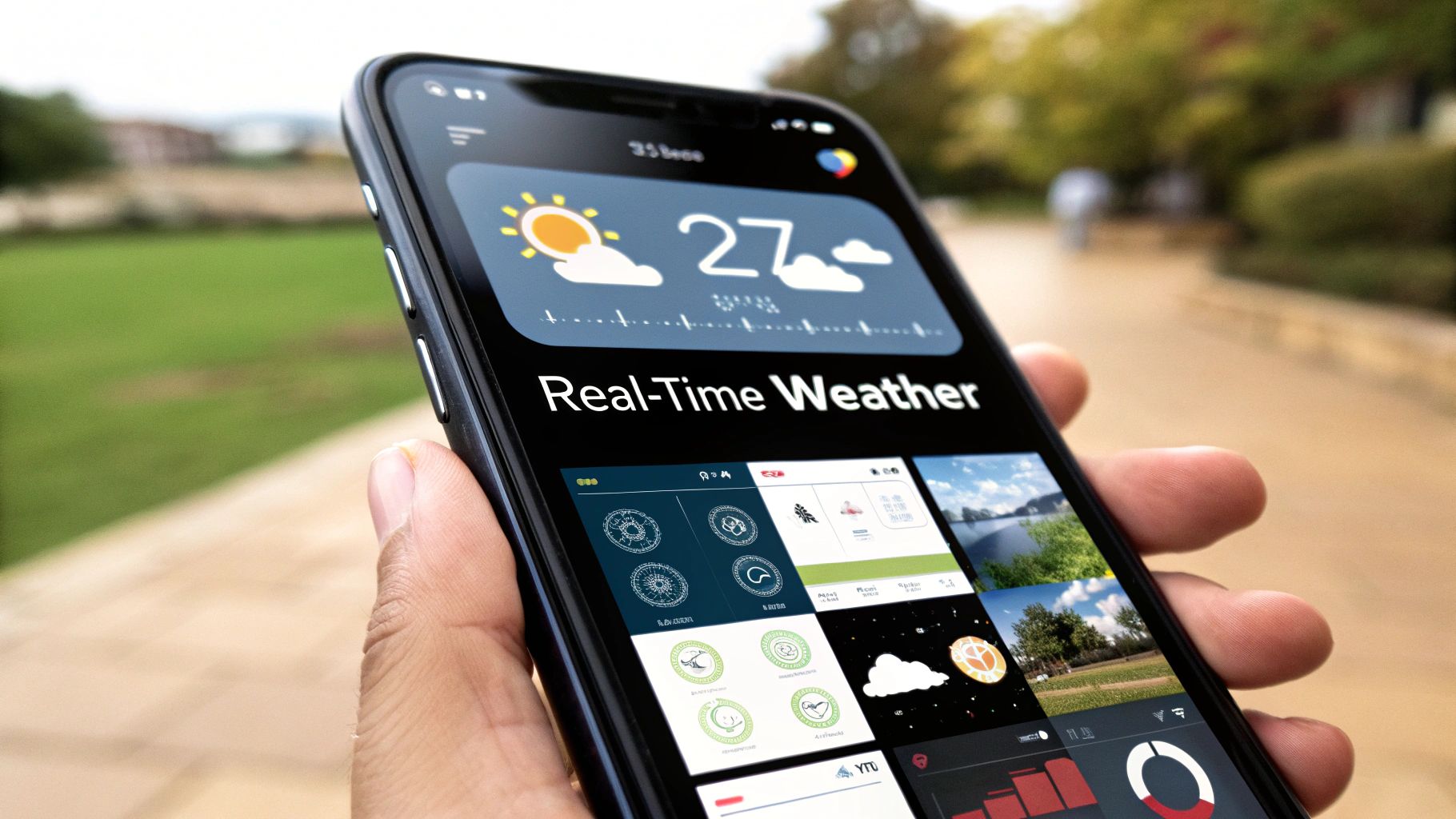
A typical weather app includes features like displaying current weather conditions (temperature, humidity, wind speed, etc.), a search functionality to find weather data for different locations, a forecast for the upcoming days, and visual indicators like icons representing sunny, cloudy, rainy conditions. You can also incorporate temperature unit conversion (Celsius/Fahrenheit) to enhance user experience. This project earns its place on this list because it combines practical utility with a manageable learning curve. You'll be creating something genuinely useful while solidifying your understanding of fundamental programming concepts. Learn more about Weather App
Pros:
- Introduces working with external APIs: A core skill for modern web development.
- Teaches asynchronous programming concepts: Essential for handling real-world data fetching.
- Provides immediate visual feedback: See the results of your code directly in the app's interface.
- Covers important JavaScript concepts like fetch/promises: Key tools for interacting with APIs.
- Creates something genuinely useful: A project you can use and share.
Cons:
- API keys may require registration: You'll need to sign up for an API key to access weather data.
- Some weather APIs have request limitations on free tiers: Be mindful of usage limits.
- Error handling for API requests can be challenging: Learning to handle network errors is important.
Examples:
- OpenWeatherMap-based weather applications are a common starting point due to their free tier and comprehensive documentation.
- Numerous Weather Dashboard projects can be found on GitHub repositories, offering inspiration and code examples.
- Weather widgets integrated into mobile applications demonstrate the practical application of these principles.
Tips for Building Your Weather App:
- Start with OpenWeatherMap API: Their free tier is sufficient for learning and experimentation.
- Use the geolocation API: Allow users to easily get weather data for their current location.
- Implement robust error handling for failed API requests: Provide user-friendly messages in case of network issues or API errors.
- Add local storage to remember the user's last searched location: Enhance user experience by saving preferences.
- Use weather icons: Leverage icon sets like Font Awesome or specialized weather icon libraries to visually represent weather conditions.
Popularized By:
Coding challenge websites like Frontend Mentor often feature weather app projects. YouTube coding channels, such as Dev Ed and Web Dev Simplified, provide excellent tutorials on building weather apps. Many beginner JavaScript courses also use weather apps as a practical project example.
3. To-Do List Application
The To-Do List Application is a quintessential coding project for beginners, offering a practical introduction to fundamental programming concepts. This project revolves around building an application that allows users to manage their tasks – creating new entries, marking them as complete, updating existing ones, and deleting them. This process embodies the core principles of CRUD (Create, Read, Update, Delete) operations, a cornerstone of data manipulation in software development.
How It Works:
The application interacts with the browser's Document Object Model (DOM) to dynamically update the user interface. When a user adds a task, the JavaScript code captures the input, creates a new list item element, and appends it to the displayed list. Similarly, marking a task as complete involves manipulating the DOM to visually represent the change, often by striking through or adding a checkmark icon. Data persistence, ensuring that tasks are saved even after the browser is closed, is typically achieved using the browser's localStorage.
Features and Benefits:
Building a to-do list application introduces several key concepts:
- CRUD Operations: You'll learn how to create, read, update, and delete data, a fundamental skill in software development.
- DOM Manipulation: You'll gain experience in dynamically updating the user interface based on user actions.
- Event Handling: You'll learn how to respond to user interactions like clicks and key presses.
- Data Persistence: Using
localStorageprovides a practical introduction to storing data within the browser.
Pros:
- Teaches Fundamental CRUD operations: Provides a solid foundation for working with data.
- Introduces DOM Manipulation: Essential for creating interactive web applications.
- Scalable Complexity: You can start with basic functionality and progressively add more advanced features.
- Great for Practicing Event Handling: Learn how to make your applications responsive to user input.
- Teaches Data Persistence Concepts: Understand how to save and retrieve user data.
Cons:
- Common Project (Portfolio Considerations): While excellent for learning, it might not stand out in a portfolio without creative additions.
- Potential for Repetitiveness: Can become repetitive if you stick to the bare minimum functionality.
- Limited Complexity for Advancing Skills: After mastering the basics, you'll need to explore more complex projects to further your skills.
Examples:
- TodoMVC: (todomvc.com) This project showcases various implementations of a to-do list using different JavaScript frameworks, offering valuable insights into how different frameworks approach the same problem.
- Microsoft To Do: A professional, real-world example of a to-do list application.
- GitHub Repositories: Countless repositories exist on GitHub with unique implementations and added features, providing inspiration and learning opportunities.
Tips for Implementation:
- Start Simple, Then Enhance: Focus on core functionality (add, complete, delete) before adding features like filtering or categorization.
- LocalStorage for Persistence: Utilize
localStorageto save the tasks so they persist across browser sessions. - Keyboard Shortcuts: Enhance usability by implementing keyboard shortcuts for adding, completing, and deleting tasks.
- Advanced Features: Consider adding due dates, priority levels, or drag-and-drop ordering to make your application more robust.
- Animations: Add visual flair with animations for completing or removing tasks.
Why It Deserves Its Place in the List:
The To-Do List Application is a perfect starting point for aspiring coders. It offers a gentle introduction to essential concepts while being engaging and practical. The ability to start simple and progressively add complexity allows beginners to build confidence and solidify their understanding of fundamental programming principles. It’s a project that bridges the gap between theory and practice, making it an invaluable learning experience for anyone starting their coding journey.
Popularized By:
Numerous online programming courses, especially on platforms like Udemy and Coursera, utilize the to-do list application as a foundational project. The TodoMVC project further cemented its place as a standard learning exercise. JavaScript learning curricula frequently incorporate this project to teach core concepts.
4. Interactive Quiz Game
An Interactive Quiz Game is a dynamic application that engages users by presenting them with a series of questions, tracking their responses, and providing immediate feedback. It's a fantastic project for beginners because it combines several fundamental programming concepts in an engaging format. You'll learn to handle user input, employ conditional logic to determine correct answers, manipulate the Document Object Model (DOM) to update the interface, and potentially even incorporate features like timers and animations.
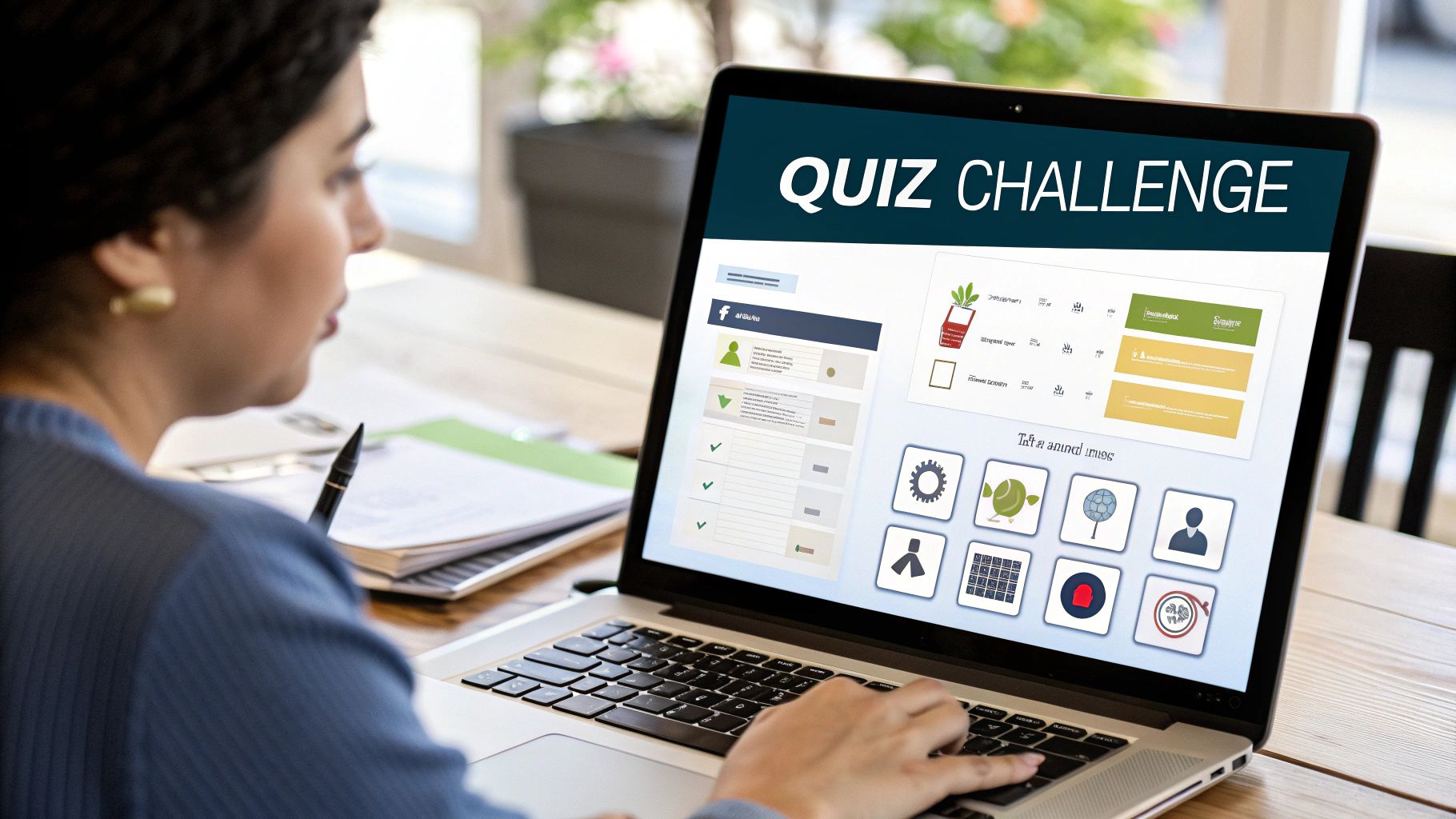
This project deserves a spot on the list because it's not just educational; it's also inherently fun and customizable. You can tailor the quiz to your interests, creating anything from a pop culture trivia challenge to a technical skills assessment. This makes it highly motivating and a great way to solidify your coding knowledge while building something you can share and enjoy. Features like multiple-choice questions, score tracking, timer functionality, immediate feedback, and a final results summary all contribute to a rich user experience. You can even take it further by adding different quiz categories and visually appealing animations and transitions. Learn more about Interactive Quiz Game and see how animation libraries like GSAP can enhance your project.
Examples of Successful Implementation:
Think of popular platforms like Kahoot!, which demonstrates the engaging power of real-time quizzes, or the numerous trivia apps available on app stores. Even Quizlet's testing mode provides a simplified version of this concept. These examples showcase the versatility of interactive quizzes and their potential for widespread appeal.
Pros:
- Highly Customizable: Tailor the content to your interests and learning goals.
- Teaches Form Handling and Validation: Learn to process user input and ensure data integrity.
- Good Practice for Conditional Logic: Master the art of "if-then-else" statements.
- Can Incorporate Animations and Transitions: Enhance the user experience with visual flair.
- Easy to Share with Friends for Testing: Get feedback and improve your project iteratively.
Cons:
- Content Creation (Questions/Answers) Can Be Time-Consuming: Be prepared to invest time in developing a robust question bank.
- Advanced Features Like Timer Can Be Challenging: Implementing certain features may require more advanced coding skills.
- May Require Good UI Design Skills for User Engagement: A well-designed interface is crucial for a positive user experience.
Tips for Development:
- Store questions in a JSON format for easy management: This allows for efficient data organization and retrieval.
- Implement a progress bar to show quiz completion: Provide users with a visual indication of their progress.
- Add sound effects for correct/incorrect answers: Enhance the feedback mechanism with auditory cues.
- Create a leaderboard using localStorage: Add a competitive element by storing high scores.
- Randomize question order for replay value: Keep the quiz fresh and engaging even after multiple attempts.
- Consider using Open Trivia DB API for question content: Leverage external resources to expand your question bank.
Popularized By:
Interactive quiz games have been popularized by educational platforms like Khan Academy, which use them for interactive learning. They are also a common feature in JavaScript tutorials focused on DOM manipulation and are frequently assigned projects in web development bootcamps. This highlights their effectiveness as a teaching tool and their relevance in practical web development. This project offers a valuable learning experience for aspiring vibe coders, experienced developers seeking a fun side project, digital artists looking to add interactivity to their work, educators designing engaging learning experiences, and even innovative entrepreneurs exploring new app ideas.
5. Simple Game: Rock Paper Scissors
Rock Paper Scissors, a childhood classic, is a fantastic starting point for novice programmers. It offers a practical application of fundamental coding concepts within a fun and engaging project. This game involves two players (or a player and a computer) simultaneously choosing one of three hand gestures: rock, paper, or scissors. The winner is determined by a cyclical rule set: rock crushes scissors, scissors cuts paper, and paper covers rock.
This project's simplicity belies its educational value. Building a Rock Paper Scissors game allows beginners to grapple with:
- Conditional Logic: The core game mechanic relies on
if/elsestatements to determine the winner based on the player and computer's choices. This provides valuable practice in implementing decision-making logic within code. - Event Handling: Responding to user input (clicking buttons for rock, paper, or scissors) introduces event listeners and how user interactions trigger specific code execution.
- Simple AI: Creating a computer opponent that randomly chooses its hand gesture introduces basic AI concepts. While simple, it lays the groundwork for understanding more complex AI algorithms later on.
Features of a Typical Implementation:
- User Interface: Buttons for the player to select their hand gesture.
- Computer AI: Random selection of rock, paper, or scissors by the computer.
- Win/Loss/Tie Tracking: Keeping score of the game's progress.
- Round History: Displaying previous round results (e.g., "Round 1: Player chose Rock, Computer chose Scissors. Player wins!").
- Visual Feedback: Displaying the results of each round clearly, possibly using images or animations.
- Game Statistics: Showing overall win percentages, longest winning/losing streaks, etc.
Pros:
- Simple Game Logic: Easy to understand and implement, making it perfect for beginners.
- Teaches Random Number Generation: Essential for various programming tasks.
- Great for Practicing Conditional Statements: Reinforces core programming logic.
- Can be Expanded: Add animations, sounds, and more complex AI to enhance the game.
- Immediate Visual Feedback: Simplifies debugging and testing.
Cons:
- Limited Complexity: May not hold long-term engagement for experienced programmers.
- Basic Game AI: The random selection is predictable and easily exploitable.
- Requires Creative UI Design: A visually appealing interface is crucial for user engagement.
Examples and Inspiration:
- Online Coding Platforms: Many platforms like Codecademy offer Rock Paper Scissors tutorials as introductory JavaScript exercises.
- Mobile Game Adaptations: Numerous mobile versions exist with enhanced features and graphics.
- Rock Paper Scissors Lizard Spock: The extended version popularized by The Big Bang Theory adds complexity and fun.
Tips for Enhancing Your Project:
- Visual Appeal: Use Font Awesome icons or custom images for the hand gestures instead of plain text.
- History Log: Display a log of previous rounds to add context and engagement.
- Keyboard Shortcuts: Allow players to use the R, P, and S keys for quicker selection.
- Animations: Add animations for the computer's "thinking" process or hand gesture reveal.
- Advanced AI: Implement a pattern recognition algorithm for a more challenging computer opponent.
- Match Options: Implement best-of-three or best-of-five match options.
Why This Project Deserves Its Place on the List:
Rock Paper Scissors is a perfect entry point into coding. Its simplicity allows beginners to focus on core programming concepts without getting bogged down in complex logic. It offers a tangible, interactive result that reinforces learning and provides a sense of accomplishment. Furthermore, the game's inherent expandability encourages experimentation and creativity, allowing developers to progressively enhance their skills as they add features and refine the game's mechanics. It’s a stepping stone towards more complex game development and a testament to the power of learning through play.
6. Pixel Art Maker
Creating a pixel art maker is a fantastic coding project for beginners that blends creativity with practical web development skills. This project involves building a web-based application that allows users to create images by coloring a grid of squares, much like digital mosaics. It's a fun and visually engaging way to learn about DOM manipulation, event handling, and the concept of a digital canvas.
At its core, a pixel art maker works by dynamically generating a grid of squares using HTML and CSS. Each square represents a "pixel" and can be assigned a color by the user. Clicking or dragging the mouse over these squares changes their color, effectively "drawing" on the canvas. This interaction is managed through JavaScript event listeners attached to each pixel.
Features to Consider:
- Customizable Grid Size: Allow users to define the dimensions of their canvas, offering flexibility in creating different sized artwork.
- Color Picker: Implement a color picker tool so users can select from a wide range of colors for their creations.
- Reset/Clear Canvas: A button to clear the canvas and start anew is essential for user convenience.
- Save/Export Artwork: Enabling users to save or export their pixel art (e.g., as PNG or JPEG files) allows them to share and preserve their work.
- Undo/Redo (Advanced): Implementing undo/redo functionality adds a layer of complexity but provides a valuable user experience. This involves managing the state of the canvas at each step.
- Tool Selection (Pencil, Eraser, Fill): Expanding beyond basic drawing with tools like an eraser or a fill tool (using a flood fill algorithm) adds more advanced functionalities.
Pros:
- Visually Engaging and Creative: The visual nature of pixel art makes this project highly engaging and satisfying.
- Teaches Grid-Based Layouts in CSS: You'll learn how to effectively use CSS Grid or table elements to create and manage the pixel grid.
- Great Practice for Event Delegation: Implementing click and drag functionality provides excellent practice for handling events efficiently.
- Can Incorporate Color Theory Concepts: This project opens the door to exploring color theory by allowing users to experiment with different color palettes.
- Satisfying to Use and Show to Others: The tangible output of a pixel art maker is something users can easily share and be proud of.
Pixel art, at its core, is about creating images using small colored squares. If you're looking for inspiration or a quick way to generate some cool pixel-style designs, you could try using tools that create AI-generated coloring pages.
Cons:
- Grid Generation Can Be Challenging for Beginners: Dynamically generating a grid can be initially tricky for those new to DOM manipulation.
- Advanced Features Like Undo/Redo Require More Complex State Management: These features require more sophisticated coding logic and data structures.
- Large Grids May Impact Performance: Handling very large grids can lead to performance issues if not optimized properly.
Examples:
- Microsoft Paint (classic version): A classic example of a simple pixel art editor.
- Online tools like Piskel: Modern web-based pixel art editors with advanced features.
- Pixel art creators used in game development: Professional tools like Aseprite are used to create pixel art for games.
Tips:
- Use CSS Grid or table elements for the pixel grid.
- Implement click and drag functionality for smoother drawing.
- Add keyboard shortcuts for color selection and tools.
- Include export options (PNG, JPEG).
- Consider adding a color palette or recently used colors.
- Implement the fill tool using a flood fill algorithm.
Why this project deserves its place on the list: The Pixel Art Maker project offers a practical and engaging introduction to several key front-end development concepts. It encourages creativity while building a solid foundation in DOM manipulation, event handling, and user interface design. This project is perfect for beginners who want to build something visual and fun while learning valuable coding skills, and is popularized by resources like Udacity's Front End Web Developer Nanodegree and has its roots in the 8-bit and 16-bit era of video games and the independent game development community.
7. Expense Tracker
An Expense Tracker is a coding project that allows users to monitor their income and expenditures. It involves building a digital application where users can input their financial transactions, categorize them (e.g., food, rent, entertainment), and view their overall balance. This seemingly simple application provides a practical introduction to several key programming concepts, making it an excellent project for beginners. It teaches you how to handle user input, perform calculations, manage and store data, and potentially present that data visually.

Successful expense trackers range from simple command-line tools to sophisticated web and mobile applications. Popular examples include Mint by Intuit and You Need A Budget (YNAB), which showcase the potential of this project type. You can also find numerous open-source budget trackers on GitHub, offering valuable learning opportunities by studying their code. These examples demonstrate the project's scalability, from basic functionality to complex feature sets.
This project deserves its place on this list due to its blend of practicality and educational value. It's a project you can actually use in your daily life while learning fundamental programming concepts. Key features you can implement include: income and expense entry with customizable categories, automatic balance calculation, a detailed transaction history, category-based filtering, data visualization using charts (pie charts, bar graphs), and date-based sorting and filtering.
Pros:
- Practical Utility: Build something you can use every day.
- Educational Value: Learn form validation, data processing, and financial calculations.
- Scalability: Start simple and add advanced features like data visualization libraries and database integration.
- Data Management: Experiment with data persistence using localStorage or simple databases.
Cons:
- UI Complexity: Designing a user-friendly interface for numerous features can be challenging.
- Financial Concepts: A basic understanding of financial principles is beneficial.
- Advanced Visualization: Implementing complex data visualizations can be difficult for beginners.
Tips for Development:
- Start Small: Begin with the core functionality of adding and removing transactions.
- Local Storage: Use localStorage for basic data persistence before moving to databases.
- Sorting and Filtering: Implement sorting by date, amount, or category.
- Data Export: Add functionality to export data in CSV format.
- Data Visualization: Consider using libraries like Chart.js for creating simple and effective visualizations.
- Budgeting and Alerts: Implement budget setting features and alerts for overspending.
When and Why to Use This Approach:
This project is ideal for beginners wanting to build something practical while learning essential coding skills. It's particularly relevant for those interested in fintech, data visualization, or simply improving their personal finance management. Experienced developers can also use this as a foundation for more complex financial applications. For educators, this project provides a tangible and engaging way to teach programming and data management principles.
This project has been popularized by personal finance communities, JavaScript project tutorials, and web development bootcamps, demonstrating its widespread appeal and relevance in today’s digital landscape. By building an expense tracker, you gain practical experience and create a valuable tool for managing your finances.
8. Recipe Finder App
A Recipe Finder App is a dynamic web application that empowers users to discover culinary inspiration and plan their meals efficiently. It leverages the power of external Recipe APIs to access a vast database of recipes and present them in a user-friendly format. Users can search for recipes based on specific ingredients they have on hand, explore dishes based on cuisine type or meal category (like "breakfast" or "dinner"), or simply search by dish name. This project offers a practical application of API integration, front-end development, and user interface design, making it a rewarding and valuable learning experience for beginner coders.
How it Works:
The app interacts with a chosen Recipe API (like Spoonacular, Edamam, or TheMealDB) by sending requests based on user input. For example, if a user searches for "chicken and broccoli," the app sends a request to the API with these ingredients as parameters. The API then responds with a list of relevant recipes, including details like ingredients, instructions, nutritional information, and often images. The app then parses this data and displays it in a structured and visually appealing manner to the user. Features like filtering by dietary restrictions or cooking time are implemented by adding further parameters to the API requests or by processing the returned data on the client-side.
Examples of Successful Implementation:
Popular recipe websites like Allrecipes.com, Epicurious, and the Tasty app by BuzzFeed showcase successful implementations of this concept. They offer a wide array of search options, beautiful recipe presentations, and additional features like user reviews and personalized recommendations.
Actionable Tips for Readers:
- Choose the Right API: Explore different Recipe APIs (Spoonacular, Edamam, TheMealDB) and choose one that suits your needs and budget (some have usage limits or require API keys).
- Implement a Loading State: Display a loading indicator while fetching data from the API to enhance user experience.
- Add a 'Random Recipe' Feature: Introduce a button that fetches a random recipe for users seeking inspiration.
- Serving Size Adjustment: Allow users to adjust the serving size and automatically recalculate ingredient quantities.
- Save Favorite Recipes: Implement local storage or a backend solution to enable users to save their favorite recipes.
- Meal Planning Feature: Consider extending the app to include a meal planning feature for weekly or monthly meal organization.
When and Why to Use This Approach:
This project is an excellent choice for beginners looking to:
- Learn API Integration: It provides a practical understanding of how to interact with external APIs and handle data responses.
- Practice Search and Filter Functionality: Building search and filter mechanisms enhances skills in data manipulation and user interaction.
- Create Something Genuinely Useful: The end result is a functional app that can be used in everyday life.
- Improve Data Display Skills: Working with structured recipe data helps in learning how to display information effectively.
- Extend to More Complex Features: The project serves as a solid foundation for adding more advanced features like user authentication, social sharing, and personalized recommendations.
Pros:
- Teaches API integration with a practical application.
- Introduces search and filter functionality.
- Creates something genuinely useful.
- Good practice for displaying structured data.
- Can be extended to more complex features.
Cons:
- Relies on third-party APIs, which may have limitations.
- Complex UI requirements for a good user experience.
- May require API keys or authentication.
Popularized By:
The concept of online recipe finders has been popularized by the food blogging community, cooking websites like Food Network, and is often featured in React and JavaScript intermediate tutorials.
This project deserves its place on the list because it offers a perfect blend of practical learning and creative potential. It's a fun and engaging way to gain valuable coding skills while building something truly useful.
8 Beginner Coding Projects: Feature Comparison
| Project Title | 🔄 Complexity | ⚡ Resources | 📊 Expected Outcomes | 💡 Ideal Use Cases | ⭐ Advantages |
|---|---|---|---|---|---|
| Personal Portfolio Website | Beginner – 1-2 weeks | HTML, CSS, basic JavaScript, Bootstrap, GitHub Pages | Functional profile showcasing skills | Job applications, personal branding | Real-world usability, continuous improvement |
| Weather App | Beginner to Intermediate – 2-3 days | HTML, CSS, JavaScript, Weather API (e.g., OpenWeatherMap) | Real-time weather updates with forecasts | Daily planning, travel, learning API usage | Teaches API integration and asynchronous programming |
| To-Do List Application | Beginner – 1-3 days | HTML, CSS, JavaScript, localStorage | CRUD-based task management with persistent data | Personal organization, productivity | Reinforces DOM manipulation and core CRUD operations |
| Interactive Quiz Game | Beginner to Intermediate – 2-4 days | HTML, CSS, JavaScript, JSON (for questions) | Engaging quiz experience with scoring and feedback | Educational games, self-learning tools | Highly customizable; reinforces conditional logic |
| Simple Game: Rock Paper Scissors | Beginner – 1-2 days | HTML, CSS, JavaScript | Basic game with score tracking and simple AI | Quick coding challenge, mini game projects | Simple logic, immediate visual feedback, easy to expand |
| Pixel Art Maker | Beginner to Intermediate – 2-4 days | HTML, CSS (Grid), JavaScript | Interactive digital canvas for creating pixel art | Creative projects, online art communities | Enhances event handling and grid-based layout design |
| Expense Tracker | Intermediate – 3-7 days | HTML, CSS, JavaScript, Chart.js (optional) | Financial tracking with data visualization | Personal budgeting, financial management | Practical utility with emphasis on data processing and charts |
| Recipe Finder App | Intermediate – 4-7 days | HTML, CSS, JavaScript, Recipe APIs (e.g., Spoonacular/Edamam) | Searchable recipe database with filtering options | Meal planning, cooking inspiration | Strong API integration and organized data display |
Ready to Start Coding?
This list of fun coding projects offers a practical starting point for your coding journey, regardless of your background. From building a personal portfolio to crafting interactive games and practical apps like a weather app or expense tracker, these projects cover a range of functionalities and allow you to apply core programming concepts in engaging ways. We've explored everything from front-end development with projects like the portfolio and pixel art maker to back-end logic with the recipe finder and to-do list app. By tackling these projects, you'll gain experience in user interface design, data handling, and problem-solving – all crucial skills for any aspiring coder.
The key takeaways here are: start small, be consistent, and embrace experimentation. Don't get overwhelmed by the complexities of coding; instead, focus on building a solid foundation through hands-on projects. Each project, however simple it may seem, contributes significantly to your understanding of code structure, logic, and best practices. Mastering these fundamental concepts is invaluable as you progress towards more advanced projects and ultimately achieve your coding goals, whether they involve launching a startup, creating interactive art, or landing a dream job in tech.
Your coding journey is an ongoing process of learning and discovery. These initial projects are stepping stones to unlock your creative potential and bring your ideas to life. And if you're seeking a community of like-minded individuals to support your growth and explore the vibrant intersection of art and technology, consider joining Vibecoding VIP. It's a space where you can connect, learn, and collaborate with others passionate about the creative side of coding. Happy coding!