Showcase Your Art Brilliantly: Exploring the Best Online Portfolio Platforms
A compelling online portfolio is essential for artists to connect with audiences and opportunities. This listicle showcases 10 diverse platforms—from established sites like Behance and ArtStation to website builders like Squarespace and Wix—to help you find the perfect fit for your artistic style and career goals. Discover the ideal platform to present your work effectively and advance your career. For artists interested in integrating coding into their practice, explore Vibecoding VIP for resources and inspiration.
1. Behance
Behance (Learn more about Behance) is a leading online platform specifically designed for creatives to showcase their portfolios. Owned by Adobe, it acts as a central hub for artists, designers, and other visual professionals to display their work, connect with potential clients and collaborators, and discover new talent. Behance operates on a project-based system, allowing users to present their work in a structured and visually appealing manner. Its advanced discovery algorithms help surface relevant portfolios to interested viewers based on keywords, categories, and user engagement. This combination of portfolio display and social networking functionality makes it a powerful tool for career advancement in creative fields.

Behance earns its place on this list due to its massive built-in audience and industry recognition. Its integration with Adobe Creative Cloud streamlines the workflow for artists already using Adobe software. Key features include project-based portfolio organization, advanced discovery algorithms, integration with Adobe Creative Cloud, analytics and insights tools, customizable portfolio presentation, and a job board featuring creative opportunities. The platform also offers a free basic version, making it accessible to aspiring creatives. For example, Jessica Walsh's provocative graphic design portfolio, Mike Campau's digital art and CGI portfolio, and Timothy Goodman's typography and illustration work all showcase the diverse range of creative talent on Behance.
Pros:
- Massive built-in audience and community: Reach a global network of potential clients and collaborators.
- Free basic version available: Start building your online presence without any upfront cost.
- Strong networking opportunities: Connect with other creatives, follow inspiring artists, and participate in discussions.
- Professional discovery through specialized categories: Get your work seen by the right people through targeted browsing and search.
- Excellent for feedback and collaboration: Receive constructive criticism and collaborate with other artists on projects.
Cons:
- Highly competitive environment: Standing out from the crowd can be challenging.
- Limited customization compared to personal websites: Less control over the overall look and feel of your portfolio.
- Professional features require Adobe Creative Cloud subscription: Accessing advanced features may require a paid subscription.
- Less control over branding than dedicated portfolio sites: Behance's platform branding is always present.
Tips for maximizing your Behance presence:
- Curate your best work: Quality over quantity is key. Showcase only your strongest pieces.
- Use keywords effectively in project descriptions: Optimize your project descriptions for search visibility.
- Engage with the community through comments and appreciations: Build relationships and increase your visibility.
- Update regularly to maintain visibility in algorithms: Fresh content keeps your portfolio active and engaging.
- Connect your other social media accounts for cross-promotion: Drive traffic to your Behance profile from other platforms.
Behance is an excellent choice for aspiring vibe coders, experienced software developers, digital artists, and creative technologists looking to build an online presence and connect with a wider audience. It is particularly beneficial for those already working within the Adobe Creative Cloud ecosystem. Whether you're showcasing interactive art installations, generative design projects, or innovative software applications, Behance provides a platform to share your work, receive feedback, and discover exciting opportunities within the creative tech community. Educators and students in tech can also leverage the platform for inspiration, portfolio development, and exploring current trends in the field. For innovative entrepreneurs and hobbyists, Behance offers a valuable channel for showcasing personal projects and potentially attracting collaborators or clients.
2. ArtStation
ArtStation (www.artstation.com) is a leading online platform specifically designed for showcasing and discovering visual art, particularly in fields like digital art, concept art, illustration, and 3D modeling. It's a hub for creative professionals, especially those working in the gaming, film, and entertainment industries. More than just a portfolio website builder, ArtStation functions as a vibrant online community and marketplace, offering artists multiple avenues for exposure, networking, and even generating income. Its specialized focus and features make it a powerful tool for artists seeking to connect with clients and employers in these industries.
ArtStation provides high-quality image display with zooming capabilities, allowing viewers to appreciate the intricate details of digital artwork. Artists can create customized portfolio websites, even using personal domains with a Pro subscription. Beyond showcasing work, ArtStation offers integrated features like a blogging platform for sharing insights and updates, and a commission management system to streamline client work. The platform also hosts an art marketplace where artists can sell prints and digital assets, generating revenue from their creations. Furthermore, ArtStation organizes challenge competitions, often sponsored by industry giants, providing valuable opportunities for exposure and recognition. Aspiring artists can also benefit from ArtStation Learning, a platform offering tutorials and courses to enhance their skills. Finally, a dedicated job board focused on creative industry roles connects talent directly with potential employers.
Examples of Successful Implementation:
- Wojtek Fus: Showcases his impressive concept art portfolio, demonstrating the platform's strength in presenting high-detail digital artwork.
- Yuya Takeda: Utilizes ArtStation to share his detailed environment and character designs, highlighting the platform's suitability for game development professionals.
- Magdalena Radziej: Presents a captivating fantasy illustration portfolio, demonstrating the platform's versatility within the illustrative arts.
Tips for Maximizing Your ArtStation Presence:
- Tag your artworks accurately: Use relevant keywords to improve discoverability within the ArtStation community and search results.
- Include process shots and breakdowns for complex pieces: This provides valuable insights into your workflow and impresses potential clients or employers.
- Participate in ArtStation challenges: These competitions offer great exposure and networking opportunities.
- Consider the Pro version for a custom domain and advanced analytics: This enhances professionalism and provides valuable data about your portfolio's performance.
- Network actively: Connect with art directors and studios active on the platform to build relationships and explore potential collaborations.
Pros:
- Industry-Specific Focus: Attracts relevant clients and employers in gaming, film, and entertainment.
- Superior Image Quality Handling: Perfect for showcasing high-resolution digital art.
- Strong Community of Professional Artists: Provides networking and learning opportunities.
- Multiple Revenue Streams: Marketplace and commission management tools facilitate income generation.
- Customizable Portfolio Sites: Personal domains and branding options enhance professionalism.
Cons:
- Focus on Digital Art: May not be the ideal platform for artists working primarily in traditional mediums.
- Premium Features Require Subscription: Some key features are locked behind a paywall.
- Less Effective for Non-Visual Arts: Primarily caters to visual disciplines.
- Marketplace Commission on Sales: A percentage of sales goes to ArtStation.
ArtStation deserves its place on this list because it offers a comprehensive suite of tools and resources specifically designed for visual artists, especially those working in digital mediums. Its industry focus, high-quality image presentation, and integrated marketplace make it a powerful platform for showcasing work, connecting with potential clients, and even building a career in the creative industries. However, artists working primarily in traditional mediums or outside the visual arts might find other platforms more suitable for their needs.
3. Squarespace
Squarespace (Learn more about Squarespace) offers a polished and professional route to establishing your online art portfolio. It distinguishes itself through its curated collection of aesthetically pleasing templates specifically crafted for showcasing visual work. The platform operates on a drag-and-drop interface, minimizing the need for coding knowledge and allowing you to focus on presenting your art in the best possible light. While Squarespace caters to a wide range of users, its emphasis on visual presentation makes it especially appealing to photographers, designers, illustrators, and other visual artists seeking a sophisticated online presence.

Squarespace’s all-in-one nature simplifies website management. Its features include professionally designed portfolio templates, a drag-and-drop website builder, mobile-responsive designs, integrated e-commerce capabilities (allowing you to sell prints or other merchandise directly from your site), built-in analytics to track visitor engagement, and SEO tools to improve your search engine ranking. It also handles domain registration and hosting, eliminating the need for separate services.
This platform earns its place on this list due to its ability to quickly elevate an artist's online presence. The high-quality templates give your portfolio a professional look and feel with minimal effort. The integrated features, especially the excellent image handling for high-resolution artwork, cater specifically to the needs of visual artists. The built-in marketing tools further empower artists to promote their work and reach a wider audience. Examples of successful Squarespace portfolios include the striking visual narratives of photographer David Uzochukwu, the vibrant and playful designs showcased by graphic designer Leta Sobierajski, and the immersive world of fine artist Daniel Arsham.
Pros:
- Visually stunning templates designed for creative professionals
- All-in-one solution including hosting and domain
- Professional appearance requiring minimal design skills
- Excellent image handling for high-resolution artwork
- Built-in marketing tools for promotion
Cons:
- Higher cost compared to some competitors
- Limited customization without knowledge of CSS/HTML
- Can be slower to load than more streamlined platforms
- Learning curve for complex site management
Tips for using Squarespace:
- Choose templates specifically designed for portfolios: This ensures your work is presented in the most effective way.
- Invest time in creating a compelling homepage: This is the first impression visitors have of your work, so make it count.
- Use the built-in SEO tools to improve discoverability: Optimize your site for search engines to attract more visitors.
- Minimize animations to improve loading speed: A fast-loading site improves user experience and SEO.
- Organize work into clear categories for easy navigation: Make it easy for visitors to browse and find the specific artwork they are interested in.
Squarespace is a compelling option for vibe coders, digital artists, and creative technologists who prioritize a streamlined, visually impactful online presence. It’s ideal for those who want a professional-looking portfolio without delving deep into coding, although some familiarity with CSS/HTML can unlock further customization. While the cost might be a consideration, the all-in-one nature of Squarespace and its focus on aesthetics can be invaluable for artists seeking a sophisticated and user-friendly platform to showcase their work.
4. Adobe Portfolio
For creatives already entrenched in the Adobe ecosystem, Adobe Portfolio offers a streamlined and convenient way to build an online presence. It's a portfolio-building platform included with any Adobe Creative Cloud subscription, allowing for seamless integration with other Adobe services. This means you can showcase your work directly from applications like Photoshop and Lightroom without the tedious extra steps of exporting and uploading files. This tight integration makes updating your portfolio with recent projects incredibly easy, fostering a smooth and efficient workflow.
Adobe Portfolio distinguishes itself through its simplicity and user-friendliness. It employs responsive templates specifically designed to showcase creative work, ensuring your portfolio looks professional and polished across various devices. Direct Lightroom integration simplifies the process of creating stunning photo galleries. Furthermore, synchronization with Behance, Adobe's creative community platform, extends your reach and allows for greater exposure to potential clients and collaborators. Features like custom domain support and password protection options add further layers of professionalism and control, particularly beneficial for showcasing client work or private projects.
Examples of successful Adobe Portfolio implementations include Gemma O'Brien's vibrant lettering and illustration portfolio, Luke Choice's bold graphic design portfolio, and Lindsay Adler's captivating photography portfolio. These examples demonstrate the versatility and professional look achievable with the platform.
Pros:
- Included with Creative Cloud subscription: No additional cost for existing subscribers.
- Seamless workflow with Adobe creative applications: Direct publishing from Photoshop, Lightroom, etc.
- Easy to update with new work: Streamlined process keeps your portfolio fresh.
- Clean, minimalist designs: Templates focus attention on your artwork.
- No coding required: User-friendly interface for easy portfolio creation.
Cons:
- Requires Adobe Creative Cloud subscription: Not a standalone option.
- More limited customization than dedicated website builders: Fewer design flexibilities.
- Fewer templates than competitors: May limit options for highly specific aesthetics.
- No built-in e-commerce functionality: Requires third-party integrations for selling work.
- Limited marketing and SEO tools: May require additional effort for online promotion.
Tips for Maximizing Adobe Portfolio:
- Use Collections to organize work: Categorize projects by type, client, or medium.
- Take advantage of Behance integration: Expand your reach and connect with the creative community.
- Customize your URL: Enhance professionalism and brand recognition.
- Update regularly by publishing directly from Creative Cloud: Keep your portfolio current and engaging.
- Add a custom About page: Share your story and connect with your audience.
Adobe Portfolio deserves its place on this list because it provides a convenient and efficient solution for Creative Cloud subscribers seeking a simple yet professional online portfolio. Its tight integration with other Adobe applications simplifies the workflow, making it ideal for busy creatives. While customization options are somewhat limited compared to dedicated website builders, the ease of use and clean, minimalist templates make it an attractive option for showcasing creative work. Learn more about Adobe Portfolio and explore how it can benefit your online presence as an aspiring vibe coder, experienced software developer, digital artist, or anyone working in a creative technological field. Whether you're an educator, student, entrepreneur, or hobbyist, a well-crafted Adobe Portfolio can be a powerful tool for presenting your work and connecting with your target audience.
5. Carbonmade
Carbonmade (www.carbonmade.com) is a popular online portfolio platform explicitly designed for visual creatives like illustrators, designers, and artists. It prioritizes simplicity and ease of use, making it a great option for those wanting a straightforward way to showcase their work online without getting bogged down in complex website builders. Its playful, unpretentious interface makes the portfolio creation process enjoyable, while still offering the professional features needed to present work effectively.
How it works: Carbonmade offers a drag-and-drop interface for building your portfolio. You can upload images, videos, and other media files, organize them into projects, and customize the layout with minimal effort. The platform handles the technical aspects of website hosting and maintenance, allowing you to focus on presenting your work in the best light. It also offers a visual CV/resume builder to consolidate all your professional information in one place.
Examples of Successful Implementation:
- Tuesday Bassen: Known for her vibrant and playful illustrations, Tuesday Bassen utilizes Carbonmade to showcase her diverse portfolio in a clean and accessible manner. This demonstrates how well the platform suits bold, graphic-driven work.
- Chuck Anderson: Chuck Anderson’s portfolio on Carbonmade showcases his mixed media approach, proving the platform’s ability to handle diverse content types. It highlights how artists working across multiple mediums can effectively use the platform.
- Kyle Steed: Kyle Steed leverages Carbonmade to present his minimalist art with a focus on clean lines and impactful visuals. This showcases how the platform's simplicity enhances the presentation of minimalist aesthetics.
Tips for Using Carbonmade:
- Brand Consistency: Use the custom favicon option to reinforce your brand identity.
- Visual Interest: Utilize project thumbnails effectively to grab attention and encourage clicks.
- Concise Descriptions: Keep project descriptions brief and to the point, letting your visuals do the talking.
- Show Progression: Organize your projects chronologically to demonstrate your growth and development as an artist.
- Client Privacy: Take advantage of Carbonmade's privacy features for works-in-progress or confidential client projects.
When and Why to Use Carbonmade:
Carbonmade is an excellent choice if you're a visual artist seeking a quick, easy, and affordable way to build a professional online portfolio. It's ideal for:
- Beginners: The intuitive interface makes it perfect for those new to building online portfolios.
- Students: Its affordable pricing and ease of use make it a popular choice for students showcasing their work.
- Freelancers: The platform provides a simple yet professional way to share work with potential clients.
- Artists prioritizing visuals: The clean design ensures the focus remains on your artwork.
Pros:
- Extremely easy to set up and maintain
- Affordable pricing compared to competitors
- Fun, approachable interface
- Focus on visual work without distractions
- Strong privacy controls for client work
Cons:
- Fewer advanced features than some competitors (e.g., limited e-commerce integration)
- Limited template options, restricting customization
- Not as well-known as larger platforms like Behance or Dribbble
- Basic SEO capabilities may require additional effort for online visibility
Why Carbonmade Deserves Its Place in the List:
Carbonmade stands out for its dedication to simplicity and user-friendliness, making it a valuable tool for visual artists who prioritize ease of use and a clean presentation style. Its affordable pricing and focus on showcasing visuals make it an attractive option for both emerging and established creatives. While it may lack some of the advanced features found in more complex platforms, its straightforward approach fills a crucial niche in the online portfolio landscape. It's a testament to the idea that sometimes, less is more. Carbonmade was popularized by its founder Spencer Fry and gained traction among independent illustrators, designers, and even creative agencies who use it for junior staff portfolios.
6. Wix Art Gallery Templates
Wix has become a popular choice for artists looking to build an online presence, and for good reason. It offers specialized art gallery templates and tools designed to showcase creative work effectively. As a full-featured website builder, Wix combines extensive customization options with artist-specific features, making it a compelling option for both beginners and experienced website users. This platform deserves its place on this list due to its accessibility, robust feature set, and dedicated focus on the needs of artists.
Wix operates on a drag-and-drop interface, meaning you can visually build your website without needing to write any code. You select a template, then customize it by adding, removing, and rearranging elements directly on the page. Specialized art gallery templates provide a strong starting point, pre-configured with layouts optimized for showcasing visual art. Wix also integrates with various apps and services, enhancing your portfolio with functionalities like client proofing, commission requests, and e-commerce capabilities.
Successful Implementations:
Several prominent artists leverage Wix for their online portfolios:
- Lisa Congdon: Uses Wix to showcase her vibrant illustrations and fine art, demonstrating the platform's versatility for different artistic styles.
- Ashley Longshore: Her Wix site functions as both a vibrant online gallery and a shop, highlighting the platform's e-commerce capabilities.
- Erik Johansson: This surreal photography portfolio showcases how Wix can handle high-resolution imagery and complex layouts effectively.
Actionable Tips for Wix Portfolios:
- Start with an art-specific template: This will save you considerable time and effort in the initial setup phase.
- Use the Wix Art Store app: This app simplifies the process of selling original artwork directly through your website.
- Implement lightbox galleries: Lightbox features allow visitors to view your artwork in detail without leaving the current page.
- Create separate galleries for different styles or series: This helps organize your work and makes it easier for visitors to navigate your portfolio.
- Utilize the blog feature: Sharing your artistic process and insights through a blog can engage your audience and build a stronger connection with potential clients.
When and Why to Use Wix:
Wix is an excellent choice for artists who:
- Value ease of use: The drag-and-drop interface makes website creation accessible even without coding knowledge.
- Need extensive customization: Wix offers a high degree of flexibility in design and functionality.
- Want built-in marketing and sales tools: SEO features, email marketing integrations, and e-commerce functionalities are readily available.
- Seek an all-in-one platform: Wix handles hosting, design, and various other aspects of website management.
Pros:
- Extreme flexibility and customization
- No coding required for advanced features
- Built-in marketing and SEO tools
- Integrated online store for selling art
- Large template library with art-focused designs
Cons:
- Can be overwhelming with too many options
- Free plan includes Wix branding
- Site structure can't be changed after initial selection
- Performance can be slower than more streamlined platforms
Website: www.wix.com
Wix offers a powerful and user-friendly platform for artists to build a comprehensive online presence. Its specialized templates, art-focused features, and extensive customization options make it a valuable tool for showcasing and selling artwork, connecting with clients, and growing an artistic career. However, be mindful of the potential downsides, such as the limitations on site structure changes and the potential for slower performance compared to more streamlined platforms.
7. Format
Format (www.format.com) is a portfolio platform tailored specifically for photographers and visual artists. Unlike generic website builders, Format focuses on showcasing high-resolution visuals through elegant, minimalist templates. It combines beautiful presentation with practical business tools, making it a powerful all-in-one solution for creative professionals.
Format works by providing a curated selection of customizable templates optimized for displaying visual work. You can upload your images and artwork, arrange them into portfolios, customize the layout and design, and then publish your portfolio website with a custom domain. Beyond showcasing your work, Format integrates essential business features like client proofing, online stores, and blog functionality. This allows you to manage your entire creative workflow within a single platform.
Examples of successful implementation:
- Sarah Bahbah: Known for her photography and emotionally charged visual narratives, Bahbah utilizes Format to present her work in a clean and impactful manner.
- Jeremy Cowart: This renowned portrait photographer leverages Format's platform to showcase his striking portraits and personal projects.
- Joshua Davis: A generative artist, Davis utilizes Format to display his vibrant and complex digital artwork with stunning clarity. These examples demonstrate Format’s versatility across various visual disciplines.
Tips for using Format effectively:
- Immersive viewing: Use the fullscreen slideshow templates to create an engaging viewing experience, especially for showcasing photography or film work.
- Client collaboration: Implement the client proofing system for streamlined feedback and approval on commissioned projects.
- Portfolio organization: Create separate portfolios for different types of work or projects to keep your presentation focused and targeted towards specific clients.
- Monetize your work: Utilize the built-in online store to sell prints, merchandise, or digital downloads of your work directly to collectors and fans.
- Artist statement: Take advantage of the built-in blog feature to share your artist statement, behind-the-scenes insights, or news about upcoming exhibitions.
When and why to use Format:
Format is an excellent choice for photographers, visual artists, and other creative professionals who prioritize high-quality image presentation and need integrated business tools. It’s particularly well-suited for:
- Building a professional online presence: The elegant templates and custom domain support allow you to create a polished and credible online portfolio.
- Streamlining client workflows: Features like client proofing and password-protected galleries simplify collaboration and communication.
- Selling artwork online: The built-in store provides a seamless way to monetize your creative work.
- Sharing your artistic journey: The blog functionality allows you to connect with your audience and share your story.
Pros:
- Excellent image quality and presentation
- Clean, professional templates designed for visual work
- Strong focus on artist needs and workflow
- Integrated client management tools
- Good balance of simplicity and features
Cons:
- Higher price point than some competitors
- Limited free plan options
- Fewer templates than general website builders
- Less customization than code-based solutions
Format deserves a place on this list because it offers a specialized and effective solution for visual artists seeking a professional online presence. While general website builders might offer more design flexibility, Format excels in providing tailored features and an intuitive interface that caters specifically to the needs of photographers and artists. It's a platform built by creatives, for creatives. Popularized by its founders, Lukas Dryja and Tyler Rooney, and embraced by professional photographers, visual artists, and educational institutions, Format has established itself as a leading portfolio platform in the creative industry.
8. Flickr Pro
Flickr Pro (www.flickr.com/pro) offers a robust platform specifically designed for photographers and visual artists seeking a balance between extensive storage, community engagement, and portfolio presentation. While commonly perceived as a photo-sharing platform, its Pro version provides advanced features suitable for showcasing a professional body of work. It's particularly beneficial for those with large image libraries who value secure storage combined with networking opportunities.
Flickr Pro operates on a subscription model, providing users with unlimited storage for high-resolution images. This eliminates the concern of compression or storage limits, allowing photographers to upload full-size images and retain crucial metadata. Beyond storage, Flickr Pro provides tools to organize images into Albums and Collections, allowing for a structured and curated portfolio presentation. The Showcase feature enables highlighting specific projects or series for greater visibility. The platform also boasts detailed image statistics and analytics, offering insights into audience engagement.
Successful Implementations:
- Thomas Hawk: Known for his extensive street photography, Hawk leverages Flickr Pro to archive and showcase his vast collection. His portfolio exemplifies how the platform can handle an immense volume of high-quality images while maintaining a navigable structure.
- Trey Ratcliff: This HDR landscape photographer utilizes Flickr Pro to display his vibrant and detailed images. His collection demonstrates the platform's ability to showcase visually striking photography effectively.
- Zack Arias: Arias showcases his diverse portfolio encompassing portrait and commercial photography, highlighting Flickr Pro's versatility across photographic genres.
Tips for Utilizing Flickr Pro:
- Create Albums and Collections: Organize your work into themed Albums and broader Collections for easy navigation and a professional presentation.
- Use the Showcase feature: Curate your best work into a dedicated Showcase to make a strong first impression and guide viewers through your key projects.
- Join relevant Groups: Engage with the Flickr community by joining groups related to your artistic style or genre. This can increase visibility and provide valuable feedback.
- Utilize detailed descriptions with keywords: Optimize your image descriptions with relevant keywords to enhance discoverability within Flickr's search and through external search engines.
- Enable licensing options: Explore Flickr's licensing options to control how your images are used and potentially generate revenue.
Pros:
- Exceptional value for storage capacity: Unlimited storage for high-resolution images is a significant advantage, especially for photographers with extensive archives.
- Strong community for feedback and exposure: Flickr provides a built-in community of photographers and enthusiasts, fostering networking and potential exposure opportunities.
- Excellent image organization tools: Albums, Collections, and the Showcase feature provide robust options for structuring and presenting your work.
- Advanced search and discoverability: Comprehensive metadata support and keyword utilization enhances both internal and external searchability.
- Preservation of image metadata and EXIF data: Retaining valuable technical information about your images is crucial for archival purposes and professional workflows.
Cons:
- Less customizable than dedicated portfolio sites: Design flexibility is limited compared to platforms specifically designed for portfolio creation.
- Social media aspect may feel less professional: The inherent social media nature of Flickr might not align with the desired aesthetic for some professional photographers.
- Limited e-commerce capabilities: While licensing options exist, built-in e-commerce functionality is less developed compared to dedicated portfolio websites.
- Interface can feel dated compared to newer platforms: The user interface, while functional, may feel less modern compared to some newer portfolio platforms.
Flickr Pro deserves a place on this list because it offers a unique blend of massive storage, community interaction, and portfolio presentation tools. It’s an excellent solution for photographers prioritizing image archiving and community engagement alongside portfolio building. While perhaps not as sleek or customizable as some dedicated portfolio websites, its value proposition lies in its comprehensive feature set and the potential for exposure within a large, established photography community. It's particularly suited for photographers who need robust storage and appreciate the networking aspects of an online platform.
9. Cargo
Cargo (cargo.site) is a portfolio platform specifically designed for creatives, particularly those in design-related fields. It distinguishes itself from other platforms by emphasizing unique, experimental web design and portfolio presentation. Cargo empowers users to move beyond standard template-based websites and craft a distinctive online presence that reflects their individual artistic vision. Its system encourages exploration and innovation, making it a popular choice for designers, artists, and other creative professionals who want their portfolio to be as unique as their work.
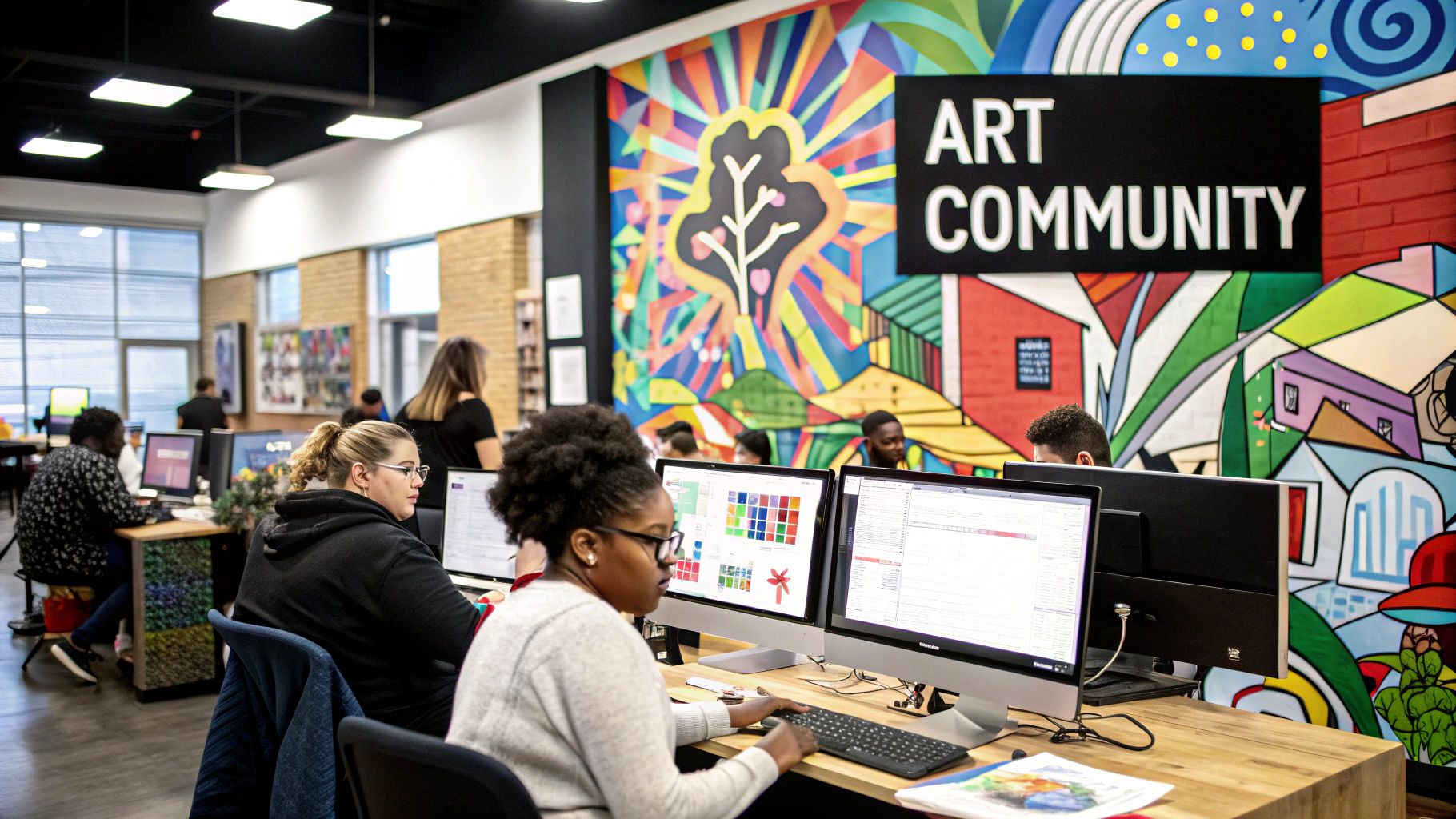
Cargo achieves this distinctive aesthetic through a range of features including design-forward templates that serve as a starting point for further customization. Its proprietary design system allows for advanced customization using unique interaction and animation options, specialized typography controls, and flexible project organization tools. Beyond visual customization, Cargo also supports custom domains and ensures mobile-responsive designs, crucial for reaching a broad audience.
Examples of Successful Implementation:
- Hassan Rahim's graphic design portfolio: showcases bold visuals and experimental typography, effectively using Cargo's strengths to create a strong impact.
- Cynthia Ruf's experimental design portfolio: leverages Cargo's flexibility to present a diverse range of projects with unique layouts and interactive elements.
- Jon Contino's typography and branding portfolio: demonstrates the platform's typography controls and customizability, creating a visually rich and engaging experience focused on his lettering expertise.
Tips for Using Cargo Effectively:
- Embrace the experimental nature: Don't be afraid to push boundaries and explore Cargo's unique features.
- Use layout options for visual impact: Cargo's strength lies in its layout flexibility; use it to create a visually arresting presentation of your work.
- Explore typography features: Typography is a key element of design. Leverage Cargo’s specialized controls to enhance your portfolio's visual identity.
- Join the Cargo community: Connect with other users for inspiration and learn from their experiences with the platform.
- Balance innovation with usability: While experimentation is encouraged, ensure your portfolio remains user-friendly, especially for client-facing work.
Pros:
- Highly distinctive aesthetic that sets you apart from the crowd.
- Popular among design industry professionals, signaling a current and forward-thinking approach.
- Balances ease of use with a wide range of design innovation capabilities.
- Strong focus on typography and layout, essential for visual communication.
- Access to a community of cutting-edge designers for inspiration and support.
Cons:
- Steeper learning curve than some more straightforward platforms.
- Less intuitive for presenting traditional portfolio needs, potentially requiring more creative problem-solving.
- Limited SEO and marketing features compared to dedicated website builders.
- Highly experimental designs can sometimes be less client-friendly than more conventional presentations.
Cargo deserves its place on this list because it offers a unique approach to online portfolio creation. It's an excellent choice for those seeking to express their creativity through their portfolio itself, pushing beyond the limitations of traditional platforms. While not suitable for everyone, Cargo is a powerful tool for designers and artists who want to make a strong statement with their online presence. This makes it a particularly attractive option for our target audience of visually-driven creatives, developers, and innovators who appreciate cutting-edge design and experimental approaches.
10. DeviantArt (www.deviantart.com)
DeviantArt stands as one of the largest online art communities and portfolio platforms globally, hosting a vast and diverse collection of artists ranging from hobbyists experimenting with their craft to seasoned professionals showcasing their polished work. Its unique blend of social media interaction, portfolio display, and community engagement makes it particularly popular among digital artists, illustrators, and fan art creators. This platform earns its spot on this list due to its immense potential for audience reach, vibrant community, and integrated features designed to facilitate both artistic growth and potential monetization.
How it Works: DeviantArt functions as a centralized hub where artists can upload their artwork, organize it into galleries, and share it with a massive built-in audience. The platform offers a variety of tools for artists to manage their presence, including customizable profiles, gallery organization features (folders and collections), and a tagging system for easy searchability. Beyond showcasing work, DeviantArt fosters a strong sense of community through features like groups, forums, challenges, contests, and even livestreaming capabilities.
Successful Examples: Numerous artists have leveraged DeviantArt to gain significant exposure and build a following. Notable examples include Artgerm (renowned for his striking digital illustrations), Loish (whose character design and digital painting gallery has garnered a massive fanbase), and Sakimichan (known for her distinctive stylized character art). Examining these established portfolios provides valuable insight into effective presentation and community engagement on the platform.
Tips for Using DeviantArt Effectively:
- Organize Your Work: Use folders and collections to categorize your work by theme, medium, or project. This makes it easier for viewers to navigate your gallery and find what they're looking for.
- Engage with the Community: Actively participate in groups, comment on other artists' work, and respond to feedback on your own pieces. This fosters connections and boosts your visibility within the community.
- Consider Core Membership: While the free basic membership offers a robust set of features, the Core membership unlocks additional benefits like advanced customization options, enhanced profile statistics, and exclusive community features that can further enhance your professional presence.
- Participate in Challenges and Contests: These events offer a great opportunity to gain exposure, receive feedback, and potentially win prizes.
- Leverage Relevant Groups: Joining and participating in groups related to your artistic style or interests can connect you with a targeted audience and potential collaborators.
When and Why to Use DeviantArt:
DeviantArt is an excellent platform for artists who value community interaction and seek a large potential audience. It's particularly well-suited for:
- Digital Artists and Illustrators: The platform's features and community lean heavily towards digital art, making it an ideal space for showcasing this type of work.
- Fan Art Creators: DeviantArt has a thriving fan art community, providing a supportive environment for artists creating work based on existing intellectual properties.
- Artists Seeking Community Feedback: The interactive nature of the platform makes it easy to receive feedback and engage in discussions about your work.
- Artists Exploring Monetization Options: DeviantArt offers integrated tools for selling prints and managing commissions, providing pathways to generate income from your art.
Pros:
- Huge potential audience and exposure
- Strong community engagement and feedback
- Multiple revenue options through commissions and prints
- Excellent for niche art communities
- Free basic membership with comprehensive features
Cons:
- Less professional perception than dedicated portfolio websites.
- Greater focus on community than direct client acquisition.
- Limited customization of portfolio appearance compared to standalone websites.
- High competition for visibility due to the sheer number of artists on the platform.
- Association with fan art and hobbyist work might not appeal to all professional artists.
Despite its drawbacks, DeviantArt remains a valuable platform for artists seeking exposure, community engagement, and potential monetization opportunities, particularly for those working in digital art, illustration, and fan art. Its extensive features, massive user base, and thriving community make it a powerful tool for artists at various stages of their careers.
Top 10 Online Art Portfolios: Quick Comparison
| Platform | Implementation Complexity 🔄 | Resource Requirements ⚡ | Expected Outcomes 📊 | Ideal Use Cases 💡 | Key Advantages ⭐ |
|---|---|---|---|---|---|
| Behance | Moderate – project-based setup with social layers | Low to Medium – freemium; advanced features need subscription | High exposure via massive community | Creative professionals seeking engagement | Robust community and Adobe integration |
| ArtStation | Moderate – optimized for detailed art display | Medium – freemium with Pro subscription options | High-quality, industry-specific portfolio impact | Digital artists in gaming, film, and media | Superior image handling and niche community |
| Squarespace | Easy to Moderate – drag-and-drop but some learning | Medium-High – subscription-based premium pricing | Professional, all-in-one online presence | Designers, photographers, creatives needing full service | Designer templates with integrated marketing |
| Adobe Portfolio | Easy – streamlined with Adobe Creative Cloud | Low – included with Creative Cloud subscription | Efficient portfolio updates and seamless workflow | Adobe CC users seeking minimal setup | Seamless Adobe integration and clean design |
| Carbonmade | Very easy – intuitive and straightforward | Low – affordable subscription plan | Fast deployment with focused presentation | Visual creatives desiring simplicity | User-friendly interface with playful simplicity |
| Wix Art Gallery Templates | Variable/High – extensive customization options | Flexible – freemium entry; premium plans unlock features | Robust portfolio with e-commerce capabilities | Artists requiring customizable galleries and online sales | Extreme flexibility with built-in marketing tools |
| Format | Easy – guided setup with professional templates | Medium – subscription-based with tiered features | Polished, high-quality showcase with client tools | Photographers and visual artists needing client interaction | Superior image presentation with integrated proofing |
| Flickr Pro | Moderate – combines social features with organization | Low-Medium – freemium; Pro enhances storage capacity | Comprehensive exposure with unlimited storage | Photographers with extensive collections | Unlimited storage and advanced organizational options |
| Cargo | Advanced – steeper learning curve with experimental tools | Medium – subscription-based for niche design | Innovative impact through distinctive presentation | Designers seeking experimental, avant-garde portfolios | Unique aesthetic with advanced typography |
| DeviantArt | Easy – user-friendly gallery with community focus | Low – freemium with premium membership options | Broad reach with strong community engagement | Digital artists and illustrators wanting social interaction | Massive audience and multiple revenue channels |
Crafting Your Digital Canvas: Key Takeaways for a Stunning Online Art Portfolio
From established platforms like Behance and ArtStation to versatile website builders like Squarespace and Wix, and even niche communities like DeviantArt and Cargo, the options for showcasing your art online are diverse and powerful. This exploration of ten distinct portfolio examples has highlighted the importance of tailoring your online presence to your specific artistic style, career aspirations, and technical capabilities. Remember, your portfolio isn't just a gallery; it's your digital canvas, a dynamic representation of your creative journey.
Key takeaways to remember as you build and refine your online portfolio include choosing the right platform, curating your best work, and presenting it in a visually compelling way. Consider the specific features and audience of each platform. Does it align with your target audience and the kind of opportunities you seek? Think about how your work is organized and presented. Is it easy to navigate? Does it tell a cohesive story about your artistic vision?
Before launching your online portfolio, make sure it's user-friendly. A seamless experience across devices is crucial for reaching a wider audience. Check out these helpful tips on website UX best practices from Roast My Web to ensure your portfolio offers an optimal viewing experience.
Mastering these concepts is essential for any artist, coder, or creative technologist looking to make a mark in the digital world. A strong online presence can open doors to new collaborations, commissions, exhibitions, and career opportunities. It allows you to connect with a global community of fellow artists, collectors, and potential clients. Regularly updating your portfolio with fresh work, engaging with your chosen community, and continuously refining your presentation will keep your digital canvas vibrant and relevant.
Ultimately, your online portfolio is an investment in your creative future. It's a powerful tool for expressing your unique artistic voice and connecting with the world. Keep exploring, keep creating, and let your digital canvas reflect the brilliance of your artistic vision. Platforms like Vibecoding VIP can provide further resources and guidance on integrating cutting-edge technology with your artistic endeavors, pushing the boundaries of your creativity.