Unleash Your Creativity with Processing
Want to create stunning visuals, interactive art, and engaging simulations? This listicle provides eight Processing programming examples to ignite your imagination and expand your coding skills. Learn to build everything from interactive particle systems and generative art with Perlin noise to real-time data visualizations and physics-based simulations. These Processing programming examples demonstrate how to translate code into compelling visual experiences, whether you're a seasoned developer or just beginning your creative coding journey. Explore these projects and discover the power of Processing.
1. Interactive Particle System
Interactive particle systems are a staple of creative coding and a fantastic way to explore the possibilities of Processing. They involve simulating numerous small particles, each behaving according to basic physics rules, to create dynamic, organic visuals. These systems can mimic natural phenomena like fire, smoke, or flowing water, or be used to create abstract, interactive art pieces. The system's responsiveness to user input, such as mouse movements or clicks, adds another layer of engagement, allowing for real-time manipulation and playful exploration. This makes interactive particle systems an excellent example of Processing's ability to blend code and art. This approach offers a powerful way to create visually stunning and engaging experiences, making it a worthy addition to any Processing programmer's toolkit.
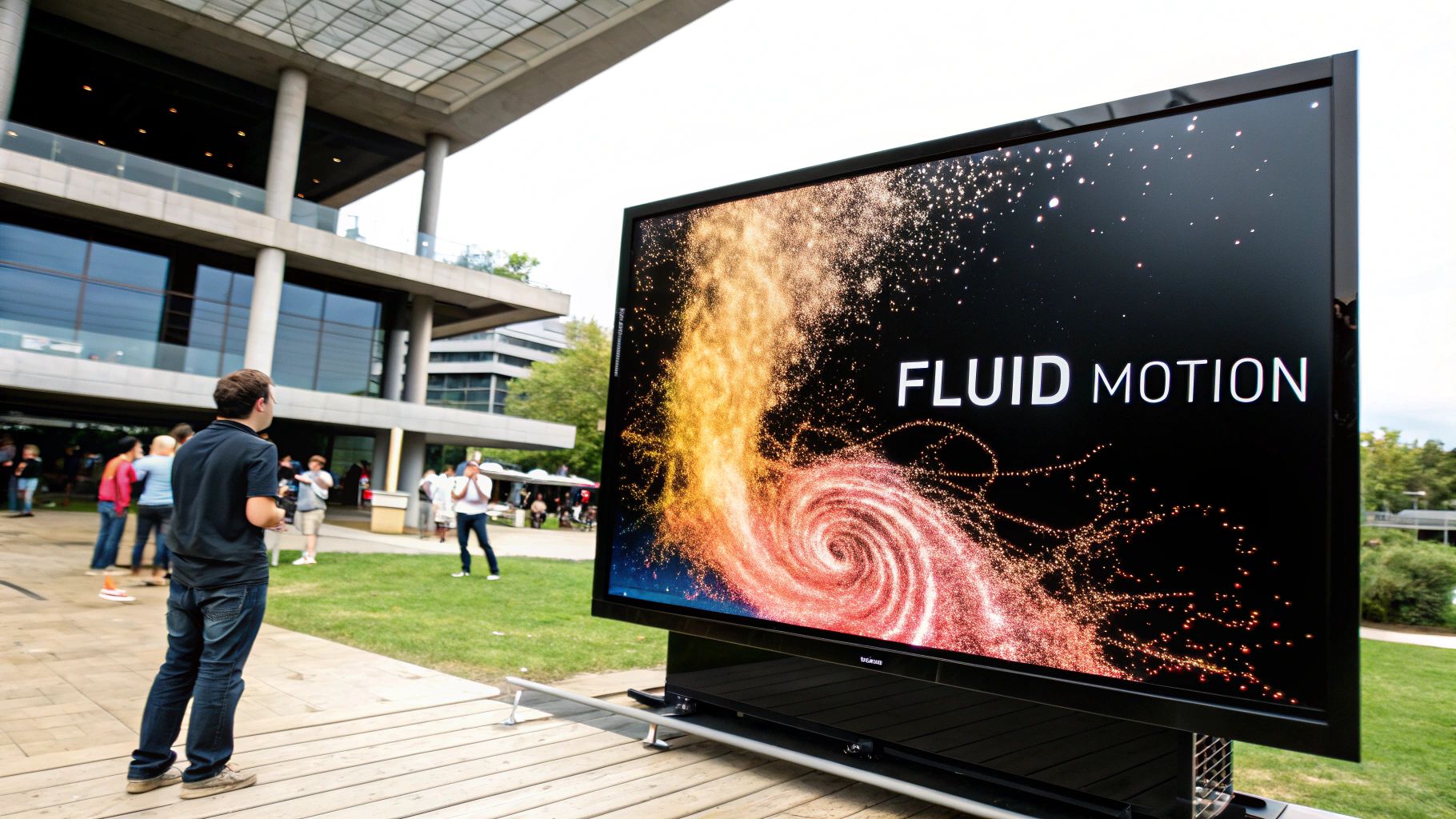
A typical implementation involves creating Particle and ParticleSystem classes. The Particle class handles individual particle properties like position, velocity, acceleration, color, size, and lifespan. Vector-based calculations govern the movement and interaction of each particle. The ParticleSystem class manages the creation, updating, and removal of particles, often incorporating user input to influence particle behavior. You might, for instance, have the mouse position act as an attractor or repeller for the particles. Learn more about Interactive Particle System (Note: While this link points to a general Three.js resource, ideally it would link to a Processing-specific particle system tutorial).
Features and Benefits:
- Real-time physics simulations: Brings your visuals to life with dynamic movement and interactions.
- Object-oriented approach: Promotes code organization and reusability through
ParticleandParticleSystemclasses. - Vector-based movement: Provides precise control over particle motion and interactions.
- Interactivity: Engages users by allowing them to influence the system in real-time.
- Customizable particle attributes: Offers extensive control over visual aspects like size, color, and lifespan.
Pros:
- Highly visual and engaging for users.
- Excellent for teaching fundamental physics and vector math concepts.
- Easily customizable for a wide range of visual effects.
- Clearly demonstrates object-oriented programming (OOP) principles.
Cons:
- Can be computationally intensive with a large number of particles.
- Requires a basic understanding of physics concepts.
- Performance may suffer on lower-end devices.
Examples in Action:
Interactive particle systems have found their way into diverse applications, from interactive art installations like Zachary Lieberman's "Play the World" to data visualization projects representing information flow. They're also a frequent highlight at creative coding exhibitions and media arts festivals.
Tips for Implementation:
- Use
PVectorfor managing particle movement and applying forces. - Implement a
deadboolean flag to efficiently manage particle lifecycle and remove inactive particles. - Structure your code using
display()andupdate()methods to separate rendering and logic. - Optimize for performance by removing inactive particles from the system.
- Introduce forces like gravity, wind, or attraction to create more realistic and complex behaviors.
Popularized By:
The widespread adoption of interactive particle systems in Processing can be attributed to influential figures like Daniel Shiffman, author of "The Nature of Code," and the educational resources provided by the Processing Foundation. Creative coders such as Joshua Davis and Robert Hodgin (Flight404) have also significantly contributed to their popularity through inspiring work. This example provides a solid foundation in Processing, blending visual appeal with core programming concepts, making it a valuable learning experience for aspiring and experienced coders alike.
2. Generative Art with Perlin Noise
Generative art with Perlin noise is a powerful technique within Processing programming examples that leverages a gradient noise function to create organic, natural-looking patterns and movements. Unlike random(), which produces abrupt, disconnected values, noise() generates smooth transitions between values, mimicking the subtle variations found in nature. This makes it ideal for simulating organic phenomena like terrains, clouds, textures, or even the flow of water in creative coding projects. This approach stands out amongst processing programming examples due to its ability to bridge the gap between predictable algorithms and visually stunning, seemingly random output.

Perlin noise operates in multiple dimensions (1D, 2D, 3D), allowing you to map its output to various parameters in your sketch. For example, in 2D, you might use noise values to determine the brightness of pixels in an image, creating a smooth, cloud-like texture. In 3D, you could use it to sculpt a terrain, where the noise value dictates the height of each point on the landscape. Its fractal capabilities, achieved by layering noise at different scales, further enhance the realism and complexity of the generated output. This controlled randomness is the key to achieving natural-appearing results, making it a staple in many processing programming examples.
Features and Benefits:
- Smooth, continuous pseudo-random values: Avoids the jarring jumps of traditional random number generators.
- Multi-dimensional noise mapping: Applicable to 1D, 2D, and 3D applications.
- Controlled randomness for natural-appearing results: Mimics organic variation.
- Fractal capabilities through noise layers at different scales: Adds depth and complexity.
- Predictable yet complex output: Allows for repeatable results while retaining visual richness.
Pros:
- Creates more organic, natural-looking results than pure randomness.
- Excellent for terrain generation, textures, and movement paths.
- Can be applied to nearly any parameter for subtle variation.
- Predictable yet complex output.
Cons:
- More complex to understand conceptually than basic random functions.
- Can be computationally expensive when used extensively.
- May require fine-tuning of parameters for desired results.
Examples:
- Terrain generation in games like Minecraft.
- Procedural texture generation in digital art.
- Natural-looking motion in animation and simulations.
- Generative landscapes by artists like Matt DesLauriers, Saskia Freeke, and Manolo Gamboa Naon.
Tips for Using Perlin Noise in Processing:
- Use
noise()instead ofrandom()for smoother transitions. - Adjust the noise scale (e.g., by multiplying the input to
noise()) to control the "granularity" of the pattern. Smaller scales produce finer details, while larger scales create broader variations. - Combine multiple noise functions at different scales (often called "octaves") for more complex and realistic patterns. This mimics fractal behavior found in nature.
- Map the noise values (which are typically between 0 and 1) to the appropriate range for your application (e.g., color values, positions, sizes).
- Use
noiseDetail()to control the character of the noise, influencing the number of octaves and their contribution to the final result.
When and Why to Use Perlin Noise:
Perlin noise is a valuable tool whenever you need to introduce controlled randomness with smooth transitions in your Processing sketches. It’s particularly well-suited for:
- Simulating natural phenomena: Creating realistic terrains, clouds, fire, or other organic forms.
- Generating procedural content: Building dynamic textures, patterns, and other visual elements.
- Creating organic movement: Implementing smooth, lifelike animation or simulating natural forces.
- Adding subtle variation: Introducing nuanced changes to parameters like color, size, or position.
By understanding the principles of Perlin noise and applying these tips, you can unlock a wide range of creative possibilities within your Processing projects and contribute to the rich tapestry of processing programming examples.
3. Real-time Data Visualization
Real-time data visualization in Processing offers a powerful way to transform dynamic data streams into interactive and visually compelling representations. This approach goes beyond static charts and graphs, allowing users to witness data evolve and uncover hidden patterns as they happen. It bridges the gap between raw numbers and human understanding, making complex information accessible and insightful. This method is especially relevant for processing programming examples because it showcases the framework's ability to handle dynamic inputs and create engaging visual outputs.

Processing's real-time visualization capabilities stem from its ability to dynamically render visuals based on changing data inputs. These inputs can be connected to live data sources through various methods such as APIs, serial connections (for sensor data, for example), or network streams. The framework supports a wide range of visualization techniques, including customizable charts, graphs, and even more abstract artistic representations. Features like interactive elements (e.g., mouseover tooltips, zoom functionality) further enhance user exploration and understanding of the data.
Real-time visualization shines in scenarios where understanding dynamic data is crucial. Consider the compelling examples of flight tracking visualizations that display global air traffic in real-time, offering a captivating view of the interconnected world. Similarly, during the COVID-19 pandemic, real-time data dashboards played a vital role in communicating the spread of the virus and informing public health decisions. Other impactful examples include social media trend analyzers that track trending topics and financial market visualization tools that show market fluctuations as they happen. Learn more about Real-time Data Visualization to explore the possibilities further.
Pros:
- Accessibility: Transforms complex data into easily understandable visual representations.
- Pattern Discovery: Unveils patterns and trends that might be missed in raw data.
- Live Data Handling: Processes and displays live data streams effectively.
- Customization: Offers extensive customization options compared to pre-built tools.
Cons:
- Optimization Challenges: Large datasets might require optimization for smooth rendering.
- Design Considerations: Careful design is essential to avoid misrepresentation of data.
- Asynchronous Data: Handling asynchronous data loading can introduce complexity.
Tips for Implementing Real-time Data Visualization in Processing:
- Data Import: Utilize
loadTable()orloadJSON()for efficiently importing data from CSV or JSON files. - Data Normalization: Employ the
map()function to normalize data values to your visualization's dimensions. - Code Organization: Consider using classes to structure and organize complex visualization components.
- Interactivity: Enhance user experience with interactive elements such as mouseover tooltips for providing additional information on data points.
- Smooth Transitions: Implement smooth transitions when data updates to create a visually appealing and less jarring experience.
Real-time data visualization in Processing has been significantly popularized by figures like Ben Fry (Processing co-creator) and his influential data visualization work, as well as Jer Thorp's innovative data art projects. News organizations like The New York Times have also leveraged Processing for their data journalism, showcasing its power in communicating complex information to a broad audience. Organizations like Information is Beautiful further demonstrate the impact of well-designed data visualizations. This technique is a valuable asset for any Processing programmer, offering a dynamic and engaging way to bring data to life.
4. Audio-Reactive Visualizations
Audio-reactive visualizations represent a compelling intersection of sound and visuals, offering a dynamic and engaging way to experience audio. This technique, a prime example of creative processing programming examples, analyzes audio input in real-time and translates its characteristics into visual elements. By leveraging Processing's sound libraries and Fast Fourier Transform (FFT) analysis, developers can create visualizations that respond to audio features like amplitude, frequency spectrum, and beat detection, resulting in synchronized visual experiences that enhance music or sound. This makes it a powerful tool for digital artists, VJs, and anyone interested in exploring the interplay between audio and visual mediums.
At its core, audio-reactive visualization involves capturing audio input, analyzing its frequency and amplitude data, and then mapping these data points to visual parameters like color, shape, size, and position. Imagine a circle pulsating with the bass drum, or lines dancing across the screen in sync with the melody. This is the power of audio-reactive visualization in action.
Features and Benefits:
- Real-time audio analysis using FFT: Breaks down the audio signal into its constituent frequencies, enabling visualizations to respond to specific frequency ranges.
- Beat detection algorithms: Identify rhythmic pulses in the audio, allowing for synchronized visual effects triggered by the beat.
- Frequency band isolation: Allows for targeted visual responses to different frequency ranges (e.g., bass, midrange, treble).
- Amplitude tracking: Visualizes the overall volume of the audio, creating dynamic changes in visual intensity.
- Input from microphone or audio files: Provides flexibility in audio sources, accommodating live performances and pre-recorded audio.
Pros:
- Creates synesthetic experiences connecting sound and visuals, enriching the overall experience.
- Enhances musical performances or listening experiences, adding a visual dimension to the audio.
- Demonstrates fundamental concepts of digital signal processing in a visually engaging manner.
- High engagement factor for audiences, captivating viewers with dynamic and synchronized visuals.
Cons:
- Requires additional libraries like Sound or Minim for audio processing.
- FFT analysis can be computationally demanding, potentially impacting performance on less powerful systems.
- May need calibration for different audio sources to optimize responsiveness.
- Potential latency issues affecting synchronization between audio and visuals.
Examples of Successful Implementation:
- Music visualizers for concerts and performances, creating immersive visual experiences for audiences.
- Interactive installations at museums and galleries, engaging visitors with dynamic and responsive art pieces.
- Robert Henke's 'Lumière' laser performances, showcasing the artistic potential of audio-reactive visuals.
- Audio-reactive projection mapping for architectural displays, transforming buildings into dynamic canvases.
Tips for Creating Audio-Reactive Visualizations in Processing:
- Use
minim.getLineIn()orAudioInobjects to capture audio input. - Apply smoothing to audio data to prevent jarring visual changes.
- Create arrays to store and compare previous audio frames for smoother transitions.
- Map specific frequency bands to different visual parameters (e.g., bass to size, treble to color).
- Implement thresholds for beat detection to create rhythm-synced events.
Why This Deserves a Place in the List: Audio-reactive visualizations are a powerful demonstration of Processing's capabilities for real-time data processing and creative coding. They offer a tangible and engaging way to explore digital signal processing, create interactive art, and enhance audio experiences. Learn more about Audio-Reactive Visualizations (Note: While this link doesn't specifically cover Processing, it offers valuable context on animation techniques that can be applied to audio-reactive visuals.)
Audio-reactive visualizations were popularized by visual music pioneers like Oskar Fischinger, and continue to be a staple in VJ culture and electronic music scenes. Artists like Ryoji Ikeda and Alva Noto push the boundaries of this art form, creating stunning minimalist visualizations driven by complex sound design. Even mainstream platforms like Microsoft's Xbox Music have embraced audio-reactive visualizations, showcasing their widespread appeal. This continued relevance and artistic potential solidify its place as a core processing programming example.
5. Physics-Based Simulations
Physics-based simulations in Processing offer a powerful way to breathe life into your digital creations by incorporating realistic movement and interactions. By implementing simplified physics models, you can simulate forces like gravity, friction, and collisions, creating dynamic and engaging experiences. This approach opens up a world of possibilities, from interactive games and educational tools to mesmerizing art installations and data visualizations. Processing's flexibility allows you to either leverage existing physics libraries like Box2D or build your own custom physics engine from the ground up, giving you fine-grained control over the simulated world.

This approach hinges on core physics concepts such as rigid body dynamics, which governs how objects move and rotate under the influence of forces. Collision detection algorithms identify when objects come into contact and calculate the resulting impulses. Force application, including gravity, wind, and springs, drives the movement and interactions within the simulation. Different integration methods, like Verlet integration, are employed to solve the equations of motion and update the objects' positions and velocities over time. Furthermore, constraint systems can be implemented to model joints and connections between objects, adding another layer of realism. More advanced simulations might delve into particle-based fluid dynamics to recreate the behavior of liquids and gases.
This item deserves its place in the list of processing programming examples due to its versatility and wide applicability. It showcases the power of Processing to not only generate visuals but also simulate complex systems. The intuitive nature of physics-based interactions resonates with users, making this approach ideal for creating engaging and understandable experiences.
Features and Benefits:
- Rigid body dynamics and collision detection: Simulate realistic interactions between solid objects.
- Force application (gravity, wind, springs): Control the movement and behavior of objects within the simulation.
- Integration methods for solving motion equations: Accurately update the state of the simulation over time.
- Constraint systems for joints and connections: Create complex articulated structures and mechanisms.
- Particle-based fluid dynamics: Simulate the behavior of liquids and gases.
Pros:
- Creates convincing, natural movement for digital objects.
- Useful for both educational purposes and creative applications.
- Provides intuitive interactions based on real-world expectations.
- Can simulate complex systems with relatively simple rules.
Cons:
- Computationally intensive for complex or numerous objects.
- May require understanding of physics concepts and differential equations.
- Finding the right balance between accuracy and performance can be challenging.
- Debugging unexpected physics behavior can be difficult.
Examples of Physics-Based Simulations in Processing:
- Interactive pendulum simulations for teaching mechanics.
- Crowd behavior models using particle systems.
- Soft-body physics for cloth or fluid simulations.
- Bridge or structure simulations demonstrating engineering principles.
Tips for Implementing Physics-Based Simulations:
- Use
PVectorobjects to manage position, velocity, and acceleration. - Implement Verlet integration for more stable simulations.
- Consider using established libraries like Box2D for more complex physics.
- Separate the physics update step from the rendering step for better performance.
- Use time-based movement instead of frame-based for consistent behavior across different frame rates.
Influential Figures and Projects:
- Daniel Shiffman's "The Nature of Code" provides excellent resources and tutorials on physics simulations in Processing.
- Cinder and openFrameworks offer powerful frameworks and examples for physics-based applications.
- Games like Angry Birds have popularized physics-based gameplay.
- Thomas Jakobsen's work on Verlet integration has been influential in the game development community.
When and why should you use this approach? Physics-based simulations are invaluable when realism and dynamic interaction are paramount. Whether you're building a game with realistic physics, creating an educational tool to visualize scientific concepts, or crafting an interactive art piece, this approach provides a powerful and engaging way to bring your Processing projects to life. It is a crucial example for anyone looking to expand their processing programming examples repertoire.
6. Computer Vision and Interaction
Computer Vision and Interaction represents a powerful application of Processing programming, enabling the creation of dynamic and engaging experiences that respond to real-world visual input. This approach bridges the gap between the physical and digital realms, allowing users to interact with software through movement, gestures, and even facial expressions. This makes it a compelling addition to our list of processing programming examples, offering unique possibilities for human-computer interaction.
Leveraging libraries like OpenCV for Processing, developers can access a wealth of computer vision algorithms and tools. These facilitate real-time video processing and analysis, enabling features like motion detection, face tracking, color tracking, and gesture recognition. Essentially, your Processing sketch can "see" and interpret the world around it, opening up a whole new dimension for interactive applications.
How it Works:
The basic principle involves capturing video input from a connected camera. This video stream is then processed frame by frame, applying computer vision algorithms to extract meaningful information. For example, motion detection algorithms identify changes in pixel values between frames, indicating movement. Face tracking algorithms locate and track facial features within the frame. This extracted information can then be used to control parameters within your Processing sketch, triggering visual effects, sounds, or other actions.
Features and Benefits:
- Real-time video processing and analysis: Analyze live video feeds to react instantly to visual changes.
- Motion detection and tracking algorithms: Track movement of objects or people within the camera's view.
- Facial recognition and feature tracking: Identify and track faces, even specific facial features like eyes or mouth.
- Blob detection for identifying distinct objects: Isolate and track individual objects based on their shape and color.
- Gesture recognition and pose estimation: Interpret hand gestures or body poses as input commands.
- Augmented reality capabilities: Overlay digital information onto the real-world view captured by the camera.
Pros:
- Intuitive, body-based interactions: Create engaging experiences without relying on traditional controllers.
- Responsive environments and installations: Build dynamic installations that react to audience presence and movement.
- Accessibility options through gesture control: Offer alternative interaction methods for users with disabilities.
- Novel forms of human-computer interaction: Explore innovative ways for humans to interact with technology.
Cons:
- Lighting conditions: Requires consistent and adequate lighting for reliable detection.
- Processing power: Can be computationally intensive, particularly with high-resolution video.
- Privacy concerns: Raises ethical considerations when capturing and analyzing video of individuals, especially in public spaces.
- Calibration: Often requires calibration to adapt to different environments and lighting conditions.
Examples:
- Interactive museum installations that respond to visitor movements.
- Gesture-controlled music applications like the V-Motion Project.
- Interactive art installations by artists like Rafael Lozano-Hemmer.
- Kyle McDonald's 'Sharing Faces' project, which connects strangers through facial tracking.
Tips for Processing Programming Examples using Computer Vision:
- Background subtraction: Use background subtraction techniques for more robust motion detection by isolating moving objects from a static background.
- Noise reduction: Apply Gaussian blur before threshold operations to reduce noise and improve accuracy.
- Calibration mode: Include a calibration mode in your sketch to adjust for varying lighting conditions.
- Smoothing: Implement hysteresis or smoothing techniques to prevent jittery responses from noisy data.
- Ethics: Carefully consider the ethical implications of capturing and analyzing video data, particularly in public settings. Be transparent about data usage and obtain consent when necessary.
Popularized By:
The use of computer vision in interactive art and installations has been pioneered and popularized by artists and researchers like Golan Levin, Zach Lieberman and the openFrameworks community, media labs at MIT and other research institutions, and Rebecca Allen's early work in computer vision art.
This approach is ideal for creating interactive installations, performances, and applications where user interaction is paramount. From artistic explorations to practical applications in accessibility and human-computer interaction, Computer Vision and Interaction offers a rich and exciting avenue for Processing programmers. Whether you're an aspiring vibe coder, experienced software developer, or digital artist, exploring these techniques can open a world of creative possibilities.
7. Recursive Patterns and L-Systems
Recursive Patterns and L-Systems offer a powerful approach to generating complex and often organic-looking visuals within Processing. This technique earns its place on this list of processing programming examples due to its ability to create intricate designs from surprisingly simple rules, making it a valuable tool for anyone interested in generative art, simulations, or algorithmic design. It showcases how simple, iterative processes can yield complex and visually appealing results, a cornerstone of many compelling processing sketches.
L-systems, formally known as Lindenmayer systems, are a type of formal grammar system. In essence, you define an axiom (a starting string) and a set of rules that dictate how characters in the string are replaced over successive generations. Recursion plays a crucial role in applying these rules repeatedly, creating self-similar patterns at different scales. Imagine a simple rule that replaces the letter "F" with "F+F–F+F". With each iteration, this rule expands the string, leading to increasingly complex branching patterns that, when interpreted using turtle graphics, can resemble the growth of a plant.
Here's how it works within a Processing context:
-
Define the Axiom and Rules: You start by defining the initial string (axiom) and the replacement rules. For example:
- Axiom: "F"
- Rule: F -> F+F–F+F
-
Iterate and Apply Rules: A loop iterates a specified number of times (generations). In each iteration, the rules are applied to the current string, replacing characters according to the defined rules.
-
Turtle Graphics Interpretation: The resulting string is then interpreted using turtle graphics. Typically, "F" signifies "move forward and draw a line," "+" signifies "turn right," and "-" signifies "turn left." This translates the abstract string into a visual representation.
Features and Benefits:
- Self-similar structure generation at different scales: L-systems excel at creating fractal-like patterns where similar structures appear at varying levels of magnification.
- Rule-based generation: The formal grammar system provides a concise and powerful way to define complex patterns.
- Branching algorithms: L-systems are particularly well-suited for simulating branching structures found in nature, such as plants and trees.
- Iterative refinement: The process of applying rules over multiple generations allows for gradual development and refinement of the pattern.
Examples of Successful Implementation:
- Plant modeling systems: Algorithmic botany projects extensively use L-systems to realistically model plant growth and development.
- Fractal landscapes: L-systems can generate realistic-looking terrain and fractal landscapes in computer graphics.
- Generative art: Artists like Jared Tarbell have employed L-systems to create stunning generative art pieces.
- Architectural design explorations: Architects have explored using recursive patterns and L-systems for generating innovative building designs.
Pros:
- Creates complex, organic-looking structures from simple rules.
- Excellent for modeling natural growth patterns and biological forms.
- Produces interesting visual results with minimal code.
- Can generate infinite variations by modifying parameters.
Cons:
- Can become computationally expensive with many iterations.
- Recursive functions risk stack overflow with deep recursion.
- May be conceptually challenging for beginners.
- Difficult to predict the exact visual outcome from initial rules.
Tips for Implementation in Processing:
- Define a base case: This prevents infinite recursion and stack overflow errors. For example, limit the number of generations.
- Use
PushMatrix()andPopMatrix(): These functions are essential for managing transformations (translation and rotation) in recursive drawing routines, ensuring that each branch is drawn correctly relative to its parent. - Control recursion depth: Use a parameter to limit the number of recursive calls, preventing performance issues.
- Implement a caching system: For computationally intensive L-systems, caching the results of repeated calculations can significantly improve performance.
- Add randomness parameters: Introduce randomness into the rules (e.g., varying branch lengths or angles) for more natural-looking variations.
Popularized By:
- Aristid Lindenmayer, who developed L-systems in 1968.
- Benoit Mandelbrot's work on fractal geometry.
- Algorithmic artists like William Latham.
- The book The Algorithmic Beauty of Plants by Przemyslaw Prusinkiewicz and Aristid Lindenmayer.
By understanding and applying the principles of recursive patterns and L-systems, you can unlock a powerful tool for creating captivating and complex visuals within your Processing projects. This technique offers a compelling blend of mathematical elegance and artistic expression, making it a valuable asset for any creative coder.
8. Genetic Algorithms and Evolution Simulations
Genetic algorithms and evolution simulations represent a fascinating application of evolutionary computing principles within Processing programming examples. They offer a unique approach to problem-solving and generative design by mimicking the processes of natural selection. This technique allows developers to evolve optimal solutions or generate interesting emergent behaviors in their Processing sketches.
Instead of explicitly programming a solution, genetic algorithms operate on a population of potential solutions. Each solution is represented by a set of parameters (its "genes"). These solutions are then subjected to a cycle of evaluation, selection, crossover (recombination), and mutation across multiple generations. This iterative process gradually refines the population towards better solutions.
Here's how it works in the context of Processing programming examples:
-
Initialization: A population of initial solutions is randomly generated. In a simulation of evolving creatures, for instance, each creature's genes might define its physical characteristics or behavior.
-
Evaluation (Fitness Function): Each solution's "fitness" is evaluated based on a predefined function. This function measures how well the solution performs against the desired objective. For example, in the creature simulation, fitness could be based on how far the creature can walk.
-
Selection: Solutions with higher fitness scores are more likely to be selected for "reproduction." This mirrors natural selection, where fitter individuals are more likely to survive and pass on their genes.
-
Crossover (Recombination): Selected solutions are paired, and their genes are combined to create offspring. This introduces new combinations of traits into the population.
-
Mutation: Random changes are introduced to the genes of some offspring. This crucial step maintains genetic diversity and prevents the algorithm from getting stuck at local optima.
-
Iteration: The new generation of solutions replaces the previous one, and the cycle repeats from step 2. Over many generations, the population evolves towards better solutions.
Examples in Processing:
- Evolving Virtual Creatures: Similar to Karl Sims' groundbreaking work, you can create virtual creatures in Processing whose morphology and behavior evolve over time to achieve goals like walking, swimming, or jumping.
- Smart Rockets: Simulate rockets that learn to navigate complex environments with obstacles, evolving their control strategies through a genetic algorithm.
- Image Evolution: Create programs where images evolve to approximate a target image, demonstrating the power of genetic algorithms for image processing and synthesis.
- Generative Art: Employ Genetic Programming, a specialized form of genetic algorithms, to evolve algorithms that generate unique and aesthetically pleasing art.
Why use Genetic Algorithms in Processing?
- Find Solutions without Explicit Programming: They are particularly useful when the solution space is complex and difficult to define programmatically.
- Emergent Behavior: They can lead to unexpected and creative results, making them ideal for generative art and artificial life simulations.
- Multi-Parameter Optimization: Effective for optimizing systems with many interacting parameters.
- Visual Demonstration of Natural Selection: Processing's visual nature allows for compelling visualizations of the evolutionary process.
Pros:
- Can find solutions to complex problems without explicit programming.
- Creates emergent behaviors and unexpected results.
- Effective for multi-parameter optimization.
- Visually demonstrates principles of natural selection.
Cons:
- Computationally intensive, especially for large populations.
- Requires careful design of the fitness function.
- May converge to local optima instead of global solutions.
- Results can be unpredictable and difficult to replicate exactly.
Tips for Implementation in Processing:
- Start Small: Begin with small population sizes and simple fitness functions to understand the dynamics.
- Elitism: Preserve the best solutions across generations to ensure progress.
- Balance Selection Pressure: Maintain genetic diversity by not overly favoring the fittest individuals.
- Visualize: Use Processing's visualization capabilities to understand the algorithm's behavior.
- Object-Oriented Design: Structure your code using objects to represent genes, individuals, and populations.
Popularized By:
- John Holland, the pioneer of genetic algorithms.
- Karl Sims' "Evolved Virtual Creatures."
- Daniel Shiffman's "The Nature of Code."
- Interactive artists like Christa Sommerer and Laurent Mignonneau.
Genetic algorithms offer a powerful and creative approach to programming in Processing. By understanding their principles and following the tips outlined above, you can leverage this technique to create compelling simulations, optimize complex systems, and explore the fascinating world of emergent behavior. This approach makes it a valuable addition to any Processing programmer's toolkit, particularly for those exploring processing programming examples related to generative art, artificial life, and optimization.
Processing Programming Examples: 8-Point Comparison
| Title | 🔄 Complexity | ⚡ Efficiency | 📊 Outcomes | 💡 Ideal Use Cases | ⭐ Advantages |
|---|---|---|---|---|---|
| Interactive Particle System | Moderate OOP design with interactive elements; demands physics computations | May become intensive with large numbers of particles | Dynamic, fluid-like animations driven by real-time physics | Interactive art installations, creative coding demos, educational simulations | Highly visual, customizable, and effective for teaching fundamental physics concepts |
| Generative Art with Perlin Noise | Moderate; requires understanding noise functions and parameter fine-tuning | Can be computationally heavy if applied extensively | Smooth, organic patterns with natural transitions | Terrain generation, texture creation, natural movement simulations | Produces natural-looking, complex visuals from simple rules |
| Real-time Data Visualization | High; involves asynchronous data handling and integration | Resource heavy with large datasets; optimization is essential | Dynamic visuals that transform data into insightful, comprehensible representations | Dashboards, data journalism, live monitoring systems | Highly customizable and effective in making complex data accessible |
| Audio-Reactive Visualizations | High; real-time audio processing with FFT and beat detection adds process complexity | Processing intensive; synchronization challenges may occur | Synchronized visuals that respond in real time to audio characteristics | Music visualizers, live performance installations, interactive audio exhibits | Creates immersive, synesthetic experiences by linking sound and visuals |
| Physics-Based Simulations | High; involves complex physics calculations and potential debugging challenges | Computationally demanding when simulating numerous or complex interactions | Realistic movement and object interactions simulating natural forces | Educational tools, games, scientific simulations, interactive demos | Provides authentic, intuitive physical behaviors based on real-world physics principles |
| Computer Vision and Interaction | High; requires integration of video input, motion detection, and calibration | Resource intensive; performance relies on hardware capabilities | Real-time, responsive interactions based on visual input and motion detection | Interactive installations, gesture controls, augmented reality applications | Enables intuitive, non-contact interactions and innovative user experiences |
| Recursive Patterns and L-Systems | Moderate to high; recursion and formal grammar systems can be conceptually challenging | May become computationally expensive with deep iterations | Intricate, fractal-like patterns and self-similar structures emerging from simple rules | Generative art, plant modeling, architectural design explorations | Generates complex, organic patterns with minimal code through simple iterative rules |
| Genetic Algorithms and Evolution Simulations | High; involves developing evolutionary logic and designing effective fitness functions | Highly computational; efficiency depends on managing population size | Evolving designs and emergent optimal solutions over successive generations | Procedural content generation, optimization tasks, evolutionary art | Uncovers innovative solutions and showcases natural selection principles without explicit programming |
Level Up Your Coding with Vibecoding VIP
Throughout this article, we've explored a diverse range of processing programming examples, from interactive particle systems and generative art with Perlin noise to the complexities of computer vision and genetic algorithms. We've seen how Processing can be used to create stunning visuals, engaging simulations, and even practical tools for data visualization and real-time interaction. Key takeaways include the power of leveraging noise functions for organic forms, the importance of efficient coding for real-time performance, and the creative potential unlocked by combining different techniques, like audio-reactive visuals with physics-based simulations.
Mastering these concepts and approaches using processing programming examples isn't just about creating visually appealing sketches. It's about developing a deeper understanding of computational thinking, algorithmic problem-solving, and the underlying principles that govern dynamic systems. Whether you're an aspiring vibe coder, a seasoned software developer, a digital artist, or an educator, these skills are invaluable in today's rapidly evolving technological landscape. They empower you to translate abstract ideas into tangible forms, to explore complex data sets in intuitive ways, and ultimately, to create innovative and impactful experiences.
Ready to take your Processing skills to the next level? Explore Vibecoding VIP for a curated collection of resources, tools, and even more processing programming examples to enhance your creative coding journey. Discover new possibilities, connect with a community of passionate developers, and unlock the full potential of Processing. The only limit is your imagination.