Why Project-Based Learning Transforms Coding Education
Traditional coding education often resembles memorizing a dictionary. You learn the words but can't construct sentences. Students may grasp individual syntax rules but struggle to apply them practically. This is where project-based learning coding excels, changing how students learn and retain information.
Project-based learning (PBL) connects theory to practical application. Students work on projects that mirror real-world challenges, instead of isolated exercises. Imagine building a simple web application rather than just learning HTML tags. This hands-on experience allows students to see the impact of their code, fostering a deeper understanding of programming concepts.
Deeper Learning and Increased Engagement
PBL boosts engagement by making learning relevant. Students are actively creating, not passively absorbing. This shift increases motivation and ownership over the learning process. Additionally, project-based learning coding builds crucial problem-solving skills. When students encounter bugs, they learn to debug, troubleshoot, and think critically – vital skills for any programmer.
This method has a positive impact. PBL has proven effective in teaching coding and improving problem-solving skills, particularly for young women. It fosters engagement and promotes a practical understanding of applications. Through real-world projects, students build confidence, collaborate, and develop lifelong learning habits. Discover more about PBL's impact on young women in tech here. These benefits translate into stronger portfolios and better preparation for the tech industry.
Collaboration and Real-World Skills
Project-based learning coding prepares students for the collaborative nature of professional software development. Many projects encourage teamwork, teaching students how to communicate, share code, and manage version control using tools like Git. These are invaluable skills, often overlooked in traditional curricula. Graduates are not only technically proficient, but also possess the interpersonal skills to thrive in team environments.
Preparing for the Future of Coding
By incorporating industry-standard tools and practices, PBL bridges the gap between education and the professional world. Students gain familiarity with workflows and technologies used in their future careers. This practical experience makes graduates more employable and ready to contribute from day one. The project-based approach instills a growth mindset, encouraging students to view challenges as learning opportunities. This adaptability is essential in the evolving tech world.
Crafting Coding Projects That Engage All Skill Levels
Creating coding projects that cater to different skill levels can be a challenge. It requires a careful balance between pushing advanced learners and providing support for beginners. Scaffolding is a key technique for achieving this balance. Scaffolding offers structured support while still allowing students to tackle appropriately challenging aspects of a project. Think of it like the temporary supports used during construction – they're essential for the building process, but removed once the structure is self-sufficient.
Scaffolding Techniques for Differentiated Instruction
Scaffolding in project-based learning coding can take several forms. For beginners, providing starter code, pre-built functions, or detailed instructions can be incredibly helpful. This allows them to focus on core concepts without getting lost in complex setup or syntax. More experienced students, on the other hand, benefit from open-ended tasks that encourage research, experimentation, and the implementation of more sophisticated solutions. This tiered approach ensures everyone is challenged appropriately.
- Starter Code: Provide a base project with core functionality already in place.
- Modular Design: Break down the project into smaller, more manageable modules.
- Targeted Resources: Offer specific tutorials or documentation relevant to each skill level.
- Open-Ended Extensions: Encourage advanced learners to explore additional features or integrations.
This personalized learning experience keeps students engaged and minimizes frustration, maximizing learning outcomes for everyone. For further insights, consider exploring resources like How to master PBL with examples.
Incorporating Student Choice While Maintaining Learning Objectives
While structure is important, offering student choice within projects significantly boosts engagement. This allows students to personalize their projects while still meeting the core learning objectives. For example, if the goal is to understand loops and arrays, students might choose to create a game, a data visualization tool, or a simple animation. Each of these projects utilizes the same core programming concepts, while allowing for individual expression. This connection with personal interests enhances the learning process.
Connecting Projects to Real-World Applications
Projects that connect to real-world problems are inherently more engaging. This relevance makes the learning experience more meaningful and motivates students to invest more deeply in their work. Imagine building a simple weather app instead of just abstractly learning about APIs. The tangible outcome demonstrates the practical value of coding skills. Furthermore, project-based learning in coding education has wide-reaching benefits, impacting diverse learners across various subjects. A Stanford University study, for example, showed improvements not only in STEM subjects but also in humanities for sixth graders engaged in project-based learning. English as a Second Language (ESL) students also demonstrated significant gains in language proficiency. Learn more here.
Choosing the Right Programming Tools
Selecting appropriate tools is essential for project-based learning coding success. The tools should align with both the project's complexity and the students' skill levels. For beginners, visual programming languages like Scratch or block-based coding environments are excellent starting points. As students progress, they can transition to text-based languages like Python or JavaScript, which offer greater flexibility and power. The key is to choose tools that support the learning objectives without introducing unnecessary technical hurdles.
Troubleshooting and Support
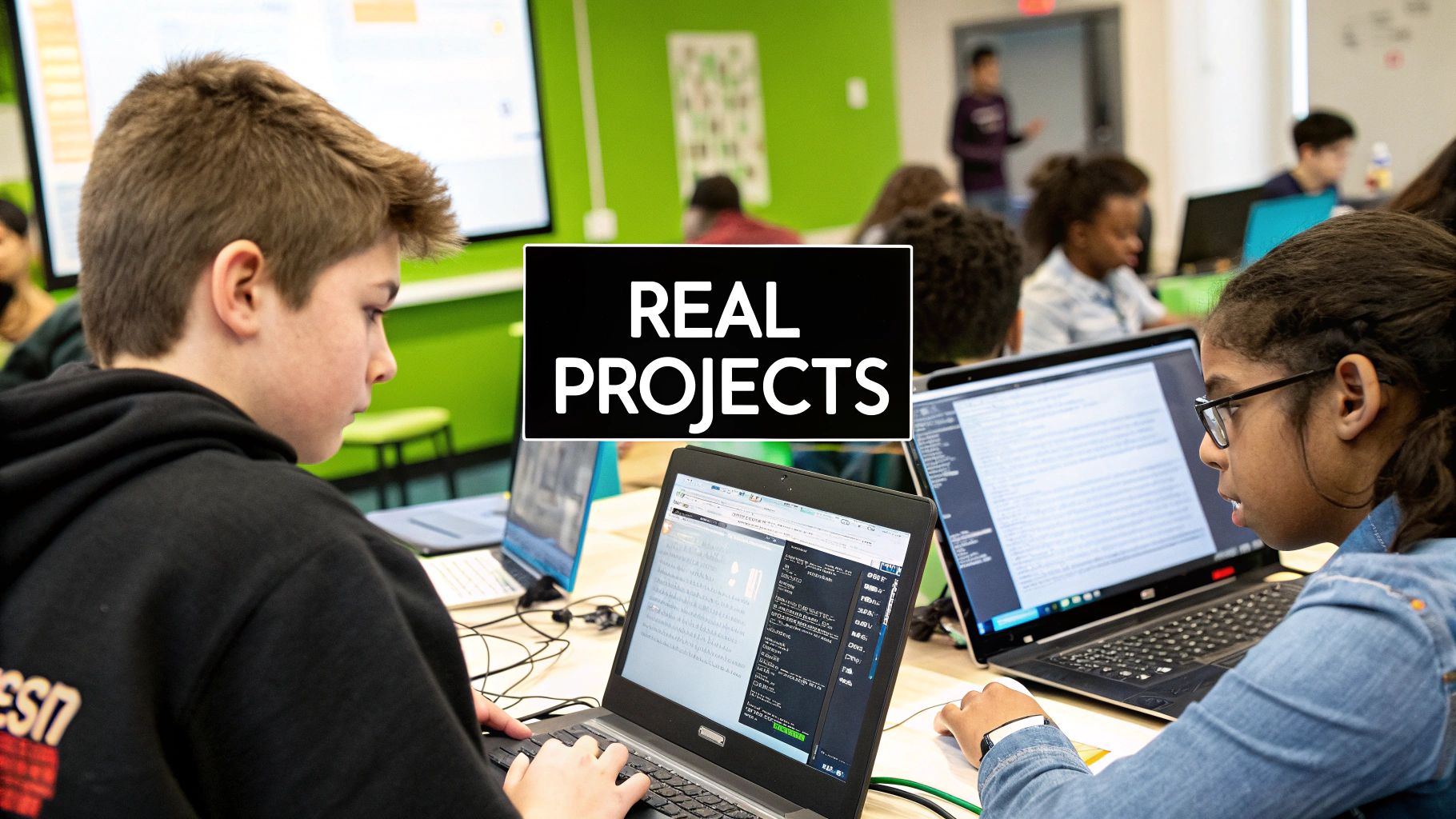
Even with careful planning, students will inevitably encounter challenges during project implementation. Providing adequate support and guidance is crucial for maintaining motivation and ensuring successful project completion. This might involve setting up a dedicated help forum, scheduling regular check-ins, or providing access to debugging tools. By fostering a supportive learning environment, students are empowered to overcome challenges and experience the satisfaction of building something from scratch. These well-designed coding projects equip students with both the technical skills and the problem-solving mindset necessary to thrive on their coding journey.
Reimagining Assessment in Project-Based Coding
Traditional assessment methods, like multiple-choice quizzes and rote memorization tests, often fail to capture the multifaceted learning that takes place in project-based coding environments. These methods tend to focus on evaluating syntax and individual concepts, overlooking the essential soft skills and problem-solving abilities vital for real-world coding success. This highlights the need for authentic assessment, aligning evaluation with the complexities of project-based learning in coding.
Moving Beyond Traditional Grading: Embracing Authentic Assessment
Authentic assessment emphasizes evaluating student performance in real-world scenarios. This means shifting away from abstract quizzes and towards evaluating the process and product of project development. Instead of simply testing a student's ability to define a "for loop," we assess how well they can apply loops creatively within their projects. This approach offers a more accurate gauge of a student's coding proficiency and their potential to succeed in a professional environment.
Creating Rubrics That Balance Technical Accuracy and Creativity
Developing effective rubrics is crucial for authentic assessment. These rubrics should assess not only technical proficiency but also critical thinking, creativity, and collaboration. A well-designed rubric might allocate points for code functionality, code clarity, design innovation, and teamwork contributions. This balanced approach acknowledges that successful coding involves more than just writing functional code; it requires innovative thinking and effective collaboration. For example, a rubric could incorporate criteria for commenting and code organization, mirroring best practices in professional software development using tools like GitHub.
To illustrate the difference between traditional and project-based assessments, let's look at the following comparison:
To illustrate the difference between traditional and project-based assessments, let's look at the following comparison:
Assessment Methods Comparison for Coding Projects
| Assessment Method | Benefits | Limitations | Best Used For |
|---|---|---|---|
| Multiple-Choice Quizzes | Easy to administer and grade; Covers a broad range of concepts quickly. | Does not assess practical application or problem-solving skills; Susceptible to rote memorization without true understanding. | Assessing basic syntax and conceptual knowledge. |
| Rote Memorization Tests | Quick assessment of factual recall. | Limited value in evaluating real-world coding abilities; Encourages surface-level learning. | Checking understanding of definitions and terminology. |
| Project-Based Assessments | Evaluates practical application, problem-solving, and creativity; Mirrors real-world coding scenarios; Develops crucial soft skills. | More time-consuming to grade; Requires carefully designed rubrics. | Assessing overall coding proficiency and potential for professional success. |
This table highlights how project-based assessments offer a more comprehensive evaluation of student learning compared to traditional methods.
Authentic Assessment Through Demonstrations and Portfolios
Project demonstrations and portfolios provide valuable tools for authentic assessment. Demonstrations allow students to present their projects, explain their design choices, and showcase their problem-solving process. Portfolios, on the other hand, offer a curated collection of a student's best work, demonstrating growth and skill development over time. These methods offer valuable insights into a student's understanding and abilities that traditional tests often miss. Moreover, portfolios can serve as a valuable asset when students seek internships or employment.
Harnessing Peer Review for Meaningful Feedback
Peer review presents a valuable opportunity for students to learn from each other and hone their critical evaluation skills. When students review each other's code, they gain a deeper understanding of different coding approaches and identify areas for improvement in their own work. This process also fosters crucial communication and collaboration skills, essential in professional software development environments. Structured peer review processes, guided by clear rubrics and facilitated discussions, ensure constructive and beneficial feedback for everyone involved.
Formative Assessment for Ongoing Learning
While summative assessment evaluates learning at the end of a project, formative assessment provides continuous feedback throughout the project lifecycle. This could involve regular code reviews, check-ins with instructors, or peer feedback sessions. Formative assessment enables students to identify areas for improvement early on, preventing small misunderstandings from becoming major problems. This approach shifts the emphasis from simply measuring outcomes to supporting continuous learning and growth. For example, short quizzes on key concepts can be integrated into the project workflow to ensure a solid foundation before students move on to more complex tasks. Tools like Google Forms can be used to facilitate these quizzes. This continuous feedback loop, much like the Agile development process, ensures that students are constantly learning and adapting their skills.
Building Industry-Ready Technical Skills Through Projects
Theoretical coding knowledge is like having all the ingredients for a delicious cake but lacking the baking know-how. Project-based learning (PBL) provides the recipe and the oven, empowering students to transform raw knowledge into functional, real-world applications. This hands-on approach fosters a deeper understanding of programming concepts and cultivates the essential technical skills employers value.
Aligning Projects With Specific Technical Competencies
Different project types intentionally cultivate specific technical skills. For instance, a web development project naturally incorporates skills in HTML, CSS, and JavaScript. Building a mobile app, conversely, might involve languages like Swift or Kotlin. Carefully selecting project types allows educators to systematically build a student's technical repertoire.
Structuring Projects for Skill Development and Creativity
Effective PBL projects blend structured learning with opportunities for creative problem-solving. This balance is achieved by providing a clear project framework while allowing students flexibility in implementation. Imagine a jazz musician improvising within the structure of a musical piece. They follow a melody and chord progression yet express their unique style within those constraints. Similarly, coding projects can provide specific goals and constraints while encouraging personal expression.
This structured approach facilitates the systematic development of fundamental programming concepts. Early projects could focus on variables, data types, and control flow. As students progress, subsequent projects can introduce more complex topics like object-oriented programming and data structures. For additional resources, consider checking out How to master your coding journey. This progressive approach builds a solid foundation and prevents students from feeling overwhelmed.
Integrating Industry-Standard Practices
PBL offers the perfect environment to introduce industry-standard practices like version control, documentation, and testing. Often overlooked in traditional coding education, these practices are essential for professional success. Incorporating tools like Git for version control and emphasizing well-documented code prepares students for collaborative software development. Introducing testing frameworks early on instills the importance of code reliability and cultivates a robust coding style. This means students not only learn to code but learn how to code professionally.
Designing Project Sequences for Progressive Skill Building
A well-designed PBL curriculum incorporates a sequence of projects that progressively build technical sophistication. Early projects might involve simple command-line applications, gradually advancing to more complex projects like web or mobile applications. This scaffolded approach allows students to build upon their existing knowledge and skills, continually expanding their capabilities. Connecting project work to real-world applications further motivates students and demonstrates the practical value of their skills.
In higher education, PBL has shown promising results, even outside of computer science. A study at Prairie View A&M University showed significant improvement in statistical knowledge among students exposed to PBL in a statistics course, with over 90% reporting enjoyment. Find more detailed statistics here: https://infonomics-society.org/wp-content/uploads/Project-Based-Learning-in-College-Level-Statistics.pdf. This highlights the adaptability and effectiveness of PBL across various disciplines. This structured yet flexible approach helps students develop a strong foundation in fundamental coding concepts, as well as the problem-solving skills, creativity, and professional practices necessary for success in the tech industry.
Fostering Collaboration Through Team Coding Projects
Professional coding is rarely a solo endeavor. Most software development takes place within teams, demanding consistent communication, collaboration, and shared problem-solving. However, many coding education programs don't emphasize this crucial aspect. Project-based learning offers a practical solution, providing opportunities for students to develop essential collaboration skills through structured team experiences.
Building Collaborative Skills Through Project-Based Learning Coding
Effective teamwork in coding involves more than simply writing code together. It requires communication about design choices, collaborative debugging, navigating differing opinions, and integrating individual contributions into a cohesive final product. Project-based learning offers an ideal environment to practice these skills in a low-stakes setting, preparing students for the realities of professional coding. For example, a project requiring a front-end and back-end could naturally divide tasks, fostering collaboration between specialized roles.
Creating Balanced Coding Teams
Successful team projects begin with balanced teams. This doesn't necessarily mean equal coding skill levels, but rather a diversity of strengths. A team might include a member with strong design skills, another who excels at debugging, and someone adept at project management. By recognizing and utilizing individual strengths, educators can create teams where every member contributes meaningfully. This fosters a sense of shared responsibility and promotes inclusive participation.
Establishing Clear Roles and Responsibilities
Clearly defined roles within teams prevent confusion and promote accountability. Assigning roles such as Project Manager, Lead Developer, UI/UX Designer, and Documentation Specialist provides structure and ensures all essential tasks are covered. This also allows students to explore different aspects of software development and discover their individual talents. This structured approach mirrors professional software development environments, often utilizing project management platforms like Asana or Trello.
To further illustrate the roles and responsibilities within a collaborative coding environment, let's take a look at the table below.
This table outlines various team roles, their key responsibilities, the skills they help develop, and tips for implementing these roles effectively.
| Role | Key Responsibilities | Skills Developed | Implementation Tips |
|---|---|---|---|
| Project Manager | Oversees project timeline, delegates tasks, manages communication | Leadership, organization, communication | Use project management tools, establish regular meeting schedules |
| Lead Developer | Guides technical decisions, oversees code integration, mentors team members | Technical expertise, mentorship, problem-solving | Pair programming with less experienced team members, provide technical guidance |
| UI/UX Designer | Designs user interface and user experience, ensures project usability and aesthetics | Design thinking, user empathy, visual communication | Use design tools like Figma or Adobe XD, conduct user testing |
| Documentation Specialist | Creates and maintains project documentation, including user manuals and technical specifications | Technical writing, attention to detail, information organization | Use documentation tools like Swagger, emphasize clear and concise writing |
As this table demonstrates, assigning specific roles ensures a balanced workload and allows individuals to specialize and develop specific skills.
Teaching Constructive Technical Communication
Communication is the foundation of any successful coding team. Project-based learning provides numerous opportunities to teach constructive technical communication skills. Students learn to articulate technical problems clearly, explain their coding logic, and provide helpful feedback to their teammates. These skills are developed through regular code reviews, project presentations, and collaborative debugging sessions.
Navigating Common Team Challenges
Team projects invariably encounter challenges, such as skill disparities and uneven participation. Project-based learning provides a safe environment to learn strategies for addressing these issues. Educators can facilitate discussions about workload distribution, conflict resolution, and effective communication. This empowers students to develop vital interpersonal skills alongside technical proficiency.
Effective Code Review Processes
Regular code reviews are vital for maintaining code quality and fostering collaborative learning. Implementing structured code review processes using tools like GitHub teaches students how to provide and receive constructive feedback. This process reinforces best practices and promotes a shared understanding of the project’s codebase.
Modern Collaboration Tools
Using modern collaboration tools that reflect professional environments enhances the learning experience. Tools like Slack for communication, Git for version control, and various project management platforms prepare students for the workflows they'll encounter in their careers. Integrating these professional tools adds authenticity to the learning process. Combining technical and interpersonal skill development through structured team coding projects ensures students are prepared for the collaborative reality of professional software development.

Using Data to Perfect Your Coding Projects
Exceptional project-based learning in coding requires a commitment to continuous refinement based on meaningful evidence. Just as a sculptor refines their work based on the interplay of light and shadow, educators must shape their coding projects based on student performance and feedback. This data-driven approach ensures that project-based learning coding experiences remain engaging, effective, and aligned with learning objectives.
Gathering Actionable Feedback Throughout the Project Lifecycle
Collecting data doesn't have to disrupt the authentic learning experience. Integrating short, targeted surveys at key project milestones can provide valuable insights without feeling intrusive. For example, a quick poll asking students to rate their understanding of a specific concept after a particular lesson can pinpoint areas needing further clarification.
Observing student interactions during collaborative coding sessions can also reveal hidden roadblocks or unexpected learning moments. This qualitative data complements quantitative survey results, providing a more complete picture of the learning process. You might be interested in Vibecoding's collection of tools for data analysis.
Identifying Common Sticking Points in Coding Projects
Analyzing project completion rates and identifying common errors can reveal areas where students consistently struggle. This might indicate a need for additional scaffolding, revised instructional materials, or more targeted support. For example, if many students struggle with implementing a particular algorithm, it could signal a need for more focused practice exercises or a different instructional approach.
This iterative process of identifying weaknesses and refining instruction is central to data-driven project-based learning in coding. By addressing these sticking points, educators can create a smoother and more successful learning experience for their students.
Measuring Engagement and Technical Skill Development
Data can illuminate not only technical skills but also student engagement. Tracking project completion rates, participation in online forums, and contributions during group work can provide insights into student motivation and enthusiasm. For instance, a decline in forum activity might indicate a need for more engaging project topics or alternative communication strategies.
This data-driven approach ensures that educators remain responsive to student needs. In statistics education, for example, project-based learning has demonstrated remarkable results. A study on 8th-grade students revealed that the group exposed to project-based learning exhibited higher statistical literacy compared to a traditionally taught control group. Learn more about PBL’s effectiveness in statistics education here.
Making Targeted Adjustments That Improve Outcomes
Data analysis allows educators to make informed adjustments to their project-based learning coding curriculum. This iterative process of gathering feedback, analyzing data, and refining instruction is essential for continuous improvement.
For example, if data suggests that students are disengaged with a particular project topic, educators might choose a more relevant or interesting theme for future iterations. This responsive approach ensures that the curriculum remains dynamic and aligned with student interests. By consistently adapting to student needs, educators can maximize the impact of their coding projects.
Creating Systematic Feedback Loops Between Project Results and Instructional Design
Leading programs create systematic feedback loops, using data to inform not only individual project revisions but also broader curriculum design. This means that student performance and feedback directly influence the evolution of the program.
For instance, if a particular programming language consistently proves too challenging for beginners, educators might consider switching to a more accessible language or providing additional introductory resources. This data-driven approach ensures that the curriculum remains relevant and effective over time.
Tracking Individual and Program-Level Growth Over Time
Collecting data over time allows educators to track both individual student progress and overall program effectiveness. This longitudinal perspective can reveal trends in student learning, identify areas for curriculum improvement, and demonstrate the long-term impact of project-based learning in coding.
By analyzing data from multiple cohorts, educators can fine-tune their approach and ensure they're equipping students with the skills they need to succeed. This commitment to continuous improvement distinguishes exceptional project-based learning coding programs.
Implementing Project-Based Learning Coding: Your Roadmap
Transitioning to project-based learning coding requires a thoughtful approach. It's not about a sudden overhaul, but rather a journey. This section offers a practical roadmap, drawing insights from educators experienced in this shift. We'll explore strategies for gradual implementation, building confidence, fostering buy-in, developing facilitation skills, and preparing students for this new learning model.
Starting Small: Gradual Implementation for Success
Begin with pilot projects in a controlled environment. This lets you refine your approach, gather feedback, and build confidence before a full rollout. Start with a single class or a small group of students, incorporating one or two project-based units into your existing curriculum. This measured approach minimizes disruption and allows adjustments based on practical experience.
Building Confidence and Buy-In
Introducing a new teaching methodology requires buy-in from both educators and students. Clearly communicate the benefits of project-based learning coding. Emphasize the development of real-world skills and increased student engagement. Sharing success stories from other institutions or educators can be very effective. Showcasing examples of successful student projects that demonstrate creativity and technical skill can also help.
Developing Your Facilitation Skills
Project-based learning coding requires a shift in the educator’s role, from direct instruction to facilitation and guidance. Professional development focusing on project-based learning methodologies can give educators the necessary skills to support student-led learning. This includes techniques for scaffolding projects, facilitating effective teamwork, and providing constructive feedback. Think of yourself as a mentor, guiding students through the project development process.
Preparing Students for a Different Learning Model
Students also need to adapt to the more self-directed nature of project-based learning. Explicitly teach essential skills:
- Time management
- Self-assessment
- Seeking help
Encourage a growth mindset, emphasizing that challenges are learning opportunities.
Establishing Industry Partnerships: Connecting Learning to Real-World Contexts
Partnering with industry professionals can greatly enhance project-based learning. These partnerships can provide:
- Real-world project ideas
- Mentorship opportunities
- Valuable industry insights
Inviting guest speakers from local tech companies, for example, can expose students to various career paths and highlight the relevance of their learning.
Building a Sustainable Project Library: Ensuring a Rich Learning Environment
A diverse and well-maintained project library is vital for sustained success with project-based learning coding. Curate a collection of existing projects and gradually add new ones based on student interests and industry trends. For inspiration, explore Vibecoding's inspiring examples. This evolving library keeps the learning experience fresh and engaging.
Connecting With a Community of Practice: Sharing Resources and Support
Join a community of educators practicing project-based learning coding. This provides a platform for:
- Sharing resources
- Exchanging best practices
- Seeking support
Online forums, conferences, and professional development workshops can all contribute to a strong support system.
Gaining Stakeholder Support: Addressing Concerns and Highlighting Benefits
Implementing project-based learning often requires gaining support from stakeholders like administrators and parents. Clearly explain the benefits of this approach, emphasizing its positive impact on student engagement, skill development, and college/career readiness. Address concerns about curriculum coverage and assessment alignment with specific examples of how project-based learning achieves learning objectives and prepares students for standardized tests.
Addressing Curriculum Coverage and Assessment Alignment: Ensuring Rigor and Relevance
Integrating project-based learning with existing curriculum standards is critical for alignment with educational goals. Select projects that address specific learning objectives and incorporate assessments that measure both technical proficiency and soft skills. This ensures the learning experience is both rigorous and relevant.
By following this roadmap and proactively addressing key implementation challenges, educators can successfully transition to project-based learning coding and equip students with the skills they need to succeed in the ever-evolving tech world.