STEM's Tech Transformation: A Glimpse Into the Future of Learning
The landscape of STEM education is rapidly changing, driven by advancements in technology. Technology is no longer a supplementary tool; it's now a core component of innovative learning experiences. Understanding this evolving role is critical for everyone involved in STEM, from students to educators and innovators. This transformation affects how we learn, experiment, and create, impacting everything from computational thinking to robotics and AI.
Traditionally, STEM education emphasized abstract concepts and theoretical models. While important, this approach often struggled to connect theory with practical application. Today's technologies are breaking down these barriers, offering immersive and interactive learning opportunities. These new approaches make abstract concepts tangible, leading to deeper understanding and practical application. A successful technology integration strategy blends cutting-edge tools with strong teaching principles, empowering students to explore and innovate.
This article will explore 10 key technologies reshaping STEM education, offering a glimpse into the classrooms of the future. We'll examine the potential of virtual laboratories, the creative possibilities of 3D printing, the analytical power of data science tools, and the collaborative nature of maker spaces.
Emerging Technologies in STEM Education
-
Artificial Intelligence (AI): We'll see how AI is personalizing learning, adapting to individual student needs.
-
Internet of Things (IoT): Discover how the IoT connects the physical and digital worlds, creating new learning opportunities.
-
Game-Based Platforms: Explore how games are making learning fun and engaging, increasing student motivation.
-
Virtual Reality (VR) and Augmented Reality (AR): We'll look at how VR and AR create immersive experiences, transforming how students interact with complex concepts.
This exploration offers valuable insights into the future of STEM learning for everyone, regardless of their current expertise. Examining these technologies provides a better understanding of how STEM education is evolving and what the future holds.
1. Robotics Platforms in Education
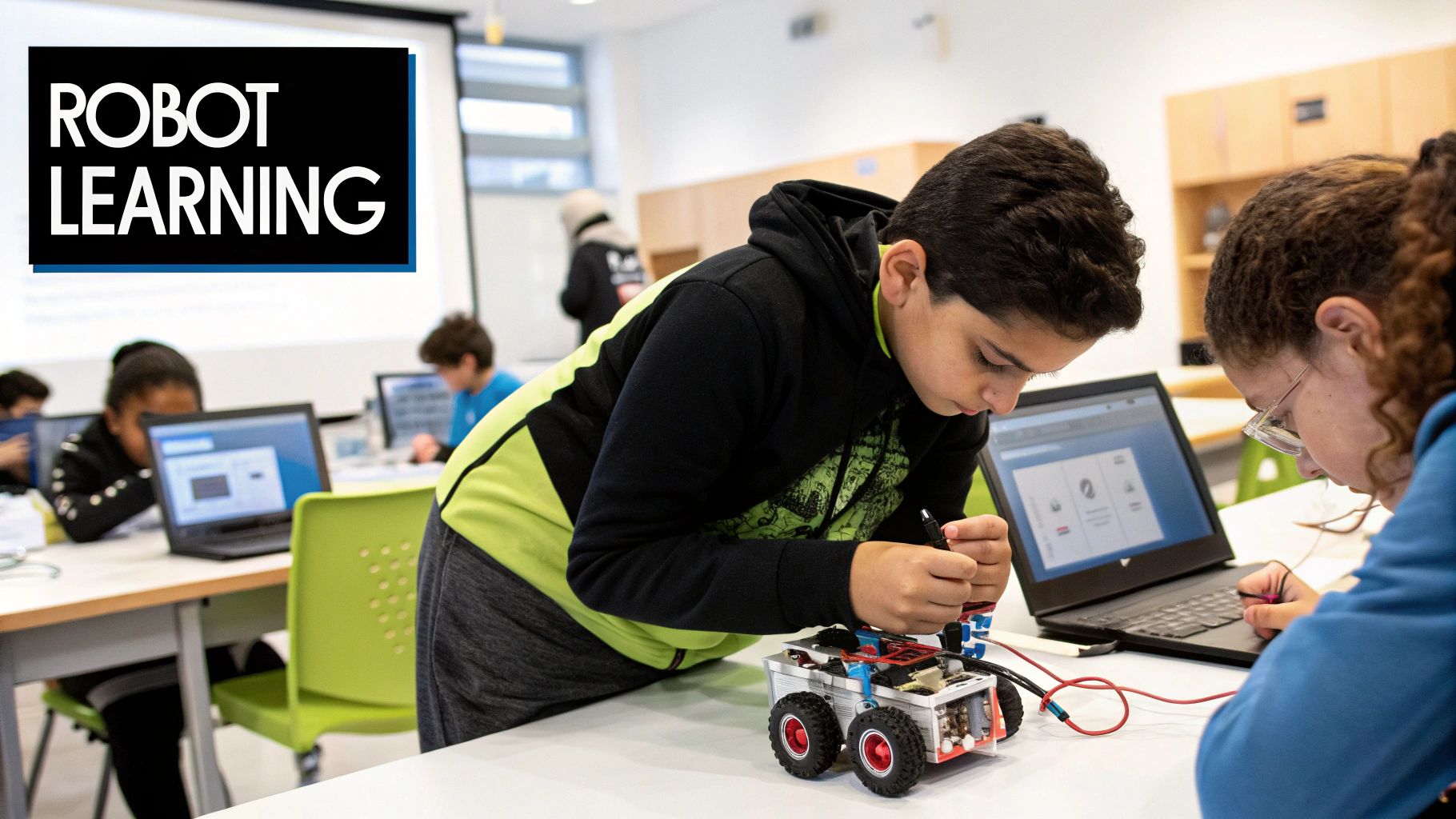
Robotics platforms are reshaping STEM education. They provide dynamic, hands-on learning experiences that allow students to design, build, program, and control robots. This bridges the gap between theoretical concepts and practical application.
This active learning fosters a deeper understanding of coding, engineering, and computational thinking. Students can physically manipulate robots and see the direct results of their code. This empowers them to iterate, troubleshoot, and refine their solutions, building valuable problem-solving skills.
Educational robotics platforms typically include programmable hardware, visual or text-based programming interfaces, and various sensors. These sensors, which can detect light, touch, sound, and distance, allow the robots to interact with their environment. The modular design of these platforms caters to diverse learning levels, from elementary school through higher education.
Robotics' interdisciplinary nature enables cross-curricular applications. It integrates science, technology, engineering, and mathematics, and can even incorporate art and design. This multifaceted approach enriches the learning experience and encourages creative exploration.
The Origins of Educational Robotics
The foundations of educational robotics can be traced back to Seymour Papert and his work in constructionist learning theory. Papert championed learning through making and stressed the importance of providing students with tools for creation and exploration. His vision, combined with technological advancements, has led to the widespread availability of engaging robotics platforms in education.
Features and Benefits
- Programmable Hardware: Students gain a tangible understanding of how motors, gears, and sensors interact.
- Intuitive Programming Interfaces: Visual programming languages, like those based on Scratch, make coding accessible to younger learners. Older students can transition to text-based languages like Python.
- Sensor Integration: Sensors allow robots to respond to their surroundings, introducing complex programming logic and real-world applications.
- Modular Design: Scalable systems accommodate various learning levels, ensuring continuous engagement and progressively challenging activities.
- Collaborative Learning: Robotics projects often involve teamwork, fostering communication, cooperation, and collaborative problem-solving.
Pros and Cons of Robotics in Education
Here's a table summarizing the advantages and disadvantages:
| Pros | Cons |
|---|---|
| Develops problem-solving and critical thinking | Can be expensive for schools |
| Makes abstract programming concepts concrete | Requires teacher training and technical support |
| Highly engaging and motivating | Ongoing hardware maintenance and replacement costs |
| Supports collaborative learning | May reinforce gender disparities if not implemented inclusively |
| Introduces engineering design processes | Potential focus on novelty over learning objectives |
Examples of Robotics Platforms
- LEGO Education: SPIKE Prime and MINDSTORMS (www.lego.com/en-us/themes/education)
- VEX Robotics: Competition programs in K-12 schools (www.vexrobotics.com)
- Sphero: Programmable robots for elementary classrooms (www.sphero.com)
- FIRST Robotics: Competition programs in schools globally (www.firstinspires.org)
- micro:bit: Robotics projects in UK education (www.microbit.org)
Tips for Implementation
- Begin with simple projects and gradually increase complexity.
- Integrate robotics with existing curriculum.
- Emphasize the design and planning process, not just the finished product.
- Form mixed-ability student teams to encourage peer learning.
- Track student progress through portfolios or design journals.
Robotics platforms hold a significant place among impactful technologies in STEM education. Their ability to engage learners, make abstract ideas tangible, and cultivate essential 21st-century skills is undeniable. Robotics provides a powerful platform for learning and innovation, preparing students for future technological advancements.
2. Augmented Reality (AR) Learning Tools
Augmented Reality (AR) overlays digital information onto the real world. This creates immersive learning experiences that blend real and virtual elements. In STEM education, AR applications allow students to visualize complex concepts, interact with virtual models, and explore phenomena that would otherwise be inaccessible, dangerous, or invisible. This makes AR a powerful tool for fostering deeper understanding and engagement. Imagine dissecting a virtual frog without the mess or exploring a combustion engine's inner workings without the heat and moving parts. AR makes these experiences, and countless others, possible.
AR Features and Accessibility
AR learning tools offer several features that enhance the educational experience:
- 3D visualization of abstract concepts like molecular structures or magnetic fields
- Interactive simulations that respond to user actions
- Content triggers based on markers or location
The accessibility of AR through mobile devices like tablets and smartphones further democratizes its use in classrooms. AR can also be seamlessly integrated with physical learning materials, bridging the gap between the digital and physical worlds. For example, students can use a tablet to view a 3D model of a volcano overlaid on a physical map. This provides a richer understanding of its geographical context.
Benefits of AR in STEM Education
The benefits of incorporating AR into STEM education are numerous:
- Enhanced spatial understanding of complex concepts, leading to increased student engagement and information retention
- Visualization of invisible phenomena, bringing abstract ideas to life
- Contextual learning experiences, connecting classroom learning to real-world applications
- Reduced need for expensive physical equipment, making complex experiments more accessible
You might be interested in our guide on Three.js to explore creating your own 3D models for AR experiences. This powerful JavaScript library makes it possible to build and render 3D graphics in a web browser.
Challenges of AR Implementation
Implementing AR in education also presents some challenges:
- Requires appropriate devices and technical infrastructure
- Development of high-quality AR content can be time-consuming and expensive
- Potential for cognitive overload if the AR experience is too complex or poorly designed
- Risk of distraction from core learning objectives if not implemented effectively
- Technical glitches, like connectivity issues or software bugs, can disrupt learning
Successful Examples of AR in Education
Several successful examples showcase the potential of AR in education:
- Merge Cube: Offers holdable AR experiences, allowing students to explore 3D models in science classes
- Elements 4D by DAQRI: Transforms chemistry learning through interactive simulations
- GeoGebra AR: Visualizes mathematical concepts in 3D space
- Anatomy 4D: Allows students to delve into the intricacies of human biology
- NASA's Spacecraft AR: Offers an exciting way to explore space mission technology
These applications, along with initiatives like Google's Expeditions AR, Apple's ARKit educational applications, Microsoft HoloLens educational content, zSpace, and Merge Labs, have popularized the use of AR in education.
Effective Implementation Strategies for AR
To effectively implement AR in the classroom:
- Ensure AR activities align with specific learning objectives
- Prepare backup activities in case of technical issues
- Guide students through initial AR experiences before independent exploration
- Use AR to complement, not replace, hands-on activities
- Consider accessibility needs
By carefully considering these aspects, educators can harness the power of AR to create truly engaging and impactful learning experiences for STEM students.
3. Computational Thinking Platforms
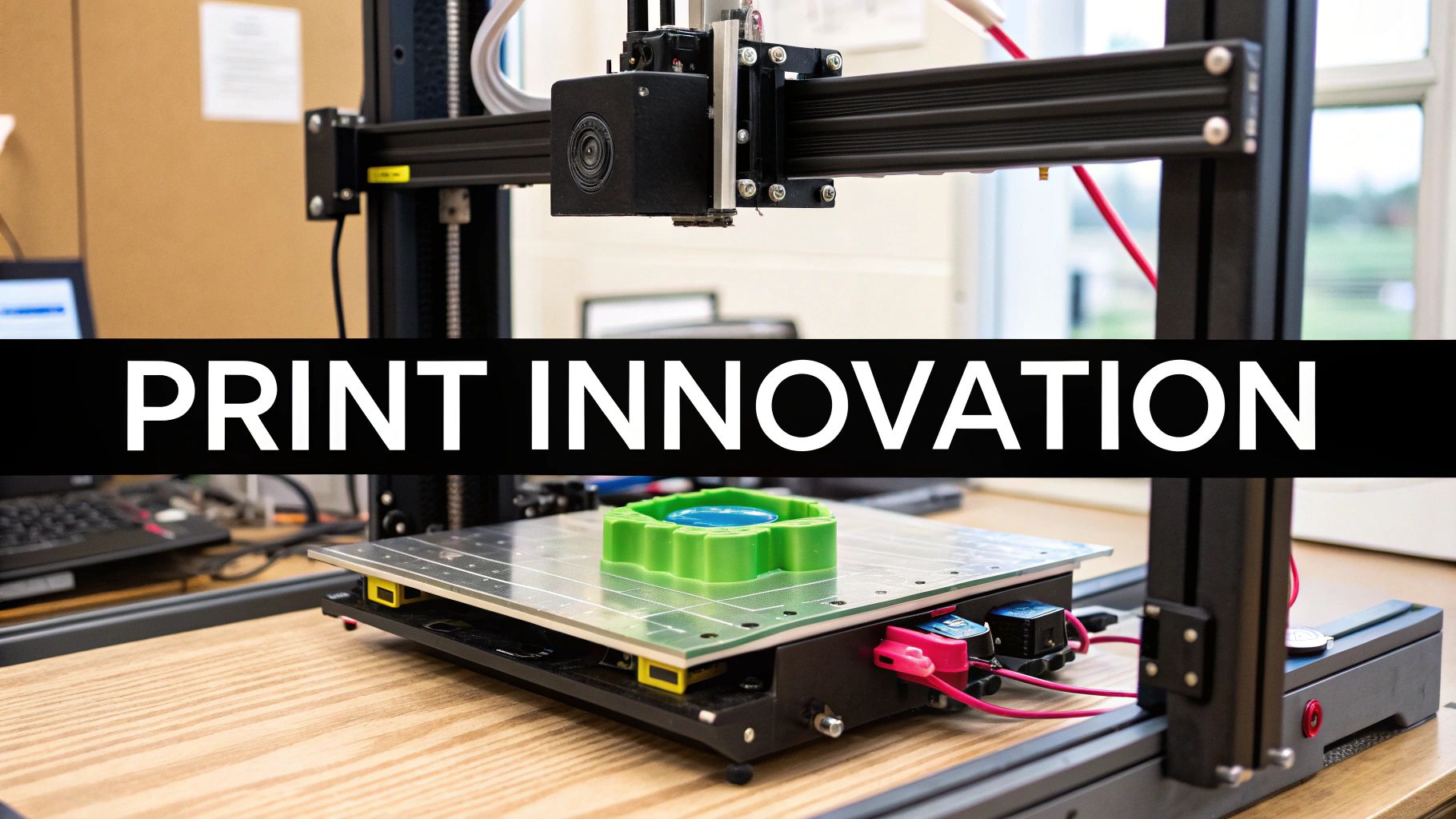
Computational thinking (CT) is a crucial skill in today's world. It's not just for programmers, but for everyone. Computational thinking platforms offer accessible ways to develop these essential problem-solving skills, based on core computer science principles. These platforms are key for STEM education because they democratize access to concepts like algorithms, pattern recognition, decomposition, and abstraction. They empower learners of all ages to apply these skills across different areas.
These platforms use visual programming, puzzles, and creative challenges to make learning fun and intuitive. Instead of complex syntax, students use visual code blocks, learning through hands-on experimentation and instant feedback. This makes programming easier, even for young children. Progressive learning pathways guide students from basic to advanced concepts at their own speed, promoting self-directed learning. Game-like elements and puzzles make learning rewarding. Cross-platform availability (web, mobile, and often offline) expands reach and flexibility.
Real-world examples show the impact of these platforms in various educational settings. Scratch, from the MIT Media Lab, is widely used in K-8 classrooms to introduce coding and computational thinking. Code.org's Hour of Code has engaged millions of students worldwide. Even without computers, CS Unplugged activities offer hands-on ways to explore computational concepts. Platforms like Kodable and CodeMonkey offer full programming curricula for elementary schools, often used district-wide.
The rise of computational thinking platforms is due to the work of individuals and groups like the MIT Media Lab (Scratch creators), Jeannette Wing (CT advocate), Code.org and Hadi Partovi, Google's CS First program, and Mitchel Resnick (Lifelong Kindergarten Group at MIT). Their work has made computational thinking accessible to a larger audience.
While these platforms offer significant benefits, it's important to be aware of potential drawbacks. Visual programming, though accessible, can sometimes simplify complex computer science concepts too much. Moving from visual blocks to text-based languages can be challenging. The quality of assessments varies between platforms. Internet access is often needed, limiting use in some areas, and screen time for younger students is a valid concern.
Pros:
- Easier access to programming
- Develops logic and algorithmic thinking
- Structured progression of computational skills
- Transferable problem-solving for other areas
- Self-paced learning
Cons:
- Oversimplification of some concepts
- Potential gap between visual and text-based programming
- Varying assessment quality
- Often requires internet
- Screen time concerns
Tips for Implementation:
- Real-World Connections: Link coding to real issues students care about, like the environment or social justice.
- Unplugged Activities: Use physical objects and hands-on learning.
- Pair Programming: Encourage collaboration through shared coding.
- Open-Ended Projects: Let students design and build their own projects.
- Cross-Curricular Integration: Show how computational thinking applies to math, science, and the arts.
By using these platforms effectively and addressing potential issues, educators and students can use computational thinking to boost creativity, problem-solving, and future opportunities.
4. 3D Printing in STEM Classrooms
3D printing, also known as additive manufacturing, is changing how STEM concepts are taught and applied. This technology allows students to turn digital designs into physical objects, connecting abstract ideas with real-world applications. The hands-on, iterative design process encourages creativity, problem-solving, and a deeper grasp of engineering.
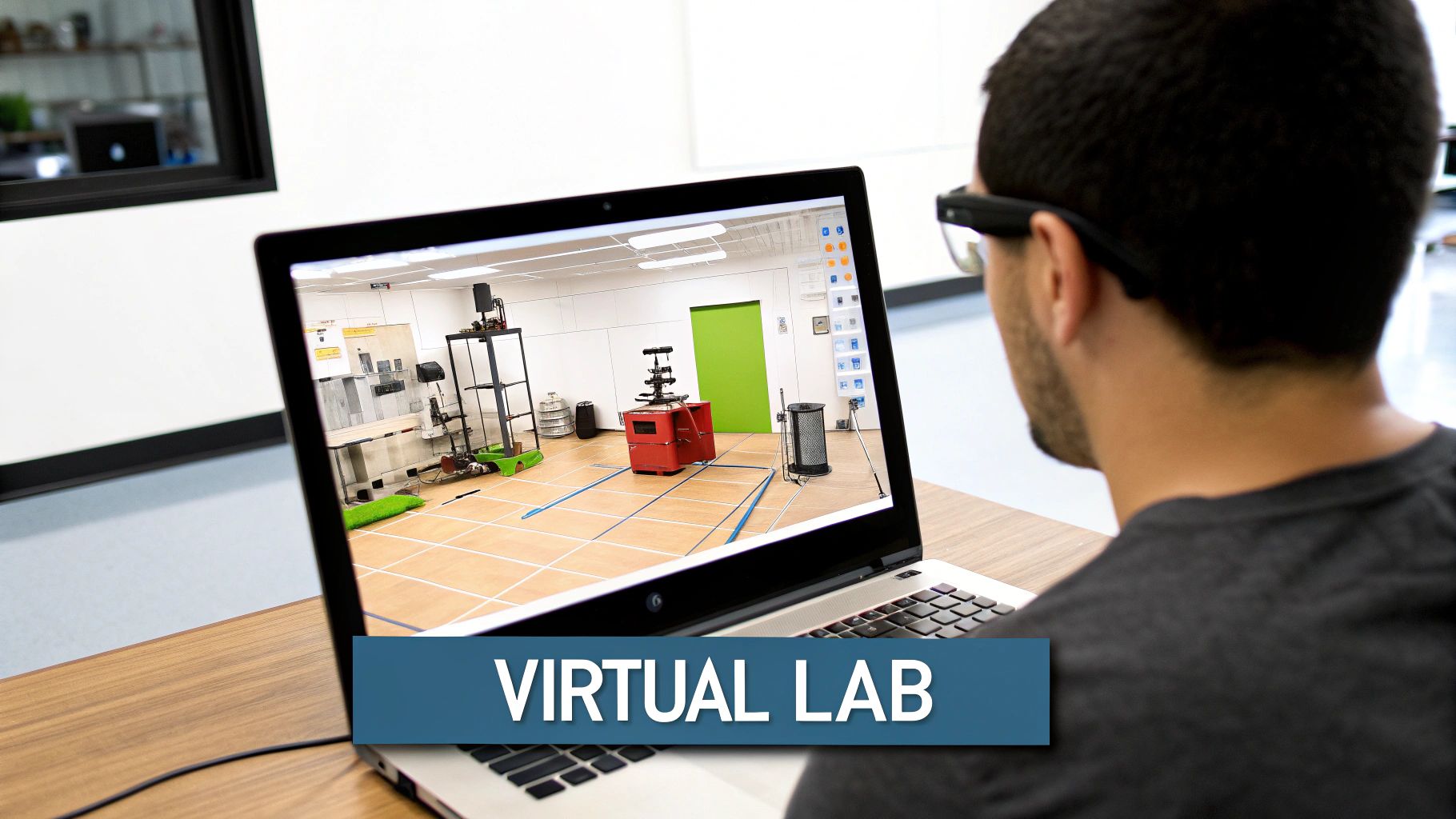
A key strength of 3D printing is its ability to facilitate rapid prototyping. Students can design objects using CAD (Computer-Aided Design) software like Tinkercad, then prepare the digital model for printing using “slicing” software. The 3D printer then constructs the object layer by layer from materials like PLA, ABS, or flexible filaments. This allows for flexibility in design and application. Students can quickly test and refine designs, developing iterative design thinking and crucial problem-solving skills.
Real-World Applications
3D printing’s versatility makes it valuable across STEM subjects:
- Chemistry: Printing molecular models helps visualize complex structures.
- Physics: Designing and printing aerodynamic shapes lets students explore flight and fluid dynamics.
- Biology: Creating anatomical models enhances understanding of organ systems.
- Mathematics: Producing geometrical shapes makes abstract concepts more concrete.
- Robotics: Students can design and print custom robot parts for robotics competitions.
Rise in Popularity
The increasing accessibility and affordability of 3D printers have contributed to wider adoption in education. Companies like MakerBot, Prusa Research, and Ultimaker offer educational programs that support this growth. Initiatives like the e-NABLE community, which uses 3D printing to create prosthetic limbs, further demonstrate the real-world impact and potential of this technology.
Pros and Cons
Here's a breakdown of the advantages and disadvantages of using 3D printing in education:
| Pros | Cons |
|---|---|
| Turns abstract ideas into physical objects | Significant initial equipment investment |
| Teaches iterative design and prototyping | Ongoing material and maintenance costs |
| Creates custom learning materials | Requires teacher technical expertise |
| Connects digital design with physical outcomes | Time-consuming printing process |
| Prepares students for modern manufacturing | Learning curve for CAD software |
Tips for Implementation
Successfully integrating 3D printing into the classroom involves careful planning and management:
- Establish Guidelines: Create clear design and printing procedures for quality control and efficient printer use.
- Project Approval: Implement a project approval process to ensure projects align with learning objectives.
- Design Library: Build a library of successful designs for inspiration.
- Start Simple: Begin with basic projects and gradually increase complexity.
- Document Iterations: Encourage documentation of design changes to emphasize the engineering process.
3D printing bridges the gap between digital design and physical creation, making it a powerful tool for STEM education. By empowering students to design, create, and iterate, 3D printing builds essential skills while making learning engaging and relevant. It's a technology that enhances the modern STEM classroom.
5. Virtual Laboratories and Simulations
Virtual laboratories and simulations are rapidly changing how we approach STEM education. They offer accessible, safe, and cost-effective methods for students to explore complex scientific concepts. These digital environments recreate experiments and phenomena, giving students interactive learning experiences that would be impossible or impractical in a traditional classroom. Imagine dissecting a frog without a scalpel or manipulating the variables of a nuclear reactor without the inherent risks. Virtual labs make this kind of high-level scientific exploration accessible to everyone.
These platforms empower students to manipulate variables, observe real-time visualizations of scientific processes, collect and analyze data, and test hypotheses across a range of STEM disciplines. This includes physics, chemistry, biology, and earth science. The level of guidance within these platforms can be adjusted to suit different learning styles, from structured activities for beginners to open-ended explorations for advanced learners. The ability to realistically model scientific phenomena allows students to visualize abstract concepts and understand how they apply to the real world.
Features and Benefits
Virtual labs offer a variety of features and benefits that enhance the learning experience:
-
Interactive Manipulation: Students can adjust parameters and directly observe the effects on the system, promoting a deeper understanding of cause and effect.
-
Real-time Visualization: Complex processes are displayed in dynamic ways, making abstract scientific concepts more concrete and easier to grasp.
-
Data Collection and Analysis: Integrated tools within the virtual labs allow students to gather, analyze, and interpret data, mimicking the scientific process.
-
Scalability and Accessibility: Virtual labs eliminate the need for expensive equipment and materials, ensuring that advanced experiments are accessible to all students, regardless of resources.
-
Safety: Students can safely explore potentially dangerous materials and processes without any risk.
-
Time Manipulation: The option to speed up or slow down processes allows students to observe phenomena that occur over varying timescales.
-
Repetitive Practice: Students can repeat experiments multiple times, reinforcing their understanding through trial and error.
Pros and Cons of Virtual Labs
Like any educational tool, virtual labs have both advantages and disadvantages:
| Pros | Cons |
|---|---|
| Increased access to sophisticated experiments | Potential lack of tactile, hands-on experience |
| Enhanced safety | Risk of misconceptions from simplified models |
| Reduced costs and preparation time | Dependence on technology and potential technical issues |
| Flexibility in time manipulation | Variable accuracy between different platforms |
| Opportunities for repeated experimentation | Limited development of hands-on laboratory skills |
Examples and Evolution of Virtual Labs
The development and adoption of virtual labs have been driven by numerous pioneering institutions and organizations. The University of Colorado Boulder's PhET Interactive Simulations project has become a staple in physics education globally. Labster provides virtual labs for university-level biology courses, while the Concord Consortium's Molecular Workbench offers simulations for chemistry and physics. NOVA Labs engages students in earth and space science investigations, and ExploreLearning's Gizmos provides resources across the K-12 science curriculum. These examples demonstrate the diverse applications and widespread use of virtual labs in STEM education.
Tips for Implementing Virtual Labs
Here are some tips for effectively integrating virtual labs into the curriculum:
-
Use virtual labs as pre-lab exercises to prepare students for hands-on activities.
-
Combine virtual and physical investigations to promote a more comprehensive understanding of scientific concepts.
-
Develop guided inquiry questions to focus student exploration within the virtual environment.
-
Encourage students to critically evaluate the limitations of simulation models compared to real-world systems.
-
Use simulations to visualize abstract concepts before introducing complex mathematical formulas.
Why Virtual Labs Matter in STEM Education
Virtual laboratories and simulations bridge the divide between theory and practice, allowing students to actively participate in the scientific process. By offering access to experiences that would otherwise be unavailable, these tools democratize science education and equip students for the challenges and opportunities of the future. Their adaptability, scalability, and affordability make them an essential resource in modern STEM classrooms.
6. Data Science and Analytics Tools for Students
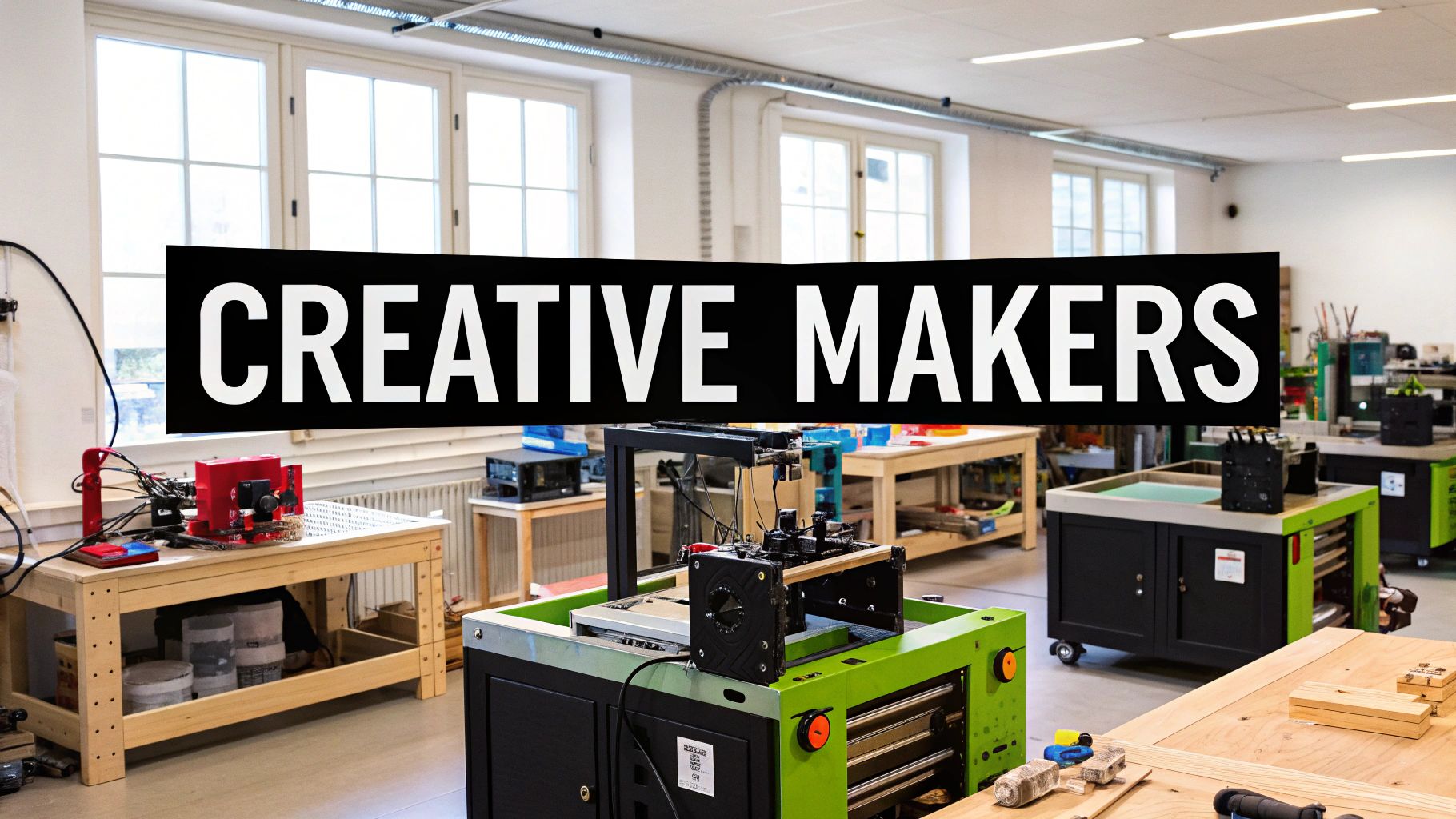
In today's world, data literacy is essential, particularly in STEM fields. Students need the skills to collect, analyze, visualize, and interpret data to succeed in their future careers. Data science and analytics tools provide a powerful way to achieve this, making them a key part of modern STEM education. These platforms allow students to explore real-world data, developing crucial skills for the 21st century.
These educational tools simplify complex statistical and computational methods, making data analysis accessible to all learners. User-friendly features, like data visualization capabilities and built-in statistical analysis functions, enable even beginners to explore data and discover patterns across STEM disciplines. Access to real-world datasets from various fields is often included, along with programming capabilities of varying complexity, further enhancing learning. Collaborative features also promote teamwork through data sharing and joint projects.
Benefits of Integrating Data Science Tools
- Develops Essential Data Literacy Skills: These tools prepare students for the data-intensive demands of modern careers.
- Connects Abstract Mathematical Concepts to Real-World Applications: Abstract mathematical concepts become tangible, increasing student engagement and understanding.
- Supports Evidence-Based Reasoning and Argumentation: Students learn to use data as evidence to support their claims and develop critical thinking skills.
- Introduces Statistical Thinking and Inference: The tools provide a practical introduction to statistical concepts and drawing conclusions from data.
- Enables Cross-Disciplinary Investigations: Data exploration across different STEM subjects promotes interdisciplinary learning.
Challenges and Considerations
- Learning Curve: Both teachers and students might face an initial learning curve when adapting to new tools and methods.
- Overemphasis on Tools: Balancing tool use with developing core analytical thinking skills is crucial.
- Data Quality and Relevance: Using high-quality, accurate, and relevant datasets is essential for meaningful analysis.
- Privacy Concerns: Careful consideration of data privacy and ethical implications is necessary, especially with sensitive information.
- Technical Requirements: Implementation may require specific software, hardware, or internet access, which can present logistical challenges.
Examples in Action
- CODAP (Common Online Data Analysis Platform): This versatile web-based tool is used for data exploration and analysis in science classrooms, allowing interactive data manipulation and visualization.
- Tableau for Education: This platform empowers secondary and higher education students with data visualization and exploration, fostering data storytelling.
- R Studio's learnr package: This provides an interactive learning environment for statistics, enabling students to learn R programming and statistical analysis through tutorials and exercises.
- Google's Exploring Computational Thinking with Data program: This program introduces students to computational thinking concepts through data analysis activities and projects.
- iNaturalist Citizen Science Projects: This engages students in real-world biological data collection and analysis through citizen science initiatives.
Tips for Successful Implementation
- Start Small: Begin with small, manageable datasets to avoid overwhelming students and focus on basic concepts.
- Prioritize Visualization: Introduce data visualization before complex statistical analysis.
- Connect to Student Interests: Engage students with datasets related to their interests and real-world issues.
- Critical Evaluation of Data: Teach students to critically evaluate data sources and assess data quality and potential biases.
- Scaffolded Challenges: Provide structured data challenges with increasing complexity to build skills and confidence.
The growing popularity of data science tools in education is thanks to organizations like the Concord Consortium (CODAP developers), the Bootstrap Data Science curriculum, the Oceans of Data Institute, Kaggle's educational initiatives, and the Tableau for Education program. These organizations champion data science integration in the classroom and offer valuable resources and support for educators. By embracing these tools and strategies, educators can empower future STEM professionals with essential data literacy skills for a data-centric world.
7. Maker Spaces and Digital Fabrication
Maker spaces and digital fabrication are transforming STEM education. They provide hands-on, collaborative learning environments where students can design, build, and invent. These dynamic spaces empower students to bring their ideas to life. They do this using a combination of technology, traditional tools, and design thinking principles. This approach moves STEM learning beyond textbooks and lectures. It offers engaging experiences that foster creativity, problem-solving, and technical skills development.
A typical maker space is equipped with a diverse range of tools and resources, including:
-
Digital Fabrication Tools: 3D printers, laser cutters, and CNC machines offer precise and automated fabrication capabilities. These tools enable students to create complex designs.
-
Electronics and Microcontrollers: Working with electronics components, microcontrollers (like Arduino), and sensors empowers students to explore robotics, programming, and physical computing.
-
Traditional Crafting Materials: Incorporating hand tools and traditional crafting materials like wood, fabric, and paper allows for a wider range of projects. It also encourages a more holistic approach to making.
-
Design Software and Resources: CAD software, programming interfaces, and online documentation resources are essential for designing, prototyping, and sharing projects.
-
Flexible Workspace: Adaptable workspace configurations cater to diverse project types, from individual tinkering to collaborative group projects.
Benefits of Maker Spaces
The benefits of incorporating maker spaces into STEM education are numerous:
-
Practical Skills Development: Students gain hands-on experience with fabrication tools and techniques. This prepares them for future careers in engineering, design, and manufacturing.
-
Creative Problem-Solving: The open-ended nature of maker projects encourages students to think creatively, troubleshoot challenges, and develop innovative solutions.
-
Authentic STEM Application: Maker spaces provide real-world contexts for applying STEM concepts, bridging the gap between theory and practice.
-
Collaboration and Peer Learning: Working in a collaborative environment encourages teamwork, communication, and peer-to-peer learning.
-
Diverse Learning Styles: The hands-on, project-based nature of maker education caters to a wide range of learning styles and interests.
Challenges of Implementing Maker Spaces
However, implementing and maintaining a maker space also presents some challenges:
-
Resource Requirements: Setting up and maintaining a maker space can require significant investment in equipment, materials, and ongoing maintenance.
-
Staff Training: Proper training is essential for staff to safely operate and maintain equipment, as well as to guide students effectively.
-
Equity and Access: Ensuring equitable access to maker spaces and resources for all students is a crucial consideration.
-
Storage and Organization: Managing ongoing projects and storing materials can be challenging, requiring thoughtful organization strategies.
-
Curriculum Integration: Balancing open-ended exploration with curricular objectives requires careful planning and assessment methods.
Influential Figures and Organizations
The maker movement in education has been significantly influenced by individuals and organizations such as Dale Dougherty and Make: Magazine, Sylvia Libow Martinez and Gary Stager (Invent to Learn), Stanford d.school's K-12 initiatives, MIT's Fab Lab network, and Paulo Blikstein (FabLearn Labs). Their work has helped popularize the idea of hands-on, project-based learning and the integration of digital fabrication tools in education. Examples of successful maker education implementations include the Maker Education Initiative's school implementation program, FabLearn Labs in K-12 schools globally, the Digital Harbor Foundation's technology center model, the Chicago Public Library's Maker Lab integration with education, and the New York Hall of Science's Design Lab maker education program. You might be interested in: VibeR3D.
Tips for Implementing a Maker Space
To successfully implement maker spaces in your educational setting, consider the following tips:
-
Start Small: Begin with low-cost, high-impact tools before investing in expensive equipment.
-
Prioritize Safety: Establish clear safety protocols and training systems for all tools and equipment.
-
Document and Share: Develop documentation practices for sharing and replicating successful projects.
-
Build Community: Foster a community of practice among teachers and students to encourage collaboration and knowledge sharing.
-
Leverage Resources: Source materials and equipment through donations and community partnerships.
Maker spaces are a vital component of modern STEM education. They empower students to become innovators, creators, and problem-solvers prepared for the challenges of the 21st century.
8. Game-Based Learning Platforms
Game-based learning platforms represent a significant advancement in STEM education. They use the motivational power of games to improve learning outcomes. By putting educational content into interactive gameplay, these platforms offer a compelling alternative to traditional teaching methods. This encourages deeper understanding and engagement with complex STEM concepts.
These platforms use game mechanics like challenges, rewards, stories, and progression systems to create immersive learning experiences. Students are encouraged to solve problems, experiment, and work through challenges in a safe, virtual environment. This approach makes abstract concepts more tangible and interactive, leading to a better understanding of the subject.
Features and Benefits
Game-based learning platforms offer several features designed to optimize learning:
- Adaptive Difficulty Progression: The game adjusts its difficulty based on how well a student is doing, providing an appropriate challenge and avoiding frustration.
- Real-Time Feedback and Assessment: Students get immediate feedback on their actions, helping them spot mistakes and improve their understanding right away.
- Narrative Contexts for Abstract STEM Concepts: Putting STEM content within a story gives it context and meaning, making abstract concepts more relatable and engaging.
- Achievement Systems and Recognition of Milestones: Reward systems and progress tracking motivate students and celebrate their accomplishments, building a sense of achievement.
- Learning Analytics: Detailed data on student progress and performance helps educators see individual learning paths and identify areas needing more attention.
Real-World Examples and Case Studies
Several successful game-based learning platforms show how effective this method can be:
- Minecraft: Education Edition: Used in math and science classes, Minecraft lets students build and explore virtual worlds while using math principles and scientific concepts.
- Kerbal Space Program: This game teaches physics and aerospace engineering by having players design, build, and launch rockets and spacecraft.
- Foldit: Engages players in protein folding puzzles, contributing to real-world biochemistry research while they learn about complex biological processes.
- DragonBox: Introduces algebraic thinking to young learners through fun puzzles and gameplay.
- Eco: Simulates complex ecosystems, teaching students about environmental science and systems thinking through collaborative gameplay.
Evolution and Popularity
Researchers like James Paul Gee have greatly influenced game-based learning with their work on the cognitive and social benefits of gaming. Organizations like Microsoft Education (with Minecraft: Education Edition), BrainPOP's GameUp platform, and the Quest to Learn school model have made this approach more popular. The work of Katie Salen and the Institute of Play has also been important in showing the educational potential of games.
Pros and Cons
Pros:
- Increased motivation and engagement leads to more time spent learning.
- Safe spaces to try things out and learn from mistakes.
- Personalized learning paths for each student.
- Helps students connect emotionally with abstract content.
- Develops persistence and strategic thinking skills.
Cons:
- Educational quality varies between games.
- Gameplay and learning objectives can sometimes be disconnected.
- May focus on external rewards rather than internal motivation.
- Can be challenging to assess using traditional methods.
- Can face perception issues from parents and administrators.
Tips for Implementation
- Align game mechanics with learning objectives: Make sure the gameplay directly supports what students are supposed to learn.
- Create pre- and post-game activities: Connect gameplay and traditional learning with activities before and after the game.
- Use game analytics to identify misconceptions: Use the data from the platform to understand student learning patterns and address any misunderstandings.
- Balance gameplay with reflection: Encourage students to think about what they've learned in the game.
- Consider student game design projects: Have students design their own educational games to help them understand the subject and game design principles.
Why Game-Based Learning is Important
Game-based learning platforms offer a powerful and engaging way to teach STEM concepts for various learning styles. By tapping into the natural motivation of gameplay, these platforms can change how students learn, making STEM education more accessible, enjoyable, and effective. They provide a valuable tool for educators preparing students for the challenges of a constantly changing technological world.
9. AI-Powered Learning Systems
AI-powered learning systems are changing the face of STEM education. They offer personalized learning experiences designed to meet the unique needs of each student. These platforms use artificial intelligence (AI) to analyze student performance data, adjusting the content, pace, and learning pathways as needed. This tailored approach allows for targeted instruction, identifies knowledge gaps, and provides automated assessments, leading to a more efficient and effective learning process.
These systems constantly monitor student progress and adjust the learning experience in real time. Adaptive content sequencing ensures students are always working with appropriately challenging material. Personalized feedback and hints offer support when needed during problem-solving. Automated assessments provide detailed diagnostic information, helping educators pinpoint areas where students might be struggling.
Furthermore, content recommendation engines suggest resources based on individual learning patterns. Natural language processing capabilities help explain complex concepts in a more accessible way. This can be especially helpful for students who struggle with traditional textbook explanations.
Advantages of AI Learning
This personalized approach offers several key advantages:
- Personalized learning at scale: Teachers can cater to diverse learning styles and abilities within a single classroom.
- Targeted interventions: AI systems excel at identifying and addressing individual misconceptions, providing support that traditional teaching methods might miss.
- Freed-up teacher time: Automating routine assessment tasks allows teachers more time for valuable interactions like mentoring and facilitating collaborative learning.
- Data-driven insights: AI-powered systems offer valuable data on student understanding, revealing learning patterns and overall class progress.
Challenges of AI Learning
However, using AI in education also presents challenges:
- Algorithmic bias: Potential biases in assessment and adaptation need careful consideration to ensure fairness and equity.
- Privacy concerns: Student data collection must be handled transparently and ethically, respecting student privacy rights.
- Transparency issues: The "black-box" nature of some AI decision-making can obscure the system's reasoning, making it difficult to understand how conclusions are reached.
- Over-reliance on AI: There's a risk of reducing human interaction in learning if AI systems are used excessively.
- Varied effectiveness: The effectiveness of AI learning can vary among different learners, highlighting the need for ongoing evaluation and refinement.
Real-World Examples
Several real-world examples showcase the potential of AI-powered learning systems:
- Carnegie Learning's MATHia platform provides personalized algebra instruction.
- ALEKS offers adaptive learning for mathematics and science.
- Duolingo uses adaptive language learning algorithms that can be applied to STEM vocabulary acquisition.
- Squirrel AI Learning has made significant progress in China's STEM education landscape.
- IBM Watson Education solutions offer various personalized learning tools.
Tips for Educators
For educators incorporating AI into their classrooms, these tips are essential:
- Supplement, don't replace: Use AI systems as supplements to, not replacements for, teacher instruction.
- Critical review: Carefully review system recommendations and ensure alignment with curriculum objectives.
- Transparency with students: Explain how AI systems make decisions to build trust and understanding.
- Data privacy: Establish clear data privacy protocols and communicate openly with parents.
- Balance learning: Combine AI-suggested activities with collaborative learning to maintain social interaction.
You might be interested in: Our guide on Windsurf AI.
AI-powered learning systems hold significant promise for the future of STEM education. They can personalize learning at scale, address individual needs, and provide educators with valuable data-driven insights. By carefully considering the benefits and challenges and implementing these systems thoughtfully, educators can use the power of AI to create more engaging, effective, and personalized learning experiences for all students. Platforms like Carnegie Learning, ALEKS, Squirrel AI Learning, DreamBox Learning, and IBM Watson Education continue to drive innovation in this exciting field.
10. Internet of Things (IoT) and Sensor Networks
The Internet of Things (IoT) is changing how we interact with the world, and its influence on STEM education is significant. IoT educational technologies allow students to explore the connection between the physical and digital worlds. This is done by connecting devices equipped with sensors, processing capabilities, and network connectivity. These interconnected systems collect and share real-world data, creating a strong foundation for authentic scientific investigation and hands-on learning.
In STEM education, IoT empowers students to design experiments, monitor environmental conditions, analyze data, and create automated solutions. Imagine students building a weather station with an Arduino and collecting real-time data on temperature, humidity, and barometric pressure. They can then visualize this data, analyze trends, and even create predictive models.
This connection between abstract programming concepts and real-world applications helps students develop a deeper understanding of scientific principles and computational thinking. The growing popularity of IoT in education is due to several factors. These include the affordability and availability of hardware like Arduino and Raspberry Pi, the expansion of cloud-based data storage and visualization platforms, and the development of user-friendly programming interfaces. Organizations like the Arduino Education, Raspberry Pi Foundation, SparkFun Education, micro:bit Educational Foundation, and PocketLab have been instrumental in making these technologies accessible to educators and students.
Features and Benefits
IoT educational systems offer a variety of features, including:
- Environmental sensors: Measure parameters like temperature, humidity, light, air quality, and soil moisture.
- Data collection and transmission: Wireless communication protocols allow for real-time data streaming to central hubs or cloud platforms.
- Cloud-based data storage and visualization: Students can store, analyze, and visualize data using interactive dashboards and graphs.
- Programmable microcontrollers and single-board computers: Provide the processing power needed to control sensors and actuators, execute logic, and connect to networks.
- API integrations: Connect with other digital systems, broadening the possibilities for data analysis and automation.
Pros and Cons of Using IoT in Education
Here’s a table summarizing the advantages and disadvantages:
| Pros | Cons |
|---|---|
| Connects programming to real-world impacts | Technical complexity of setting up and maintaining networks |
| Enables authentic scientific investigations | Cost of sensors and infrastructure |
| Develops interdisciplinary skills | Potential connectivity and reliability issues |
| Creates opportunities for community and global data projects | Security and privacy concerns for collected data |
| Introduces students to emerging technologies | Curriculum integration challenges |
Examples in Education
- The Globe Program: A worldwide environmental monitoring program where students collect and share environmental data.
- Arduino-based weather stations: Students construct and use weather stations to gather local climate data.
- Raspberry Pi sensor networks for school biodiversity projects: Track plant growth, animal behavior, and other ecological elements.
- Smart school gardens: Integrate sensors and actuators to automate watering and fertilization based on real-time data.
- Air quality monitoring networks: Compare air quality data across different school locations and investigate pollution sources.
Tips for Implementation
- Start small: Begin with simple, single-sensor projects before tackling complex networks.
- Documentation is key: Maintain thorough records of sensor placement, calibration, and upkeep.
- Data management: Establish clear procedures for managing and analyzing data.
- Real-world connections: Relate projects to community issues for added meaning, such as local water quality monitoring.
- Collaboration: Form cross-curricular teams to support IoT implementation and integrate different subjects.
IoT offers a compelling approach to STEM education, equipping students with the tools and skills they need to explore and understand the world around them in innovative ways. By linking the digital and physical, IoT empowers future innovators and problem-solvers.
10-Point Comparison Guide for STEM Tech Strategies
| Concept | 🔄 Complexity | ⚡ Resources | 📊 Outcomes | 💡 Use Cases & Tips |
|---|---|---|---|---|
| Robotics Platforms in Education | Moderate: Requires hardware/software integration & teacher training | High: Needs programmable kits & maintenance | Hands-on learning, enhanced problem-solving & collaboration | Ideal for K–12 projects; start simply and integrate with the curriculum |
| Augmented Reality (AR) Learning Tools | Moderate–High: Demands tech infrastructure & content creation | High: Investment in devices and high-quality AR content | Immersive visualization, improved spatial understanding | Best for visualizing abstract concepts; align activities with clear learning objectives |
| Computational Thinking Platforms | Low–Moderate: Uses block-based interfaces; low entry barriers | Low–Moderate: Primarily digital tools | Develops logical reasoning, algorithmic thinking & creativity | Ideal for introductory coding lessons; supplement digital tasks with unplugged activities |
| 3D Printing in STEM Classrooms | High: Involves mastering CAD, printing processes & maintenance | High: Significant equipment, materials & training costs | Transforms abstract designs into tangible prototypes | Suited for design and engineering projects; use clear design guidelines and incremental projects |
| Virtual Laboratories and Simulations | Low–Moderate: Digital interfaces with minimal lab setup | Moderate: Relies on simulation software & accessible devices | Safe experiment replication and concept visualization | Ideal for exploring experiments; combine virtual labs with hands-on activities for deeper insight |
| Data Science and Analytics Tools | Moderate: Involves data literacy and digital analysis skills | Moderate–High: Software platforms and real-world datasets | Builds analytical, statistical reasoning & cross-disciplinary skills | Effective for research projects; start with simple, clean datasets and scaffold challenges |
| Maker Spaces and Digital Fabrication | High: Requires diverse tools, safety protocols & technical training | Very High: Equipment like 3D printers, laser cutters, and supplies | Fosters creative fabrication, design thinking & collaboration | Best for collaborative projects; establish safety protocols and community practices |
| Game-Based Learning Platforms | Moderate: Integrates game mechanics with curriculum design | Moderate: Requires digital devices and dedicated game platforms | Increases motivation, engagement and adaptive learning | Ideal for curriculum integration; align gameplay with specific learning objectives |
| AI-Powered Learning Systems | High: Complex algorithms and data-driven adaptation with privacy concerns | Moderate–High: Software systems needing data infrastructure | Offers personalized learning and timely feedback | Best as a supplement; review AI recommendations and maintain robust data privacy protocols |
| IoT and Sensor Networks | High: Requires network setup, integration & security management | High: Involves sensors, microcontrollers and connectivity tools | Enables real-time data collection and authentic scientific investigations | Ideal for environmental or smart projects; begin with single-sensor implementations and document all |
The Future Is Now: Embracing Technology's Potential in STEM
The integration of technology in STEM education has fundamentally changed how we approach teaching and learning. From robotics and augmented reality (AR) to artificial intelligence (AI) and the Internet of Things (IoT), the tools available offer exciting possibilities for engaging students and fostering essential 21st-century skills. By understanding the core principles behind these technologies – interactivity, real-world application, and personalized learning – we can unlock their true potential.
Applying these concepts effectively requires a shift in mindset. Educators must embrace a facilitator role, guiding students to explore, experiment, and discover solutions. This learner-centered approach means providing opportunities for hands-on activities, project-based learning, and collaborative problem-solving. Integrating tools like 3D printing, maker spaces, and computational thinking platforms allows students to apply theoretical knowledge to practical scenarios, fostering creativity and innovation.
Learning and adaptation are essential for both educators and students. Staying current with emerging trends, such as AI-powered learning systems and data analytics tools, will be crucial for maximizing the impact of technology in the classroom. Continuous professional development and a willingness to experiment with new approaches are key to navigating this evolving educational landscape. Students must also cultivate a growth mindset, embracing lifelong learning and developing the adaptability needed to thrive in a world of rapidly changing technology.
Looking ahead, advancements in areas like virtual and augmented reality, personalized learning platforms, and the metaverse promise even more immersive and engaging learning experiences. The convergence of these technologies will create increasingly complex and interconnected learning environments, further blurring the lines between the physical and digital worlds.
Key Takeaways
-
Technology integration in STEM should prioritize hands-on learning, real-world application, and student-centered teaching methods.
-
Continuous learning and adaptation are crucial for both educators and students to effectively use evolving technologies.
-
Emerging trends like AI, VR/AR, and the metaverse offer exciting possibilities for the future of STEM education.
In conclusion, the future of STEM education is inextricably linked to the innovative use of technology. By embracing these powerful tools and fostering a culture of exploration and discovery, we can empower the next generation of scientists, engineers, mathematicians, and technologists to tackle complex challenges and seize the boundless opportunities that lie ahead.