Transform Your Teaching with Tech-Savvy Lesson Plans
Want to create engaging and effective learning experiences? This listicle provides eight key approaches for crafting technology integration lesson plans that resonate with students. Discover how to apply frameworks like SAMR and TPACK, explore innovative models such as Project-Based Learning and Flipped Classrooms, and align your lessons with ISTE standards. We'll also cover blended learning, Universal Design for Learning, and inquiry-based learning with digital tools. These technology integration lesson plans will empower you to enhance student engagement and foster deeper understanding.
1. SAMR Model Integration
The SAMR (Substitution, Augmentation, Modification, Redefinition) Model is a powerful framework for educators seeking to effectively integrate technology into their lesson plans. It offers a structured pathway for moving beyond simply using technology as a replacement for traditional tools and towards transforming the learning experience in innovative ways previously impossible. SAMR provides a clear progression through four distinct levels, helping teachers strategically enhance their teaching with technology and create truly engaging technology integration lesson plans.
The four levels of the SAMR model—Substitution, Augmentation, Modification, and Redefinition—represent increasing levels of technology integration and impact on student learning. It encourages teachers to evaluate their current technology use and provides a clear path for advancement. The model focuses on the transformation of learning rather than the technology itself, ensuring that technology serves pedagogical goals.
How SAMR Works:
- Substitution: Technology acts as a direct substitute, with no functional change. Think of using Google Docs instead of Microsoft Word. The task remains the same, just the tool changes.
- Augmentation: Technology acts as a direct substitute, with functional improvement. Features like commenting and collaborative editing within Google Docs enhance the traditional task of writing and feedback.
- Modification: Technology allows for significant task redesign. Students might create multimedia presentations with embedded interactive quizzes or videos, moving beyond traditional presentations.
- Redefinition: Technology allows for the creation of new tasks, previously inconceivable. Imagine students collaborating to build a virtual reality environment demonstrating their understanding of ancient Rome, something impossible without technology.
Examples of Successful Implementation:
- Elementary School Language Arts: Moving from handwriting stories (traditional) to typing them in a word processor (Substitution) to using a digital storytelling platform with voiceovers and images (Modification).
- High School Science: Shifting from textbook diagrams of the solar system (traditional) to interactive simulations of planetary orbits (Augmentation) to students designing their own virtual reality solar system exploration (Redefinition).
Tips for Effective SAMR Integration in Technology Integration Lesson Plans:
- Start Small: Begin with Substitution level integrations to build confidence and familiarity before moving to higher levels.
- Learning Objectives First: Always focus on the learning objectives. Technology should serve the lesson, not the other way around.
- Reflection is Key: Use SAMR as a reflective tool to analyze the impact of technology on student learning, rather than a rigid checklist.
- Collaborate: Connect with colleagues who are implementing SAMR at different levels to gather inspiration and share best practices.
Pros and Cons:
Pros:
- Provides a clear progression path for technology integration.
- Helps assess the impact of technology on learning.
- Encourages innovative thinking beyond simple substitution.
- Flexible framework applicable across subjects and grade levels.
Cons:
- Can be overly hierarchical, implying that higher levels are inherently better.
- May oversimplify complex teaching scenarios.
- Can sometimes overemphasize technology over pedagogy.
- Lacks specific guidance on implementation details.
Why SAMR Deserves Its Place in the List:
The SAMR Model provides a crucial framework for educators developing technology integration lesson plans. It empowers teachers to make informed decisions about technology use, ensuring that technology enhances learning rather than simply replacing existing tools. By focusing on transformation and providing a clear path for progression, SAMR helps educators leverage technology to create engaging and effective learning experiences for all students. While not a perfect solution, its widespread adoption by organizations like Apple Education and ISTE underscores its value in the field of educational technology. This model equips educators with the necessary structure to navigate the complexities of technology integration and create truly transformative learning experiences. Therefore, it is indispensable for any educator striving to effectively integrate technology into their teaching practice.
2. TPACK Framework
Creating effective technology integration lesson plans requires more than just adding a digital device to the mix. It requires a thoughtful approach that considers the interplay between technology, pedagogy, and content. This is where the Technological Pedagogical Content Knowledge (TPACK) framework comes in. TPACK emphasizes the complex relationship between these three primary forms of knowledge: Content (the subject matter being taught), Pedagogy (the teaching methods employed), and Technology (the digital tools and resources used). Effective technology integration, according to the TPACK framework, occurs when teachers understand how these three knowledge domains interact and overlap, creating a synergistic learning experience.
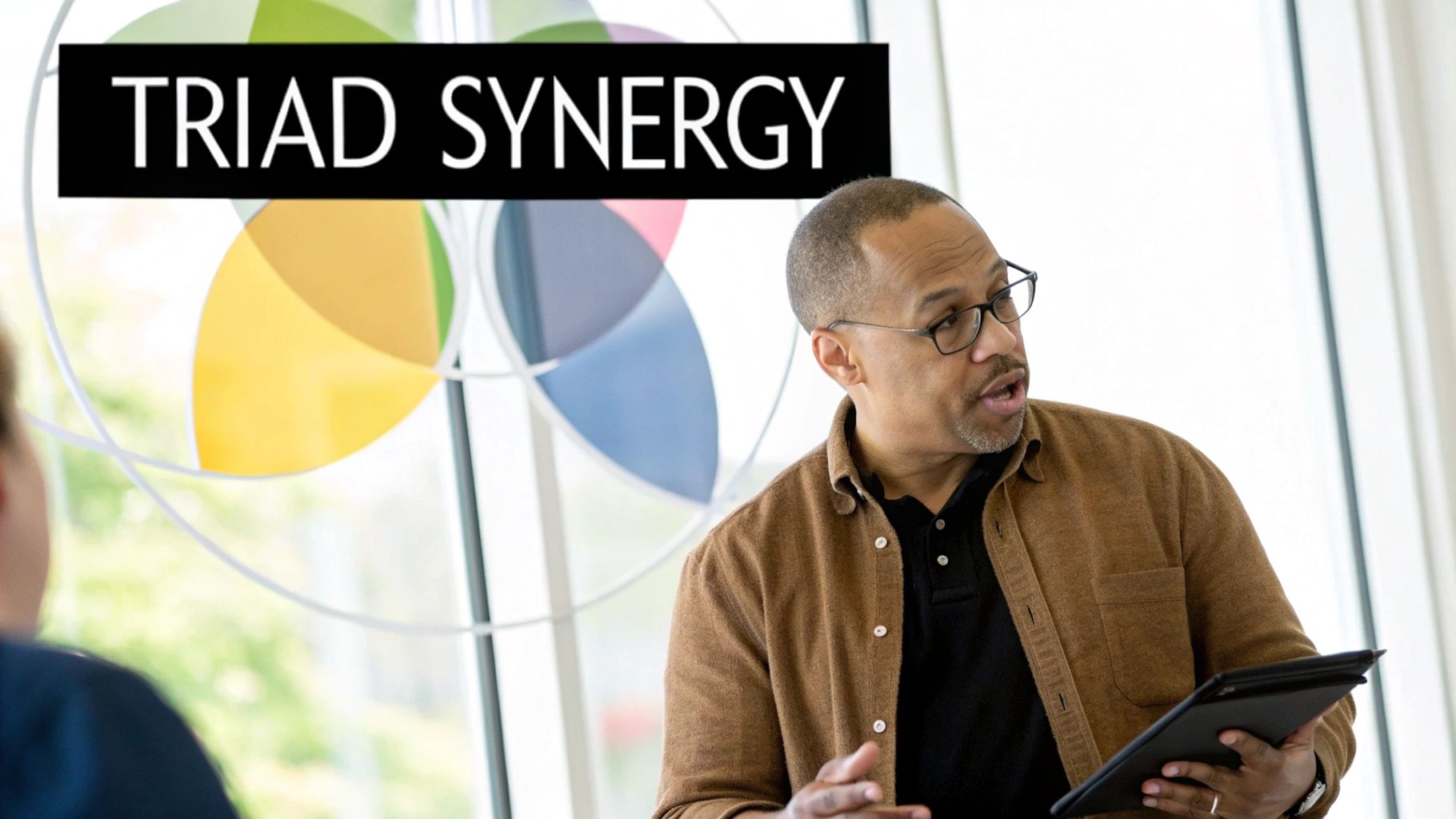
The TPACK framework is often visualized as overlapping circles representing the three core knowledge domains. These overlaps create seven distinct knowledge areas: Content Knowledge (CK), Pedagogical Knowledge (PK), Technological Knowledge (TK), Pedagogical Content Knowledge (PCK), Technological Content Knowledge (TCK), Technological Pedagogical Knowledge (TPK), and finally, Technological Pedagogical Content Knowledge (TPACK). The "sweet spot" for effective technology integration lies at the intersection of all three circles – the TPACK domain. This framework emphasizes context-specific applications, meaning the ideal technology integration strategy will vary depending on the specific learning objectives, student needs, and available resources.
This approach deserves a prominent place in any discussion about technology integration lesson plans because it provides a holistic lens through which to view the process. Rather than simply adding technology for technology's sake, TPACK encourages educators to thoughtfully select and implement technology based on how it enhances both the content and the pedagogy. For example, a math teacher using dynamic geometry software to demonstrate geometric transformations is leveraging TCK (understanding how the software can represent mathematical concepts), PCK (knowing how to teach geometric transformations effectively), and TK (knowing how to operate the software) to reach the TPACK sweet spot. Other examples include history teachers implementing digital storytelling tools to enhance historical narratives, science teachers utilizing simulation software for virtual lab experiments, and English teachers leveraging collaborative annotation tools for literature analysis.
The TPACK framework offers several advantages: It promotes a balanced approach, recognizing the importance of pedagogy and content alongside technology; it acknowledges the complexity of teaching with technology; it's adaptable to diverse learning environments and subjects; and it fosters intentional technology selection aligned with learning goals. However, it's important to acknowledge the potential challenges. TPACK can be a complex framework to grasp initially and requires a strong foundation in all three knowledge domains. Measuring TPACK development in teachers can also be difficult. For beginners, it might not offer specific, step-by-step guidance.
To successfully implement TPACK, start by assessing your strengths across the three knowledge domains. Collaborate with colleagues who have complementary strengths. Focus on one content area initially to avoid feeling overwhelmed. Use the TPACK framework as a reflection tool during lesson planning, consistently asking yourself how the technology, pedagogy, and content are interacting. Always consider context-specific factors, such as student needs and available resources. You can learn more about TPACK Framework to deepen your understanding. By understanding and applying the TPACK framework, educators can move beyond simply using technology in the classroom to using technology for learning, creating engaging and effective learning experiences for all students.
3. Project-Based Learning with Technology
Project-Based Learning (PBL) with technology integration represents a dynamic approach to technology integration lesson plans, empowering students to tackle complex real-world problems and answer challenging questions through technology-enhanced projects. Instead of passively absorbing information, students actively engage in long-term investigations, leveraging technology as both a research tool and a creative platform to develop solutions and share their findings. This immersive learning experience fosters deeper understanding and cultivates essential 21st-century skills.
PBL with technology integration distinguishes itself through several key features: long-term student investigations, student choice and autonomy in project direction, authentic audiences for final products, the use of technology for research, collaboration, creation, and presentation, and an interdisciplinary approach to learning. Students aren't just learning about technology; they're using it meaningfully to explore, create, and communicate. Learn more about Project-Based Learning with Technology to see how these features translate into real-world projects.
This method deserves its place in the list of effective technology integration lesson plans because it directly addresses the need for engaging, relevant, and skill-building learning experiences. It moves beyond rote memorization and encourages active learning, fostering critical thinking, problem-solving, collaboration, and digital literacy. For example, high school students might create documentary films about local environmental issues, researching the scientific background, interviewing stakeholders, and using video editing software to produce a compelling narrative for a local audience. Middle school students could design and 3D print solutions for community accessibility problems, learning about design thinking, engineering principles, and 3D modeling software along the way. Even elementary students can benefit from this approach, developing digital storytelling campaigns for local nonprofits, learning about persuasive communication and digital media creation.
Pros:
- Increases student engagement and motivation
- Develops 21st-century skills including digital literacy
- Creates deeper understanding through application
- Allows for differentiation and personalization
- Emphasizes authentic assessment
Cons:
- Time-intensive for planning and implementation
- Can be challenging to align with specific curriculum standards
- Requires substantial technology resources
- May present classroom management challenges
- Assessment can be more complex than traditional methods
Tips for Implementation:
- Begin with the end in mind: Define clear learning goals before selecting technology tools. What do you want students to know and be able to do by the end of the project?
- Create detailed project timelines with checkpoints: This helps keep students on track and provides opportunities for feedback and adjustments.
- Teach specific technology skills as needed during the project: Just-in-time instruction is often more effective than front-loading technical training.
- Build in time for reflection and iteration: Encourage students to critique their work and make improvements throughout the project.
- Partner with community organizations for authentic audiences: This adds real-world relevance and raises the stakes for students.
- Develop clear assessment rubrics that evaluate both content and technology skills: This ensures that both the learning objectives and the technology integration are assessed fairly.
Organizations like the Buck Institute for Education (BIE), Edutopia (George Lucas Educational Foundation), and High Tech High schools have championed and popularized PBL, demonstrating its effectiveness in fostering deeper learning and preparing students for the challenges and opportunities of the 21st century. When and why should you use this approach? Whenever you want to move beyond superficial engagement and empower students to become active learners, critical thinkers, and creative problem-solvers, PBL with technology integration provides a powerful framework.
4. Flipped Classroom Model
The Flipped Classroom Model represents a significant shift in how we approach technology integration lesson plans, earning its place on this list due to its potential to transform passive learning into an active and engaging experience. This pedagogical approach inverts the traditional classroom model. Instead of lecturing during class time, teachers deliver instructional content outside of the classroom, primarily through digital resources like video lectures, pre-recorded presentations, reading materials, or interactive simulations. This frees up valuable class time for activities that solidify understanding, such as practical application, collaborative projects, problem-solving exercises, and personalized guidance from the teacher. This model leverages technology not just for content delivery but also for tracking student engagement and facilitating interactive classroom activities, making it a powerful tool for educators seeking innovative technology integration lesson plans.
How it Works:
The core principle of the flipped classroom is shifting the focus from passive content absorption to active learning. Students engage with the core concepts before class, allowing them to learn at their own pace and review challenging material as needed. This pre-class work prepares them for a more interactive and dynamic classroom experience. Class time is then devoted to applying this newly acquired knowledge, working through problems, engaging in discussions, and receiving personalized support from the instructor.
Examples of Successful Implementation:
-
AP Chemistry: An AP Chemistry teacher records video lectures explaining complex concepts and demonstrating lab techniques. Students watch these videos before class, allowing them to come prepared to conduct intricate lab experiments during class time, maximizing hands-on learning and minimizing safety risks.
-
Mathematics: Math teachers utilize Khan Academy videos and interactive exercises for initial instruction. Class time is then dedicated to collaborative problem-solving, working through challenging examples, and receiving individualized help from the teacher on specific areas of difficulty.
-
Language Arts: A language arts teacher creates short grammar videos and shares online resources. Class time transforms into a dynamic writing workshop where students work on their writing projects, receive peer feedback, and engage in one-on-one conferences with the teacher.
-
History: History teachers curate documentary clips and online primary source materials for students to review before class. Classroom discussions then center on analyzing these sources, debating historical interpretations, and developing critical thinking skills.
Tips for Effective Flipping:
- Start Small: Don't feel pressured to flip your entire course at once. Begin by flipping a single unit or topic to get a feel for the process and make adjustments based on student feedback.
- Short and Focused Videos: Keep instructional videos concise (5-10 minutes) and focused on specific learning objectives. Shorter segments maintain student engagement and prevent cognitive overload.
- Interactive Elements: Embed questions, quizzes, or interactive elements within videos to keep students actively involved and assess their understanding.
- Accountability: Implement a system for tracking pre-class work completion. This could involve online quizzes, short reflections, or in-class discussions.
- Application-Focused Activities: Design in-class activities that require students to apply the knowledge they gained from the pre-class materials.
- Equity and Access: Consider potential equity issues surrounding technology access and provide alternative arrangements for students who may not have reliable internet access at home.
Pros and Cons:
Pros:
- Maximizes in-class time for active learning and deeper understanding.
- Allows students to learn at their own pace and review content as needed.
- Provides more opportunities for personalized teacher guidance and feedback.
- Increases student responsibility for their own learning.
- Creates a valuable digital resource library for review and remediation.
Cons:
- Requires significant upfront preparation by teachers to create high-quality digital resources.
- Relies on student access to technology and internet connectivity outside of class.
- May disadvantage students without reliable internet access or appropriate devices.
- Can be challenging to ensure all students complete the required pre-class work.
- The quality of instructional videos can vary significantly, impacting student learning.
Popularized By: Jonathan Bergmann and Aaron Sams (early pioneers), Salman Khan (Khan Academy), Flipped Learning Network
The Flipped Classroom Model is a valuable approach for integrating technology into lesson plans. It empowers teachers to move beyond traditional lectures and create dynamic, student-centered learning environments that cater to individual learning styles and promote deeper understanding. By carefully considering the tips outlined above and addressing potential challenges, educators can effectively implement this model and harness the power of technology to transform their classrooms.
5. Blended Learning Rotation Models
Blended learning rotation models represent a dynamic approach to technology integration lesson plans, effectively merging the best of online and face-to-face instruction. This model allows students to cycle through different learning modalities in a structured manner, maximizing engagement and personalization. Its inclusion in any list of effective technology integration strategies is well-deserved due to its versatility and adaptability across various subjects and grade levels.
How Blended Learning Rotation Models Work:
The core principle involves establishing multiple learning stations within the classroom, each dedicated to a specific learning activity. Students rotate through these stations on a regular schedule, experiencing a blend of digital and non-digital activities. These stations typically include:
- Online Instruction: Utilizing digital platforms, software, or online resources for individualized learning, tutorials, or assessments.
- Teacher-Led Activities: Direct instruction, small group discussions, or focused interventions led by the teacher.
- Collaborative Work: Opportunities for peer-to-peer learning, group projects, and discussions.
- Independent Practice: Time for individual work, reflection, and application of learned concepts.
Technology serves a dual role in this model, acting both as a delivery mechanism for content and a tool for creation and collaboration. Adaptive software can personalize learning pathways, and digital assessments provide data that informs instruction. This data-driven approach allows teachers to tailor their instruction to meet the specific needs of each student.
Examples of Successful Implementation:
- Elementary Reading Block: Stations for teacher-led phonics instruction, a computer-adaptive reading program, silent reading, and collaborative book discussions.
- Middle School Math Class: Stations for online tutorials, teacher-led small group instruction for differentiated support, hands-on manipulative work, and problem-solving activities using digital tools.
- High School Science Class: Rotation between virtual labs using simulations, teacher demonstrations and experiments, collaborative research projects using online databases, and individual report writing using digital platforms.
- Language Acquisition Courses: Stations for language learning software focused on vocabulary and grammar, conversation practice with native speakers or peers, and teacher-led instruction on cultural nuances and complex grammar.
Actionable Tips for Implementation:
- Start Simple: Begin with a basic rotation structure (e.g., two or three stations) and gradually increase complexity as you and your students become comfortable.
- Visual Cues and Timers: Use clear visual cues and timers to manage station transitions smoothly and minimize wasted instructional time.
- Technology Troubleshooting: Establish clear protocols for technology issues to minimize disruptions. Having a student tech helper can be beneficial.
- Student Training: Train students on station procedures and expectations before introducing content. This ensures a smooth workflow.
- Data-Driven Tools: Select digital tools that provide meaningful data on student progress to inform instruction and personalize learning.
- Aligned Learning Objectives: Design each station to address specific learning objectives, ensuring a cohesive and purposeful learning experience.
When and Why to Use Blended Learning Rotation Models:
This approach is particularly beneficial when seeking to:
- Personalize learning: Adaptive software and differentiated activities cater to individual student needs and learning styles.
- Increase student engagement: The variety of activities and the dynamic nature of rotations hold student interest.
- Improve classroom management: Smaller groups during rotations allow for more focused attention and support.
- Integrate technology meaningfully: Technology is used strategically to enhance, not replace, effective teaching practices.
Pros and Cons:
Pros:
- Provides a structured framework for technology integration.
- Offers differentiation opportunities through multiple pathways.
- Increases student engagement through variety.
- Allows teachers to work with smaller groups.
- Generates actionable data on student progress.
Cons:
- Requires significant classroom management skills.
- Dependent on reliable technology infrastructure.
- Can be logistically complex to implement initially.
- May require substantial classroom redesign.
- Transitions between stations can consume instructional time if not managed effectively.
Popularized By:
The blended learning rotation model has been popularized by organizations such as the Clayton Christensen Institute, researchers like Michael Horn and Heather Staker, and iNACOL (International Association for K-12 Online Learning). Though no single website acts as a central hub, searching for these names in conjunction with "blended learning rotation models" will yield valuable resources. This model's strength lies in its adaptable framework, allowing educators to create technology integration lesson plans that cater to the unique needs of their students and curriculum.
6. ISTE Standards-Aligned Planning
ISTE Standards-Aligned Planning is a crucial approach to developing effective technology integration lesson plans. It involves intentionally designing lessons that incorporate and cultivate the technology skills outlined in the International Society for Technology in Education (ISTE) Standards for Students. This method ensures that technology isn't just an add-on, but a purposeful tool that enhances learning and fosters essential digital literacy skills. By aligning your technology integration lesson plans with these standards, you are preparing students for success in the digital age. This approach deserves its place on this list because it provides a comprehensive framework for meaningful and impactful technology integration.
How it Works:
The ISTE Standards for Students are divided into seven categories, each focusing on a different facet of digital age learning: Empowered Learner, Digital Citizen, Knowledge Constructor, Innovative Designer, Computational Thinker, Creative Communicator, and Global Collaborator. ISTE Standards-aligned planning involves weaving these standards into your lessons, explicitly teaching and assessing the related technology skills alongside your content objectives. This approach promotes student-driven technology use, where students actively leverage technology to achieve learning goals, rather than passively consuming digital content. The standards also encourage progressive skill-building, with increasing complexity across grade levels.
Examples of Successful Implementation:
- Computational Thinker: Students design and code games that teach environmental science concepts, applying computational thinking skills to solve real-world problems.
- Digital Citizen: A digital citizenship unit culminates in students creating public service announcement (PSA) videos about online safety, demonstrating their understanding of responsible digital citizenship.
- Global Collaborator: Students connect with peers in other countries for a cultural exchange project, using technology to collaborate and communicate globally.
- Innovative Designer: Students identify an accessibility need and design an assistive technology solution using digital fabrication tools, embodying the principles of innovative design thinking.
Actionable Tips for Educators:
- Start Small: Begin by mapping your current lessons to the ISTE Standards to identify gaps and opportunities. Focus on one standard category per unit rather than trying to address all seven simultaneously.
- Build Progressions: Create technology skill progressions across grade levels or course sequences to ensure students are continually developing their digital literacy.
- Professional Development: Utilize the ISTE Standards for Educators to guide your own professional development and stay updated on best practices in technology integration.
- Seek Support: Partner with technology coaches or library media specialists for guidance and support in implementing ISTE standards.
- Assess Both Content and Skills: Design assessments that evaluate both content knowledge and the targeted technology skills, ensuring a holistic approach to learning.
Pros and Cons:
Pros:
- Provides a comprehensive framework for technology skill development.
- Ensures purposeful rather than superficial technology integration.
- Helps meet district and state technology requirements.
- Prepares students for digital workplace expectations.
- Builds transferable skills applicable across subjects.
Cons:
- Can feel overwhelming with multiple standards to address.
- May require significant professional development for educators.
- Standards language can be abstract and challenging to operationalize in specific lessons.
- Requires ongoing technology resource updates.
- Can be difficult to balance with content standards and limited instructional time.
When and Why to Use This Approach:
ISTE Standards-aligned planning is relevant for any educator seeking to integrate technology meaningfully into their teaching. It's particularly beneficial when:
- You want to ensure technology use supports broader learning goals, not just engagement.
- You need to meet district or state technology requirements.
- You are looking for a framework to guide technology integration lesson planning.
- You want to prepare students for the demands of the 21st-century workplace.
Popularized By:
- International Society for Technology in Education (ISTE) (iste.org)
- Future Ready Schools initiative
- Common Sense Education
By aligning your technology integration lesson plans with the ISTE Standards, you ensure that technology becomes a powerful tool for learning, empowering students to thrive in an increasingly digital world. This framework ensures your technology integration lesson plans are comprehensive, purposeful, and relevant to the skills students need for future success.
7. Universal Design for Learning with Technology
Universal Design for Learning (UDL) with Technology represents a powerful approach to technology integration lesson plans. It leverages the UDL framework, which emphasizes multiple means of engagement, representation, and action/expression, to create flexible and accessible learning experiences for all students. By strategically integrating digital tools and resources, educators can remove barriers and cater to the diverse learning needs of their students, including those with disabilities. This approach moves beyond simply using technology in the classroom and focuses on how technology can facilitate personalized learning. This makes it a crucial consideration for any educator crafting effective technology integration lesson plans.
UDL with technology offers a range of features that empower both teachers and students. These include providing content in multiple digital formats (text, audio, video, interactive simulations), integrating assistive technologies, offering choice-based technology tools for demonstrating knowledge, embedding accessibility features throughout the curriculum, and providing technology scaffolding for diverse learners. For example, a science lesson could offer content through digital text, video, audio, and simulations to address various learning preferences. A math assessment might allow students to show their work using symbolic notation, a video explanation, or an audio recording.
Pros:
- Accessibility for Diverse Learners: UDL removes barriers and creates equitable access to the curriculum for students with diverse learning styles, needs, and disabilities.
- Reduced Need for Separate Accommodations: By designing lessons with flexibility built-in, the need for individual accommodations is significantly reduced.
- Natural Differentiation: Technology options naturally differentiate instruction, allowing students to engage with content and demonstrate learning in ways that suit their strengths.
- Student Agency: Choice in technology tools empowers students to take ownership of their learning and develop self-regulation skills.
- Inclusive Learning Environment: UDL fosters a welcoming and inclusive learning environment where all students feel supported and valued.
Cons:
- Requires Technology Expertise: Educators need a broad understanding of various digital tools and their applications.
- Preparation Time: Developing multiple formats and technology options can be time-consuming.
- Infrastructure Investment: Implementing UDL with technology may require investment in devices, software, and accessible internet connectivity.
- Scaffolding and Guidance: Student choice must be balanced with appropriate scaffolding and guidance to ensure effective learning.
- Potential for Overwhelm: Without proper planning and support, both teachers and students can feel overwhelmed by the array of technology options.
Tips for Implementation:
- Accessibility Audit: Begin by auditing your existing digital materials for accessibility.
- Build a Toolkit: Curate a library of flexible digital tools that address different UDL principles.
- Technology Option Boards: Create visual boards or online resources that showcase technology choices aligned with learning objectives.
- Student Training: Teach students how to identify and utilize the technology supports that best suit their learning needs.
- Collaboration: Partner with special education specialists and assistive technology experts to identify appropriate tools and strategies.
- Focus on Learning Goals: Prioritize the learning objectives and use technology strategically to support them, rather than standardizing the technology path for all students.
When and Why to Use UDL with Technology:
UDL with technology is most effective when implemented proactively, from the initial stages of lesson planning. It’s particularly beneficial when teaching complex concepts, catering to diverse learning needs, and fostering student agency. By embracing the principles of UDL and leveraging the power of technology, educators can create truly inclusive and engaging learning experiences for all students. This approach deserves a prominent place in any discussion about technology integration lesson plans because it shifts the focus from simply using technology to using it effectively to enhance learning for everyone. While the CAST website (cast.org) provides a wealth of resources on UDL, directly linking specific UDL lesson plan resources can be difficult due to the evolving nature of online content. However, searching for "UDL lesson plan examples" will yield various relevant resources.
8. Inquiry-Based Learning with Digital Tools
Inquiry-Based Learning with Digital Tools represents a powerful approach to technology integration lesson plans, placing student questions and investigations at the heart of the learning process. Instead of passively absorbing information, students actively construct their understanding through exploration and discovery, with technology serving as a catalyst and amplifier. This method earns its place on this list because it effectively merges pedagogy with digital literacy, preparing students for the information-rich world they inhabit. Learn more about Inquiry-Based Learning with Digital Tools
This approach works by empowering students to generate their own driving questions related to a topic or theme. These questions then form the basis for research, investigation, and knowledge construction. Digital tools are seamlessly integrated to enhance every phase of the inquiry process. Instead of being a mere add-on, technology becomes an essential tool for exploring, analyzing, collaborating, and communicating. The teacher transitions from a content provider to a facilitator and technology guide, supporting students as they navigate the inquiry process and develop their digital literacy skills.
Features of Inquiry-Based Learning with Digital Tools:
- Student-generated questions: Learning is driven by student curiosity and inquiry.
- Digital research tools and evaluation strategies: Students learn to effectively use online resources and critically evaluate information.
- Technology-enabled data collection and analysis: Students utilize digital tools to gather, organize, and interpret data.
- Collaborative digital workspaces: Online platforms facilitate teamwork, communication, and knowledge sharing.
- Multimedia creation tools for sharing findings: Students present their discoveries using diverse digital formats.
- Teacher as facilitator and tech guide: Educators empower students to take ownership of their learning.
Examples of Successful Implementation:
- Elementary: Students use digital field guides and data collection apps to investigate their local ecosystem, documenting plant and animal life, analyzing environmental factors, and presenting their findings through interactive maps.
- Middle School: Geography students utilize GIS tools to analyze community demographic patterns, exploring spatial relationships between population density, income levels, and access to resources. They then present their findings through interactive presentations.
- High School: Physics students use mobile sensors and analysis software to investigate motion principles, collecting real-time data on acceleration, velocity, and displacement. They analyze this data and create visual representations of their findings.
- Student Journalism: Students leverage digital tools to research, fact-check, and publish investigative reports on school issues, using online databases, social media analysis tools, and multimedia publishing platforms.
Pros:
- Develops critical thinking and research skills
- Increases student engagement through ownership
- Teaches digital literacy in authentic contexts
- Naturally integrates technology as a learning tool
- Prepares students for an information-rich world
- Creates opportunities for personalized learning paths
Cons:
- Can be less structured than traditional instruction
- May be challenging to ensure complete curriculum coverage
- Requires robust technology access and support
- Potential for digital information overwhelm without proper guidance
- Assessment can be more complex compared to traditional methods
Actionable Tips for Educators:
- Explicitly teach digital research strategies before launching inquiries.
- Create structured inquiry frameworks with clear technology integration points.
- Develop curated digital resource collections aligned to curriculum topics.
- Establish checkpoints throughout the inquiry process to monitor progress and provide support.
- Incorporate information literacy and source evaluation skills into the curriculum.
- Balance open inquiry with guided exploration to ensure focus and depth of learning.
- Create technology tool menus aligned to different inquiry phases (e.g., research, analysis, presentation).
This approach, drawing inspiration from foundational inquiry learning theorists like John Dewey and contemporary experts like Kath Murdoch, as well as organizations like The Buck Institute and International Baccalaureate programs, empowers students to become active learners and digitally literate citizens. By combining the power of inquiry with the versatility of digital tools, educators can create engaging and relevant learning experiences that prepare students for the challenges and opportunities of the 21st century.
8-Point Tech Integration Strategy Comparison
| Strategy | Implementation Complexity (🔄) | Resource Requirements (⚡) | Expected Outcomes (📊) | Key Advantages (⭐) |
|---|---|---|---|---|
| SAMR Model Integration | Medium – Clear progression yet somewhat simplified | Low-Medium – Basic tech tools are sufficient | Transformational learning experiences | Provides a clear pathway for tech integration |
| TPACK Framework | High – Demands mastery of content, pedagogy, and tech | Medium-High – Requires extensive professional development and diverse tools | Holistic integration of teaching elements | Balances tech, pedagogy, and content knowledge |
| Project-Based Learning with Technology | High – Planning-intensive and time-consuming | High – Needs varied digital tools and extended project time | Enhanced engagement and 21st-century skill development | Promotes real-world problem solving |
| Flipped Classroom Model | Medium – Requires significant upfront preparation | Medium-High – Dependent on reliable student tech access | Improved in-class personalized learning | Maximizes classroom time for active learning |
| Blended Learning Rotation Models | High – Logistically complex and demands careful management | High – Requires robust tech infrastructure and varied tools | Differentiated and data-driven instruction | Offers varied modalities and actionable insights |
| ISTE Standards-Aligned Planning | Medium-High – Challenging to align lessons with standards | Medium – Needs aligned digital resources and ongoing updates | Purposeful tech integration with skill development | Ensures comprehensive, standards-based tech learning |
| Universal Design for Learning with Technology | High – Involves multiple digital formats and assistive tools | High – Significant investment in diverse technologies | Inclusive and accessible curriculum outcomes | Naturally differentiates learning for diverse needs |
| Inquiry-Based Learning with Digital Tools | Medium-High – Less structured, requiring flexible facilitation | Medium – Supported by digital research and collaboration tools | Enhanced critical thinking and student engagement | Empowers student-driven, authentic inquiry |
Elevate Your Teaching: Embrace Technology Integration
This article explored eight key approaches to creating effective technology integration lesson plans. From leveraging the SAMR Model to thoughtfully applying the TPACK Framework, we've seen how technology can transform the learning experience. We've examined the power of project-based learning enhanced by digital tools, the flexibility of the flipped classroom, and the dynamic possibilities offered by blended learning rotation models. Furthermore, aligning your technology integration lesson plans with ISTE Standards ensures a focus on crucial 21st-century skills, while integrating Universal Design for Learning principles with technology creates accessible and inclusive learning environments. Finally, the potential of inquiry-based learning, amplified by digital tools, empowers students to become active explorers of knowledge.
The key takeaway is that effective technology integration isn't about simply using technology for technology's sake. It's about purposefully selecting and implementing tools and strategies that enhance learning, cater to diverse learners, and foster critical thinking, collaboration, and creativity. Mastering these concepts empowers you to design engaging and effective technology integration lesson plans that prepare students for success in an increasingly digital world.
As a next step, consider revisiting your current lesson plans and exploring how you can integrate one or two of these approaches. Start small, experiment, and reflect on the impact on student engagement and learning outcomes. Remember, the journey of technology integration is an ongoing process of learning and refinement.
By embracing these strategies, you're not just teaching with technology; you're empowering students to become active, engaged, and innovative learners prepared for the challenges and opportunities of the future. For a curated collection of tools and resources to support your technology integration journey, explore Vibecoding VIP, a platform dedicated to bridging creative expression and digital development. The future of education is here – embrace it.