Unlocking the Power of Visual Programming
Discover the top 10 visual programming languages that are changing how we code. This list explores platforms using graphical elements instead of text, making programming more accessible and intuitive. Whether you're a beginner or experienced developer, artist, or entrepreneur, you'll find a visual programming language to suit your needs. Learn how these tools, ranging from educational platforms like Scratch and Blockly to industry-standard systems like LabVIEW and Unreal Engine Blueprints, empower you to create innovative applications, interactive experiences, and complex systems. Explore the potential of visual programming languages and find the perfect tool to bring your ideas to life.
1. Scratch
Scratch is a prominent example of a visual programming language, ideal for beginners and educators. Developed by the MIT Media Lab, it empowers users to create interactive stories, games, and animations by simply dragging and dropping code blocks. This block-based interface eliminates the need for typing code, making it incredibly accessible and removing the frustration of syntax errors. The blocks snap together like puzzle pieces, only allowing logically valid connections, which visually reinforces programming concepts. Instead of writing lines of code, users assemble colorful blocks representing different actions, creating a visual representation of their program's logic. This approach makes Scratch an excellent entry point into the world of coding, especially for those with no prior programming experience.

Scratch’s feature set is geared towards learning and creativity. It offers a built-in library of sprites and backgrounds, along with drawing tools that enable users to personalize their projects. The platform embraces an event-driven programming model, teaching users how to respond to user interactions like clicks, key presses, and sensor inputs. Scratch also supports variables, lists, and even the creation of custom blocks, allowing users to encapsulate complex behaviors into reusable components. Being a web-based platform with cloud storage, projects can be accessed and shared easily. Learn more about Scratch. Scratch deserves its place on this list because it has democratized access to coding for millions worldwide, demonstrating the power and accessibility of visual programming languages.
Features:
- Block-based drag-and-drop interface
- Syntax error prevention through block shapes
- Built-in sprite library and drawing tools
- Event-driven programming model
- Support for variables, lists, and custom blocks
- Web-based platform with cloud storage
Pros:
- Extremely beginner-friendly with zero syntax barriers
- Immediate visual feedback encourages experimentation
- Strong community and sharing platform
- Teaches fundamental programming concepts like loops, conditionals, and events
- Free and accessible across multiple platforms
Cons:
- Limited for complex or professional applications
- Performance constraints for computationally intensive projects
- Skills don't directly transfer to text-based languages
- Lacks advanced programming features
Examples of Successful Implementation:
- Used in K-12 classrooms worldwide
- Hour of Code global initiative
- Khan Academy computer science curriculum
- Simple games and interactive art projects created by millions of users
Tips for Using Scratch:
- Start with simple projects like animations or interactive stories and gradually increase complexity by incorporating variables, loops, and conditionals.
- Explore the 'See Inside' feature to examine how other users have built their projects, providing valuable learning opportunities.
- Actively participate in the Scratch online community to share your creations, receive feedback, and collaborate with others.
- Consider using Scratch as a visual storyboarding tool for planning out the logic and flow of more complex projects before transitioning to text-based programming languages.
Popularized By:
- Mitchel Resnick and the MIT Media Lab
- Code.org and the Hour of Code initiative
- Countless educational institutions globally
Scratch is particularly well-suited for aspiring vibe coders, educators, students, and anyone curious about exploring the fundamentals of programming. While it may not be appropriate for building complex software applications, it provides a valuable foundation in computational thinking and can serve as a springboard to more advanced programming languages. Its ease of use, combined with its vibrant community and educational focus, makes it a powerful tool for introducing coding to a wide audience.
2. Blockly
Blockly is a powerful, open-source visual programming language library developed by Google. It empowers developers to integrate drag-and-drop code editing directly into web and mobile applications. Using a system of interlocking graphical blocks representing code concepts like variables, loops, and functions, Blockly allows users to create programs without writing traditional text-based code. Unlike platforms like Scratch, which exist as standalone environments, Blockly is designed to be a modular component embedded within other applications, providing a highly customizable visual programming experience. This flexibility makes Blockly an ideal choice for a variety of use cases, from educational tools to professional software development.
Blockly’s core strength lies in its ability to generate executable code in several popular programming languages, including JavaScript, Python, PHP, Lua, and Dart. This feature elevates it beyond a simple visual learning tool, enabling developers to use it for prototyping, creating production-ready code, or teaching programming concepts with a smooth transition to text-based languages. Its extensible architecture further enhances its versatility, allowing developers to create custom blocks and code generators tailored to specific needs. This makes Blockly a popular choice for visual programming languages and earns it a prominent place on this list.
Features:
- Customizable Block Library: Adapt the available blocks to fit the specific domain or learning objectives.
- Code Generation: Export projects into JavaScript, Python, PHP, Lua, Dart, and other languages.
- Extensible Architecture: Create custom blocks and generators for unique functionalities.
- Cross-Platform Compatibility: Seamlessly integrate into web and mobile applications across different operating systems.
- Mobile-Friendly Design: Provides a responsive and intuitive user experience on touch devices.
Pros:
- Highly Customizable: Tailored to various programming contexts, from beginner tutorials to complex applications.
- Production-Ready Code: Generate code suitable for real-world projects in multiple languages.
- Easy Integration: Smoothly embed Blockly into existing web applications.
- Transition to Text-Based Coding: Facilitates the learning process by allowing users to view generated code.
- Open-Source and Actively Developed: Benefits from a supportive community and ongoing improvements.
Cons:
- Requires Development Skills: Implementing and customizing Blockly effectively requires programming knowledge.
- Less Comprehensive Out-of-the-Box: Compared to standalone platforms, it may require additional development for specific functionalities.
- Smaller Community (Compared to Scratch): While growing, the community is smaller than some more established visual programming platforms.
- Needs Integration with Other Tools: To create complete applications, Blockly often needs to be combined with other development tools.
Examples of Successful Implementation:
- Google's Made with Code initiative: Empowers young girls to learn coding through creative projects.
- MIT App Inventor for Android Development: Enables users to build Android apps visually.
- Code.org's learning platform: Provides interactive coding lessons for students of all ages.
- Microsoft MakeCode: Supports visual programming for microcontrollers and other hardware platforms.
- Numerous educational programming tools and robotics platforms: Blockly powers a wide array of educational resources.
Tips for Using Blockly:
- Start with examples: Explore the provided examples to understand how to implement Blockly effectively.
- Customize the toolbox: Tailor the available blocks to align with the specific requirements of your application.
- Implement a robust save/load system: Enable users to save and load their projects seamlessly.
- Consider adding a code view: Facilitate the transition to text-based coding by displaying the generated code alongside the visual blocks.
Popularized By:
- Google's developer team
- MIT App Inventor platform
- Microsoft MakeCode
Blockly's strength lies in its adaptability and extensibility. When you need a visual programming solution that seamlessly integrates with your existing web or mobile application and allows for customization, Blockly is an excellent choice. Whether you are building educational software, rapid prototyping tools, or empowering users to create complex logic without writing code, Blockly’s flexibility and power make it a valuable tool for a wide range of applications.
3. LabVIEW
LabVIEW (Laboratory Virtual Instrument Engineering Workbench) stands out among visual programming languages, offering a unique approach to software development, particularly for applications involving hardware interaction and data acquisition. Instead of writing lines of text-based code, LabVIEW uses a graphical dataflow language called "G" where you create programs as block diagrams. These diagrams visually represent the flow of data between operations, making it an intuitive choice for tasks like instrument control, test automation, and industrial system design. This paradigm shift from textual to visual programming earns LabVIEW a deserved place on this list of impactful visual programming languages.
LabVIEW's power comes from its extensive hardware integration capabilities. It excels at interfacing with a wide range of instruments, data acquisition devices, and embedded systems. This makes it a go-to platform for applications requiring real-time data processing and control, such as in scientific research, industrial automation, and robotics. The platform's parallel execution architecture simplifies the development of multithreaded applications, allowing you to easily leverage the power of multicore processors. Furthermore, LabVIEW offers a vast library of pre-built functions and components, along with real-time and FPGA deployment options, enabling developers to quickly create sophisticated and high-performance applications. Built-in debugging and profiling tools further enhance the development process.
LabVIEW's visual approach and hardware integration make it a powerful tool, but it's crucial to understand its strengths and weaknesses.
Pros:
- Intuitive representation of data processing workflows: The dataflow paradigm provides a clear visual representation of how data moves through your application.
- Exceptional for interfacing with hardware and instruments: LabVIEW offers unparalleled support for a broad range of hardware.
- Implicit parallelism: Makes it relatively easy to utilize multicore processors for improved performance.
- Robust ecosystem: A large community, extensive documentation, and numerous toolkits cater to specialized applications.
- Industry standard: Widely used and recognized in test and measurement applications.
Cons:
- Expensive licensing: Compared to open-source visual programming languages, LabVIEW can be a significant investment.
- Steep learning curve: Despite the visual interface, mastering the dataflow paradigm and the complexities of LabVIEW can take time.
- Resource intensive: The software can have a large footprint and require substantial system resources.
- Version control challenges: The binary file format can pose challenges for traditional version control systems.
- Performance overhead: Compared to compiled languages like C++ or Java, LabVIEW can sometimes have a performance overhead.
Examples of Successful Implementation:
LabVIEW's impact can be seen in various industries:
- Boeing: Uses LabVIEW for aircraft testing systems.
- CERN: Employs LabVIEW in the control systems for the Large Hadron Collider.
- Automated Manufacturing: Used extensively for test systems in automated manufacturing processes.
- NASA: Leverages LabVIEW in space research equipment.
- Automotive Industry: Applied in testing and measurement applications within the automotive sector.
Tips for Using LabVIEW Effectively:
- Adhere to the dataflow paradigm: Following this principle strictly helps avoid race conditions and ensures predictable program behavior.
- Modularize your code: Utilize subVIs (LabVIEW's equivalent of functions) to break down complex tasks into smaller, manageable units.
- Implement thorough error handling: Robust error handling is essential for reliable application performance.
- Leverage built-in design patterns: LabVIEW provides design patterns for common architectural needs, streamlining the development process.
- Use type definitions: Creating type definitions can simplify maintenance and improve code readability.
LabVIEW, popularized by National Instruments (now NI) and its co-founder Jeff Kodosky (often referred to as "The Father of LabVIEW"), is a powerful choice for anyone working with hardware integration, particularly within the fields of science and engineering. While it requires a dedicated learning curve, the platform's graphical paradigm and powerful toolsets empower users to create sophisticated applications for data acquisition, instrument control, and test automation. For more information, visit ni.com.
4. Unreal Engine Blueprints
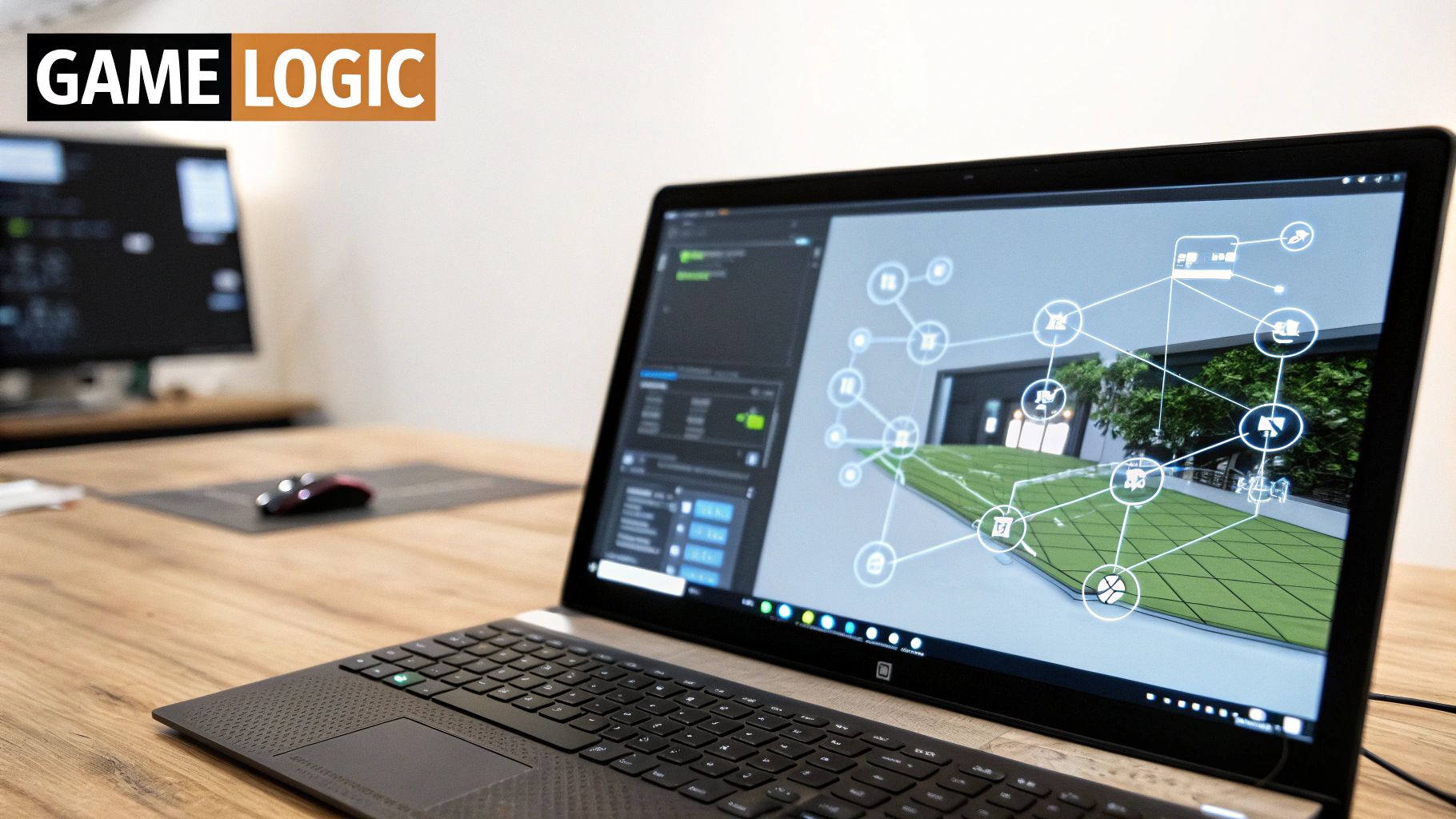
Unreal Engine Blueprints is a powerful visual scripting system integrated within Unreal Engine, one of the leading game development platforms. It empowers creators to develop interactive experiences and complex game logic without writing traditional code. This visual programming language uses a node-based interface, where everything from game objects and actors to inputs, functions, and events are represented as visual nodes. These nodes are then connected to define the flow of logic and create intricate behaviors and interactions within the game world. Blueprints are especially well-suited for rapid prototyping and iterative development, allowing creators to quickly visualize and experiment with gameplay mechanics. It firmly establishes itself as a notable visual programming language due to its accessibility, speed of development, and deep integration with a powerful game engine.
Blueprints provides a visual representation of programming concepts, including variables, functions, loops, and object-oriented principles like inheritance. While visually intuitive, under the hood, Blueprints compile down to native C++ code, ensuring impressive runtime performance comparable to traditionally coded projects. This combination of visual ease and performance makes Blueprints a valuable tool for both novice and experienced game developers. For those looking to dive deeper, you can learn more about Unreal Engine Blueprints.
Features like real-time debugging and visualization further enhance the development process, allowing developers to quickly identify and address issues in their game logic. Full access to Unreal Engine's vast feature set, from physics and animation to AI and networking, is available directly within the Blueprint system, opening doors to a wide range of creative possibilities without requiring in-depth C++ knowledge.
Examples of Blueprints in Action:
The widespread adoption of Blueprints is evident in a variety of successful projects. Epic Games’ own Fortnite utilized Blueprints extensively for gameplay systems. Other AAA titles like Kingdom Hearts III and Borderlands 3 also leveraged Blueprints for specific gameplay mechanics. Beyond large studios, countless indie games have been created entirely using Blueprints, showcasing its power and versatility. Its use even extends beyond game development, finding applications in architectural and product visualization.
Pros:
- Accessibility: Opens game development to individuals without traditional programming experience.
- Rapid Prototyping: Enables quick iteration and experimentation with game mechanics.
- Improved Communication: Visual representation of game logic facilitates better team collaboration.
- Performance: Compiles to native C++ for near-native performance.
- Seamless C++ Integration: Allows for hybrid workflows, using C++ for performance-critical sections and Blueprints for rapid iteration.
Cons:
- Visual Clutter: Complex systems can become visually overwhelming.
- Performance Overhead: Highly complex operations can introduce performance bottlenecks.
- Conceptual Abstraction: Certain advanced programming concepts can be challenging to represent visually.
- Learning Curve: While visually driven, Blueprints still require dedicated learning.
- Ecosystem Lock-in: Tied specifically to the Unreal Engine ecosystem.
Tips for Effective Blueprint Usage:
- Organization is Key: Utilize functions and macros to compartmentalize complex logic and maintain clean Blueprint graphs.
- Reusable Libraries: Create Blueprint function libraries for commonly used operations to promote code reusability.
- Interface Power: Leverage Blueprint interfaces to facilitate flexible interactions between different game objects.
- Nativization: For performance-critical Blueprint code, consider using the nativization feature to convert it to native C++.
- Hybrid Workflow: Combine Blueprints with C++ for an optimal workflow, utilizing C++ for foundational systems and Blueprints for rapid iteration and gameplay logic.
For aspiring vibe coders, experienced software developers, digital artists, educators, and innovative entrepreneurs, Unreal Engine Blueprints offers a compelling entry point into the world of game development and interactive experiences. Its visual nature, combined with the power and flexibility of Unreal Engine, makes it a valuable tool for anyone looking to bring their creative visions to life.
5. Node-RED: Visual Programming for the Internet of Things
Node-RED is a powerful visual programming language ideal for creating event-driven applications and connecting disparate systems, particularly within the Internet of Things (IoT) realm. It earns its place among top visual programming languages by offering a low-code approach to building complex integrations, making it accessible to both experienced developers and those new to programming. Instead of writing lines of code, you visually create "flows" by linking together pre-built nodes, each representing a specific function, service, or hardware device. This flow-based programming paradigm makes it incredibly intuitive to visualize how data moves through your application. (https://nodered.org/)
How Node-RED Works:
At its core, Node-RED operates on a browser-based editor. This editor provides a drag-and-drop interface where you can select nodes from a vast library and connect them to define the flow of data. Each connection represents a message passing between nodes, allowing you to process, transform, and route data with ease. Node-RED is built on Node.js, making it lightweight and highly portable. This allows it to run on everything from powerful servers to resource-constrained edge devices like a Raspberry Pi, making it perfect for IoT deployments.
Features and Benefits:
Node-RED offers a comprehensive set of features:
- Flow-based programming: The visual drag-and-drop interface simplifies complex logic into manageable flows.
- Extensive node library: Pre-built nodes for numerous protocols, databases, cloud services, and hardware devices minimize the need for custom code. You can easily integrate with technologies like MQTT, HTTP, TCP, databases, social media platforms, and cloud providers like AWS and Azure.
- Custom node development: Extensibility through creating your own nodes using JavaScript for specialized tasks.
- Built-in dashboard: Create simple dashboards for visualizing data and controlling your flows without external tools.
- Lightweight deployment: Based on Node.js, Node-RED is highly portable and can be easily deployed to various platforms.
Pros:
- Low-code approach: Ideal for rapid prototyping and development, especially for IoT and integration projects.
- Lightweight runtime: Suitable for edge devices with limited resources.
- Visual representation of data flows: Improves understanding and simplifies debugging compared to traditional code.
- Large community and active development: Ensures ongoing support and a growing library of contributed nodes.
- Quick setup and rapid application development: Get started quickly with minimal setup time.
Cons:
- Limited for complex application logic: While powerful, complex algorithms might be better suited for traditional coding environments.
- Can become unwieldy for very large projects: Managing extremely complex flows can become challenging.
- Debugging complex flows can be challenging: While visualization helps, tracing errors through extensive flows can still require effort.
- Performance limitations for high-throughput applications: Not ideal for applications demanding extremely high performance.
- Not designed for UI-heavy applications: While it can create simple dashboards, Node-RED is not designed for complex user interface development.
Examples of Successful Implementation:
- Smart Home Automation: Connecting various smart home devices and creating automated routines based on events.
- Industrial Monitoring and Control: Collecting data from sensors, visualizing it, and triggering actions based on predefined thresholds.
- Data Collection and Visualization Dashboards: Aggregating data from multiple sources and presenting it in an easily digestible format.
- API Orchestration Services: Connecting and managing interactions between different APIs.
- IBM Watson AI Service Integration: Easily integrating AI capabilities into your applications.
Tips for Using Node-RED:
- Use subflows: Create reusable components to avoid redundancy and improve maintainability.
- Implement error handling nodes in all critical paths: Ensure robustness and prevent unexpected failures.
- Leverage context stores for maintaining state: Store and retrieve data between nodes within a flow.
- Use environment variables for configuration: Keep sensitive data separate from your flow definitions.
- Organize flows by functionality using tabs: Improve readability and navigation in large projects.
Node-RED stands out as a valuable visual programming language for its ability to simplify complex integrations, especially in the rapidly growing world of the Internet of Things. Its intuitive interface, extensive node library, and lightweight runtime make it an excellent choice for a wide range of applications, from simple home automation to sophisticated industrial control systems. While not suited for every project, Node-RED empowers users to connect the digital and physical worlds with unprecedented ease.
6. TouchDesigner: A Visual Powerhouse for Real-Time Multimedia
TouchDesigner secures its spot on this list of visual programming languages as a leading platform for creating stunning real-time interactive experiences. Developed by Derivative, it empowers artists, designers, and developers to build everything from large-scale interactive installations to live performance visuals through its intuitive, node-based interface. This approach makes it a compelling alternative to traditional text-based coding for those working in the realm of visual programming languages.
At its core, TouchDesigner operates on a network of interconnected nodes, each representing a specific operation or function. These nodes are visually linked, creating a flow of data that defines the program's behavior. This visual representation of the code allows for immediate feedback and rapid prototyping, making it ideal for projects where real-time manipulation and experimentation are crucial. TouchDesigner's deep integration with GPU-accelerated processing further enhances its real-time capabilities, enabling complex visual effects and simulations. Beyond visuals, TouchDesigner seamlessly integrates audio processing and analysis, enabling the creation of rich audio-visual experiences. The platform supports a wide range of input devices and protocols, including MIDI, OSC, and DMX, further expanding its interactive possibilities.
TouchDesigner's power and flexibility are evident in its diverse range of applications:
- Massive LED installations at music festivals: Driving complex and dynamic visuals synchronized with music and performance.
- Interactive museum exhibits: Creating engaging and educational experiences that respond to visitor interaction.
- Stage visuals for major musical artists like Deadmau5: Delivering spectacular real-time visuals that enhance the performance.
- Projection mapping for architectural displays: Transforming buildings into dynamic canvases with projected animations.
- Real-time data visualization for brands and events: Bringing data to life through visually compelling representations.
Features and Benefits:
- Node-based programming environment with real-time feedback: Allows for intuitive visual development and rapid iteration.
- GPU-accelerated processing and rendering: Enables high-performance real-time graphics and simulations.
- Deep integration with audio processing and analysis: Facilitates the creation of sophisticated audio-visual experiences.
- Support for various input devices and protocols (MIDI, OSC, DMX): Extends interactivity and control options.
- Python scripting for extending functionality: Provides a powerful scripting language for advanced customization and automation.
Pros:
- Immediate visual feedback during development: Accelerates the creative process.
- Exceptional performance for real-time graphics and processing: Handles complex projects with ease.
- Flexible integration with external hardware and software: Expands possibilities for interaction and control.
- Powerful for creating generative art and responsive installations: Enables the creation of dynamic and evolving artworks.
- Combines visual programming with Python scripting for advanced needs: Offers both ease of use and powerful scripting capabilities.
Cons:
- Steep learning curve despite visual interface: Requires dedicated time and effort to master.
- Expensive commercial licensing (though free non-commercial version available): Can be a barrier for some users.
- High hardware requirements for complex projects: Demands powerful computers for optimal performance.
- Specialized focus makes it less suitable for general-purpose applications: Not ideal for tasks outside its core domain.
- Limited community size compared to mainstream development tools: Fewer resources and support options compared to more established languages.
Tips for Getting Started with TouchDesigner:
- Start with simple networks and gradually increase complexity: Build a strong foundation before tackling advanced projects.
- Use containers to organize and encapsulate components: Maintain a clean and manageable workspace.
- Optimize performance by minimizing cooking dependencies: Ensure efficient execution of your networks.
- Leverage CHOP channels for animation and parameter control: Explore the power of TouchDesigner's animation system.
- Use the perform mode to test real-time performance: Identify and address performance bottlenecks.
TouchDesigner's unique blend of visual programming, real-time performance, and powerful features make it a valuable tool for anyone working with interactive multimedia. While it has a learning curve, the creative potential and impressive results achievable with TouchDesigner justify its place among the top visual programming languages. More information can be found on the Derivative website.
7. Max/MSP
Max/MSP (formerly Max/MSP and Jitter, now simply Max) stands as a powerful and versatile visual programming language specifically designed for music, multimedia, and interactive arts. Its unique approach empowers users to create complex software without relying on traditional coding methods, making it a compelling entry in the world of visual programming languages. Instead of writing lines of code, users connect virtual objects, representing different functions and operators, in a graphical environment, creating a "patch" that defines the program's behavior. This patch-based system allows for intuitive experimentation and real-time manipulation of audio, MIDI, video, graphics, and more. Max's longevity and impact on the creative coding landscape make it a valuable tool for anyone exploring the intersection of art and technology. Its place on this list is solidified by its rich history, robust community, and ongoing relevance in fields ranging from music production to interactive installations. (https://cycling74.com/products/max)
How it Works:
Max's core paradigm revolves around connecting visual objects within a patching environment. These objects represent various functionalities, from sound generators and effects processors to user interface elements and data manipulation tools. By connecting these objects with virtual patch cords, users define the flow of data and control signals, creating complex interactive systems. This visual representation of the program logic allows for a more intuitive understanding of the system's behavior, particularly when dealing with real-time audio and video processing.
Features and Benefits:
- Patch-based visual programming: This intuitive approach makes complex programming concepts accessible to a wider audience.
- Real-time audio and video processing: Max excels at manipulating audio and video signals in real time, making it ideal for live performances and interactive installations.
- Modular architecture: With hundreds of built-in objects and operators, as well as support for VST plugins and external hardware integration, Max provides a highly flexible and extensible platform.
- Gen: This embedded system allows for the creation of highly optimized DSP algorithms for demanding audio processing tasks.
- JavaScript and Java integration: Extending Max’s functionality with traditional coding languages provides powerful customization options.
Pros:
- Industry standard: Widely recognized and used in professional music production, sound design, and interactive art.
- Prototyping: Excellent for rapidly prototyping complex audio-visual systems.
- Real-time experimentation: Facilitates on-the-fly adjustments and modifications during performance.
- Deep integrations: Seamlessly integrates with a wide range of music hardware and software.
- Community support: Benefits from a vibrant and active community of users, developers, and educators.
Cons:
- Cost: As commercial software, Max requires a paid license.
- Complexity: Patches can become visually intricate and challenging to manage for large projects.
- Learning curve: While visually intuitive, mastering Max's extensive functionalities can require dedicated learning.
- Performance limitations: Extremely complex patches can push the limits of real-time processing capabilities.
- Specialized focus: Less suited for general-purpose application development outside of its niche.
Examples of Successful Implementation:
- Björk's Biophilia interactive album app
- Interactive sound installations at major museums worldwide
- Live electronic music performances by artists like Aphex Twin
- Radiohead's concert visuals and effects
- Academic research projects in music technology departments
Tips for Using Max/MSP:
- Presentation Mode: Create clean and user-friendly interfaces for controlling your patches.
- Subpatchers: Encapsulate complex logic within subpatches to improve organization and readability.
- Comments: Document your patches thoroughly to facilitate future editing and collaboration.
- Polyphony: Employ polyphony techniques for efficient handling of multiple voices and sounds.
- Community Resources: Explore the vast library of community-created tools and extensions to expand your creative possibilities.
Popularized By:
- Miller Puckette (original creator)
- Cycling '74 (company led by David Zicarelli, later acquired by Ableton)
- Countless electronic musicians, sound artists, and researchers
Max/MSP stands as a testament to the power of visual programming languages in the creative realm. Its focus on real-time interaction, combined with its extensive features and strong community, makes it an indispensable tool for anyone looking to explore the exciting possibilities of interactive audio and visual experiences. Whether you're a seasoned developer or a curious beginner, Max offers a unique and rewarding pathway into the world of visual programming.
8. Pure Data (Pd)
Pure Data (Pd), often referred to as simply "Pd," earns its place among the top visual programming languages due to its open-source nature, flexibility, and focus on multimedia, particularly audio. It empowers users to create interactive software applications by connecting graphical objects in a patch-based environment, effectively programming through visual representation rather than traditional code. This approach makes it an attractive option for those working with sound, video, and other real-time data streams, fitting perfectly within the scope of visual programming languages.
Pd works by creating data flow networks. Users drag and drop objects representing different functions (oscillators, filters, delays, etc.) onto a canvas called a "patch." These objects are then connected via virtual patch cables, dictating the flow of data between them. For instance, connecting an oscillator to a filter then to a speaker object creates a basic audio synthesis patch. This visual approach allows users to see and manipulate the signal flow directly, providing an intuitive understanding of the program's logic.
Examples of Successful Implementation:
Pd's versatility has led to its adoption across a diverse range of applications, showcasing its power as a visual programming language:
- Interactive Sound Art Installations: Pd excels at creating reactive audio-visual experiences, enabling artists to build installations that respond to audience interaction in real-time.
- DIY Electronic Music Instruments: Pd enables musicians to design and build custom instruments, from simple controllers to complex synthesizers.
- Mobile Music Applications (using libpd): libpd, a lightweight version of Pd, allows developers to embed Pd patches directly into mobile apps, bringing the power of visual programming to iOS and Android platforms.
- Video Game Sound Engines: Pd can be utilized for creating dynamic and responsive in-game audio, reacting to gameplay events and player actions.
- Research Projects in Computer Music and Acoustic Analysis: Researchers leverage Pd's signal processing capabilities for advanced audio analysis and experimentation.
Actionable Tips for Pd Users:
- Use graph-on-parent for modularity: This feature encourages the creation of reusable components, simplifying complex patches and promoting code reuse.
- Explore community libraries (e.g., Gem): Gem extends Pd's graphical capabilities, allowing for visual effects and interactive visualizations.
- Use send/receive objects for cleaner patches: These objects help manage signal routing, reducing the visual clutter of patch cables in larger projects.
- Leverage array objects for sample manipulation: Arrays provide powerful tools for analyzing and manipulating audio samples.
- Build abstractions for common processes: Abstracting frequently used sections of your patch improves workflow and makes your projects more organized.
When and Why to Use Pd:
Pd is a powerful tool for anyone working with real-time audio, video, or other sensor data. Its visual nature and open-source philosophy make it particularly well-suited for:
- Beginners exploring visual programming: While it has a steeper learning curve than some simpler visual languages, Pd provides a deep dive into signal processing and multimedia programming concepts.
- Artists and musicians creating interactive works: Pd's focus on real-time performance and its extensive library of audio and video objects make it ideal for artistic expression.
- Researchers and educators: Pd's open-source nature and active community provide a rich platform for experimentation and learning.
- Developers working with embedded systems: Pd's lightweight footprint and support for embedded platforms open up possibilities for creating interactive installations and standalone devices.
Pros:
- Completely free and open-source.
- Lightweight with minimal system requirements.
- Strong educational and academic adoption.
- Excellent documentation and community resources.
- Cross-platform compatibility and mobile support.
Cons:
- Interface can feel utilitarian compared to commercial alternatives.
- Steeper initial learning curve for beginners.
- Graphics capabilities are less developed than audio features.
- Documentation for advanced features can be sparse.
Popularized By: Miller Puckette (creator and main developer), IEM (Institute of Electronic Music and Acoustics), the open-source community, and various academic institutions.
Pd stands out among visual programming languages by offering a powerful, free, and open-source environment specifically tailored for multimedia creation. Its patch-based workflow and extensive community support make it a valuable tool for both beginners exploring visual programming and experienced developers seeking a flexible platform for audio-visual projects.
9. Grasshopper (Rhino)
Grasshopper is a powerful visual programming language specifically designed for generating and manipulating complex geometry within the Rhino 3D CAD environment. It earns its place on this list of visual programming languages because it democratizes algorithmic design, making it accessible to architects, designers, and other creative professionals without requiring traditional coding expertise. Instead of writing lines of code, users drag and drop components onto a canvas and connect them to create algorithms. This node-based, data flow programming model is particularly well-suited to computational design tasks, allowing for rapid prototyping and exploration of intricate forms. Learn more about Grasshopper (Rhino) to explore its capabilities further.
Grasshopper operates on a parametric modeling principle. This means that designs are defined by parameters that can be easily adjusted, leading to rapid iterations and design exploration. Changes to input parameters automatically propagate through the algorithm, updating the resulting geometry in real-time. This visual feedback loop accelerates the design process and allows for experimentation with complex forms that would be difficult to achieve through traditional modeling methods.
Key Features and Benefits:
- Node-based Parametric Modeling: The drag-and-drop interface makes it intuitive to build and modify algorithms visually.
- Deep Rhino Integration: Seamlessly interacts with Rhino's robust 3D modeling tools, allowing for direct manipulation and refinement of generated geometry.
- Computational Design Focus: The data flow programming model and extensive component library are tailored specifically for computational design tasks.
- Scripting Support: While primarily visual, Grasshopper also supports Python, C#, and VB scripting for extending its functionality and integrating with other tools.
- Physics Simulation and Analysis: Offers tools for simulating physical forces and analyzing environmental factors, enabling performance-driven design.
Pros:
- Accessibility: Opens the door to algorithmic design for non-programmers.
- Rapid Iteration: Parametric modeling enables quick exploration of design variations.
- Strong Community: A large and active community provides ample resources, shared components, and tutorials.
- Professional Workflow Integration: Fits seamlessly into existing professional 3D modeling pipelines.
- Real-time Visual Feedback: Facilitates experimentation and troubleshooting.
Cons:
- Rhino Dependency: Requires a license for Rhino, which is commercial software.
- Performance Limitations: Can struggle with extremely complex models due to memory and processing constraints.
- Learning Curve: While visually intuitive, mastering architectural concepts and computational thinking requires dedicated effort.
- File Management: Can become challenging in large and complex projects.
- Domain Specificity: While applicable in other fields, it's primarily focused on architectural and design applications.
Examples of Grasshopper in Action:
- Zaha Hadid Architects: Used extensively for generating complex parametric facades on numerous projects.
- Beijing National Stadium ('Bird's Nest'): Instrumental in the structural optimization of the stadium's iconic design.
- Museum of the Future in Dubai: Enabled the creation of the building's intricate geometric patterns.
- Automotive Design (BMW, Audi): Applied in surface modeling and design optimization.
- Product Design: Used for optimizing product performance and manufacturability.
Tips for Effective Grasshopper Use:
- Organization is Key: Group related components to maintain a clean and understandable workspace.
- Master Data Trees: Learn how to effectively manage complex hierarchical data using data trees.
- Create Reusable Modules: Utilize 'Cluster' components to encapsulate and reuse sections of your algorithms.
- Portable Files: Use 'Internalizing Data' to embed data within the Grasshopper file, making it easier to share and transfer.
- Performance Optimization: Employ 'Data Dam' components to control the flow of data and improve computational performance.
Grasshopper has been popularized by figures like David Rutten (its creator), Robert McNeel & Associates (Rhino developers), and architects like Patrik Schumacher and Zaha Hadid Architects. Its adoption by leading architectural schools worldwide has solidified its position as a crucial tool for the future of design.
10. Simulink
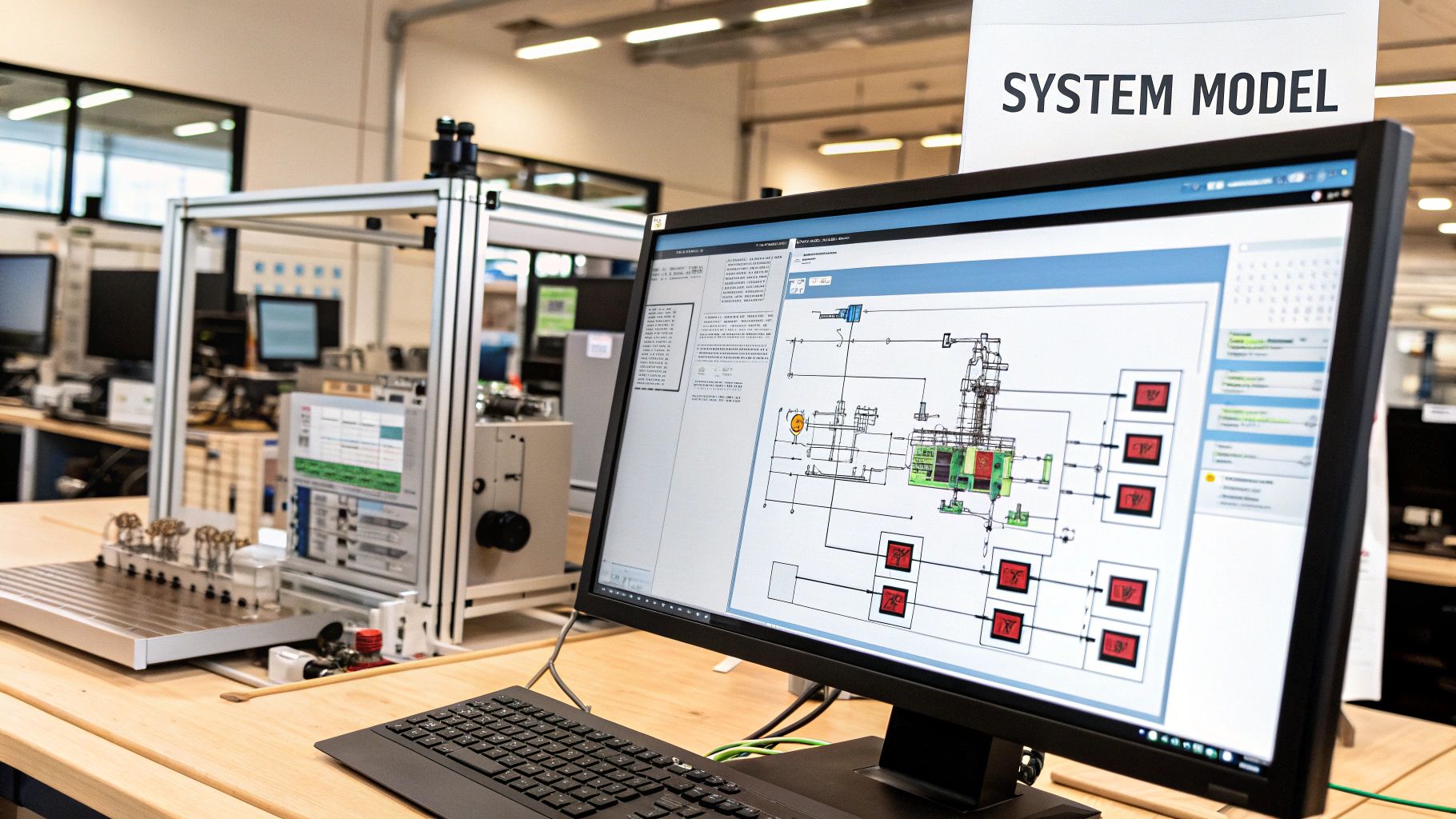
Simulink, a powerful visual programming language developed by MathWorks, stands out as a leading environment for model-based design. It provides a graphical interface for modeling, simulating, and analyzing dynamic systems across multiple domains, making it a valuable tool for anyone working with complex systems, from aspiring vibe coders and experienced software developers to engineers and scientists. Its intuitive block diagram approach allows users to represent mathematical and logical operations visually, fostering a deeper understanding of system behavior and interactions. This makes it a compelling entry in our list of top visual programming languages.
Instead of writing lines of code, users drag and drop pre-built blocks representing mathematical functions, signal sources, and system components, connecting them to create a visual representation of the system's architecture. This approach accelerates development time by allowing for simulation and testing before physical implementation, a critical advantage in fields like control systems engineering, signal processing, and embedded systems development. Simulink's seamless integration with MATLAB further enhances its capabilities, providing a robust platform for data analysis, algorithm development, and visualization.
How Simulink Works:
Simulink operates on the principle of model-based design. Users build a graphical model of their system using interconnected blocks, define parameters, and then simulate the model's behavior under various conditions. The results of the simulation can be visualized and analyzed within Simulink or exported to MATLAB for further processing. This iterative process of modeling, simulation, and analysis allows engineers to refine their designs and optimize system performance before deploying to hardware. Simulink also supports automatic code generation, enabling the direct translation of the visual model into C, C++, or HDL code for embedded systems, streamlining the development workflow and reducing the risk of manual coding errors.
Examples of Successful Implementation:
Simulink's impact spans across numerous industries and applications, showcasing its versatility and power:
- NASA's Mars Rover Control Systems: Simulink was instrumental in designing and simulating the complex control systems that navigate the Mars Rovers, demonstrating its robustness in mission-critical applications.
- Automotive Engine Control Unit (ECU) Development: Major automotive manufacturers utilize Simulink for developing and testing engine control units, optimizing fuel efficiency and emissions control.
- Boeing Aircraft Flight Control Systems: Simulink plays a crucial role in the design and verification of flight control systems, ensuring the safety and reliability of modern aircraft.
- Medical Device Firmware Validation: Simulink is employed in the development and validation of firmware for medical devices, contributing to the safety and efficacy of critical healthcare technologies.
- Power Grid Modeling and Renewable Energy Systems: Simulink enables the modeling and analysis of complex power grids, facilitating the integration of renewable energy sources and optimizing energy distribution.
Actionable Tips for Using Simulink:
- Modular Design with Subsystems: Organize your models into reusable subsystems for improved clarity and maintainability.
- Model Referencing for Collaboration: Utilize model referencing to facilitate collaborative development in large team projects.
- Stateflow for State-Based Logic: Leverage Stateflow to integrate state machines and event-based logic within your Simulink models.
- Centralized Parameter Management: Use the Data Dictionary to centrally manage parameters and ensure consistency across your models.
- Formal Requirements Tracing: Implement formal requirements tracing for regulated industries to ensure compliance and traceability.
Pros and Cons:
Pros:
- Industry standard for control systems and signal processing.
- Reduced development time through simulation-based testing.
- Improved communication between engineering disciplines.
- Automatic code generation eliminates manual coding errors.
- Extensive verification and validation tools for safety-critical systems.
Cons:
- Expensive licensing costs for commercial use.
- Significant learning curve for advanced applications.
- Generated code may not be optimized for all platforms.
- Resource-intensive for complex simulations.
- Dependency on the MATLAB ecosystem.
Why Simulink Deserves Its Place on the List:
Simulink's unique combination of visual programming, powerful simulation capabilities, and seamless integration with MATLAB makes it an indispensable tool for engineers, scientists, and anyone working with complex dynamic systems. Its widespread adoption across diverse industries, coupled with its robust features and extensive toolset, solidifies its position as a leading visual programming language. While it has a steeper learning curve and licensing costs can be a barrier, the benefits of reduced development time, improved system understanding, and automated code generation make Simulink a valuable investment for those working on complex projects. (MathWorks Website)
Top 10 Visual Programming Languages: Feature Comparison
| Language | 🔄 Complexity | ⚡ Resources | 📊 Outcomes | 💡 Use Cases | ⭐ Advantages |
|---|---|---|---|---|---|
| Scratch | Low; beginner-friendly | Minimal; browser-based | Immediate visual feedback and basic skills | Education, K-12, introductory coding | Zero syntax errors, strong community |
| Blockly | Moderate; requires customization | Lightweight; web-integrated | Generates production-ready code | Embedded learning, transition to text-based code | Highly customizable, multi-language support |
| LabVIEW | High; steep learning curve | High; substantial software footprint | Robust system designs with real-time processing | Industrial testing, hardware interfacing | Exceptional hardware integration, parallelism |
| Unreal Engine Blueprints | Moderate; visually detailed | Demanding; tied to Unreal Engine ecosystem | Rapid game prototyping with near-native performance | Game development, interactive experiences | Accessible game logic with seamless C++ mix |
| Node-RED | Low; flow-based setup | Lightweight; built on Node.js | Quick IoT integrations and automated data flows | IoT, API orchestration, automation | Simplifies device wiring, rapid prototyping |
| TouchDesigner | High; intricate node networks | High; GPU-accelerated | Real-time multimedia and interactive visuals | Live performances, installations | Immediate visual feedback, advanced rendering |
| Max/MSP | Moderate to high; complex patching | Moderate; optimized for audio-visual work | Dynamic multimedia systems and live interactions | Interactive music and sound design | Industry standard with deep hardware integration |
| Pure Data (Pd) | Moderate; utilitarian interface | Minimal; free and lightweight | Real-time audio and visual processing | Academic research, DIY multimedia projects | Open-source, cross-platform, extensible |
| Grasshopper (Rhino) | Moderate; learning curve in parametric design | Moderate; leverages Rhino’s performance | Generative design and complex geometry creation | Architecture and computational design | Seamless 3D integration, rapid design iteration |
| Simulink | High; intensive model-based design | High; resource-intensive for simulations | Validated control systems and reliable simulations | Control systems, signal processing | Industry standard, automatic code generation |
Embrace the Visual Programming Revolution
Visual programming languages are transforming the way we interact with technology, offering intuitive and accessible pathways to coding for everyone from seasoned developers to absolute beginners. This list, featuring platforms like Scratch, Blockly, LabVIEW, Unreal Engine Blueprints, Node-RED, TouchDesigner, Max/MSP, Pure Data (Pd), Grasshopper, and Simulink, demonstrates the diverse range of applications for visual programming languages, spanning education, game development, data visualization, and much more.
Key takeaways from exploring these tools include the power of visual representations for simplifying complex logic, the potential for rapid prototyping and experimentation, and the inherent accessibility that opens coding to a wider audience. Whether you're a digital artist crafting interactive installations with TouchDesigner, an engineer designing control systems with LabVIEW, or a student learning the foundations of coding with Scratch, visual programming languages provide a powerful set of tools to translate ideas into reality.
Mastering these approaches is increasingly valuable in our technology-driven world. Visual programming languages empower individuals to become active creators, not just passive consumers, of technology. They foster innovation by lowering the barrier to entry for programming and enabling faster development cycles. By understanding the principles of visual coding, you unlock the potential to build innovative solutions, automate tasks, and express your creativity in entirely new ways.
As you embark on your visual programming journey, take the next step by exploring resources like Vibecoding VIP. This curated directory offers a wealth of information, including links to tutorials, inspiring projects, and communities where you can connect with fellow visual coders. The future of programming is visual, and by embracing these innovative tools, you position yourself at the forefront of this exciting revolution. Dive in, experiment, and discover the limitless possibilities that await you in the world of visual programming languages.